1. መግቢያ
This manual provides detailed instructions for the installation, operation, and maintenance of your Coulisse Tubular Bluetooth 1.1 nm Motor (CM-03) for Smart Home Roller Blind Automation. This motor is designed for use with 30-50mm tubes, offering a seamless and intelligent solution for controlling your window coverings.
The MotionBlinds CM-03 motor simplifies automation with features like quick smartphone setup, timer programming, and optional smart home integration. Its design focuses on simplicity, cable-free installation, and user privacy by storing data locally on the motor.

Image 1.1: Coulisse Tubular Bluetooth Motor (CM-03) with specifications label.
2. የደህንነት መረጃ
Please read all safety instructions carefully before installation and operation. Failure to follow these instructions may result in injury or damage to the product.
- ማንኛውንም ጭነት ወይም ጥገና ከማካሄድዎ በፊት የኃይል አቅርቦቱ መቋረጡን ያረጋግጡ።
- ሞተሩን ለእርጥበት ወይም ለከፍተኛ ሙቀት አያጋልጡት።
- Keep children and pets away from moving blinds.
- በአምራቹ የተገለጹትን መለዋወጫዎች እና ክፍሎች ብቻ ይጠቀሙ።
- የኤሌክትሪክ ገመዱ ከተበላሸ, አደጋን ለማስወገድ በአምራቹ, በአገልግሎት ወኪሉ ወይም በተመሳሳይ ብቃት ባላቸው ሰዎች መተካት አለበት.
3. የምርት ክፍሎች
The CM-03 motor system includes the tubular motor and various accessories for installation into roller blind tubes. Please verify all components are present before beginning installation.

ምስል 3.1፡ አልቋልview of CM-03 motor and associated components/accessories.
Key components and accessories may include:
- CM-03 Tubular Motor
- Drive plug (e.g., RC3083-ABC for 38mm DC motor)
- Crown adapter (e.g., RC3084-ABC for 25-38mm)
- USB-C charging cable (CM-41)
- Pull cord connector (CM-37-TR)
- Setup-code tassel cover (PU06-*)
Specific adapters and plugs will depend on your roller blind tube diameter (30-50mm).
4. ማዋቀር እና መጫን
The MotionBlinds CM-03 motor is designed for quick and easy setup. Follow these steps for installation and initial configuration.
4.1 ሜካኒካል መጫኛ
- Insert the motor into the roller blind tube, ensuring it fits securely with the appropriate drive plug and crown adapter.
- Mount the roller blind assembly into your window frame or desired location according to your blind system's instructions.

Image 4.1: Diagram illustrating the tubular motor within a blind tube.
4.2 Smartphone Configuration (Bluetooth)
Configuration of your Bluetooth motorized window covering takes just a minute using the MotionBlinds Bluetooth app.
- Download the MotionBlinds Bluetooth app from your smartphone's app store.
- መተግበሪያውን ይክፈቱ እና የማያ ገጽ ላይ መመሪያዎችን ይከተሉ።
- Scan the setup code located on the motor or its packaging.
- Complete the few easy steps in the app to pair the motor and set the upper and lower limits of your blind.

Image 4.2: Using the MotionBlinds Bluetooth app for setup.
For more information and setup guides, you can visit the official MotionBlinds resources, such as https://rtube.nl/red1917.
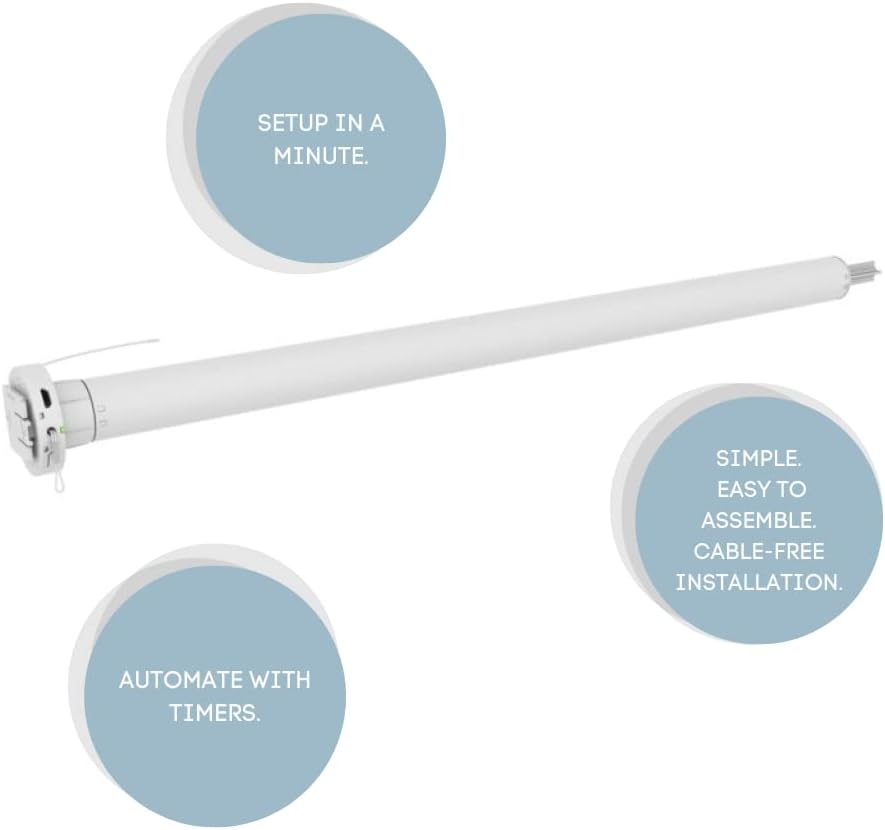
Image 4.3: Visual representation of key setup features: Setup in a minute, Automate with timers, Simple assembly and cable-free installation.
5. Operating the Motor
Once set up, your MotionBlinds CM-03 motor can be controlled via the MotionBlinds Bluetooth app or integrated into smart home systems.
5.1 የመተግበሪያ ቁጥጥር
Use the MotionBlinds Bluetooth app to manually control your blinds (open, close, stop) and to set intermediate positions.
5.2 Automate with Timers
Programming timers into the motor via the app makes it simple to put the blinds on autopilot. At scheduled times, blinds naturally move to their pre-set positions. All data and intelligence are stored locally on the motor rather than in the cloud to protect user privacy.
5.3 Smart Home Connectivity (Optional)
To integrate your blinds with smart home systems like Google Home, Amazon Alexa, and others, you can install the MotionBlinds Wi-Fi bridge (sold separately). This bridge allows for voice control and advanced automation scenarios within your smart home ecosystem.

Image 5.1: Demonstrating smart technology integration for window coverings.
6. ጥገና
The Coulisse Tubular Bluetooth Motor (CM-03) requires minimal maintenance to ensure long-lasting performance.
- ማጽዳት፡ ሞተሩን ይጥረጉ ሐasinደረቅና ለስላሳ ጨርቅ በመጠቀም። ሻካራ ማጽጃዎችን ወይም ሟሟቶችን አይጠቀሙ።
- ባትሪ መሙላት፡ The motor is battery-powered. Recharge the motor using the provided USB-C cable when the battery indicator (if available) signals low power or when performance degrades. The charging time is approximately 12 minutes for operation.
- የጽኑዌር ዝማኔዎች ፦ Periodically check the MotionBlinds Bluetooth app for any available firmware updates for your motor to ensure optimal performance and access to new features.
7. መላ መፈለግ
If you encounter issues with your CM-03 motor, refer to the following common problems and solutions:
| ችግር | ሊሆን የሚችል ምክንያት | መፍትሄ |
|---|---|---|
| ሞተሩ ምላሽ እየሰጠ አይደለም | Low battery; Bluetooth connection issue; Motor not paired. | Charge the motor; Ensure Bluetooth is enabled on your device and motor is within range; Re-pair the motor via the app. |
| Blind not moving to correct limits | Limits not set correctly. | Recalibrate the upper and lower limits using the MotionBlinds app. |
| Difficulty connecting to smart home system | Wi-Fi bridge not set up or connected; Network issues. | Ensure the MotionBlinds Wi-Fi bridge is properly installed and connected to your network; Check your home Wi-Fi connection. |
| ሞተሩ ያልተለመደ ድምፅ ያሰማል | Obstruction in blind mechanism; Motor malfunction. | Check for any obstructions in the blind's path; If noise persists, contact customer support. |
8. ዝርዝሮች
Detailed technical specifications for the Coulisse Tubular Bluetooth Motor (CM-03):
| ባህሪ | ዝርዝር መግለጫ |
|---|---|
| የሞዴል ቁጥር | CM-03 |
| ቴክኖሎጂ | Bluetooth, 433Mhz |
| ግቤት | USB-C 5V, 1.00A, 12W |
| ቶርክ | 1.1 ኤም |
| ፍጥነት | 28 ራፒኤም |
| የስራ ጊዜ | 12 ደቂቃዎች |
| የሞተር ዲያሜትር | 25 ሚ.ሜ |
| የሞተር ርዝመት | 580 ሚ.ሜ |
| Min. Blind Width | 635 ሚ.ሜ |
| ቲዩብ ተኳሃኝነት | 30-50mm (specifically 38-42-50 mm) |
| Approx. Blind Size (cm) | 280x250 |
| የባትሪ አቅም | 28.08Wh 2600mAh (10.8V) |
| Charging Life Cycle | 350 |
| የኃይል መሙያ ጊዜ | 12 ወራት |
| የምርት ልኬቶች | 22.5 x 2 x 2 ኢንች |
| የእቃው ክብደት | 1.5 ፓውንድ |
| ቁሳቁስ | አይዝጌ ብረት |
| አምራች | ኩሊሴ |
| ASIN | B0BWSG56PR |
| ዩፒሲ | 655457587941 |

Image 8.1: Close-up of the motor's label showing input, torque, speed, and operating time.
9. ዋስትና እና ድጋፍ
For warranty information and technical support, please contact MotionBlinds customer service or refer to the official Coulisse webጣቢያ. የግዢ ደረሰኝህን እንደ ግዢ ማረጋገጫ አቆይ።
Manufacturer: Coulisse B.V., Vonderweg 48, 7468 DC Enter, The Netherlands.


