መግቢያ
The RetroSound Europa DIN Radio Motor 2 combines classic European radio aesthetics from the 1960s and 70s with modern audio technology. This unit is designed for easy installation in vehicles requiring a DIN-sized radio. It features integrated shafts for simplified assembly and includes a universal DIN mounting kit. This manual provides instructions for the proper setup, operation, and maintenance of your RetroSound Europa DIN Radio Motor 2.

Image: The RetroSound Europa DIN Radio Motor 2 unit shown with its retail packaging, highlighting its classic design.
ማዋቀር እና መጫን
The RetroSound Europa DIN Radio Motor 2 requires assembly and proper electrical connection. Follow these steps for installation:
- ስብሰባ፡- The unit features integrated shafts for simplified assembly. Attach the faceplate and knobs according to the included assembly guide.
- መጫን፡ Use the universal DIN mounting kit to secure the radio into your vehicle's dashboard opening. Ensure a snug and stable fit.
- የገመድ ግንኙነቶች; Connect the included wiring harness to the radio's rear ports. Refer to the diagram below for specific connections.
- Power/Speakers: Connect the main harness for power supply and speaker outputs.
- አንቴና፡ የተሽከርካሪዎን የአንቴና ገመድ ከሬዲዮው የአንቴና ግብዓት ጋር ያገናኙ።
- ውጫዊ ማይክሮፎን Plug in the included Bluetooth microphone for hands-free calling.
- የዩኤስቢ ወደብ፡ የሚዲያ መልሶ ማጫወት ወይም ኃይል ለመሙላት የዩኤስቢ መሳሪያዎችን ያገናኙ።
- Line Out (Front/Rear): Use these RCA outputs to connect external ampአነፍናፊዎች።
- Subwoofer ውፅዓት ፦ Connect a dedicated subwoofer ampማብሰያ
- የሬዲዮ መቆጣጠሪያዎች; Connect any optional steering wheel control interfaces if applicable.
- የመነሻ ኃይል መጨመር; After all connections are secure, turn on your vehicle's ignition to power the radio.

ምስል: የኋላ view of the RetroSound Europa DIN Radio Motor 2, showing labeled connection points for power, speakers, antenna, external microphone, USB, and RCA line outputs.
የአሠራር መመሪያዎች
Familiarize yourself with the controls and functions of your RetroSound Europa DIN Radio Motor 2.
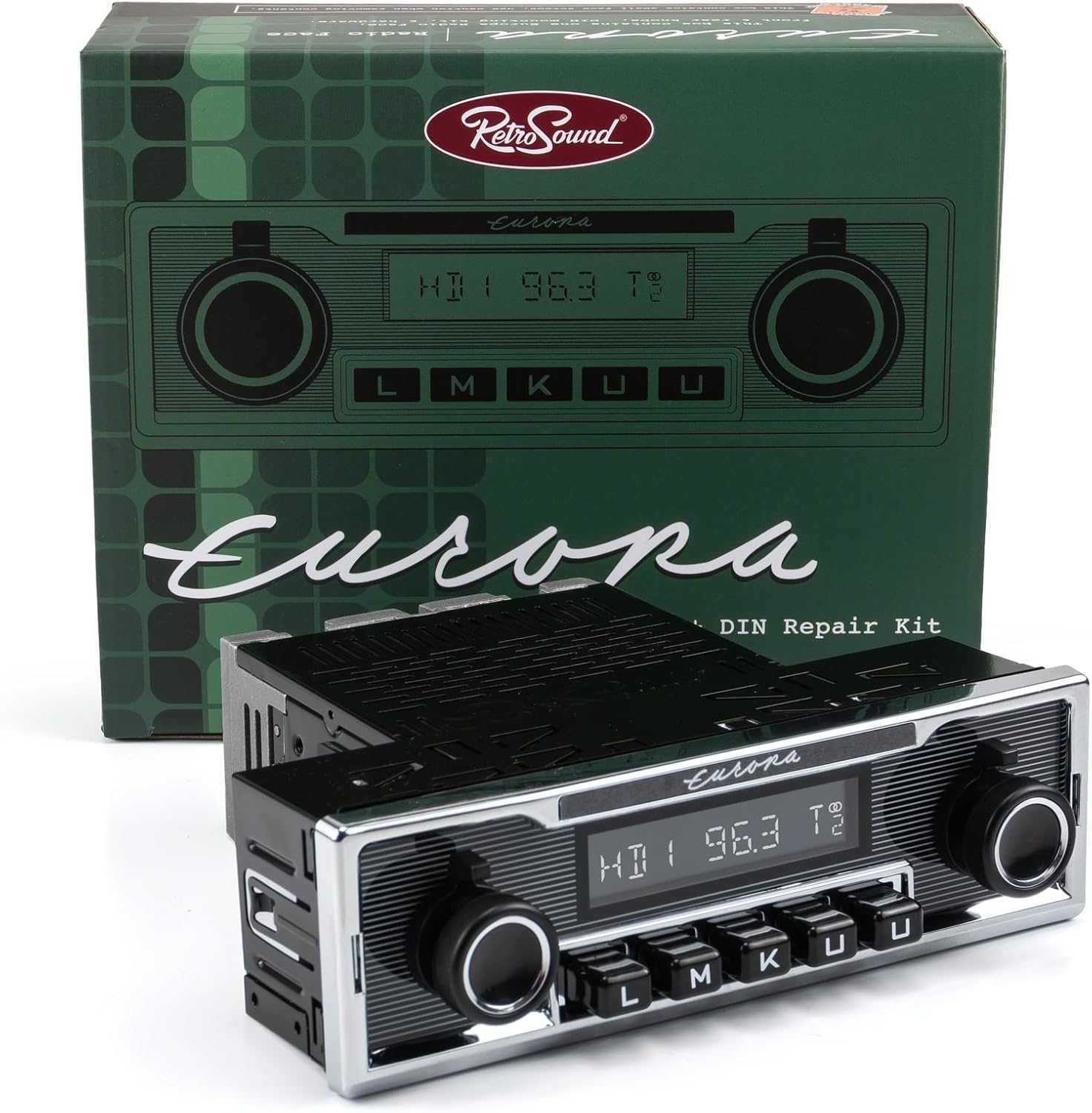
ምስል፡ ፊት ለፊት view of the RetroSound Europa DIN Radio Motor 2, displaying the display, control knobs, and push-buttons.
መሰረታዊ ተግባራት፡-
- ማብራት/ማጥፋት፡ Press the left knob to turn the unit on or off.
- የድምጽ መቆጣጠሪያ፡- Rotate the left knob to adjust the volume level.
- የምንጭ ምርጫ፡- Use the push-buttons or right knob to cycle through available audio sources (AM/FM, Bluetooth, USB, Auxiliary).
- ማሳያ፡- The 32,000-color display shows current station, track information, or menu options. The color is adjustable to match your vehicle's gauge color.
Radio Tuner (AM/FM RDS):
- መቃኘት: Use the right knob to manually tune frequencies or seek for stations.
- ቅድመ-ቅምጦች The unit supports 30 presets. Press and hold a preset button to save the current station. Briefly press to recall a saved station.
- Tuner Frequencies: Selectable tuner frequencies are available for USA, EUR, AUS, JAP, and RUS regions. Adjust this setting in the system menu if needed.
Bluetooth Connectivity (Version 5.0):
The unit features built-in Bluetooth for hands-free calling and audio streaming.
- ማጣመር፡
- በተንቀሳቃሽ መሣሪያዎ ላይ ብሉቱዝ መንቃቱን ያረጋግጡ።
- Select "Bluetooth" as the source on the radio.
- ፈልግ available devices on your phone and select "RetroSound Europa" (or similar).
- ከተጠየቀ በሁለቱም መሳሪያዎች ላይ ማጣመርን ያረጋግጡ።
- ከእጅ ነጻ ጥሪ፡ Once paired, calls will route through the radio and the external microphone.
- የድምፅ ዥረት Play audio from your paired device directly through the radio.
USB and Auxiliary Input:
- የዩኤስቢ ወደብ፡ Connect USB flash drives for audio playback. The USB port also provides 2.1-amp device charging. It is compatible with Made for iPod/iPhone and Android devices.
- ረዳት ግቤት፡- Connect portable audio devices using a 3.5mm auxiliary cable (cable not included).

Image: The RetroSound Europa DIN Radio Motor 2 installed in a vehicle's dashboard, demonstrating its integrated appearance.
ጥገና
To ensure the longevity and optimal performance of your RetroSound Europa DIN Radio Motor 2, follow these simple maintenance guidelines:
- ማጽዳት፡ Use a soft, dry cloth to clean the unit's faceplate and display. Avoid abrasive cleaners or solvents, which can damage the finish.
- የአካባቢ ሁኔታዎች; መሳሪያውን ከከፍተኛ የሙቀት መጠን፣ ለረጅም ጊዜ ቀጥተኛ የፀሐይ ብርሃን እና ከመጠን በላይ እርጥበት ይጠብቁ።
- ግንኙነቶች፡ ሁሉንም የገመድ ግንኙነቶች ደህንነታቸው የተጠበቀ እና ከዝገት የፀዱ መሆናቸውን ለማረጋገጥ በየጊዜው ያረጋግጡ።
መላ መፈለግ
If you encounter issues with your RetroSound Europa DIN Radio Motor 2, refer to the following common problems and solutions:
- ኃይል የለም፡
- Check all power connections and ensure they are securely attached.
- የተሽከርካሪው የሬዲዮ ፊውዝ እንዳልተቃጠለ ያረጋግጡ።
- ማቀጣጠል መብራቱን ያረጋግጡ።
- ድምጽ የለም፡
- የድምጽ ማጉያ ግንኙነቶችን ይፈትሹ.
- የድምጽ መጠኑ ዝቅተኛ ወይም ድምጸ-ከል እንዳልሆነ ያረጋግጡ።
- ትክክለኛው የድምጽ ምንጭ መመረጡን ያረጋግጡ።
- የብሉቱዝ ማጣመሪያ ጉዳዮች፡-
- Ensure Bluetooth is enabled on both the radio and your mobile device.
- Delete previous pairings from your phone's Bluetooth settings and try pairing again.
- Restart both the radio and your mobile device.
- ደካማ የሬዲዮ አቀባበል;
- የአንቴናውን ግንኙነት ይፈትሹ ፡፡
- Ensure the antenna is fully extended (if applicable).
- Interference from other electronic devices can affect reception.
For persistent issues, contact RetroSound customer support or consult a qualified car audio technician.
ዝርዝሮች
Below are the technical specifications for the RetroSound Europa DIN Radio Motor 2 (Model: EUR-M2):
| ባህሪ | ዝርዝር መግለጫ |
|---|---|
| የሞዴል ቁጥር | EUR-M2 |
| የምርት ስም | RetroSound |
| መቃኛ ቴክኖሎጂ | AM/FM RDS |
| የሬዲዮ ባንዶች ይደገፋሉ | AM, FM (USA/EUR/AUS/JAP/RUS selectable frequencies) |
| ቅድመ-ቅምጦች | 30 (ኤኤም/ኤፍኤም) |
| የብሉቱዝ ስሪት | 5.0 (with external microphone) |
| Ampየማብሪያ ኃይል | 300-watt peak, 25 watts RMS x 4 channels (Mosfet) |
| የዩኤስቢ ወደብ | Rear-mounted, 2.1-amp device charging, compatible with iPod/iPhone/Android |
| ረዳት ግቤት | Yes (for portable devices) |
| ቅድመ-ውጤቶች | Dual RCA (for external amplifiers), Dedicated Subwoofer Output |
| ማሳያ | 32,000 color adjustable |
| የእቃው ክብደት | 3.4 ፓውንድ |
| የግንኙነት ቴክኖሎጂ | ረዳት፣ ብሉቱዝ፣ አርሲኤ፣ ዩኤስቢ |
| የኃይል ምንጭ | Corded Electric (Vehicle 12V) |
| የማይለዋወጥ ማህደረ ትውስታ | አዎ |
የዋስትና መረጃ
Specific warranty details for the RetroSound Europa DIN Radio Motor 2 are typically provided with the product packaging or on the manufacturer's official website. Please refer to these sources for the most accurate and up-to-date warranty terms and conditions. Generally, RetroSound products come with a limited warranty covering manufacturing defects for a specified period from the date of purchase.
ድጋፍ
For further assistance, technical support, or to inquire about replacement parts, please contact RetroSound customer service. You can typically find contact information, FAQs, and additional resources on the official RetroSound webጣቢያ፡
Visit RetroSound Official Webጣቢያ
When contacting support, please have your product model number (EUR-M2) and purchase details readily available.


