መግቢያ
Thank you for choosing the Agunto AGU-OC1 Outdoor Security Camera. This manual provides detailed instructions for setting up, operating, and maintaining your camera to ensure optimal performance and security for your property. The AGU-OC1 is designed for outdoor surveillance, featuring 1080p video resolution, advanced night vision, motion and sound detection, and seamless integration with smart home systems like Google Assistant.

ምስል 1: የፊት view of the Agunto AGU-OC1 Outdoor Security Camera.
የደህንነት መረጃ
- Ensure the camera is installed in a location where it is protected from direct tampኢሪንግ።
- Use only the provided USB-C cable and power adapter.
- ካሜራውን ከኦፕሬቲንግ ክልሉ ውጭ ለከፍተኛ ሙቀት አያጋልጡት።
- ካሜራውን በጠንካራ የኤሌክትሮማግኔቲክ መስኮች አጠገብ ከማስቀመጥ ተቆጠብ።
- ከማጽዳት ወይም ጥገና ከማካሄድዎ በፊት ኃይልን ያላቅቁ.
የጥቅል ይዘቶች
እባክዎን ጥቅሉን ለሚከተሉት ነገሮች ያረጋግጡ፡
- Agunto AGU-OC1 Outdoor Security Camera
- USB-C Power Cable (3 meters)
- መስቀያ ብሎኖች እና ግድግዳ ተሰኪዎች
- የተጠቃሚ መመሪያ (ይህ ሰነድ)
ማዋቀር
1. ካሜራውን መትከል
The Agunto AGU-OC1 is designed for wall mounting. Choose a location that provides the desired viewአንግል እና ከኃይል መውጫው ሊደረስበት የሚችል።
- Mark the drilling points on the wall using the camera's mounting base as a template.
- Drill holes at the marked points. Insert the wall plugs if necessary.
- Secure the mounting base to the wall using the provided screws.
- Attach the camera to the mounted base and adjust the angle as needed. The camera features a 180-degree rotatable function for optimal positioning.

ምስል 2: ማዕዘን view of the Agunto AGU-OC1, showing its mounting bracket.

Figure 3: The camera installed outdoors, demonstrating its weather resistance.
2. የኃይል ግንኙነት
Connect the provided 3-meter USB-C cable to the camera's USB-C port and plug the other end into a suitable power adapter (not always included, but implied by "Elektrisch met snoer" and "USB-C").

Figure 4: USB-C power connection for the Agunto AGU-OC1 camera.
3. የመተግበሪያ ጭነት እና ማጣመር
ለመቆጣጠር እና view your camera, you will need to install the dedicated Agunto app on your smartphone or tablet. The app is available for both iOS and Android devices.
- Download the "Agunto Smart" app from the App Store (iOS) or Google Play Store (Android).
- መተግበሪያውን ይክፈቱ እና አዲስ መለያ ይፍጠሩ ወይም አስቀድመው ካለዎት ይግቡ።
- Follow the in-app instructions to add your new AGU-OC1 camera. This typically involves scanning a QR code on the camera or entering a device ID.
- Ensure your smartphone is connected to a 2.4GHz Wi-Fi network during the pairing process, as the camera uses Wi-Fi connectivity.
ካሜራውን በመስራት ላይ
ቀጥታ View እና መቅዳት
Once paired, you can access the live video feed from your camera through the Agunto Smart app. From the live view ማያ ገጽ፣ የሚከተሉትን ማድረግ ይችላሉ፦
- View የእውነተኛ ጊዜ footage.
- Manually record video clips or capture screenshots.
- Access recorded events stored on a microSD card (if installed) or cloud storage (if subscribed).
የምሽት ራዕይ
The AGU-OC1 features advanced night vision capabilities, providing clear images even in low-light conditions. It supports color night vision for enhanced detail up to 10 meters.
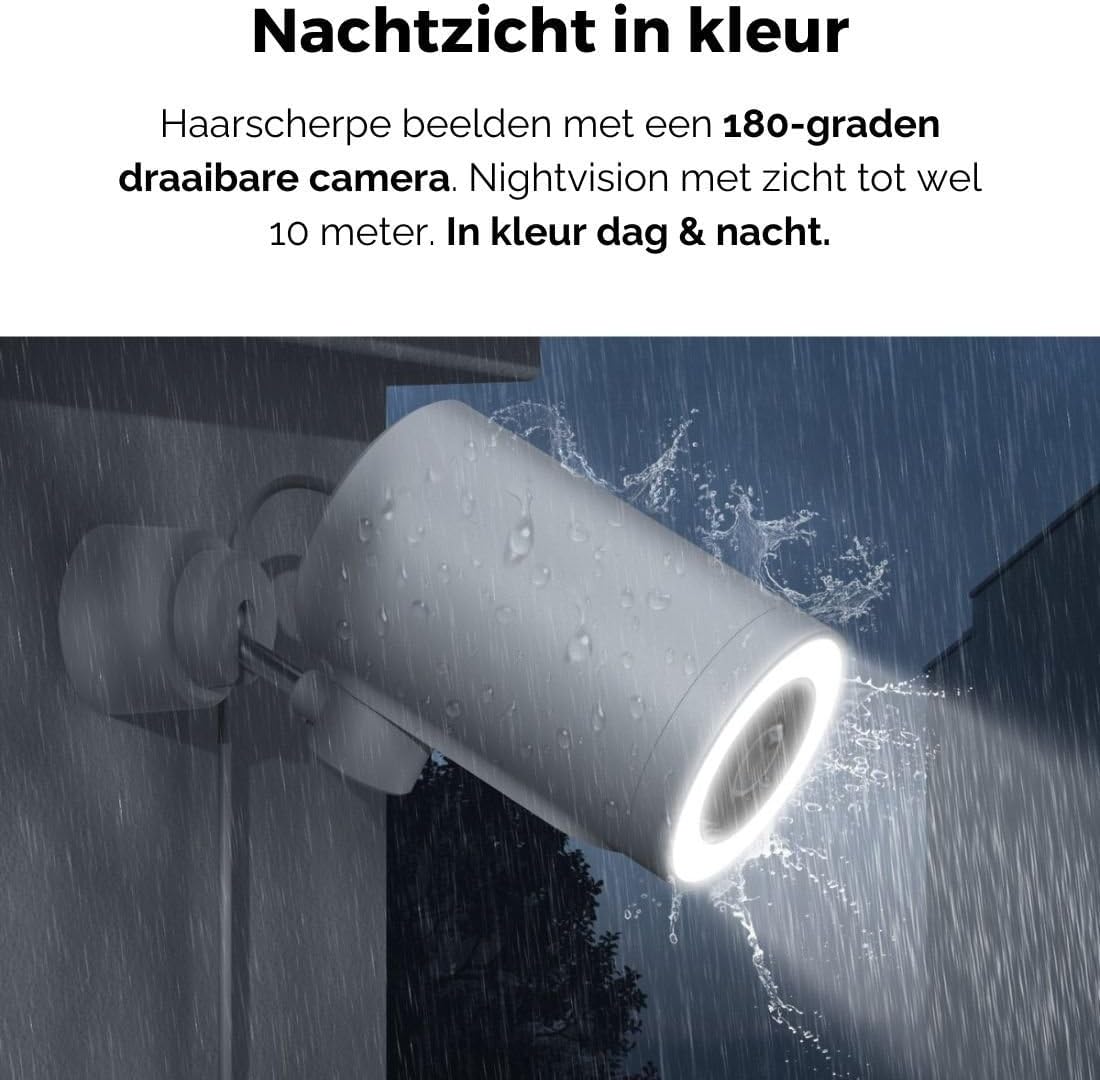
Figure 5: The camera's color night vision in action, providing clear images in the dark.
እንቅስቃሴ እና ድምጽ ማወቂያ
The camera is equipped with intelligent motion and sound detection. When activity is detected, you will receive instant notifications on your smartphone or tablet, allowing you to monitor your property effectively.
You can customize detection zones and sensitivity settings within the app to minimize false alarms.
ጎግል ረዳት ውህደት
The Agunto AGU-OC1 seamlessly integrates with Google Assistant. You can link your camera to Google Home and stream live footage to compatible devices such as Google Nest Hub or Chromecast-enabled displays by voice command.
Exampትዕዛዝ: "Hey Google, show me the backyard camera."
ጥገና
- ማጽዳት፡ የካሜራውን ሌንሶች እና ገላውን ለስላሳ እና ደረቅ ጨርቅ በጥንቃቄ ያጽዱ። ኃይለኛ ኬሚካሎችን ወይም ሻካራ ማጽጃዎችን አይጠቀሙ.
- የሶፍትዌር ማሻሻያ Regularly check the Agunto Smart app for firmware updates. Keeping your camera's software up-to-date ensures optimal performance, security, and access to new features.
- የኬብል ምርመራ; Periodically inspect the USB-C cable for any signs of wear or damage, especially if exposed to outdoor elements.
መላ መፈለግ
| ችግር | ሊሆን የሚችል መፍትሄ |
|---|---|
| ካሜራ እየበራ አይደለም። | Check the USB-C cable connection and ensure the power adapter is plugged into a working outlet. Try a different outlet or adapter if available. |
| ከWi-Fi ጋር መገናኘት አልተቻለም። | Ensure your Wi-Fi network is 2.4GHz. Check Wi-Fi signal strength at the camera's location. Restart your router and the camera. Re-attempt pairing through the app. |
| ደካማ የቪዲዮ ጥራት። | የካሜራውን ሌንስ ያጽዱ። በቂ ብርሃን ያረጋግጡ። የኢንተርኔት ግንኙነትዎን ፍጥነት ያረጋግጡ። |
| እንቅስቃሴን ማወቂያ አይሰራም። | Verify motion detection is enabled in the app settings. Adjust sensitivity and detection zones. Ensure there are no obstructions blocking the camera's view. |
| ማሳወቂያዎች አልተቀበሉም። | Check app notification settings on your phone. Ensure the app has permission to send notifications. Verify your phone has an active internet connection. |
ዝርዝሮች
| ባህሪ | ዝርዝር |
|---|---|
| የሞዴል ቁጥር | AGU-OC1 |
| ውጤታማ የቪዲዮ ጥራት | 1080 ፒክስል |
| ቁሳቁስ | ፕላስቲክ |
| ዋትtage | 4 ዋት |
| የንጥል መጠኖች (L x W x H) | 10 x 4.4 x 7.3 ሴንቲሜትር |
| የእቃው ክብደት | 78 ግራም |
| የግንኙነት ቴክኖሎጂ | Wireless, Wired (USB-C) |
| ልዩ ባህሪያት | Night Vision (Color), Motion Detection, Sound Detection, 180-degree rotatable |
| የአጠቃቀም አካባቢ | ከቤት ውጭ |
| ተስማሚ መሣሪያዎች | Smartphone (via Agunto Smart app), Google Assistant devices |
| የኃይል ምንጭ | ባለገመድ ኤሌክትሪክ (ዩኤስቢ-ሲ) |
| የመጫኛ አይነት | የግድግዳ ተራራ |
ዋስትና እና ድጋፍ
Agunto products are designed for reliability and performance. For information regarding warranty coverage, technical support, or service, please refer to the warranty card included with your product or visit the official Agunto website. You can also contact Agunto customer support through the contact information provided on their website or within the Agunto Smart app.
For the latest information and FAQs, please visit: Agunto Official Store


