መግቢያ
Thank you for choosing the ZEBRONICS Zeb-Rainbow 400 Multimedia Speaker. This manual provides essential information for the proper setup, operation, and maintenance of your speaker system. Please read it carefully before use and retain it for future reference.
የደህንነት መመሪያዎች
- እሳትን ወይም የኤሌክትሪክ ንዝረትን ለመከላከል ክፍሉን ለዝናብ ወይም ለእርጥበት አያጋልጡት።
- Do not open the speaker cabinet. Refer all servicing to qualified personnel.
- በክፍሉ ዙሪያ ትክክለኛ የአየር ዝውውርን ያረጋግጡ. የአየር ማናፈሻ ክፍተቶችን አያግዱ።
- የኤሌክትሪክ ገመዱን እንዳይራመድ ወይም እንዳይቆንጥ ይጠብቁ.
- በመብረቅ አውሎ ንፋስ ጊዜ ወይም ለረጅም ጊዜ ጥቅም ላይ በማይውልበት ጊዜ ክፍሉን ይንቀሉ.
- Keep the product away from direct sunlight, heat sources, and strong magnetic fields.
የጥቅል ይዘቶች
እባክዎ ለሚከተሉት ዕቃዎች ሳጥኑ ላይ ምልክት ያድርጉ።
- የሱብዎፈር ዩኒት
- የሳተላይት ድምጽ ማጉያዎች (4 ክፍሎች)
- የርቀት መቆጣጠሪያ
- የድምጽ ግብዓት ገመድ (ከ3.5ሚሜ ወደ አርሲኤ)
- የተጠቃሚ መመሪያ
ምርት አልቋልview
The ZEBRONICS Zeb-Rainbow 400 is a 4.1 channel multimedia speaker system designed for versatile audio playback. It features multiple connectivity options including Bluetooth, AUX, USB, and FM radio. The system includes a powerful subwoofer and four satellite speakers for an immersive audio experience, complemented by integrated RGB lighting.
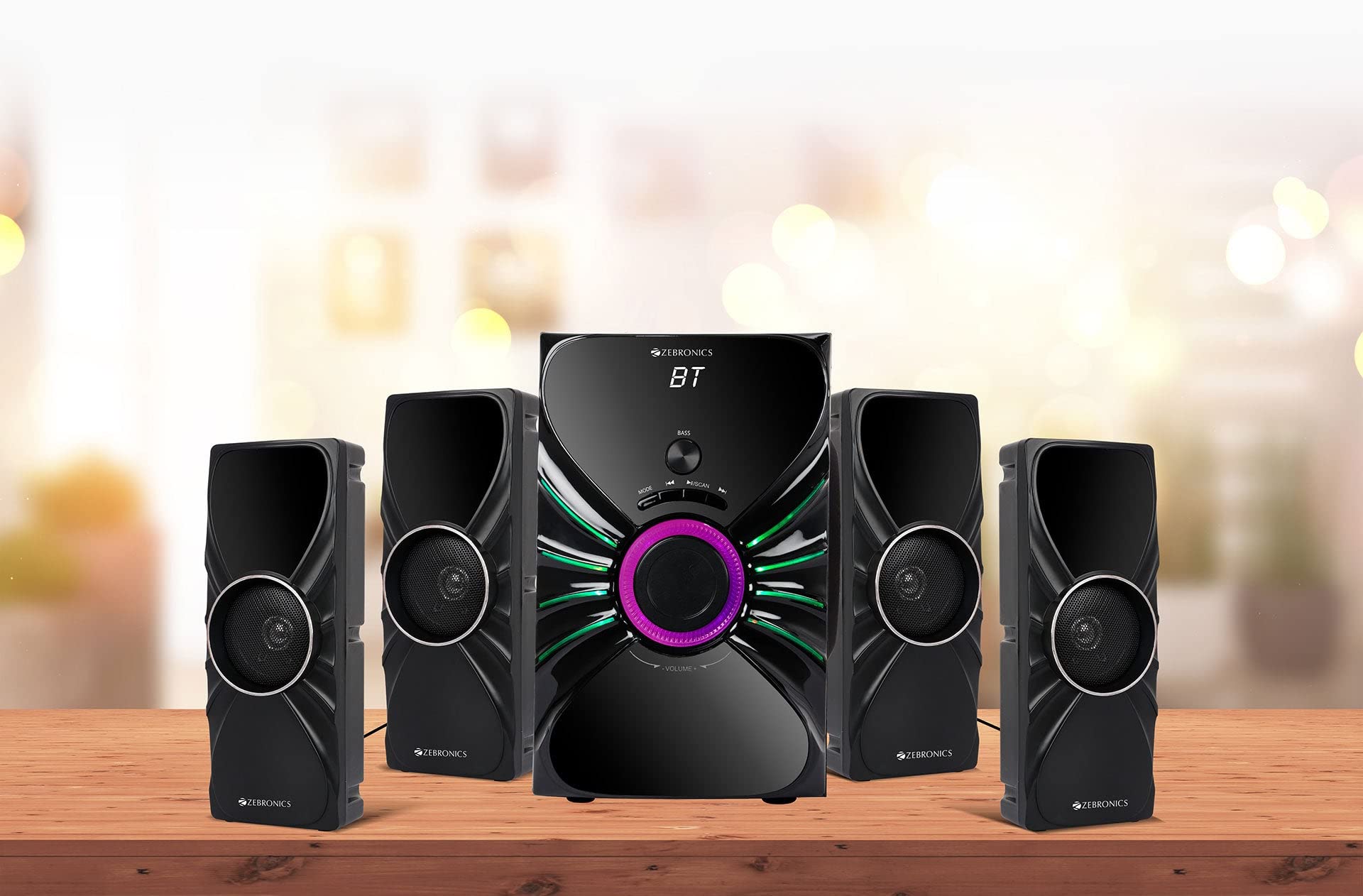
Image: The complete ZEBRONICS Zeb-Rainbow 400 multimedia speaker system, showing the subwoofer, four satellite speakers, and remote control.
ማዋቀር
1. ማሸግ
ሁሉንም ንጥረ ነገሮች ከማሸጊያው ውስጥ በጥንቃቄ ያስወግዱ. ለወደፊት መጓጓዣ ወይም ማከማቻ የማሸጊያ ቁሳቁሶችን ይያዙ.
2. የድምጽ ማጉያ አቀማመጥ
Place the subwoofer on a stable, flat surface, preferably on the floor for optimal bass response. Position the four satellite speakers around your listening area for a balanced sound field. Ensure adequate space for ventilation.

Image: A visual representation of the 4.1 speaker setup, illustrating the subwoofer and four satellite speakers.
3. Connecting Satellite Speakers
Connect each of the four satellite speakers to the corresponding output ports on the rear panel of the subwoofer unit. Ensure the connections are secure.
4. የድምጽ ምንጮችን በማገናኘት ላይ
- AUX ግቤት፡ Use the provided 3.5mm to RCA cable to connect your audio device (e.g., smartphone, tablet, PC) to the AUX input ports on the subwoofer.
- የዩኤስቢ ግብዓት MP3 ኦዲዮ የያዘ የዩኤስቢ ፍላሽ አንፃፊ አስገባ files into the USB port on the subwoofer.
5. የኃይል ግንኙነት
Connect the power cable to the subwoofer unit and then plug it into a standard AC power outlet.
የአሠራር መመሪያዎች
1. ማብራት / ማጥፋት
Press the Power button on the front panel of the subwoofer or on the remote control to turn the speaker system on or off.
2. ሁነታ ምርጫ
Press the 'MODE' button on the front panel or remote control to cycle through the available input modes: Bluetooth (BT), AUX, USB, and FM Radio.

Image: Close-up of the subwoofer's front panel, showing the control buttons (Mode, Play/Pause, Next/Previous, Bass, Volume) and the integrated RGB lighting.
3. የድምጽ መቆጣጠሪያ
Rotate the 'VOLUME' knob on the front panel of the subwoofer or use the Volume Up/Down buttons on the remote control to adjust the overall sound level. The 'BASS' knob can be used to adjust the bass intensity.
4. የብሉቱዝ ሁነታ
- Switch the speaker to Bluetooth mode using the 'MODE' button. The display will show 'BT'.
- በሞባይል መሳሪያዎ ወይም ኮምፒውተርዎ ላይ ብሉቱዝን ያንቁ።
- ፈልግ available devices and select "Zeb-Rainbow 400" to pair.
- አንዴ ከተጣመሩ በኋላ ድምጽን ከመሳሪያዎ በድምጽ ማጉያዎቹ በኩል ማጫወት ይችላሉ።
5. AUX ሁነታ
Connect your audio source using the 3.5mm to RCA cable. Switch the speaker to AUX mode. Audio from your connected device will play automatically.
6. የዩኤስቢ ሞድ
Insert a USB flash drive into the USB port. The speaker will automatically switch to USB mode and begin playing MP3 files from the drive. Use the Play/Pause, Next, and Previous buttons to control playback.
7. ኤፍኤም ሬዲዮ ሁነታ
- ድምጽ ማጉያውን ወደ ኤፍኤም ሁነታ ቀይር.
- Press and hold the 'SCAN' button (often combined with Play/Pause) to automatically scan and save available FM stations.
- Use the Next/Previous buttons to navigate through the saved stations.
8. የርቀት መቆጣጠሪያ
The included remote control provides full functionality for power, mode selection, volume, track control, and FM station tuning. Ensure the remote has working batteries and is pointed towards the subwoofer's sensor.

Image: The ZEBRONICS Zeb-Rainbow 400 subwoofer unit shown with its remote control, highlighting the main controls.
9. RGB መብራቶች
The subwoofer features integrated RGB lights. These lights typically cycle through various colors and patterns automatically. Refer to the remote control for any specific buttons to change light modes, if available.
ጥገና
1. ማጽዳት
የድምጽ ማጉያውን ወለል ለስላሳና ደረቅ ጨርቅ ይጥረጉ። ሻካራ ማጽጃዎችን፣ ሰሞችን ወይም መሟሟቶችን አይጠቀሙ ምክንያቱም ጨርቁን ሊጎዱ ይችላሉ። ፈሳሾችን በቀጥታ በድምጽ ማጉያዎቹ ላይ ከመርጨት ይቆጠቡ።
2. ማከማቻ
If storing the speakers for an extended period, unplug them from the power outlet and store them in a cool, dry place, away from direct sunlight and extreme temperatures.
መላ መፈለግ
| ችግር | ሊሆን የሚችል ምክንያት | መፍትሄ |
|---|---|---|
| ኃይል የለም | Power cable not connected; Power outlet faulty; Unit switched off | Ensure power cable is securely connected. Check power outlet with another device. Press the Power button. |
| ድምጽ የለም። | Volume too low; Incorrect input mode; Audio cable loose/faulty; Device volume low | Increase volume. Select correct input mode. Check audio cable connections. Increase volume on connected device. |
| ብሉቱዝ አይገናኝም። | Speaker not in BT mode; Device not in pairing mode; Interference | Switch speaker to BT mode. Ensure device Bluetooth is on and searching. Move devices closer. Restart both devices. |
| የርቀት መቆጣጠሪያ አይሰራም | Batteries depleted; Obstruction; Remote not pointed at sensor | Replace batteries. Remove any obstructions. Point remote directly at the subwoofer's IR sensor. |
| ደካማ ኤፍኤም አቀባበል | Weak signal; Antenna position | Adjust the position of the FM antenna. Rescan for stations. |
ዝርዝሮች
| ባህሪ | ዝርዝር መግለጫ |
|---|---|
| የምርት ስም | ዘቤሮኒክስ |
| የሞዴል ቁጥር | Zeb Rainbow 400 |
| የምርት ልኬቶች (LxWxH) | 21 x 39 x 32 ሴንቲሜትር |
| የእቃው ክብደት | 9 ኪ.ግ 350 ግራም |
| የግንኙነት ቴክኖሎጂ | ረዳት፣ ብሉቱዝ፣ ዩኤስቢ፣ ገመድ አልባ |
| የኃይል ምንጭ | AC |
| ተስማሚ መሣሪያዎች | ስማርትፎን ፣ ታብሌት |
| Subwoofer Drive Size | 16.51 ሴ.ሜ |

Image: A visual highlighting the 16.51 cm subwoofer drive of the ZEBRONICS Zeb-Rainbow 400.
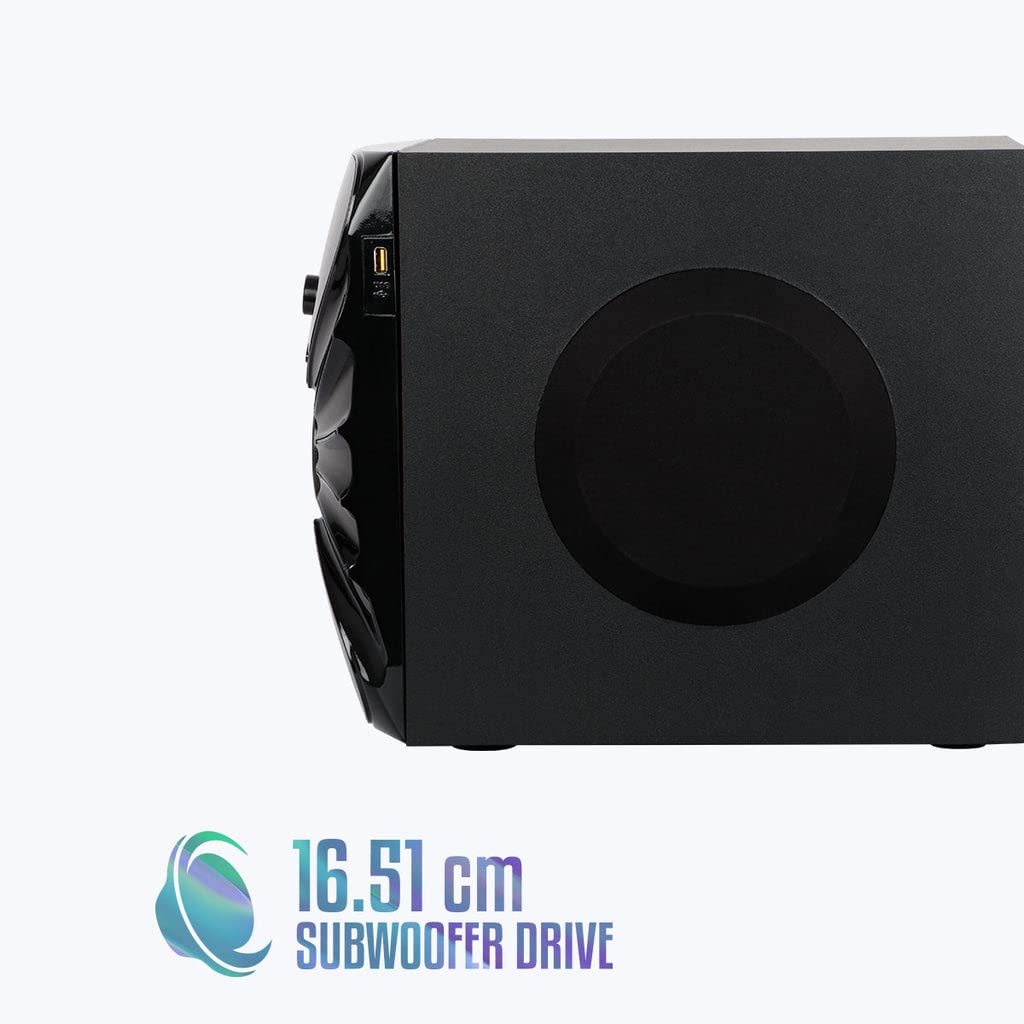
ምስል: ጎን view of the ZEBRONICS Zeb-Rainbow 400 subwoofer, showing the USB port and overall dimensions.
ዋስትና እና ድጋፍ
This product comes with a minimum six-month seller warranty. For any issues or support, please contact your seller or refer to the official ZEBRONICS support channels. Keep your purchase receipt for warranty claims.


