መግቢያ
Thank you for choosing the SURFOU Wireless Doorbell Model N9. This system is designed to provide a reliable and convenient way to be alerted to visitors at your door. Featuring an IP55 waterproof transmitter, a long wireless range of up to 300 meters, 55 selectable chimes, and 5 adjustable volume levels, this doorbell ensures you never miss a visitor. This manual will guide you through the installation, operation, and maintenance of your new doorbell system.
የጥቅል ይዘቶች
ሁሉም እቃዎች መኖራቸውን ለማረጋገጥ እባክዎ ጥቅሉን ያረጋግጡ፡-
- 1 x ተሰኪ ተቀባይ
- 1 x Battery-operated Transmitter
- 1 x 12V23A Battery (for transmitter)
- 1 x Screwdriver
- 2 የዊልስ ስብስቦች
- 2 x Double-sided Adhesive Tapes
- 1 x የተጠቃሚ መመሪያ

ምስል፡ Contents of the SURFOU Wireless Doorbell package, including the receiver, transmitter, battery, screwdriver, screws, adhesive tapes, and user manual. The image also displays the dimensions of the receiver (7.2cm x 7.2cm) and transmitter (7.8cm x 3.8cm).
ምርት አልቋልview
The SURFOU Wireless Doorbell system consists of two main components: the transmitter (push button) and the receiver (chime unit).
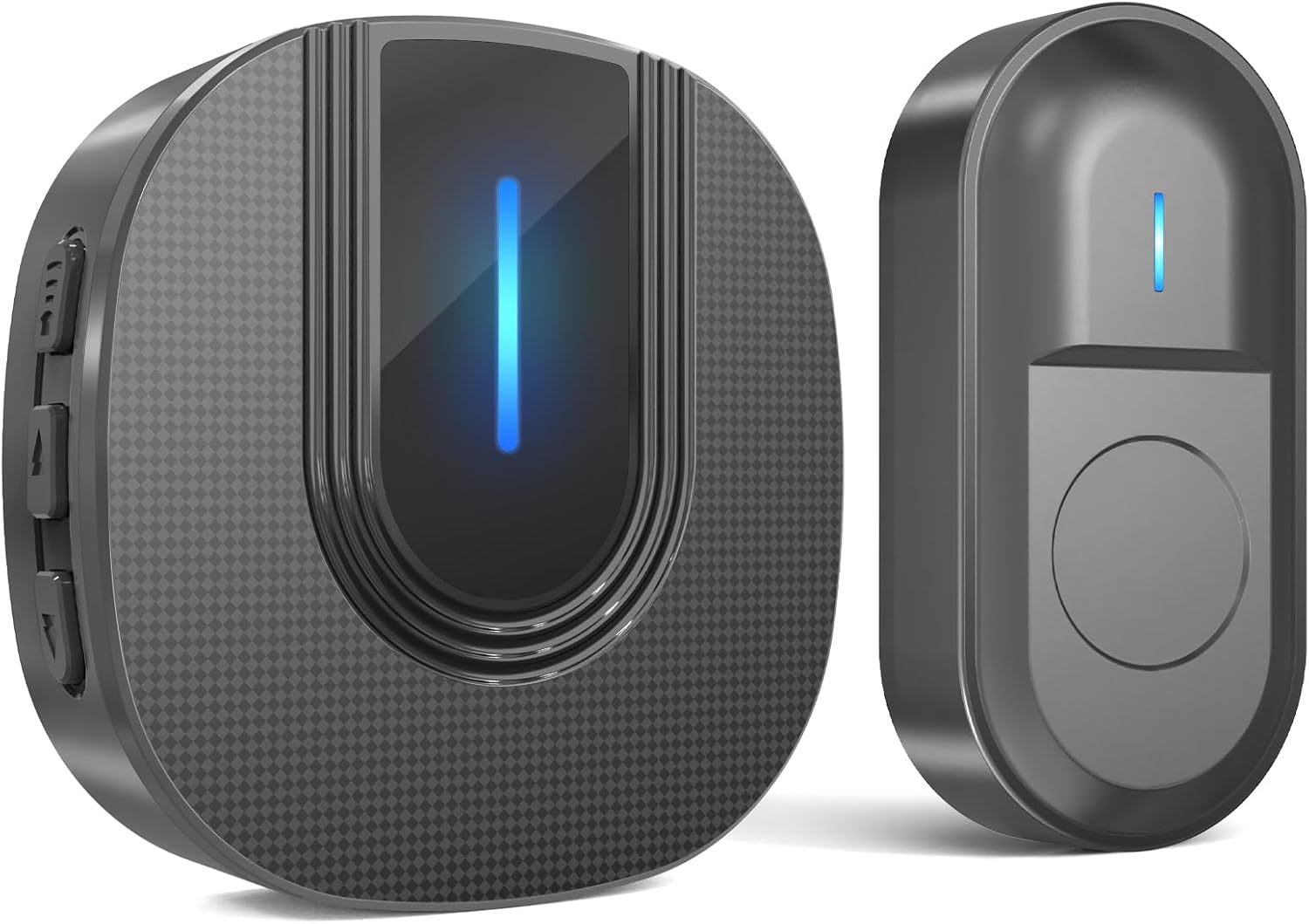
ምስል፡ መቀራረብ view of the SURFOU Wireless Doorbell Model N9, showing both the plug-in receiver and the battery-operated transmitter. Both units are black with a textured finish and feature a blue LED indicator light.
Transmitter (Push Button)
- የግፊት ቁልፍ፡- የበር ደወል ቃጭሉን ያነቃቃል።
- የ LED አመልካች፡- Flashes when the button is pressed.
- የባትሪ ክፍል፡ Houses the 12V23A battery.
- የውሃ መከላከያ ንድፍ; ለቤት ውጭ አገልግሎት IP55 ደረጃ ተሰጥቶታል።
Receiver (Chime Unit)
- መሰኪያ ንድፍ፡ በቀጥታ ወደ መደበኛ የግድግዳ መውጫ ይሰካል።
- ተናጋሪ፡- Emits the selected chime sound.
- የ LED አመልካች፡- Flashes when the doorbell is pressed.
- የድምጽ መጠን አዝራር፡- የድምፅ ደረጃን ያስተካክላል.
- Chime Selection Button: Cycles through the available melodies.
ማዋቀር
1. Install the Transmitter
- ቦታ ይምረጡ፡- Select a suitable location near your door for the transmitter. Ensure it is easily accessible to visitors.
- Open the Transmitter: አስተላላፊውን በጥንቃቄ ይክፈቱ ሐasing ወደ ባትሪው ክፍል ለመድረስ።
- ባትሪ አስገባ፡ Insert the provided 12V23A battery, ensuring correct polarity.
- የመጫኛ አማራጮች
- የሚለጠፍ ቴፕ፡ Peel off one side of the double-sided adhesive tape and stick it to the back of the transmitter. Peel off the other side and firmly press the transmitter onto the desired surface.
- ብሎኖች Use the provided screws and screwdriver to securely attach the transmitter to the wall or door frame.
- Close the Transmitter: Reassemble the transmitter casing.

ምስል፡ The SURFOU Wireless Doorbell transmitter is shown mounted on the exterior of a house, while the receiver is depicted indoors, illustrating the 300-meter wireless range capability across different rooms and floors.
2. Install the Receiver
- መሰካት፥ Plug the receiver into a standard electrical outlet in a central location within your home, or wherever you wish to hear the chime.
- አብራ፡ ተቀባዩ በራስ-ሰር ያበራል።
The transmitter and receiver are pre-paired at the factory. If they do not connect, please refer to the "Troubleshooting" section for re-pairing instructions.
የአሠራር መመሪያዎች
የድምጽ መጠን ማስተካከል
የሚለውን ይጫኑ የድምጽ መጠን አዝራር on the side of the receiver to cycle through 5 different volume levels, from silent (0dB) to maximum (110dB). This allows customization for various environments and hearing needs.
Changing Chimes
የሚለውን ይጫኑ Chime Selection Button on the side of the receiver to cycle through the 55 available melodies. Stop pressing when you hear your preferred chime. The doorbell will remember your last selected chime even after a power outage.
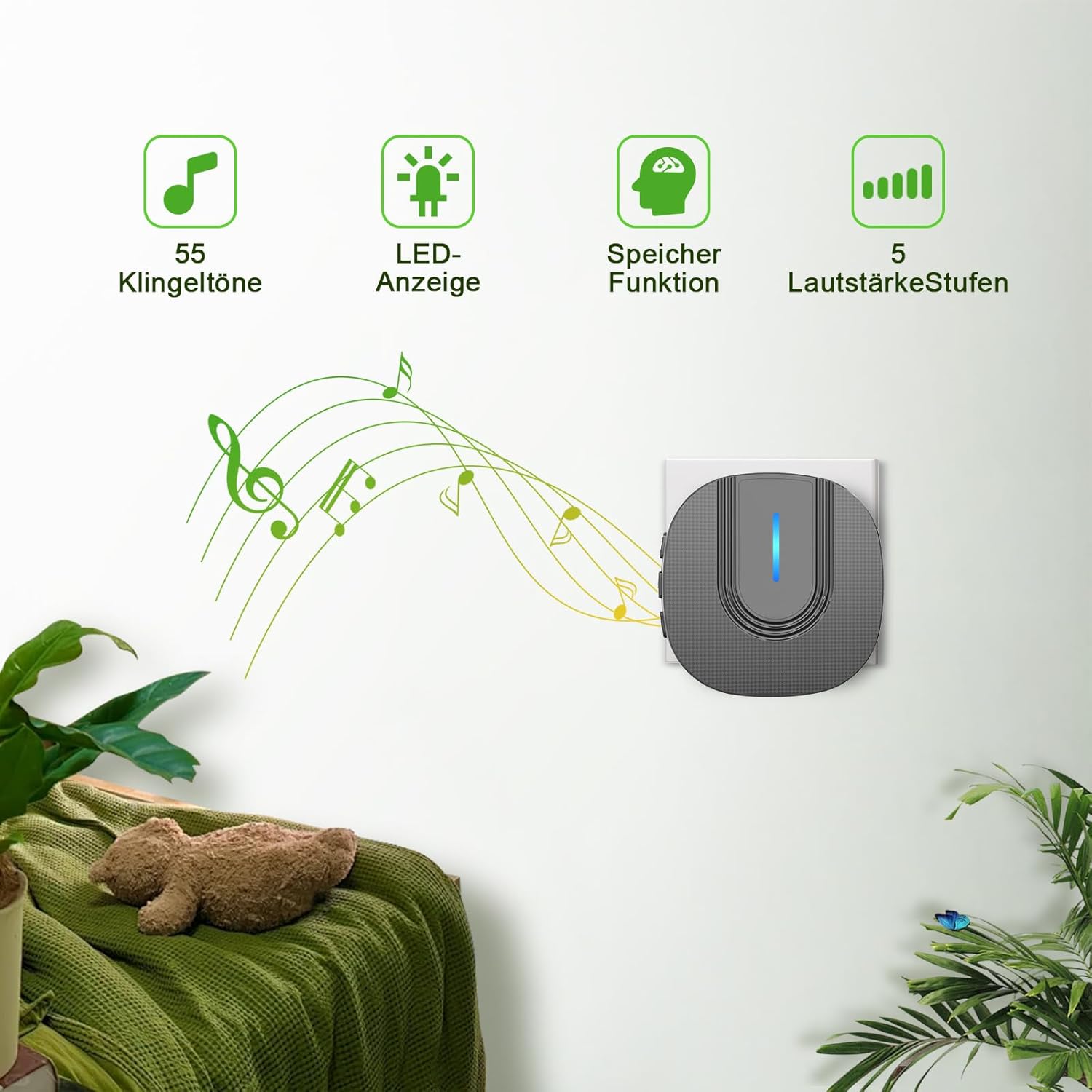
ምስል፡ The SURFOU Wireless Doorbell receiver plugged into a wall outlet, with icons indicating 55 chimes, an LED display, a memory function for settings, and 5 adjustable volume levels. Musical notes emanate from the receiver, suggesting sound output.
Mute Mode (LED Only)
To activate mute mode, cycle through the volume levels until the sound is off (0dB). In this mode, the receiver's LED indicator will still flash when the doorbell is pressed, providing a visual alert without sound. This feature is particularly useful for quiet times or for individuals with hearing impairments.
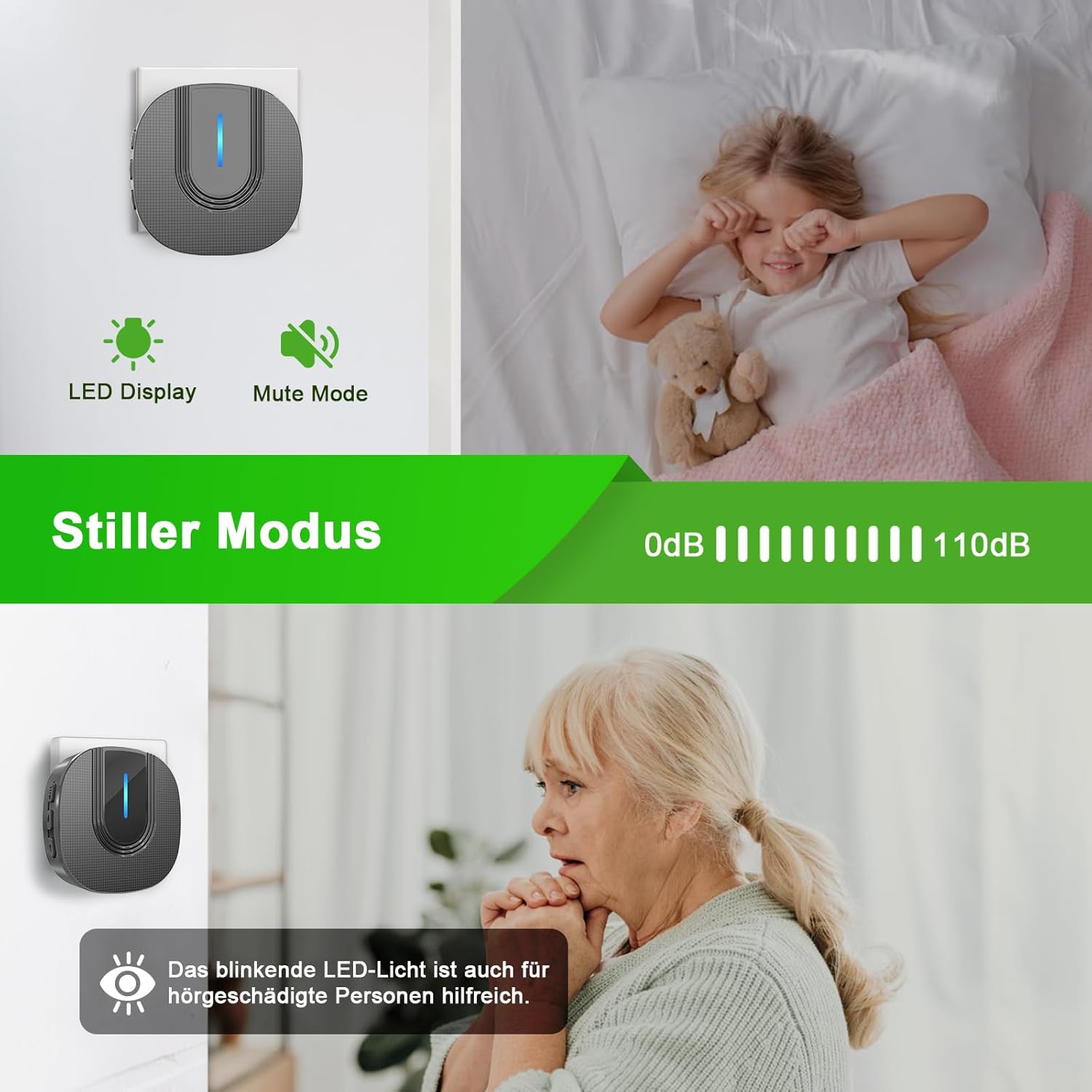
ምስል፡ The SURFOU Wireless Doorbell receiver is shown with its LED display active in mute mode. Below, an elderly person is depicted, highlighting how the blinking LED light can be helpful for individuals with hearing impairments.
ጥገና
የባትሪ መተካት (ማስተላለፊያ)
The transmitter is powered by a 12V23A battery, which typically lasts 1 to 3 years. When the transmitter's LED indicator no longer lights up or the range decreases significantly, it's time to replace the battery.
- አስተላላፊውን በጥንቃቄ ይክፈቱ ሐasing የተሰጠውን ዊንድራይቨር ወይም ትንሽ ጠፍጣፋ ጭንቅላት ያለው ዊንድራይቨር በመጠቀም።
- Remove the old 12V23A battery.
- Insert a new 12V23A battery, ensuring the positive (+) and negative (-) terminals are correctly aligned.
- ማስተላለፊያውን ዝጋ ሐasinሰ በአስተማማኝ ሁኔታ.
ማጽዳት
Wipe the doorbell units with a soft, dry cloth. Do not use abrasive cleaners or solvents, as these may damage the surface.
የአየር ሁኔታ መቋቋም
The transmitter is IP55 dustproof and waterproof, designed to withstand various weather conditions. It operates reliably in temperatures ranging from -30°C to 70°C (-22°F to 158°F).

ምስል፡ The SURFOU Wireless Doorbell transmitter is depicted outdoors in both snowy and rainy weather, emphasizing its IP55 dustproof and waterproof rating. The image also displays its operational temperature range of -30°C to 70°C (-22°F to 158°F) and a battery life of 1-3 years.
መላ መፈለግ
| ችግር | ሊሆን የሚችል ምክንያት | መፍትሄ |
|---|---|---|
| የበር ደወል አይጮህም። |
|
|
| Short wireless range or intermittent signal. |
|
|
| የተቀባዩ LED ብልጭታ አለው ግን ድምፅ የለውም። | Receiver is in mute mode. | Press the volume button to increase the volume. |
Re-pairing Instructions
If your doorbell units lose connection or you wish to pair a new transmitter/receiver:
- መቀበያውን ይሰኩት.
- ተጭነው ይያዙት። Chime Selection Button on the receiver for approximately 5 seconds until the LED indicator flashes rapidly. This indicates pairing mode.
- Immediately press the transmitter button once.
- The receiver will chime and its LED will flash slowly, indicating successful pairing.
- Test the doorbell to confirm functionality.
ዝርዝሮች
- ሞዴል፡ N9
- የገመድ አልባ ክልል፡ እስከ 300 ሜትር (ክፍት ቦታ)
- ቺምስ፡ 55 ሊመረጡ የሚችሉ ዜማዎች
- የድምጽ ደረጃዎች፡- 5 levels (0dB to 110dB)
- አስተላላፊ ኃይል; 1 x 12V23A Alkaline Battery
- የማሰራጫ ባትሪ ዕድሜ፡ 1-3 ዓመታት
- ተቀባይ ኃይል፡- AC 110-240V (Plug-in)
- የውሃ መከላከያ ደረጃ (አስተላላፊ) IP55
- የአሠራር ሙቀት; -30°ሴ እስከ 70°ሴ (-22°F እስከ 158°ፋ)
- የተቀባይ መጠኖች፡- 7.2 x 7.2 x 7.2 ሴ.ሜ
- አስተላላፊ መጠኖች: 7.8 x 3.8 ሴ.ሜ
- ቁሳቁስ፡ Metal (as per product specifications, likely referring to internal components or finish)
- ቀለም፡ ጥቁር
ዋስትና እና ድጋፍ
SURFOU is committed to providing reliable products and exceptional customer service. While specific warranty details are not provided in this manual, our customer support team is available 24/7 to assist you with any questions, concerns, or issues you may encounter with your SURFOU Wireless Doorbell Model N9.
Please refer to the contact information provided with your purchase or visit the official SURFOU webለድጋፍ ጣቢያ.


