1. መግቢያ
This manual provides detailed instructions for the installation, operation, and maintenance of your Tiandy TC-C32XN 2MP Fixed IP Dome Turret Camera. Please read this manual thoroughly before using the product to ensure correct usage and optimal performance. Keep this manual for future reference.
2. የደህንነት መረጃ
- ጉዳትን ለመከላከል የኃይል አቅርቦቱ የካሜራውን መስፈርቶች የሚያሟላ መሆኑን ያረጋግጡ።
- ካሜራውን ለከፍተኛ የአየር ሙቀት፣ እርጥበት ወይም ጎጂ አካባቢዎች አያጋልጡት።
- Avoid pointing the camera directly at strong light sources for extended periods, as this may damage the image sensor.
- Handle the camera with care. Do not drop or subject it to strong vibrations.
- ሁሉም ጭነት እና አገልግሎት በብቁ ባለሙያዎች መከናወን አለበት.
- ከማጽዳት ወይም ጥገና ከማካሄድዎ በፊት ኃይልን ያላቅቁ.
3. የጥቅል ይዘቶች
ሁሉም እቃዎች በጥቅልዎ ውስጥ መኖራቸውን ያረጋግጡ፡-
- Tiandy TC-C32XN 2MP Fixed IP Dome Turret Camera
- አስማሚ
- መስቀያ ብሎኖች እና ግድግዳ ተሰኪዎች
- ፈጣን ጅምር መመሪያ (ከተካተተ)
4. ምርት አብቅቷልview
The Tiandy TC-C32XN is a 2MP Fixed IP Dome Turret Camera designed for reliable surveillance. It features Smart IR for clear night vision up to 30 meters, a built-in microphone, and an SD card slot for local storage.

ምስል 4.1: የፊት view of the Tiandy TC-C32XN camera, showing the lens and IR illuminators.
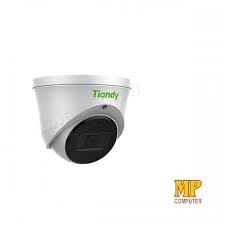
ምስል 4.2: ጎን view of the Tiandy TC-C32XN camera, highlighting its dome turret form factor.
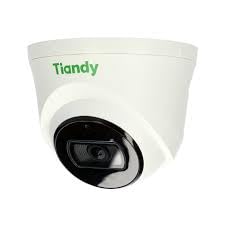
ምስል 4.3: ማዕዘን view of the Tiandy TC-C32XN camera, showcasing በውስጡ የታመቀ ንድፍ.
5. ማዋቀር እና መጫን
5.1 መጫን
- ቦታ ይምረጡ፡- Choose a suitable outdoor or indoor location (IP67 rated for outdoor use) that provides the desired viewing angle and is within reach of power and network connections. The camera is designed for protruding mounting.
- ጉድጓዶች ቁፋሮ; Use the provided mounting template (if applicable) to mark and drill holes for the mounting screws.
- የካሜራውን ደህንነት ይጠብቁ; Attach the camera base securely to the mounting surface using the provided screws and wall plugs.
5.2 ሽቦ
- የኃይል ግንኙነት; Connect the provided adapter to the camera's power input and then to a power outlet. The camera operates on corded electric power.
- የአውታረ መረብ ግንኙነት፡- Connect an Ethernet cable from your network router or PoE switch to the camera's Ethernet port. This camera supports Ethernet connectivity for data transmission.
5.3 የመጀመሪያ ውቅር
- አብራ፡ Once wired, power on the camera.
- የአውታረ መረብ ግኝት፡ Use the Tiandy client software or a network scanner tool to discover the camera's IP address on your local network.
- የመዳረሻ ካሜራ፡ ክፈት ሀ web አሳሽዎን ያስገቡ እና የካሜራውን የአይፒ አድራሻ ያስገቡ እና ለመድረስ web interface. Log in using the default credentials (refer to the quick start guide for default username/password).
- ነባሪ የይለፍ ቃል ለውጥ፡ For security, immediately change the default password upon first login.
- NVR Integration: If using with an NVR, add the camera to your NVR system following the NVR's instructions. This camera is compatible with all brand NVRs.
- የሞባይል መተግበሪያ ማዋቀር; Download the official Tiandy mobile application (available for Android and iOS) and follow the in-app instructions to add your camera for remote viewing እና ቁጥጥር.
6. የአሠራር መመሪያዎች
6.1 ቀጥታ ስርጭት View እና መቅዳት
የካሜራውን ቀጥታ ስርጭት ይድረሱበት view በኩል web interface, NVR, or mobile app. Configure recording schedules and methods (continuous, motion-triggered) via the camera's settings.
6.2 Smart IR and Night Vision
The camera features Smart IR technology, which automatically adjusts the intensity of its infrared LEDs to prevent overexposure of objects close to the camera, ensuring clear images in low-light conditions up to 30 meters. It also supports 'Night Color' low light technology for enhanced visibility.
6.3 የእንቅስቃሴ ማወቂያ እና ማንቂያዎች
Configure motion detection zones and sensitivity in the camera settings. The camera supports 'Motion Only' alert types. When motion is detected, the camera can trigger recordings, send notifications to your mobile device, or activate other configured actions. It also supports advanced features like tripwire and perimeter intrusion detection.
6.4 የድምጽ ተግባራዊነት
The built-in microphone allows for audio monitoring of the surveillance area. Audio settings can be adjusted in the camera's web interface or NVR.
6.5 SD Card Storage
Insert a compatible SD card into the camera's SD card slot for local storage of recordings. Ensure the card is formatted correctly via the camera's settings. The camera supports SD flash memory type.
6.6 ዳግም አስጀምር አዝራር
A reset button is included for restoring the camera to its factory default settings. Consult the quick start guide for the exact location and procedure for your model.
7. ጥገና
- ማጽዳት፡ የካሜራውን ሌንሶች እና ገላውን ለስላሳ እና ደረቅ ጨርቅ በጥንቃቄ ያጽዱ። ኃይለኛ ኬሚካሎችን ወይም ሻካራ ማጽጃዎችን አይጠቀሙ.
- የጽኑዌር ዝማኔዎች ፦ Regularly check the Tiandy official website for firmware updates. Keeping your camera's firmware up-to-date ensures optimal performance and security.
- የኬብል ምርመራ; በተለይም ከቤት ውጭ ለሚገጠሙ ነገሮች የመበስበስ ወይም የመጎዳት ምልክቶችን ለማግኘት ሁሉንም ኬብሎች በየጊዜው ይመርምሩ።
8. መላ መፈለግ
- ኃይል የለም፡ የኃይል አስማሚው ደህንነቱ በተጠበቀ ሁኔታ መገናኘቱን እና የኃይል መውጫው ተግባራዊ መሆኑን ያረጋግጡ።
- ቪዲዮ የለም፡ Check network cable connections. Verify the camera's IP address and network settings. Ensure the camera is properly added to your NVR or viewሶፍትዌር.
- ደካማ የምስል ጥራት፡ Clean the camera lens. Adjust focus if applicable. Check lighting conditions and camera placement.
- የአውታረ መረብ ግንኙነት ጉዳዮች፡- Verify router and network cable functionality. Restart the camera and network devices.
- መድረስ አልተቻለም Web በይነገጽ፡ Ensure your computer is on the same network segment as the camera. Verify the camera's IP address. Try resetting the camera to factory defaults if necessary (this will erase all settings).
9. ዝርዝሮች
| ባህሪ | ዝርዝር መግለጫ |
|---|---|
| ሞዴል | TC-C32XN |
| ውጤታማ አሁንም ጥራት | 2 ሜፒ (1920x1080) |
| የፍሬም መጠን | በሰከንድ 30 ፍሬሞች |
| የፎቶ ዳሳሽ ቴክኖሎጂ | CMOS (1/2.8") |
| የምሽት ራዕይ ክልል | 30 Metres (Smart IR) |
| ዝቅተኛ ብርሃን ቴክኖሎጂ | የምሽት ቀለም |
| የጨረር ማጉላት | 3 x |
| አብሮ የተሰራ ማይክሮፎን | አዎ |
| የኤስዲ ካርድ ማስገቢያ | Yes (Flash Memory Type: SD) |
| የማንቂያ ዓይነት | Motion Only (supports tripwire and perimeter) |
| የግንኙነት ቴክኖሎጂ | Wireless (IR), Ethernet |
| የኃይል ምንጭ | ባለገመድ ኤሌክትሪክ |
| የአለም አቀፍ ጥበቃ ደረጃ | IP67 |
| የቅጽ ምክንያት | Dome Turret |
| የመጫኛ አይነት | ማባረር |
| የስርዓተ ክወና ተኳኋኝነት | አንድሮይድ፣ አይኦኤስ |
| የምርት ልኬቶች (L x W x H) | 50 x 50 x 70 ሚሊሜትር |
| የእቃው ክብደት | 20 ግራም |
| የተካተቱ አካላት | አስማሚ |
| ቀለም | ነጭ |
10. ዋስትና እና ድጋፍ
For warranty information and technical support, please refer to the warranty card included with your product or visit the official Tiandy website. Contact the seller or manufacturer directly for assistance with product issues or inquiries.


