1. መግቢያ
The Gemini GMU-M100 is a handheld UHF wireless microphone system designed for a variety of audio applications. This system provides wireless freedom, allowing users to move without cable restrictions, and is suitable for performances, presentations, karaoke, and more. The system operates within the 512 to 541.7 MHz frequency range (for the US market) and offers a stable signal transmission.
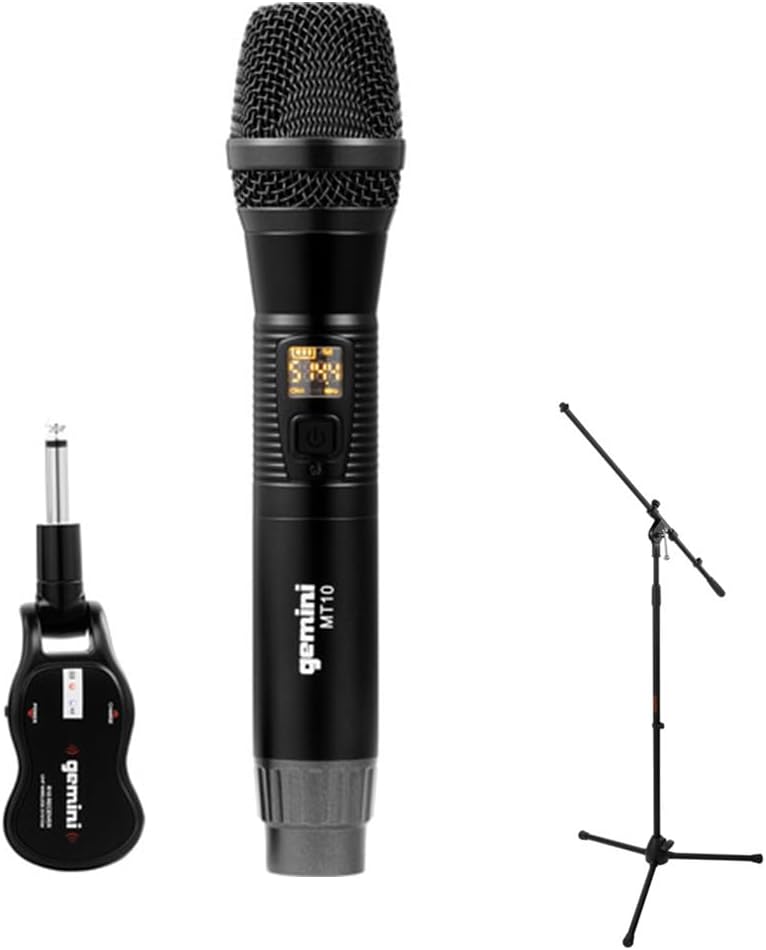
Image 1.1: The Gemini GMU-M100 Handheld UHF Wireless Microphone System, including the handheld microphone, plug-in receiver, and an optional microphone stand.
2. የጥቅል ይዘቶች
ሁሉም እቃዎች መኖራቸውን እና በጥሩ ሁኔታ ላይ መሆናቸውን ለማረጋገጥ የጥቅሉን ይዘት ይመርምሩ፡
- GMU-M100 Handheld Wireless Microphone
- GMU-M100 Plug-in Wireless Receiver
- Rechargeable Lithium Batteries (pre-installed or included for both units)
- የማይክሮ ዩኤስቢ ኃይል መሙያ ገመድ
- የተጠቃሚ መመሪያ (ይህ ሰነድ)
Note: Additional accessories such as a microphone stand may be included if purchased as part of a bundle.
3. ምርት አብቅቷልview
3.1 Handheld Microphone (MT10)
The handheld microphone features a dynamic capsule with a cardioid pickup pattern, designed to focus on the sound source while minimizing background noise. It includes an LED screen for displaying battery life and frequency information, and a SET button for frequency adjustment.
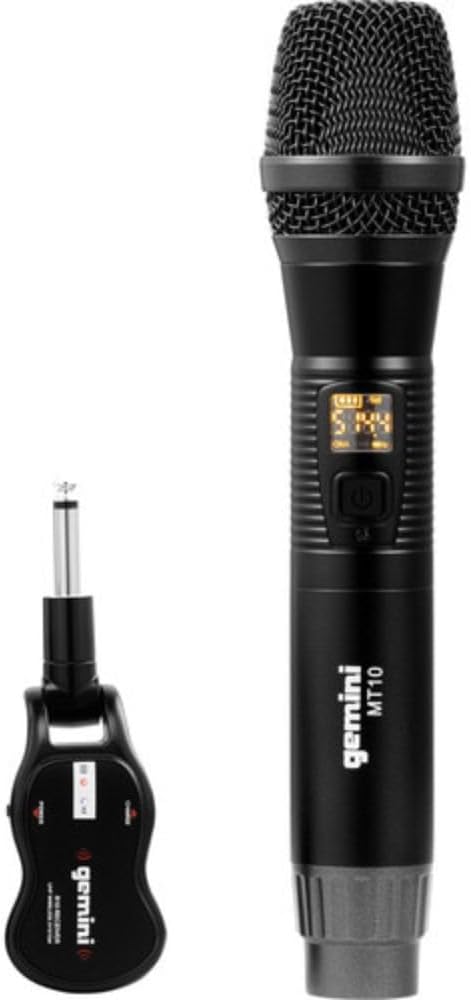
Image 3.1: The GMU-M100 handheld microphone and its compact plug-in receiver.
3.2 Plug-in Receiver (R10)
The compact receiver connects directly to your audio equipment via a standard 1/4" TS plug. It receives the wireless signal from the microphone and outputs it to your PA system, ampማቀፊያ, ወይም ማደባለቅ.

ምስል 3.2: ማዕዘን view highlighting the design of the microphone and receiver.
4. ማዋቀር
4.1 ዩኒቶቹን መሙላት
Both the microphone and receiver are powered by rechargeable lithium batteries. Before first use, ensure both units are fully charged.
- Locate the Micro-USB charging port on the bottom of the microphone and on the side of the receiver.
- Connect the included Micro-USB cable to the charging port of each unit and plug the other end into a USB power source (e.g., computer USB port, USB wall adapter).
- The LED indicator on each unit will show charging status (refer to the unit's specific LED behavior for full charge indication).

Image 4.1: Close-up of the microphone's Micro-USB charging port (DC-5V).

Image 4.2: The Micro-USB charging cable provided for both units.
4.2 Battery Installation (Microphone)
The microphone uses a user-replaceable 18650 1200mAh battery. If the battery needs replacement or initial installation:
- የማይክሮፎኑን የታችኛውን ክዳን ይክፈቱ።
- Insert the 18650 battery, ensuring correct polarity (+/-).
- የታችኛውን ክዳን ደህንነቱ በተጠበቀ ሁኔታ መልሰው ይከርክሙት።

Image 4.3: The microphone with its battery compartment open, revealing the 18650 battery.
4.3 ተቀባዩን ማገናኘት
The receiver connects directly to your audio input device.
- Plug the 1/4" TS connector of the receiver into an available 1/4" input jack on your PA speaker, amplifier, mixer, or other audio equipment.
- Ensure the audio equipment is powered off before connecting the receiver.
4.4 ማብራት እና ማጣመር
The microphone and receiver are designed for automatic pairing.
- የድምጽ መሳሪያዎችዎን ያብሩ።
- Press and hold the power button on the handheld microphone until the LED screen illuminates.
- Press and hold the power button on the plug-in receiver.
- The units will automatically pair. A successful connection is typically indicated by a stable signal icon on the microphone's LED screen.
5. የአሠራር መመሪያዎች
5.1 የድምጽ መቆጣጠሪያ
The output volume can be controlled directly from the handheld microphone using the designated volume buttons (if present) or through the connected audio equipment's input gain/volume controls.
5.2 የድግግሞሽ ማስተካከያ
If you experience interference, you can change the operating frequency of the microphone system:
- With the microphone powered on, press the አዘጋጅ አዝራር።
- The microphone will cycle through available UHF frequencies. The receiver will automatically sync to the new frequency.
- Select a clear frequency to ensure optimal performance.
5.3 ገመድ አልባ ክልል
The GMU-M100 system offers a wireless range of over 164 feet (50 meters) in optimal conditions. Obstacles, other wireless devices, and environmental factors can affect this range.
6. ጥገና
6.1 የባትሪ እንክብካቤ
- ባትሪዎቹን ከማራዘሚያ ማከማቻ በፊት ሙሉ በሙሉ ይሙሉ።
- ባትሪዎችን ለከፍተኛ ሙቀት ከማጋለጥ ይቆጠቡ።
- If the microphone will not be used for a long period, remove the 18650 battery.
6.2 ጽዳት
- ማይክሮፎኑን እና መቀበያውን ለስላሳ እና ደረቅ ጨርቅ ይጥረጉ።
- ኃይለኛ ኬሚካሎችን ወይም አጥፊ ማጽጃዎችን አይጠቀሙ።
- Avoid moisture contact with electronic components.
7. መላ መፈለግ
| ችግር | ሊሆን የሚችል ምክንያት | መፍትሄ |
|---|---|---|
| ምንም የድምፅ ውፅዓት የለም። | Microphone or receiver not powered on; low battery; incorrect connection; receiver not paired. | Ensure both units are charged and powered on. Check all cable connections. Verify pairing (power cycle both units). Adjust volume on microphone and audio equipment. |
| ጣልቃ ገብነት ወይም የማይንቀሳቀስ | Operating on a crowded frequency; proximity to other wireless devices; environmental interference. | የሚለውን ይጫኑ አዘጋጅ button on the microphone to change to a different frequency. Move away from other wireless devices or sources of electromagnetic interference. |
| አጭር ገመድ አልባ ክልል | Obstacles between microphone and receiver; low battery; environmental factors. | Ensure a clear line of sight between microphone and receiver. Fully charge batteries. Reduce distance between units. |
| Microphone LED screen off | Microphone is off; battery is depleted. | Press the power button to turn on. Charge the microphone battery. |
8. ዝርዝሮች
| ባህሪ | ዝርዝር መግለጫ |
|---|---|
| ሞዴል | GMU-M100 |
| የማይክሮፎን ቅጽ ምክንያት | የእጅ ማይክሮፎን ስርዓት |
| የድግግሞሽ ክልል (ዩኤስ) | 512 - 541.7 ሜኸ |
| ገመድ አልባ ክልል | Over 164 feet (50 meters) |
| የኃይል ምንጭ | Rechargeable Lithium Battery (USB Powered) |
| የማይክሮፎን ባትሪ | 18650 1200mAh (user-replaceable) |
| ተቀባይ አያያዥ | 1/4" TS Plug |
| ቁሳቁስ | ብረት |
| የዋልታ ንድፍ | ባለአቅጣጫ (Cardioid) |
| የሰርጦች ብዛት | 16 |
| የእቃው ክብደት | 15.7 አውንስ (445 ግ ገደማ) |
| የጥቅል ልኬቶች | 13 x 5.6 x 2.6 ኢንች (በግምት. 33 x 14.2 x 6.6 ሴሜ) |
9. ዋስትና እና ድጋፍ
For warranty information, technical support, or service inquiries, please refer to the official Gemini webየደንበኛ ድጋፋቸውን በቀጥታ ያግኙ ወይም ያግኙ። ለማንኛውም የዋስትና ጥያቄ የግዢ ማረጋገጫዎን ያስቀምጡ።
Gemini Customer Support: እባክዎን ይጎብኙ www.geminisound.com/support የቅርብ ጊዜ የድጋፍ መረጃ እና የእውቂያ ዝርዝሮችን ለማግኘት።