መግቢያ
Thank you for choosing the Baseus Bowie WM01 True Wireless Stereo (TWS) Earphones. This manual provides detailed instructions on how to set up, operate, maintain, and troubleshoot your earphones to ensure optimal performance and longevity.

Image: The Baseus Bowie WM01 TWS Earphones, charging case, and product packaging.
የጥቅል ይዘቶች
እባክዎ ቦክስ ሲወጡ የጥቅል ይዘቱን ያረጋግጡ፡-
- Baseus Bowie WM01 TWS Earphones (Left and Right)
- የመሙያ መያዣ
- የዩኤስቢ-ሲ ኃይል መሙያ ገመድ
- የሲሊኮን የጆሮ ጫፎች (የተለያዩ መጠኖች)
- የተጠቃሚ መመሪያ

Image: All items included in the Baseus Bowie WM01 package: earphones, charging case, USB-C cable, and multiple sizes of ear tips.
ማዋቀር
1. የመነሻ ኃይል መሙላት
ከመጠቀምዎ በፊት የጆሮ ማዳመጫውን እና የኃይል መሙያውን ሙሉ በሙሉ ይሙሉ።
- ሁለቱንም የጆሮ ማዳመጫዎች ወደ ቻርጅ መሙያው ያስገቡ።
- የዩኤስቢ-ሲ የኃይል መሙያ ገመዱን ከኬዝ ላይ ካለው የኃይል መሙያ ወደብ ጋር እና ሌላኛውን ጫፍ ከዩኤስቢ የኃይል አስማሚ (አልተካተተም) ጋር ያገናኙ።
- በመያዣው ላይ ያለው የአመላካች መብራት የኃይል መሙያ ሁኔታን ያሳያል። ሙሉ በሙሉ ከተሞላ በኋላ መብራቱ ይለወጣል ወይም ይጠፋል።

Image: The Baseus Bowie WM01 charging case in its closed state, ready for charging.
2. ከመሳሪያ ጋር ማጣመር
የጆሮ ማዳመጫዎቹ ከቻርጅ መሙያ መያዣው ሲወጡ በራስ-ሰር ወደ ማጣመሪያ ሁነታ ይገባሉ።
- Open the charging case and take out both earphones. They will automatically power on and enter pairing mode.
- በመሳሪያዎ ላይ (ስማርትፎን፣ ታብሌት፣ ወዘተ)፣ ብሉቱዝን አንቃ።
- ፈልግ "Baseus Bowie WM01" in the list of available Bluetooth devices.
- Select "Baseus Bowie WM01" to connect. Once connected, you will hear a confirmation tone.
ማስታወሻ፡- ማጣመር ካልተሳካ፣ የጆሮ ማዳመጫዎቹን ወደ መያዣው መልሰው ያስቀምጡ፣ ክዳኑን ይዝጉ፣ ለጥቂት ሰከንዶች ይጠብቁ እና ከዚያ ደረጃዎቹን ይድገሙት።
የአሠራር መመሪያዎች
የንክኪ መቆጣጠሪያዎች
The Baseus Bowie WM01 earphones feature touch-sensitive areas for easy control of music and calls.
| ድርጊት | ተግባር |
|---|---|
| ነጠላ መታ ማድረግ (በግራ/ቀኝ) | ሙዚቃን አጫውት/ ለአፍታ አቁም፣ መልስ/ጥሪውን ጨርስ |
| ሁለቴ መታ ያድርጉ (በቀኝ) | ቀጣይ ዘፈን |
| ሁለቴ መታ ያድርጉ (በግራ) | የቀድሞ ዘፈን |
| Long Press (Left/Right, 2s) | የድምጽ ረዳትን አግብር |
| Long Press (Left/Right, 3s during call) | ጥሪን ውድቅ አድርግ |

ምስል፡ መቀራረብ view of the Baseus Bowie WM01 earbuds, highlighting their compact design and touch-sensitive surfaces.
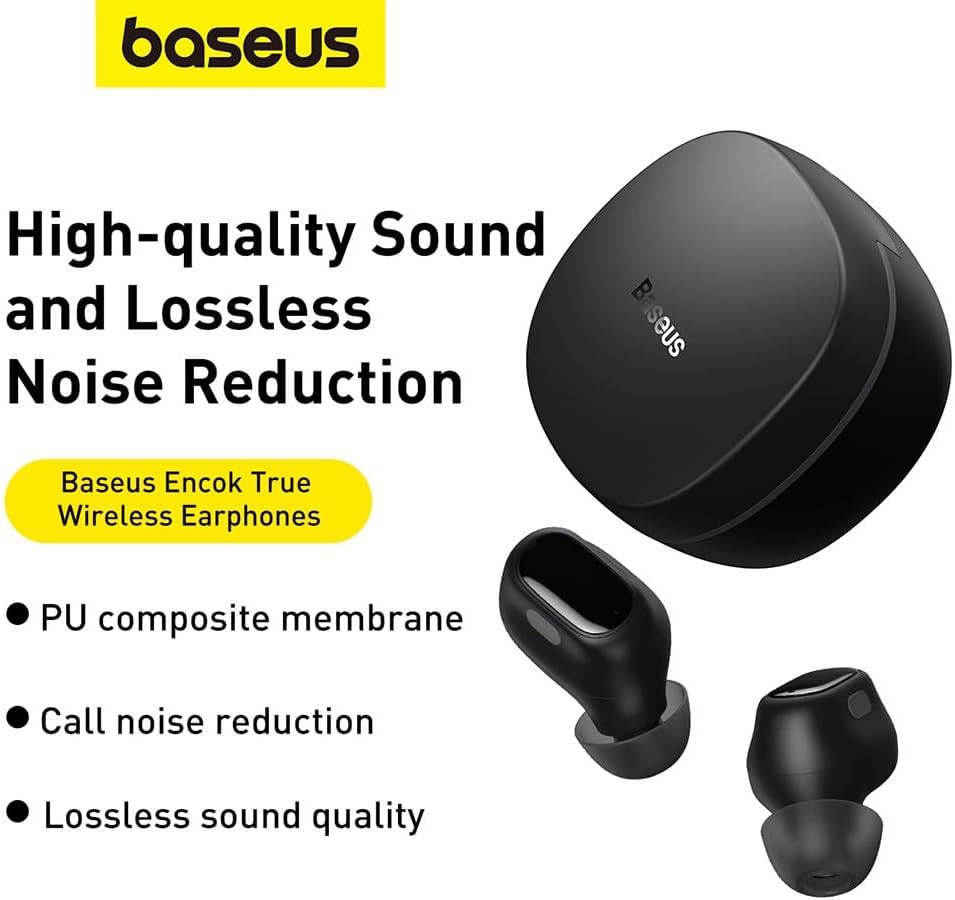
Image: The Baseus Bowie WM01 earbuds alongside their charging case, illustrating their sleek design.
ጥገና
Proper maintenance will extend the lifespan of your earphones.
- ማጽዳት፡ በመደበኛነት የጆሮ ማዳመጫውን እና ቻርጅ መሙያውን ለስላሳ፣ ደረቅ እና ከተሸፈነ ጨርቅ ያፅዱ። ኃይለኛ ኬሚካሎችን ወይም ሻካራ ቁሳቁሶችን አይጠቀሙ.
- የጆሮ ምክሮች: የሲሊኮን ጆሮ ምክሮችን በየጊዜው በሳሙና እና በውሃ ያጽዱ. እንደገና ከማያያዝዎ በፊት ሙሉ በሙሉ ደረቅ መሆናቸውን ያረጋግጡ.
- እውቂያዎችን በመሙላት ላይ፡ If sound quality or charging issues occur, gently clean the charging contacts on both the earphones and inside the case with a cotton swab dipped in rubbing alcohol.
- ማከማቻ፡ ጥቅም ላይ በማይውልበት ጊዜ የጆሮ ማዳመጫዎቹን ለመጠበቅ እና ኃይል እንዲሞሉ ለማድረግ በእነሱ ቻርጅ ውስጥ ያከማቹ።
- ከባድ ሁኔታዎችን ያስወግዱ; Do not expose the earphones to extreme temperatures, humidity, or direct sunlight. Avoid dropping or subjecting them to strong impacts.
መላ መፈለግ
If you encounter issues with your Baseus Bowie WM01 earphones, try the following solutions:
| ችግር | ሊሆን የሚችል መፍትሄ |
|---|---|
| የጆሮ ማዳመጫዎች አይጣመሩም/አይገናኙም |
|
| አንድ የጆሮ ማዳመጫ ብቻ ይሰራል |
|
| ዝቅተኛ ድምጽ ወይም ደካማ የድምፅ ጥራት |
|
| የመሙላት ጉዳዮች |
|
ዝርዝሮች
| ባህሪ | ዝርዝር |
|---|---|
| የሞዴል ስም | Bowie WM01 |
| የሞዴል ቁጥር | NGTW370001 |
| የምርት ስም | ቤዝየስ |
| ቀለም | ጥቁር |
| ግንኙነት | ገመድ አልባ (ብሉቱዝ) |
| የምርት ልኬቶች | 10 x 5 x 1.27 ሴ.ሜ |
| ክብደት | 50 ግራም |
| የባትሪ ዓይነት | ሊቲየም-አዮን |
| የተካተቱ አካላት | Earphones, Charging Case, USB Charging Cable, Ear Tips |

ምስል፡ የፈነዳ view illustrating the internal components of a Baseus Bowie WM01 earbud, including the driver and circuit board.
ዋስትና እና ድጋፍ
Baseus products are designed and manufactured to the highest quality standards. For warranty information and technical support, please refer to the warranty card included in your product package or visit the official Baseus webጣቢያ.
For further assistance, you may contact Baseus customer service through their official channels. Please have your product model number (WM01 / NGTW370001) and purchase details ready.
Disclaimer: This manual is for informational purposes only. Specifications and features are subject to change without notice.


