መግቢያ
The Cisco Headset 721 is a wireless on-ear Bluetooth headset designed for professional use, offering comfort and advanced features for communication and collaboration. This manual provides comprehensive instructions for its setup, operation, and maintenance.
በሣጥኑ ውስጥ ያለው
ሁሉም እቃዎች በጥቅሉ ውስጥ መኖራቸውን ያረጋግጡ፡-
- የሲስኮ የጆሮ ማዳመጫ 721 (ነጠላ የጆሮ ማዳመጫ)
- የዩኤስቢ-ኤ ኤችዲ ብሉቱዝ አስማሚ
- የኃይል መሙያ ማቆሚያ
- USB-A ባትሪ መሙያ ገመድ
- Soft Protective Case
- Ear Cushions (pre-installed or spare)
- የጭንቅላት ባንድ (የተዋሃደ)

Image: The Cisco Headset 721 shown alongside its soft protective case, highlighting its portability.
ማዋቀር
1. የጆሮ ማዳመጫውን መሙላት
Before initial use, fully charge the headset. The headset has a battery life of approximately 23 hours of talk time.
- Connect the USB-A charging cable to the charging stand.
- Connect the other end of the USB-A charging cable to a powered USB port (e.g., computer, wall adapter).
- Place the headset onto the charging stand, ensuring proper alignment. The LED indicator on the headset will show charging status.
2. በብሉቱዝ በኩል መገናኘት
The headset can connect wirelessly to two devices simultaneously via Bluetooth.
- አብራ፡ Press and hold the Power button on the headset until the LED indicator flashes.
- የማጣመር ሁኔታ With the headset powered on, press and hold the Bluetooth button until the LED indicator flashes blue and red alternately. This indicates pairing mode.
- መሣሪያ ማጣመር፡ On your device (e.g., smartphone, laptop), go to Bluetooth settings and select "Cisco Headset 721" from the list of available devices.
- ማረጋገጫ፡- The headset LED will turn solid blue when successfully paired.
3. Connecting with USB-A HD Bluetooth Adapter
For optimal performance and integration with Cisco applications, use the provided USB-A HD Bluetooth Adapter.
- Plug the USB-A HD Bluetooth Adapter into an available USB-A port on your computer.
- The adapter will automatically attempt to pair with your Cisco Headset 721. The LED on the adapter will indicate connection status.
- Ensure your headset is in pairing mode if it does not connect automatically.
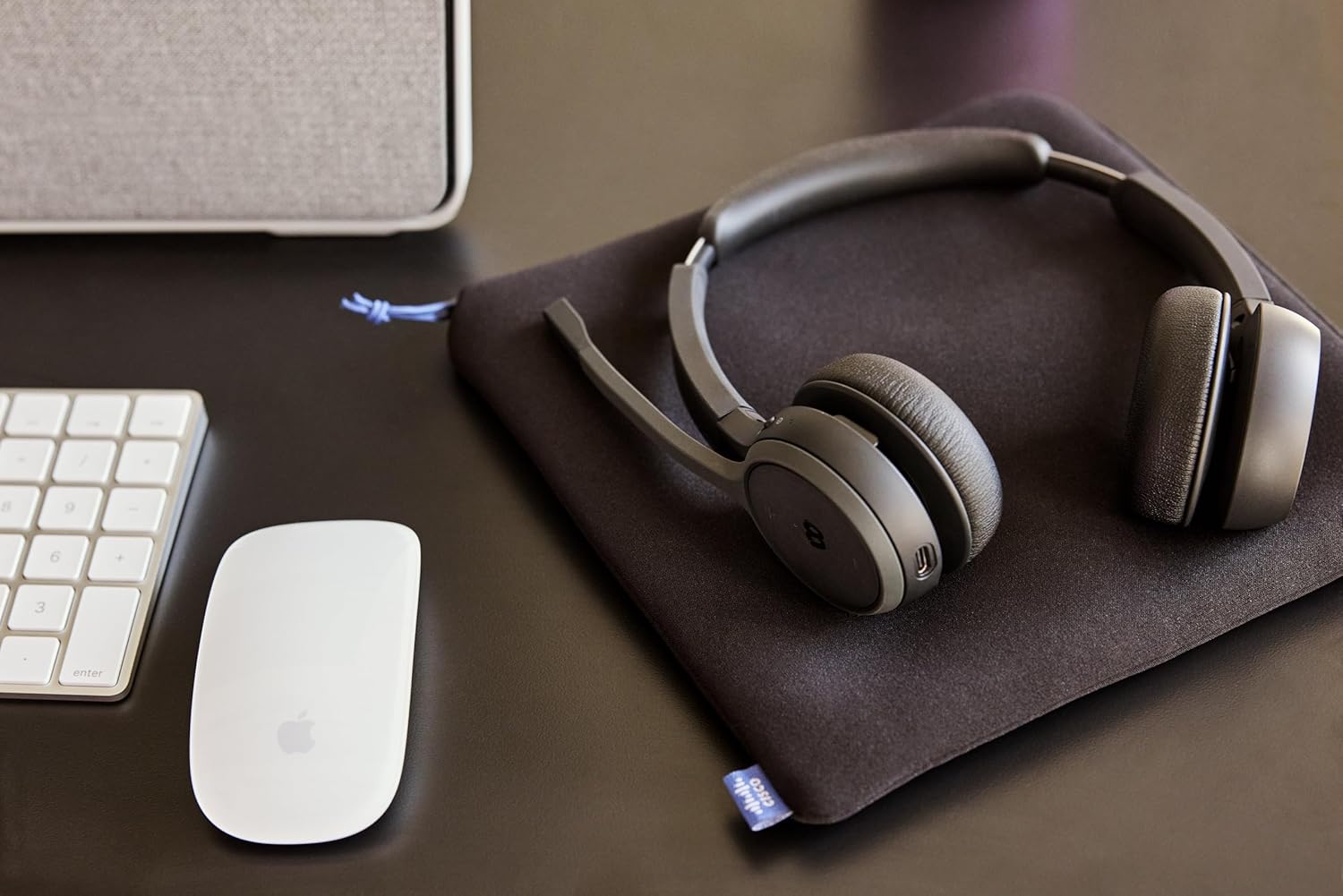
Image: The Cisco Headset 721, USB-A adapter, and charging stand arranged on a desk, illustrating a typical setup.
4. Adjusting the Microphone Boom Arm
The microphone boom arm rotates 276 degrees for optimal placement and features a flip-to-mute function.
- Position the microphone approximately two finger-widths from the corner of your mouth for clear audio.
- To mute the microphone, flip the boom arm upwards. Flip it down to unmute.
የአሠራር መመሪያዎች
የጆሮ ላይ መቆጣጠሪያዎች
The headset features intuitive on-ear controls for managing calls and media.
- ድምጽ ወደ ላይ/ወደታች፡ የድምፅ ደረጃን ለማስተካከል የተወሰኑ የድምጽ ቁልፎችን ይጠቀሙ።
- መልስ/ጥሪ ጨርስ፡ Press the Call button once to answer an incoming call or end an active call.
- ድምጸ-ከል አድርግ/ አንሳ፡ In addition to the flip-to-mute boom arm, a dedicated mute button may be present for quick toggling.
- ሚዲያ አጫውት/ ለአፍታ አቁም፡ Press the Call button once to play or pause media playback.
- ቀጣይ / ቀዳሚ ትራክ Use specific media control buttons if available, or double-press/triple-press the Call button (refer to specific model documentation for exact functionality).
Webex Button Integration
ቁርጠኛው Webex button provides seamless integration with Cisco Webex applications.
- ተቀላቀል Webለምሳሌ ስብሰባ፡- የሚለውን ይጫኑ Webex button to quickly join an active or scheduled Webየቀድሞ ስብሰባ.
- Webex Control: The button may also provide quick access to other Webex-specific functions depending on the application version.
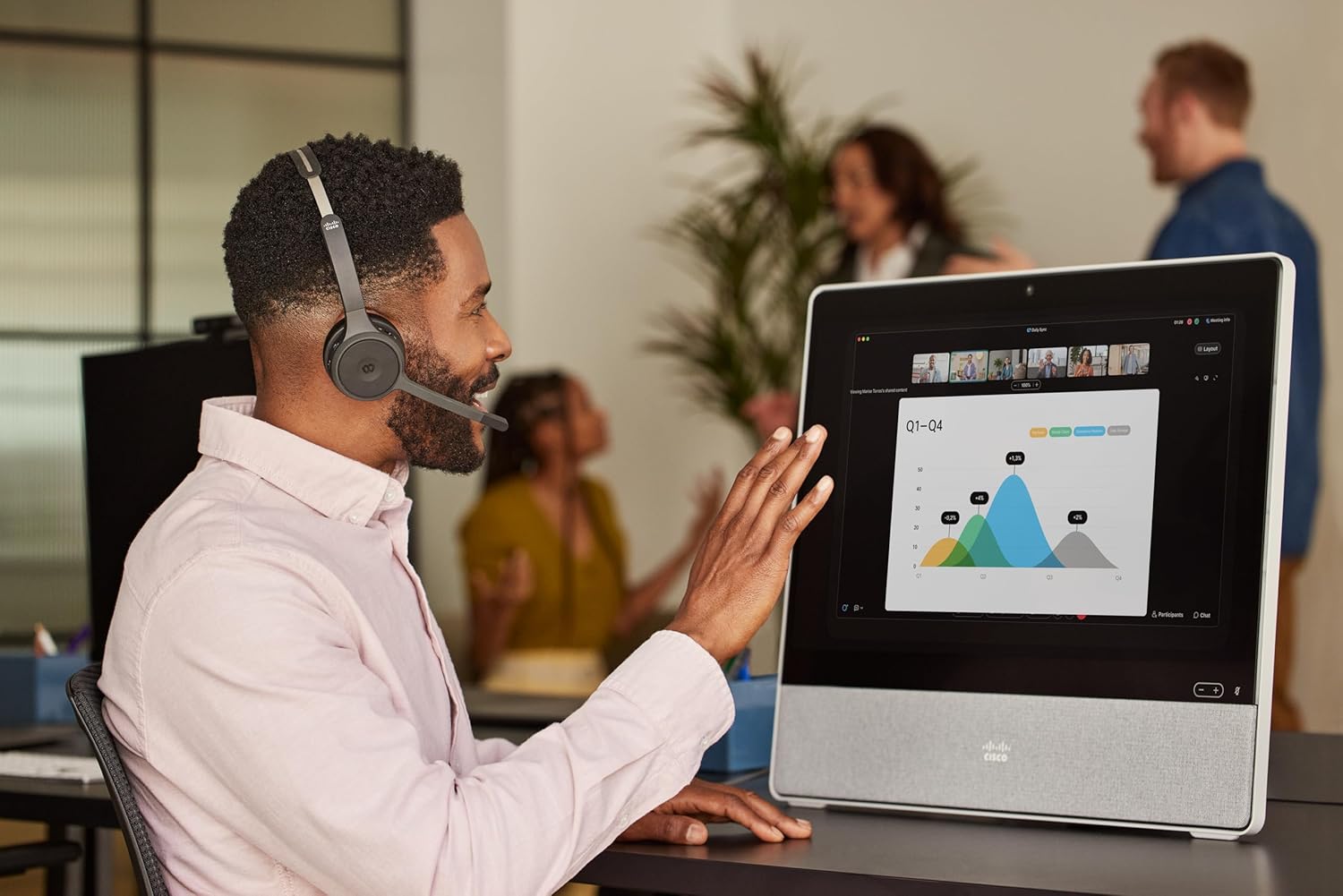
Image: A person wearing the Cisco Headset 721 while engaged in a video conference on a large display, demonstrating its use in a professional setting.
AI Voice-Activated Microphones
The headset features AI voice-activated microphones designed to minimize background noise, ensuring clear communication.
- These microphones automatically focus on your voice and suppress ambient sounds.
- No specific user action is required for this feature; it operates automatically.
ባለብዙ ነጥቦችን ማጣመር
The headset supports multipoint pairing, allowing it to be connected to two Bluetooth devices simultaneously.
- Once paired with two devices, the headset can seamlessly switch between them for calls or media.
- ለ example, you can be connected to your laptop for a video conference and your smartphone for incoming calls.
ጥገና
የጆሮ ማዳመጫውን ማጽዳት
Regular cleaning helps maintain the headset's hygiene and performance.
- Use a soft, dry, lint-free cloth to wipe the surfaces of the headset.
- ለጆሮ ትራሶች፣ በቀስታ በትንሽ ጠብታ ይጥረጉamp cloth (water only) and allow to air dry completely before use.
- ኃይለኛ ኬሚካሎችን፣ መፈልፈያዎችን ወይም ሻካራ ቁሶችን ከመጠቀም ይቆጠቡ።
ማከማቻ
When not in use, store the headset properly to protect it from damage.
- Use the provided soft protective case for storage and transport.
- ከፀሀይ ብርሀን እና ከከፍተኛ ሙቀት ርቆ በቀዝቃዛና ደረቅ ቦታ ያከማቹ።
መላ መፈለግ
የተለመዱ ጉዳዮች እና መፍትሄዎች
| ጉዳይ | መፍትሄ |
|---|---|
| የጆሮ ማዳመጫ አይበራም። | Ensure the headset is fully charged. Connect it to the charging stand and check the LED indicator. |
| ከመሳሪያ ጋር ማጣመር አይቻልም። | Ensure the headset is in pairing mode (LED flashing blue/red). Check your device's Bluetooth settings. Try restarting both the headset and the device. |
| ምንም የድምጽ ወይም ደካማ የድምጽ ጥራት የለም። | Check the volume levels on both the headset and the connected device. Ensure the headset is selected as the audio output device. Move closer to the connected device to avoid interference. |
| ማይክሮፎን አይሰራም። | Ensure the microphone boom arm is flipped down (unmuted). Check microphone settings on your connected device/application (e.g., Webለምሳሌ) |
| Webex button not responding. | Ensure the headset is properly connected to a device running the Webex application. Verify that the Webex application is up to date. |
ዝርዝሮች
| ባህሪ | ዝርዝር |
|---|---|
| የሞዴል ቁጥር | HS-WL-721-BUNAS-C |
| የግንኙነት ቴክኖሎጂ | ገመድ አልባ (ብሉቱዝ) |
| የብሉቱዝ ስሪት | 4.0 |
| የብሉቱዝ ክልል | 10 ሜትር |
| የጆሮ አቀማመጥ | በጆሮ ላይ |
| የቅጽ ምክንያት | በጆሮ ላይ |
| የድምጽ መቆጣጠሪያ | ተገብሮ ጫጫታ መሰረዝ፣ የድምፅ ማግለል |
| የባትሪ ህይወት | 23 ሰዓታት (የንግግር ጊዜ) |
| የመቆጣጠሪያ ዓይነት | Call Control, Button, App |
| ልዩ ባህሪያት | Adjustable Headband, Fast Charging, Lightweight, Multipoint Pairing, Noise Isolation |
| ተስማሚ መሣሪያዎች | ሞባይል ስልኮች፣ ዴስክቶፖች፣ ላፕቶፖች፣ ታብሌቶች |
| የእቃው ክብደት | 0.12 ኪሎግራም (4.2 አውንስ) |
| ቁሳቁስ | Aluminum, Stainless Steel, Leather or Faux Leather, Memory Foam |
| የተካተቱ አካላት | Cable, Charging Station, Ear Cushions, Headband, Protective Case |
ዋስትና እና ድጋፍ
የሲስኮ የጆሮ ማዳመጫ 721 ከሚከተሉት ጋር አብሮ ይመጣል Two-Year Limited Liability Warrantyየማምረቻ ጉድለቶችን እና የአፈፃፀም ጉዳዮችን በተመለከተ የአእምሮ ሰላም ማረጋገጥ.
For technical support, warranty claims, or further assistance, please visit the official Cisco support website or contact your Cisco product provider. Ensure you have your product model number (HS-WL-721-BUNAS-C) and proof of purchase available.
Optional Protection Plans
Additional protection plans may be available for extended coverage:
- የ2-አመት ጥበቃ እቅድ፡- ሽፋኑን ለ24 ወራት ያራዝማል።
- የ3-አመት ጥበቃ እቅድ፡- ሽፋኑን ለ36 ወራት ያራዝማል።
- ሙሉ ጥበቃ፡ ብቁ የሆኑ ያለፉ እና የወደፊት ግዢዎችን የሚሸፍን ወርሃዊ እቅድ።
Please refer to the terms and conditions of these plans for full details.


