1. መግቢያ
The BOTSLAB W302 Outdoor Dual-Lens Security Camera is designed to provide comprehensive surveillance for your home or business. Featuring advanced dual-lens technology, it offers a 170° super-wide viewing angle and crystal-clear 4MP resolution. This manual provides detailed instructions for setting up, operating, and maintaining your security camera to ensure optimal performance.
2. የጥቅል ይዘቶች
ከታች የተዘረዘሩት ሁሉም እቃዎች በጥቅልዎ ውስጥ መካተቱን ያረጋግጡ። ማንኛውም እቃ ከጎደለ ወይም ከተበላሸ፣ እባክዎን የደንበኞች ድጋፍን ያነጋግሩ።
- የካሜራ አሃድ x 1
- ቅንፍ x 1
- ተለጣፊ x 1 አቀማመጥ
- Warning sticker x 1
- ፈጣን ጅምር መመሪያ x 1
- የኃይል አስማሚ x 1
- ጥቅል ጥቅል x 1

Figure 2.1: All components included in the BOTSLAB W302 camera package.
3. የምርት ባህሪዎች
- Dual-Lens Vision: Captures a wide 170° super-wide viewing angle with 4MP (2MP+2MP) resolution for seamless panoramic images without blind spots.
- የቀለም የምሽት እይታ; Provides continuous color views 24/7, even in low light, thanks to automatic light adaptation (ColorGuard) and up to 100ft night vision range.
- Smart Security & Precise Alerts: Detects people and vehicles with motion detection, sending precise alerts. Features a customizable siren and light alarm for enhanced security.
- AI-Powered Tracking: Intelligently focuses on humans, offering close-up views and dual live views (wide panorama and close-up) simultaneously via the Botslab app.
- እንከን የለሽ ግንኙነት; Supports faster and more stable dual-band Wi-Fi (2.4GHz/5GHz).
- ባለሁለት መንገድ ኦዲዮ፡- Stay connected and communicate with visitors or deter intruders.
- የአየር ሁኔታ መከላከያ ንድፍ; IP66 rated, ensuring reliable performance in temperatures from -20°C to 60°C.
- ዘመናዊ ቤት ውህደት፡- Seamlessly integrates with Amazon Alexa and Google Assistant for voice control.

Figure 3.1: Dual-Lens Vision with 170° Super-Wide Angle.

Figure 3.2: Non-Stop Color Night Vision.

Figure 3.3: Smart Security with Person, Vehicle, and Motion Detection.
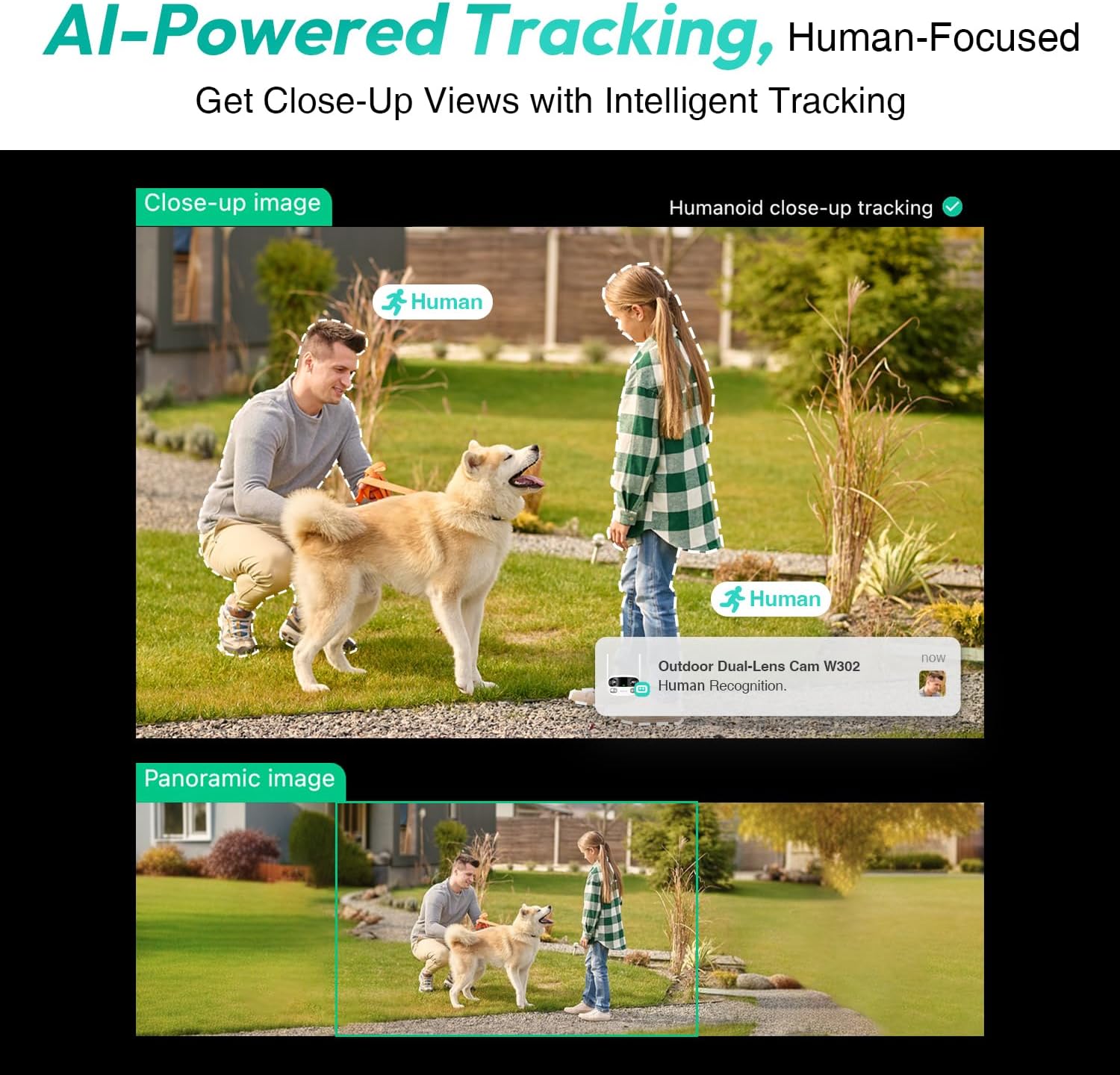
Figure 3.4: AI-Powered Human Tracking with Dual Live Views.
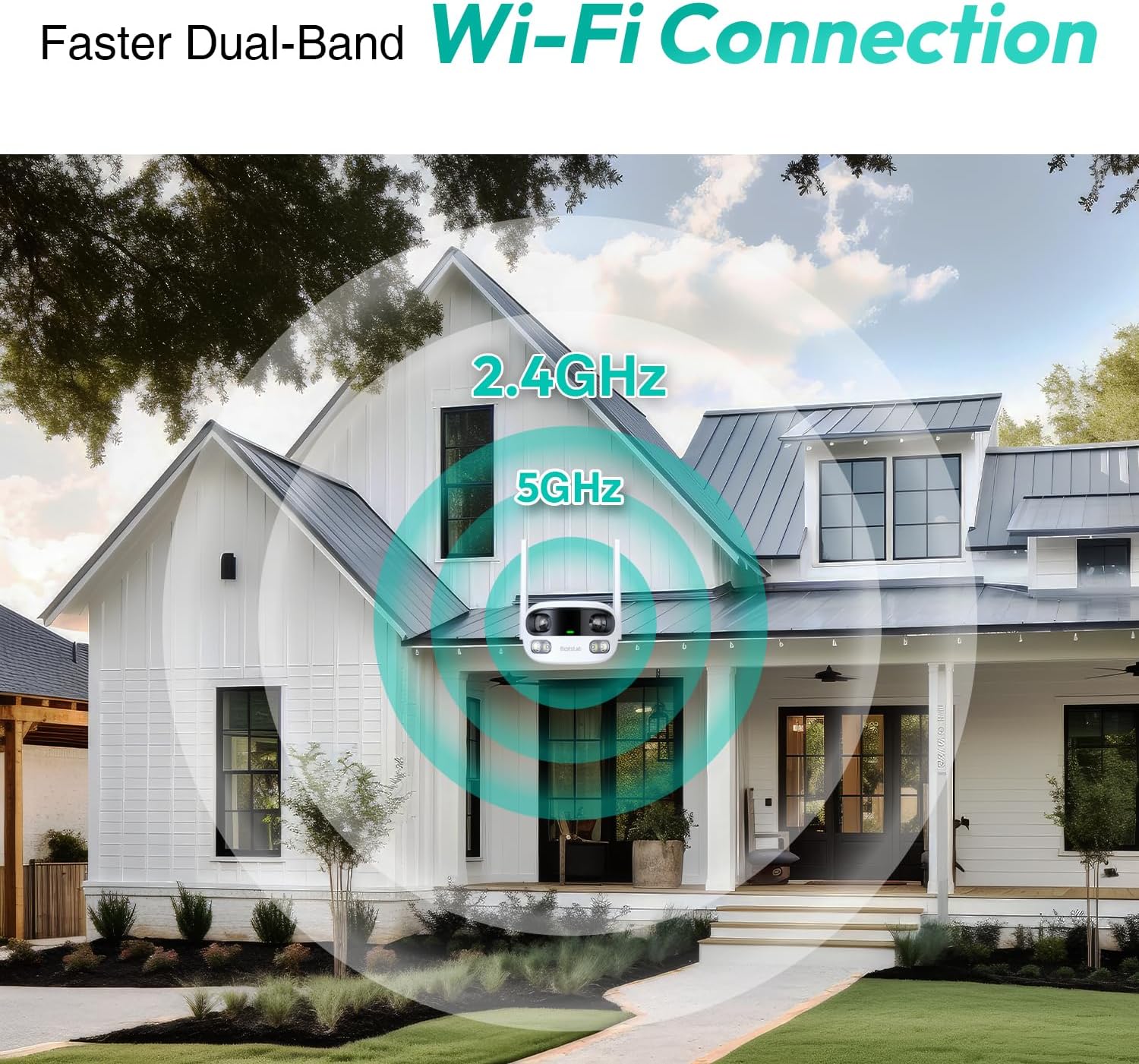
Figure 3.5: Faster Dual-Band Wi-Fi Connection.

ምስል 3.6፡ ባለ ሁለት መንገድ የድምጽ ግንኙነት።

ምስል 3.7፡ IP66 የአየር ሁኔታን የሚቋቋም ዲዛይን።

Figure 3.8: Alexa & Google Assistant Integration.
4. ማዋቀር እና መጫን
Follow these steps to properly install your BOTSLAB W302 camera.
- ቦታ ይምረጡ፡- ከቤት ውጭ ግልጽ የሆነ ቦታ ይምረጡ view of the area you wish to monitor. Ensure it's within Wi-Fi range and near a power outlet.
- ቅንፍ ይጫኑ፡- Use the provided positioning sticker to mark drill holes on the wall or ceiling. Drill the holes, insert expansion tubes, and securely fasten the bracket with screws.
- ካሜራውን ያያይዙ፡ Rotate the camera body and screw it onto the bracket. Adjust the camera's position and tighten the bracket.
- የግንኙነት ኃይል; Plug the power adapter into the camera and then into a power outlet. The indicator light will turn green and start flashing when ready for pairing.

Figure 4.1: Versatile Installation Options (Wall and Ceiling).
ቪዲዮ 4.1: አልቋልview of the Botslab Security Camera Outdoor, including its features and installation process. This video is provided by Botslab Security.
5. የመተግበሪያ ውቅር
The Botslab app is essential for controlling and monitoring your camera. Download and install the app on your smartphone (available on App Store and Google Play).
- ይመዝገቡ/ይግቡ፡ Open the Botslab app and register a new account or log in with an existing one.
- መሣሪያ አክል፡ Tap 'Add Device' or the '+' icon in the app.
- የ QR ኮድ ይቃኙ በካሜራዎ ታችኛው ክፍል ላይ የተቀመጠውን የ QR ኮድ ይቃኙ።
- ከWi-Fi ጋር ይገናኙ፡ Follow the in-app instructions to connect the camera to your 2.4GHz or 5GHz Wi-Fi network. Ensure your phone is near the camera during this process.
- የመሣሪያ ማሰሪያ፡ The app will bind the device to your account. Once connected, the indicator light on the camera will turn solid blue.
ቪዲዮ 5.1: ዝርዝር ድጋሚview of the Botslab W302 Outdoor Dual Lens Security Camera, including app setup and features. This video is provided by Galaxy Tech Review.
6. የአሠራር መመሪያዎች
Once configured, you can access and control your camera through the Botslab app.
- ቀጥታ View: Access the live feed from both lenses. You can switch between close-up and panoramic views, or use the left/right mode for individual lens feeds.
- መጥረግ/ማጉላት፡ In panoramic mode, slide the bottom image to pan left or right. Pinch to zoom on the close-up image.
- ባለሁለት መንገድ ኦዲዮ፡- Tap the phone icon to speak through the camera's speaker. Tap the mute icon to silence audio from the camera's microphone.
- Siren & Light Alarm: Activate the siren and floodlights manually from the app to deter intruders.
- Motion/Vehicle/Person Detection: Enable these features in the app settings to receive precise alerts.
- የግላዊነት ዞኖች በካሜራው ውስጥ የተወሰኑ ቦታዎችን ያዘጋጁ view that will not be monitored for privacy.
- የምሽት እይታ; The camera automatically adapts to low light. You can choose between full-color night vision (using floodlights) or infrared night vision.

Figure 6.1: Dual Live Views on the Botslab App.

Figure 6.2: Siren & Light Alarm for Instant Deterrence.

Figure 6.3: Configuring Privacy Zones.

Figure 6.4: Smart Security with Precise Alerts.
7. የማከማቻ አማራጮች
The BOTSLAB W302 offers flexible storage solutions for your recorded footage.
- Botslab Cloud Storage: Includes a one-year trial with 7-day storage for motion-detected clips at 5-minute intervals.
- የአካባቢ ማከማቻ፡ Supports up to 256GB MicroSD cards (not included). The MicroSD card slot is located under a protective cover at the bottom of the camera.

ምስል 7.1፡ የደመና እና የአካባቢ ማከማቻ አማራጮች።
8. ዝርዝሮች
| ባህሪ | ዝርዝር መግለጫ |
|---|---|
| የቪዲዮ ቀረጻ ጥራት | 4 ሜፒ |
| Viewማእዘን | 170 ዲግሪዎች |
| የግንኙነት ቴክኖሎጂ | 2.4GHz/5GHz ዋይ-ፋይ |
| የአለም አቀፍ ጥበቃ ደረጃ | IP66 |
| የአሠራር ሙቀት | -20 ° ሴ እስከ 60 ° ሴ |
| የስማርት ቤት ተኳኋኝነት | Amazon Alexa, Google ረዳት |
| የአካባቢ ማከማቻ | Up to 256GB MicroSD (Not Included) |
| የኃይል ምንጭ | Wired (AC power cord included) |
| ቀለም | White Pro |
| የእቃው ክብደት | 1.63 ፓውንድ |
9. ጥገና
- ማጽዳት፡ የካሜራውን ሌንስ እና ሰውነትን በለስላሳ ጨርቅ አዘውትረው ይጥረጉamp አቧራ እና ቆሻሻ ለማስወገድ ጨርቅ. ኃይለኛ ኬሚካሎችን አይጠቀሙ.
- የጽኑዌር ዝማኔዎች ፦ Check the Botslab app periodically for firmware updates to ensure optimal performance and security.
- የኃይል አቅርቦት; Ensure the camera is connected to a stable power source. Avoid using unofficial power adapters.
- ኤስዲ ካርድ አስተዳደር If using local storage, regularly back up important footage and format the MicroSD card to maintain performance.
10. መላ መፈለግ
- ካሜራ ከመስመር ውጭ; Check Wi-Fi connection and power supply. Try restarting the camera and your router.
- ደካማ የቪዲዮ ጥራት፡ Ensure the lens is clean. Check your Wi-Fi signal strength. Adjust camera placement if necessary.
- የእንቅስቃሴ ማወቂያ ጉዳዮች፡- Verify detection zones are correctly set in the app. Adjust sensitivity settings.
- ባለ ሁለት መንገድ የድምጽ ችግሮች፡ በመተግበሪያው ውስጥ የማይክሮፎን እና የድምጽ ማጉያ ቅንብሮችን ያረጋግጡ። የድምጽ መጠኑ በቂ መሆኑን ያረጋግጡ።
- የኤስዲ ካርድ አልተመዘገበም፦ Ensure the MicroSD card is inserted correctly and is not full. Format the card if issues persist.
11. ዋስትና እና ድጋፍ
BOTSLAB is committed to providing high-quality products and excellent customer service.
- የጥራት ዋስትና፡ Enjoy a 365-day quality guarantee.
- የቴክኒክ እገዛ፡ የዕድሜ ልክ የቴክኒክ ድጋፍ ይገኛል።
- ይመልሳል፡ 30-day free returns.
- Fast Support: Expect support within 48 hours.
ለተጨማሪ እርዳታ እባክዎን ይጎብኙ global.botslab.com ወይም ግንኙነት service@botslab.com.


