1. ምርት አብቅቷልview
The Tera HW0004 Barcode Scanner is a versatile 1D laser scanner designed for efficient data capture in various environments such as supermarkets, retail stores, and logistics. It offers flexible connectivity options and multiple operating modes to suit different user needs.
- Versatile 2-in-1 Transmission: Supports both 2.4GHz wireless and USB 2.0 wired connections. Compatible with Windows and Mac OS, and integrates with common software like Word, Excel, and Novell.
- ሁለት የሥራ ሁነታዎች; Features Instant Upload Mode for real-time data transfer and Storage Upload Mode for offline scanning and later upload.
- ይሰኩ እና ይጫወቱ፡ Requires no driver or software installation for quick setup.
- የ1D ባርኮድ ድጋፍ፡ Capable of scanning various 1D printed barcodes including Code 39, UPC-A/UPC-E, EAN13, EAN8, Code 93, Code 128, Codabar, Industrial/Interleaved 2 of 5, MSI, Code11, ISBN/ISSN, and Matrix 2 of 5. Note: Does not scan 2D codes (e.g., QR, PDF417) or barcodes from screens.
2. የጥቅል ይዘቶች
ጥቅሉን ሲከፍቱ፣ ሁሉም አካላት መገኘታቸውን ያረጋግጡ፡-
- Tera Barcode Scanner (HW0004)
- 2.4GHz ገመድ አልባ የዩኤስቢ ዶንግል
- የዩኤስቢ 2.0 ገመድ
- የሚስተካከለው መቆሚያ
- የተጠቃሚ መመሪያ (ይህ ሰነድ)
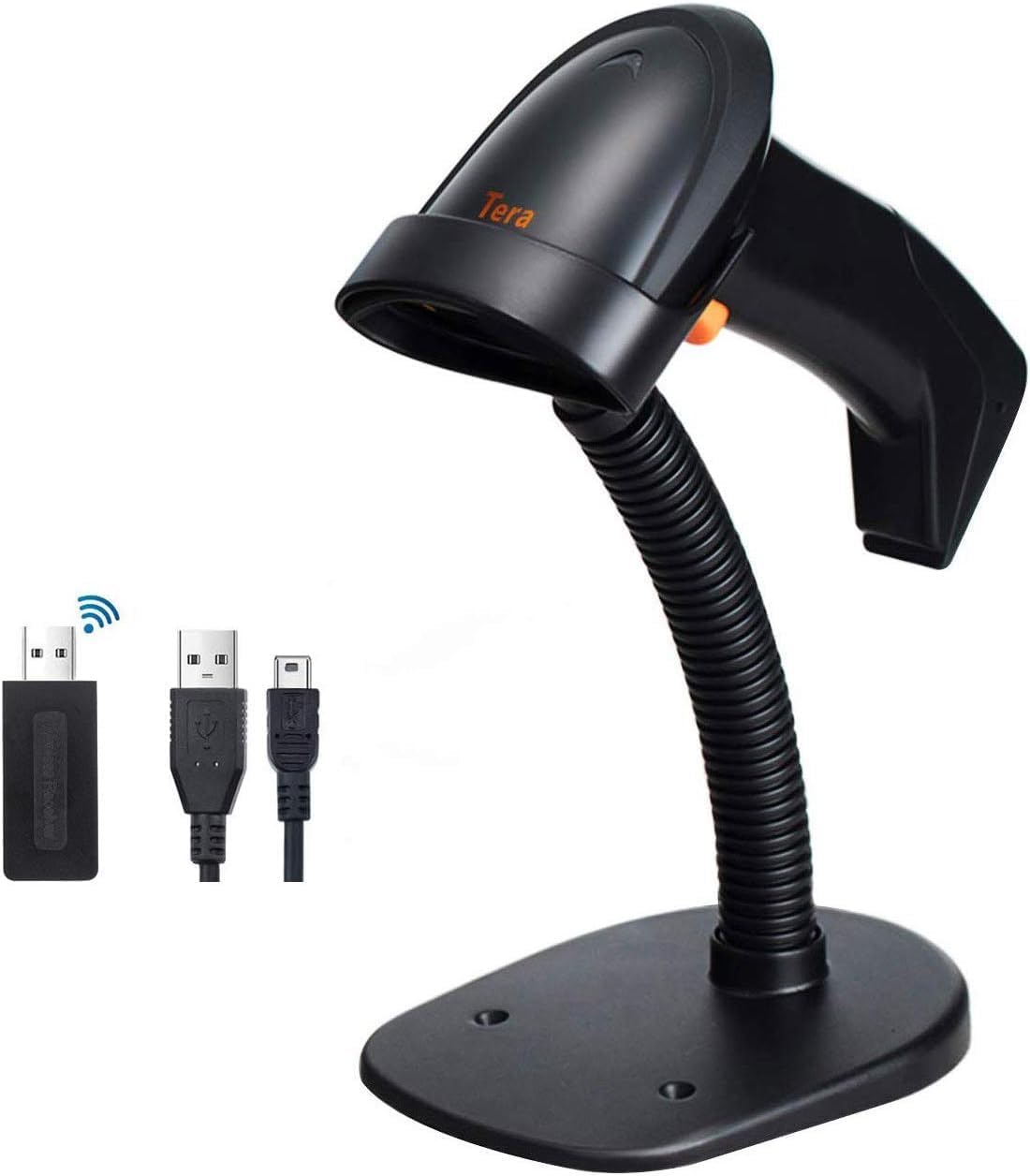
Image: The Tera HW0004 barcode scanner, its wireless USB dongle, USB cable, and the included stand.
3. ማዋቀር እና ግንኙነት
The Tera HW0004 scanner is designed for easy plug-and-play operation, requiring no complex driver installations.
3.1. ገመድ አልባ ግንኙነት (2.4GHz)
- Insert the 2.4GHz wireless USB dongle into an available USB port on your computer or device.
- Turn on the barcode scanner. It will automatically pair with the dongle.
- The scanner is now ready for wireless operation.

Image: The barcode scanner connected to a laptop via the wireless dongle, illustrating the plug-and-play setup.
3.2. Wired Connection (USB 2.0)
- Connect one end of the provided USB 2.0 cable to the scanner's USB port.
- Connect the other end of the USB 2.0 cable to an available USB port on your computer or device.
- The scanner will be recognized as a standard HID keyboard device and is ready for use.
The scanner is compatible with various operating systems, including Windows XP, Windows 7, Windows 8, Windows 10, Android, and Linux.
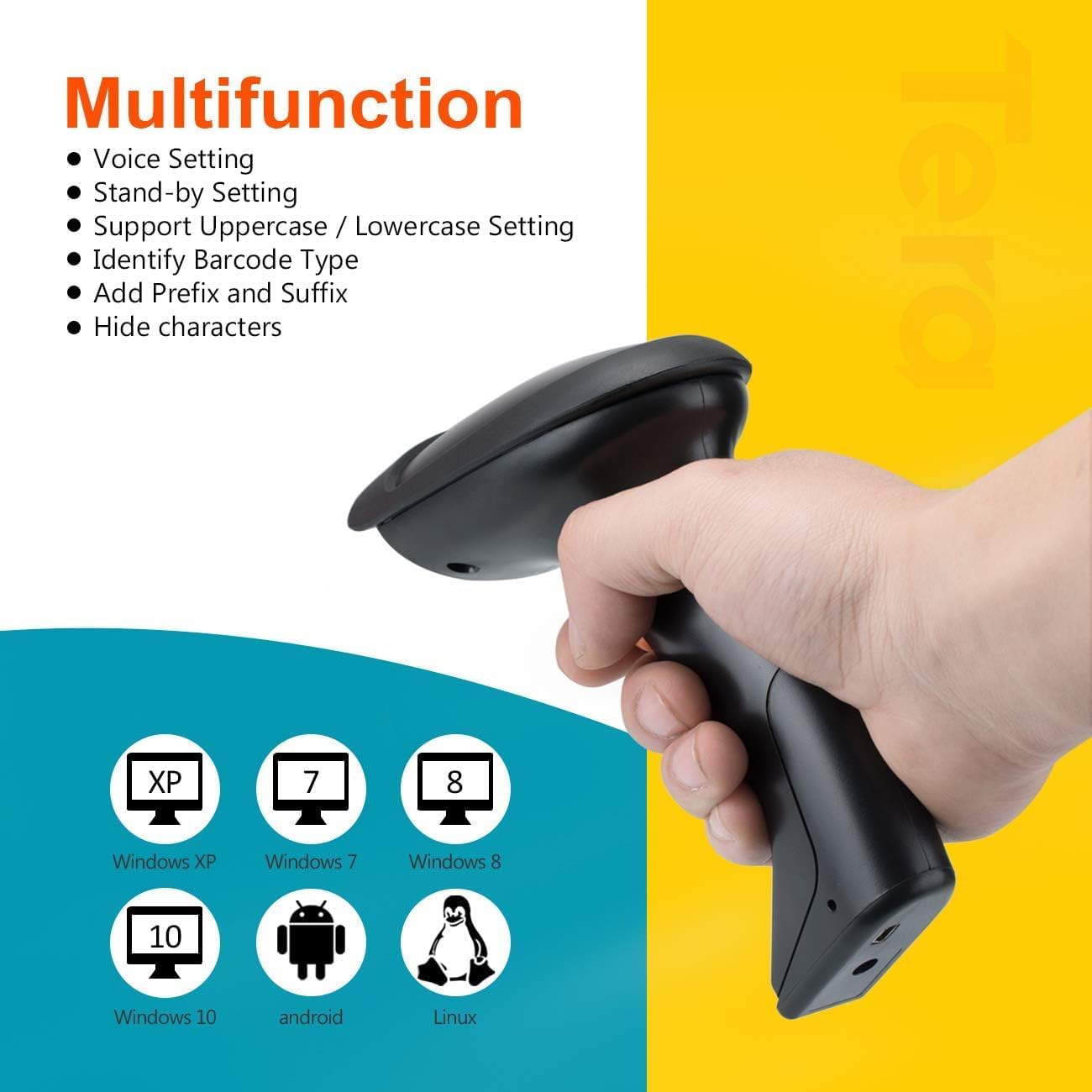
Image: The scanner demonstrating compatibility with multiple operating systems.
4. ስካነርን መስራት
4.1. የመቃኘት ሁነታዎች
The scanner supports two primary scanning modes:
- የቁልፍ ቀስቃሽ ሁነታ፡ Press the trigger button to activate the laser and scan a barcode. Release the button to stop scanning.
- ቀጣይነት ያለው የፍተሻ ሁነታ፡- The scanner continuously emits the laser, allowing for hands-free scanning when placed on the stand. This mode is ideal for high-volume scanning.
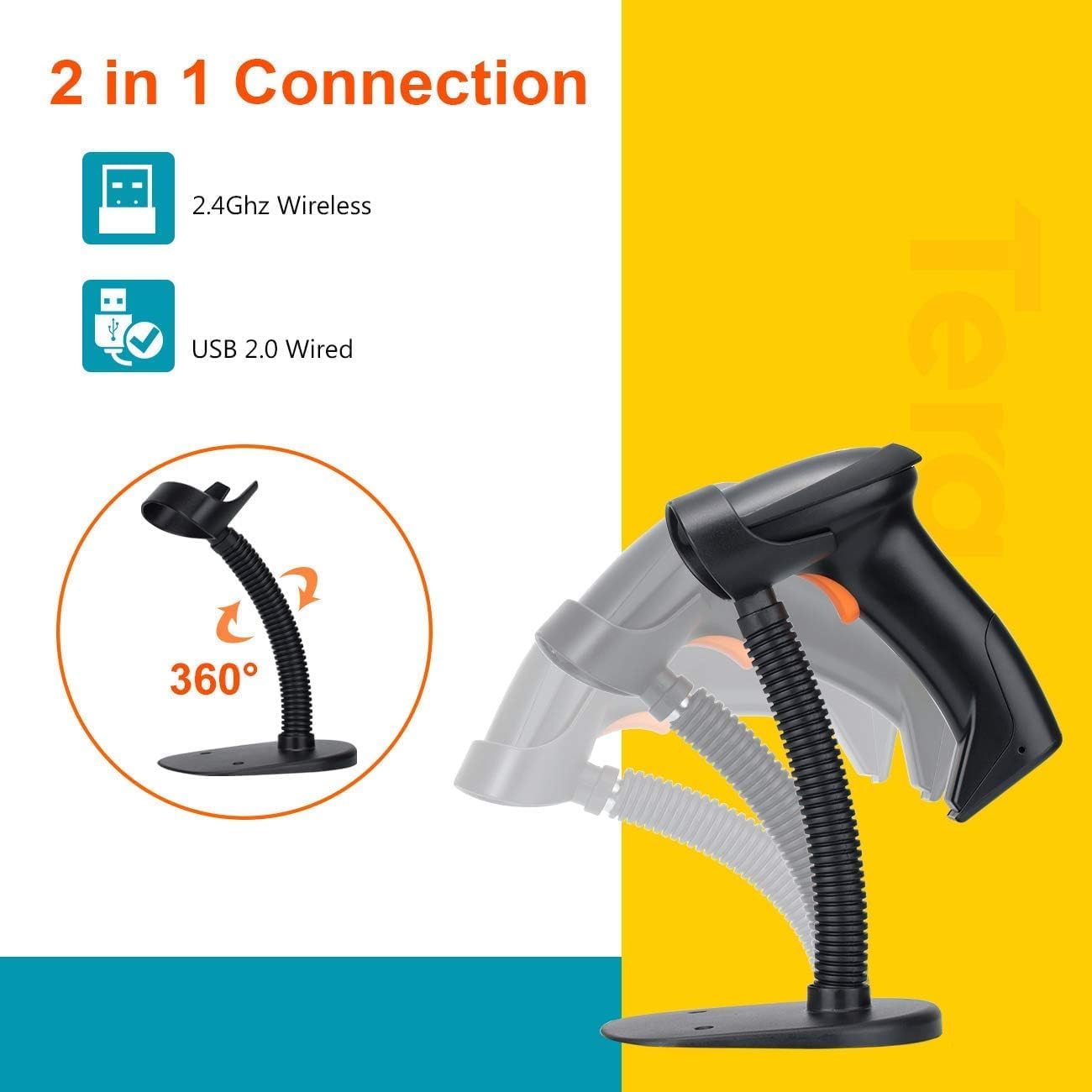
Image: The scanner on its adjustable stand, highlighting its 360-degree rotation and dual connection capabilities.
4.2. የውሂብ ጭነት ሁነታዎች
The scanner offers two methods for uploading scanned data:
- ፈጣን ሰቀላ ሁነታ፡- Barcodes are synchronously uploaded to your connected device immediately after scanning. This is the default mode for real-time data entry.
- Storage Upload Mode: Barcodes are stored in the scanner's built-in 16MB memory. This mode is useful for scanning outside the wireless signal range. Data can be uploaded to your device later when needed.
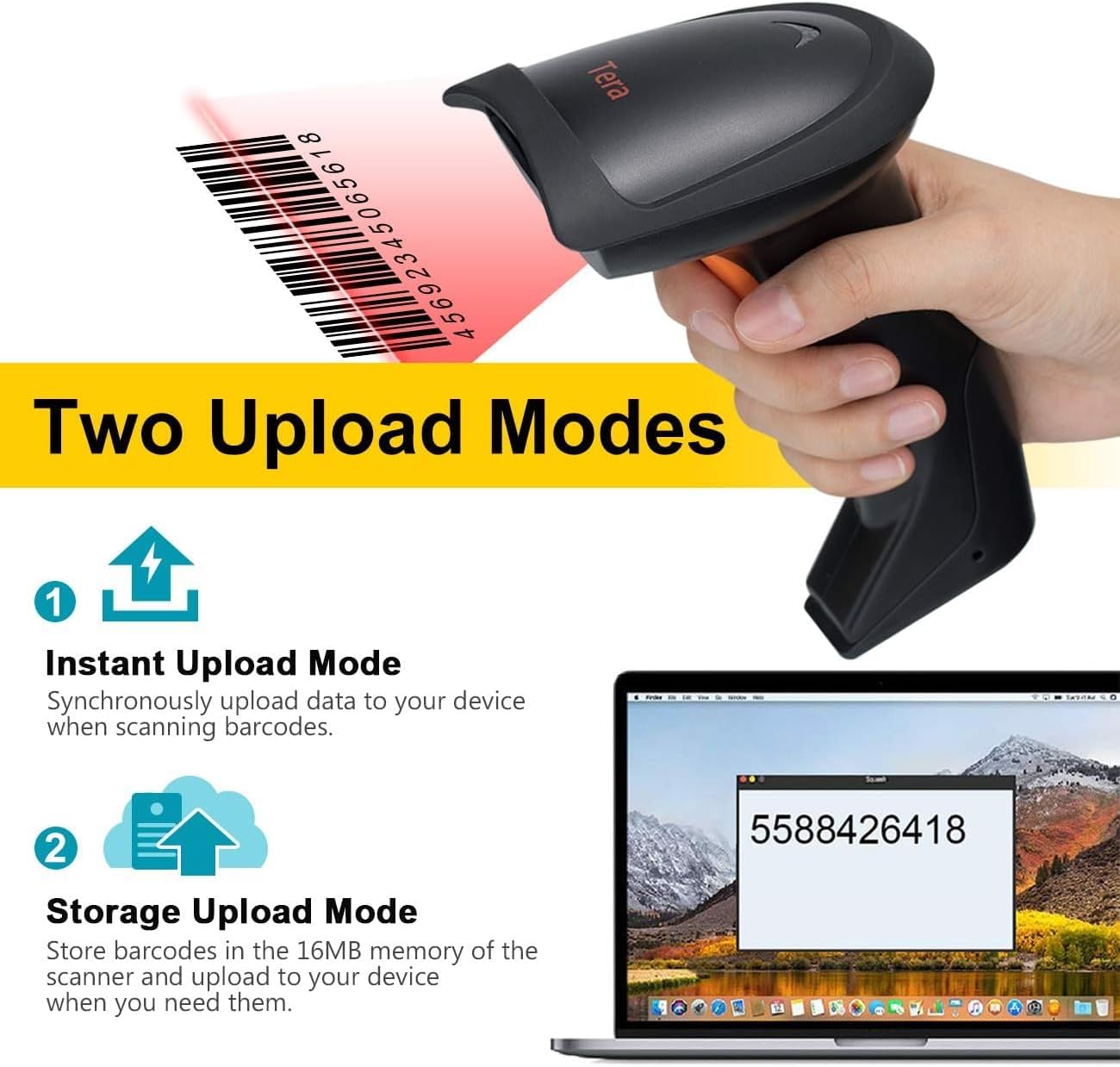
Image: A visual representation of the two data upload modes: Instant Upload and Storage Upload.
4.3. Supported Barcodes and Languages
The scanner supports a wide range of 1D printed barcodes and multiple languages for output:
- Supported 1D Barcodes: Code 39, UPC-A/UPC-E (Include Complement Code), EAN13, EAN8, Code 93, Code 128, Codabar, Industrial/Interleaved 2 of 5, MSI, Code11, ISBN/ISSN, Matrix 2 of 5.
- Unsupported Codes: 2D codes (e.g., QR, PDF417) and barcodes displayed on screens.
- የሚደገፉ ቋንቋዎች፡- English, Spanish, German, Japanese, French, Italian.

Image: The scanner highlighting its multi-language support and the types of 1D barcodes it can read.
4.4. Multifunction Settings
The scanner offers several configurable settings to enhance its functionality:
- የድምጽ ቅንብር
- Stand-by Setting
- Support Uppercase / Lowercase Setting
- Identify Barcode Type
- Add Prefix and Suffix to scanned data
- ቁምፊዎችን ደብቅ
Refer to the detailed programming guide (usually a separate document or a section within a comprehensive manual) for instructions on how to configure these settings by scanning specific setup barcodes.
5. ጥገና
ትክክለኛ ጥገና የባርኮድ ስካነርዎን ረጅም ዕድሜ እና ጥሩ አፈጻጸም ያረጋግጣል።
- ማጽዳት፡ Use a soft, dry, lint-free cloth to clean the scanner's exterior. For the scanning window, use a lens cleaning cloth and a mild, non-abrasive cleaning solution if necessary. Avoid harsh chemicals or abrasive materials.
- ማከማቻ፡ ስካነሩን በቀጥታ ከፀሀይ ብርሀን እና ከከፍተኛ ሙቀት ርቆ በቀዝቃዛና ደረቅ ቦታ ያከማቹ።
- የባትሪ እንክብካቤ As the scanner is battery-powered, ensure it is charged regularly. Avoid fully discharging the battery frequently to prolong its lifespan. If storing for an extended period, charge the battery to about 50% and store in a cool, dry place.
- አያያዝ፡ Avoid dropping the scanner or subjecting it to strong impacts, which can damage internal components.
6. መላ መፈለግ
If you encounter issues with your Tera HW0004 barcode scanner, refer to the following common troubleshooting steps:
| ችግር | ሊሆን የሚችል ምክንያት | መፍትሄ |
|---|---|---|
| ስካነር አልበራም። | ዝቅተኛ የባትሪ ወይም የኃይል ችግር. | Charge the scanner using the USB cable. Ensure the cable is properly connected to a power source. |
| No data output after scanning. | Incorrect connection mode, scanner not paired, or application issue. |
|
| Scanner beeps but no data. | Barcode not recognized or corrupted. |
|
| የገመድ አልባ ግንኙነት ያልተረጋጋ። | የርቀት ጣልቃ ገብነት ወይም ችግሮች። |
|
If the problem persists, please contact Tera customer support for further assistance.
7. ዝርዝሮች
| ባህሪ | ዝርዝር |
|---|---|
| ሞዴል | HW0004 |
| የምርት ስም | ታራ |
| የግንኙነት ቴክኖሎጂ | 2.4GHz Wireless, USB 2.0 Wired |
| የስካነር አይነት | 1D Laser Handheld Linear Bar Code Reader |
| የሚደገፉ ባርኮዶች | Code 39, UPC-A/UPC-E, EAN13, EAN8, Code 93, Code 128, Codabar, Industrial/Interleaved 2 of 5, MSI, Code11, ISBN/ISSN, Matrix 2 of 5 |
| Unsupported Barcodes | 2D codes (QR, PDF417), barcodes from screens |
| ተስማሚ መሣሪያዎች | ዴስክቶፕ ፣ ላፕቶፕ |
| ተስማሚ ስርዓተ ክወናዎች | Windows XP/7/8/10, Mac OS, Android, Linux |
| የኃይል ምንጭ | በባትሪ የተጎላበተ |
| የእቃው ክብደት | 8 አውንስ (227 ግራም ገደማ) |
| የጥቅል ልኬቶች | 7.9 x 3.9 x 3.2 ኢንች (በግምት. 20.1 x 9.9 x 8.1 ሴሜ) |
| አምራች | ታራ |
| የመጀመሪያ ቀን ይገኛል። | ሴፕቴምበር 4፣ 2023 |
8. ዋስትና እና ድጋፍ
Specific warranty information for the Tera HW0004 Barcode Scanner is typically provided with the product packaging or available on the manufacturer's official webጣቢያ። ለዝርዝር የዋስትና ውሎች እና ሁኔታዎች እባክዎን እነዚህን ሀብቶች ይመልከቱ።
For technical support, troubleshooting beyond this manual, or inquiries regarding product functionality, please visit the official Tera webጣቢያ ወይም የደንበኞች አገልግሎት ክፍልን ያነጋግሩ። የእውቂያ መረጃ አብዛኛውን ጊዜ በምርቱ ማሸጊያ ወይም በአምራቹ ላይ ሊገኝ ይችላል webጣቢያ.
You can visit the Tera Store on Amazon for more information: Tera Store
9. የመተግበሪያ ሁኔታዎች
The Tera HW0004 barcode scanner is suitable for a variety of applications, including but not limited to:
- ሎጂስቲክስ
- የመጋዘን አስተዳደር
- Supermarkets and Convenient Stores
- ቤተ መጻሕፍት
- Retail Industry
- Postal Industry
- ባንኮች
- የሕክምና ተቋማት

ምስል፡ ዘጸamples of environments where the barcode scanner can be effectively utilized.


