1. መግቢያ
This manual provides instructions for the Macally Wired Keyboard for Mac with an integrated USB Hub (Model: UCAMINIZHUB). This compact keyboard is designed for Apple computers, offering a familiar MacOS layout, convenient shortcut keys, and a built-in 3-port USB hub for connecting additional peripherals. Its 2-in-1 USB-C and USB-A plug ensures broad compatibility.

ምስል፡ አልቋልview of the Macally Wired Keyboard for Mac, showcasing its compact design and integrated cable.
2. ማዋቀር
2.1 የጥቅል ይዘቶች
- Macally Wired Keyboard (UCAMINIZHUB)
- የተጠቃሚ መመሪያ (ይህ ሰነድ)
2.2 የቁልፍ ሰሌዳውን በማገናኘት ላይ
- Locate the integrated USB cable on the Macally keyboard. This cable features a unique 2-in-1 plug, allowing connection to either a USB-A or USB-C port.
- Connect the appropriate end of the keyboard's USB cable to an available USB-A or USB-C port on your Mac computer (MacBook Pro/Air, Mac mini, iMac).
- Your Mac should automatically detect the keyboard. Follow any on-screen prompts to identify the keyboard type if necessary. No additional drivers are required for basic functionality.

ምስል፡ መቀራረብ view of the keyboard's 2-in-1 USB-A and USB-C plug, demonstrating its versatility for different port types.
3. ኦፕሬሽን
3.1 MacOS Layout and Shortcut Keys
The Macally UCAMINIZHUB keyboard features a 78-key MacOS layout, providing a familiar typing experience for Mac users. It includes 12 convenient shortcut keys for quick access to common functions such as screen brightness, volume control, media playback, and Mission Control.
- F1-F2፡ የማያ ብሩህነት ማስተካከያ
- F3፡ ተልዕኮ ቁጥጥር
- F4፡ የማስጀመሪያ ሰሌዳ
- F7-F9፡ Media Playback Controls (Previous, Play/Pause, Next)
- F10-F12፡ Volume Control (Mute, Volume Down, Volume Up)

Image: The Macally keyboard positioned next to an iMac, highlighting its MacOS-specific layout and shortcut keys.
3.2 Integrated USB Hub
The keyboard includes a built-in 3-port USB hub, consisting of two USB-C ports and one USB-A port. This allows you to connect additional peripherals directly to your keyboard, such as a mouse, flash drive, or external hard drive, providing convenient access and reducing cable clutter.
- 2 x የዩኤስቢ-ሲ ወደቦች፡ ከዩኤስቢ-ሲ ጋር ተኳሃኝ የሆኑ መሳሪያዎችን ለማገናኘት።
- 1x USB-A Port: For connecting standard USB-A compatible devices.
To use the USB hub, simply plug your peripheral devices into the available ports on the side of the keyboard.

ምስል፡ መቀራረብ view of the side of the Macally keyboard, clearly showing the integrated USB-C and USB-A ports of the built-in hub.
3.3 Scissor Switch Keys
The keyboard utilizes scissor-switch key technology, providing a tactile and responsive typing experience similar to Apple's native keyboards. This design ensures comfortable and efficient typing.
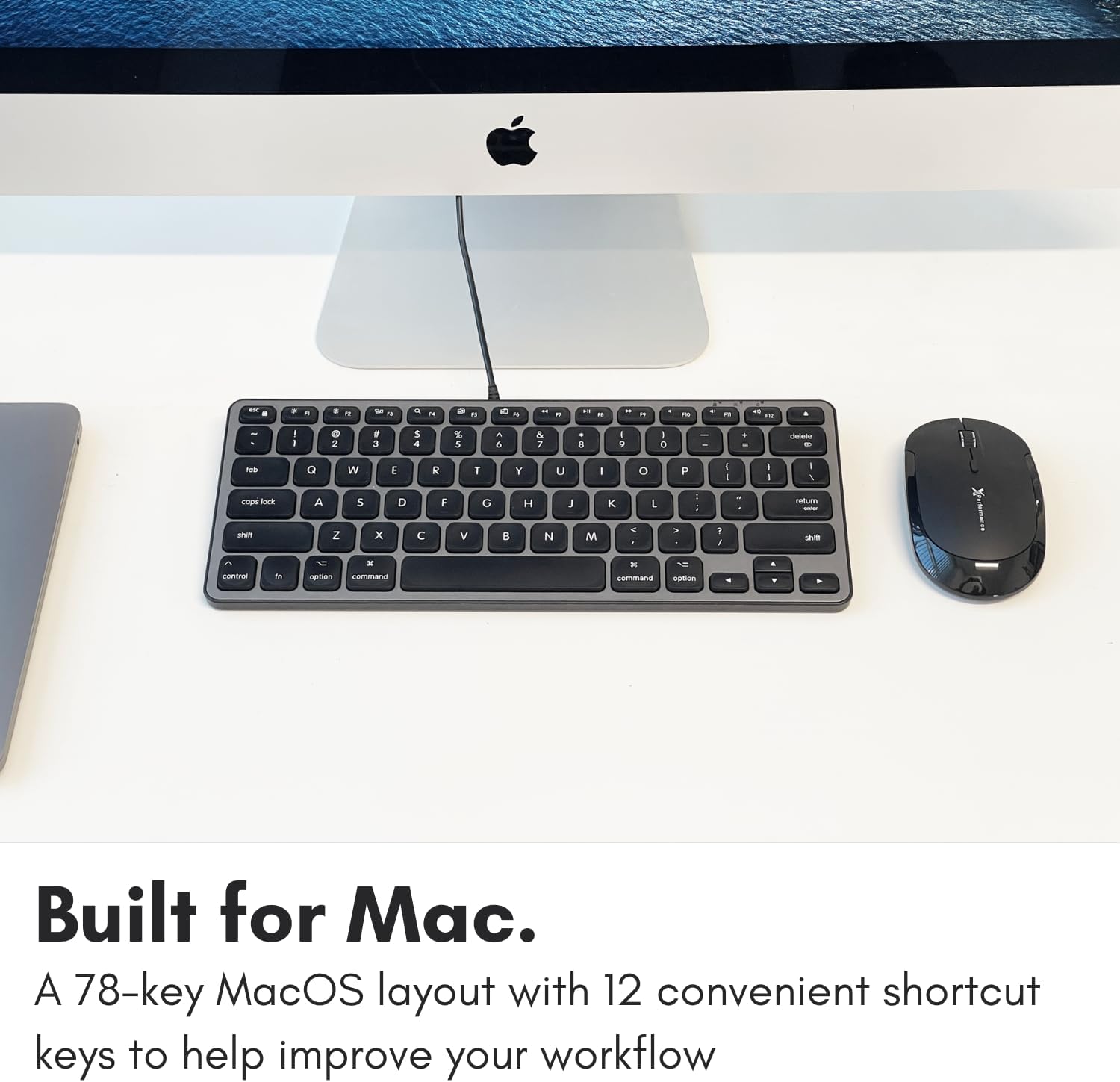
Image: A close-up of the keyboard keys, illustrating the low-profile design and keycap structure indicative of scissor-switch technology.
3.4 Ergonomics and Portability
The keyboard features an integrated kickstand that angles the keyboard slightly, enhancing typing comfort. Its compact size makes it suitable for various desk setups and easy to transport.
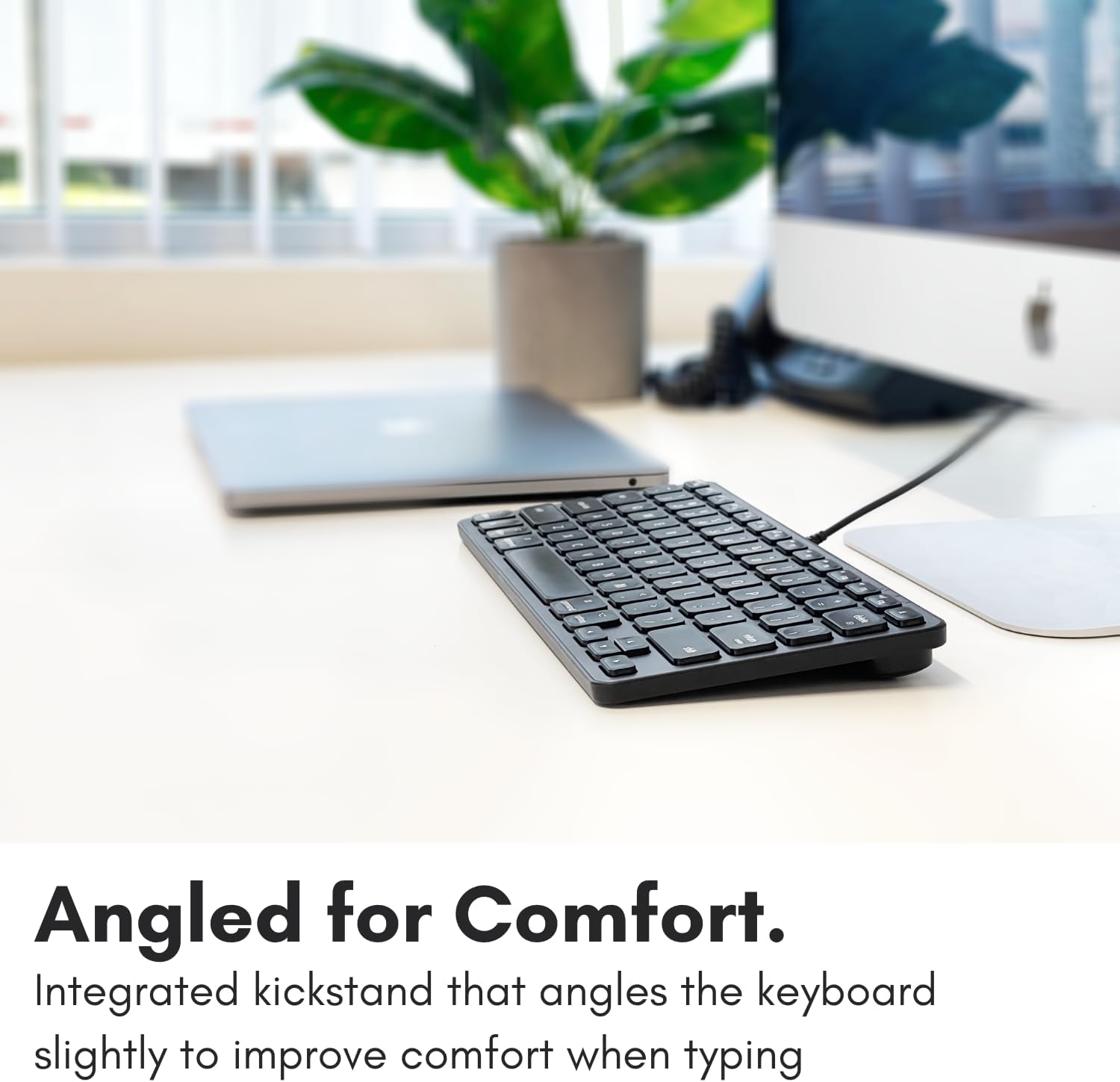
Image: The Macally keyboard shown from a side angle, highlighting the slight incline provided by its integrated kickstand for ergonomic typing.

Image: The compact Macally keyboard on a desk, demonstrating how its small footprint helps save desk space.
4. ጥገና
To ensure the longevity and optimal performance of your Macally keyboard, follow these maintenance guidelines:
- ማጽዳት፡ ለስላሳ፣ ከቆሸሸ ነፃ የሆነ ጨርቅ በትንሹ ተጠቀምampየቁልፍ ሰሌዳውን ገጽ ለማጽዳት በውሃ ወይም በመለስተኛ የጽዳት መፍትሄ ተሸፍኗል። ጠበኛ ኬሚካሎችን፣ ሻካራ ማጽጃዎችን ወይም ከመጠን በላይ እርጥበትን ያስወግዱ።
- አቧራ ማስወገድ; ከቁልፎቹ መካከል አቧራ እና ፍርስራሾችን ለማስወገድ የታመቀ አየር ይጠቀሙ።
- ማከማቻ፡ ጥቅም ላይ በማይውሉበት ጊዜ፣ ኪቦርዱን ከከፍተኛ የሙቀት መጠን እና ከፀሐይ ብርሃን ርቆ ንጹህና ደረቅ ቦታ ላይ ያስቀምጡ።
- የኬብል እንክብካቤ; የዩኤስቢ ገመዱን ከመጠን በላይ ማጠፍ ወይም ጉዳት እንዳይደርስበት ያስወግዱ።
5. መላ መፈለግ
If you encounter issues with your Macally keyboard, refer to the following common troubleshooting steps:
- የቁልፍ ሰሌዳ ምላሽ አይሰጥም፡
- Ensure the USB cable is securely connected to your Mac's USB-A or USB-C port.
- የቁልፍ ሰሌዳውን በማክዎ ላይ ከተለየ የዩኤስቢ ወደብ ጋር ለማገናኘት ይሞክሩ።
- የማክ ኮምፒውተርዎን እንደገና ያስጀምሩ።
- Check System Settings/Preferences > Keyboard to ensure the keyboard is recognized and configured correctly.
- የዩኤስቢ መገናኛ አይሰራም፡
- የቁልፍ ሰሌዳው በትክክል መገናኘቱን እና እየሰራ መሆኑን ያረጋግጡ።
- Verify that the peripheral device connected to the hub is working correctly when plugged directly into your Mac.
- Some high-power devices may require direct connection to your Mac or a powered USB hub. The keyboard's hub is designed for low-power peripherals.
- Shortcut Keys Not Working:
- Ensure your Mac's operating system is up to date.
- Check System Settings/Preferences > Keyboard > Keyboard Shortcuts to ensure no conflicts exist.
6. ዝርዝሮች
| የሞዴል ቁጥር | UCAMINIZHUB |
| የግንኙነት ቴክኖሎጂ | ባለገመድ (ዩኤስቢ-ኤ፣ ዩኤስቢ-ሲ) |
| ተስማሚ መሣሪያዎች | MacBook Pro/Air, Mac mini, iMac, Laptop, PC, Smartphone, Tablet (with appropriate USB port) |
| የቁልፍ ሰሌዳ አቀማመጥ | 78-key MacOS layout with 12 shortcut keys |
| ቁልፍ መቀየሪያ ዓይነት | መቀስ መቀየሪያ |
| የተዋሃደ የዩኤስቢ ማዕከል | 2x USB-C ports, 1x USB-A port |
| የምርት ልኬቶች | 11.81 x 5.91 x 0.79 ኢንች (30 x 15 x 2 ሴሜ) |
| የእቃው ክብደት | 1.08 ፓውንድ (0.49 ኪ.ግ) |
| ቁሳቁስ | ብረት ፣ ፕላስቲክ |
| ቀለም | ጥቁር |
7. ዋስትና እና ድጋፍ
Macally products are designed for reliability and performance. This product comes with a የ 2 ዓመት የተወሰነ ዋስትና ከተገዛበት ቀን ጀምሮ.
For technical support, warranty claims, or further assistance, please contact Macally customer support. US-based support is available to assist you with any questions or issues you may have.
Please visit the official Macally website for the most current contact information and support resources: www.maally.com


