1. ምርት አብቅቷልview
The BOYA BY-WM3T-U2 is a dual wireless lavalier microphone system designed for use with Android phones, iPhone 15, USB Type-C smartphones, and laptops. It offers a stable audio signal transmission up to 164 feet (50 meters) and features a long battery life, superior noise reduction, and pass-through phone charging while recording. This compact and lightweight system is ideal for various recording scenarios including podcasts, YouTube videos, TikTok, live streams, vlogs, and interviews.

Figure 1: The BOYA BY-WM3T-U2 offers a transmission range of up to 328 feet (100 meters) without obstructions, providing flexibility for various recording environments.
2. በሳጥኑ ውስጥ ምን ይካተታል
- መያዣ x 1
- BY-WM3T-TX Transmitter x 2
- BY-WM3T-RXD Receiver x 1
- የሚሸከም ቦርሳ x 1
- Foam የንፋስ ማያ x 2
- USB-C ባትሪ መሙያ ገመድ x 1

Figure 2: Contents of the BOYA BY-WM3T-U2 package. Ensure all items are present.
ቪዲዮ 1: አልቋልview of the BOYA BY-WM3T wireless microphone system components and their features.
3. የምርት ክፍሎች
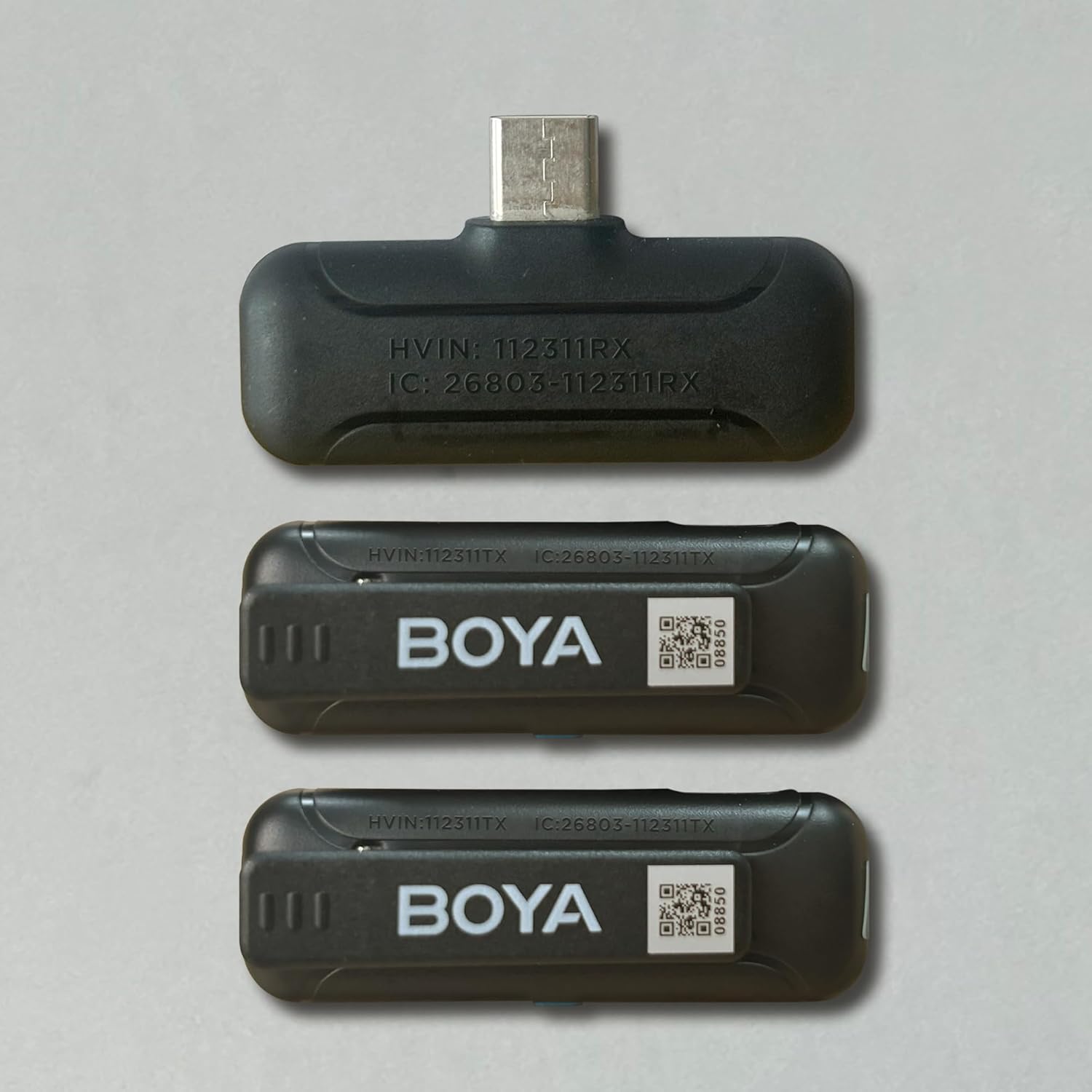
ምስል 3: ዝርዝር view of the receiver (BY-WM3T-RXD) and transmitter (BY-WM3T-TX) components.
4. ማዋቀር እና ግንኙነት
The BOYA BY-WM3T-U2 system is designed for ease of use with plug-and-play functionality. Follow these steps to set up your microphone system:
- ራስ -ሰር ማጣመር; For first-time use, remove the protective film from the charging contacts of the transmitters. Simply open the charging case and take out the transmitters. They will automatically pair with the receiver once the receiver is plugged into your device.
- በእጅ የሚበራ/ የሚጠፋ To manually turn on/off a transmitter, press and hold the power button for 2 seconds. The blue indicator light on the transmitter will illuminate when powered on and paired.
- ተቀባይን ያገናኙ፡ Plug the BY-WM3T-RXD receiver into the USB-C port of your smartphone, tablet, or laptop. The receiver's indicator light will turn solid blue once successfully paired with the transmitters.

Figure 4: The receiver plugs directly into your device's USB-C port for instant connection.
Video 2: A step-by-step guide on how to use the BOYA BY-WM3T wireless lavalier microphone, covering initial setup and connection.
5. የአሠራር መመሪያዎች
Once connected, the BOYA BY-WM3T-U2 offers intuitive controls for optimal audio capture.
- ተግባር ድምጸ-ከል አድርግ፡ Short press the power button on the transmitter to mute/unmute the microphone. The blue indicator light will flash slowly when muted.
- የድምፅ ቅነሳ; የሚለውን ይጫኑ
ተዛማጅ ሰነዶች - BY-WM3T-U2

BOYA BY-WM3T: 2.4 GHz უსადენო მიკროფონის სისტემის მომხმარებლის სახელმძღვანელო
აღმოაჩინეთ BOYA BY-WM3T 2.4 GHz უსადენო მიკროფონის სისტემის ყველა ფუნქცია, გამოყენების ინსტრუქცია, ტექნიკური მახასიათებლები და პრობლემების მოგვარების გზები ამ სრულ სახელმძღვანელოში.
የBOYA BY-WM3T 2.4GHz ገመድ አልባ ማይክሮፎን ስርዓት የተጠቃሚ መመሪያ
User manual for the BOYA BY-WM3T, an ultra-compact 2.4GHz dual-channel wireless microphone system. Ideal for content creation, live streaming, vlogging, and mobile journalism. Features include automatic pairing, HD audio, long battery life, and a 100m operating range. Includes various receiver options (3.5mm TRS, iOS Lightning, USB-C) and a charging case.
BOYA BY-WM3T Series 2.4GHz Dual-Channel Wireless Microphone System User Manual
User manual for the BOYA BY-WM3T series 2.4GHz dual-channel wireless microphone system. Learn about features, setup, operation, troubleshooting, and specifications for transmitters and receivers (3.5mm TRS, iOS Lightning, USB-C).
የBOYA BY-P4 ተከታታይ ሚኒ ማይክሮፎኖች የተጠቃሚ መመሪያ
የBOYA BY-P4፣ BY-P4A፣ BY-P4D እና BY-P4U ተከታታይ ሚኒ ማይክሮፎኖች የተጠቃሚ መመሪያ። ዝርዝሮች ባህሪያት፣ ዝርዝር መግለጫዎች እና ከስማርትፎኖች፣ ካሜራዎች እና ኮምፒውተሮች ጋር ለቪሎግ፣ ለቀጥታ ዥረት እና ለድምጽ ቀረጻ አጠቃቀም።
የቦያ ባይ-ቪ ገመድ አልባ ማይክሮፎን ስርዓት ጥያቄ እና መልስ
የBOYA BY-V ገመድ አልባ ማይክሮፎን ስርዓትን በተመለከተ አጠቃላይ የጥያቄ እና መልስ መመሪያ፣ ማዋቀርን፣ የግንኙነት ችግሮችን፣ የድምጽ ችግሮችን እና ለተለያዩ የሞባይል መሳሪያዎች የአጠቃቀም ምክሮችን ያካትታል።
BOYALINK 3 ገመድ አልባ ማይክሮፎን የተጠቃሚ መመሪያ
የBOYALINK 3 ገመድ አልባ ማይክሮፎን ሲስተም የተጠቃሚ መመሪያ፣ ባህሪያቱን፣ አሠራሩን እና ዝርዝር መግለጫዎቹን በዝርዝር ይገልጻል። ስለ AI ጫጫታ ቅነሳ፣ ከፍተኛ ጥራት ያለው ድምጽ እና ለስማርትፎኖች፣ ታብሌቶች፣ ካሜራዎች እና ኮምፒውተሮች ሁለገብ የግንኙነት አማራጮችን ይወቁ።