1. መግቢያ
Thank you for choosing the DYONDER Wired PC Controller. This manual provides essential information for the proper setup, operation, and maintenance of your new game controller. Please read this manual thoroughly before use to ensure optimal performance and longevity of the product.

Image 1.1: Users enjoying the DYONDER Wired PC Controller.
2. ምርት አብቅቷልview እና ተኳኋኝነት
The DYONDER Wired PC Controller is designed for a wide range of gaming platforms, offering a reliable and responsive gaming experience. Its plug-and-play functionality ensures quick setup across various systems.
2.1 ሰፊ ተኳሃኝነት
This controller is compatible with Windows operating systems, Vista, PS3 consoles, Android TV boxes, and Tesla systems (Android 4.0 or above with OTG function required for Android devices). No additional drivers are typically needed for basic functionality.

ምስል 2.1፡ አልቋልview of controller compatibility and key features.
2.2 ቁልፍ ባህሪያት
- Dual Vibrators: Embedded motors provide distinct feedback, enhancing game immersion.
- Ergonomic ንድፍ; Asymmetrical joystick layout for comfortable thumb positioning during extended play.
- Hall Trigger Buttons: Provides precise and durable trigger input.
- የቱርቦ ተግባር Customize any button for rapid-fire input.
- ባለገመድ ግንኙነት፡ 2-meter (6.5 feet) USB cable for stable, lag-free gaming.
Video 2.1: A brief demonstration of the Pink PC Game Controller's design and features.
3. የማዋቀር መመሪያዎች
3.1 መቆጣጠሪያውን በማገናኘት ላይ
- Locate an available USB port on your PC, PS3, Android TV Box, or Tesla system.
- Plug the USB connector of the DYONDER Wired PC Controller into the USB port.
- ስርዓቱ አስፈላጊዎቹን አሽከርካሪዎች በራስ-ሰር ፈልጎ መጫን አለበት። ይህ ሂደት ጥቂት ጊዜ ሊወስድ ይችላል።
- መጫኑ ከተጠናቀቀ በኋላ መቆጣጠሪያው ለአገልግሎት ዝግጁ ነው።
ማስታወሻ፡- For Android TV Boxes or Tesla systems, ensure the device supports OTG (On-The-Go) functionality for USB peripheral connection.
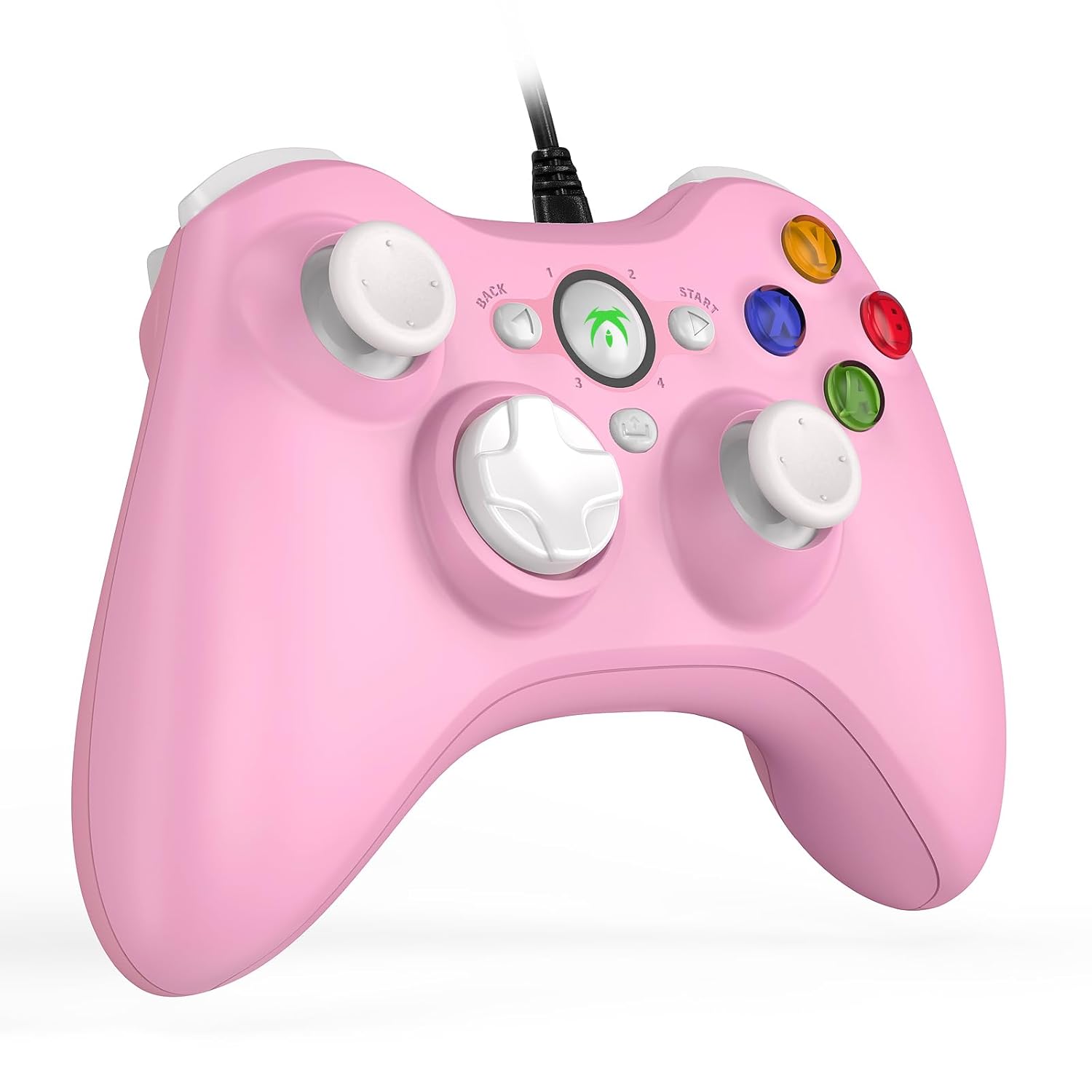
Image 3.1: The DYONDER Wired PC Controller with its USB cable.
4. የአሠራር መመሪያዎች
4.1 የአዝራር አቀማመጥ
The controller features a standard layout including two analog sticks, a D-pad, action buttons (A, B, X, Y), shoulder buttons (LB, RB), and triggers (LT, RT), along with Start, Back, and Guide buttons.

ምስል 4.1፡ ፊት view of the controller highlighting button placement.
4.2 Using the Turbo Function
The Turbo function allows for rapid, repeated input of a button press without continuous manual pressing. To activate:
- ተጭነው ይያዙት። ቱርቦ አዝራር።
- While holding Turbo, press the desired action button (e.g., A, B, X, Y, LB, RB, LT, RT) you wish to set for rapid fire.
- Release both buttons. The selected action button will now activate its Turbo function.
To deactivate the Turbo function for a specific button, repeat the steps above.

Image 4.2: Location of the Turbo button.
4.3 Dual Vibration Feedback
The controller features dual vibration motors that provide tactile feedback during gameplay. This enhances realism by simulating in-game events such as impacts, explosions, or engine rumble. Vibration intensity is typically controlled by the game itself.

Image 4.3: Illustration of the dual vibration mechanism.
4.4 Hall Trigger Buttons
The Hall Trigger buttons utilize magnetic sensors for input, offering greater precision and durability compared to traditional mechanical triggers. This results in smoother and more accurate control, especially in racing or shooting games.

Image 4.4: Detail of a Hall Trigger button.

Image 4.5: Hall Trigger vs. standard trigger comparison.
5. ጥገና
5.1 ጽዳት
- Regularly wipe the controller with a soft, dry cloth to remove dust and grime.
- ለግትር ቆሻሻ፣ በትንሹ መampጨርቁን በውሃ ወይም መለስተኛ፣ የማይበላሽ ማጽጃ ያድርጉ። ከመጠን በላይ እርጥበትን ያስወግዱ።
- ጠጣር ኬሚካሎችን፣ መሟሟቶችን ወይም ጠለፋ ቁሳቁሶችን አይጠቀሙ፣ ምክንያቱም እነዚህ ንጥረ ነገሮች የመቆጣጠሪያውን ጫፍ ሊጎዱ ይችላሉ።
5.2 ማከማቻ
- መቆጣጠሪያውን በቀጥታ ከፀሀይ ብርሀን እና ከከፍተኛ ሙቀት ርቆ በቀዝቃዛና ደረቅ ቦታ ያከማቹ።
- Avoid wrapping the cable too tightly around the controller to prevent damage to the wire or connection points.
6. መላ መፈለግ
If you encounter issues with your DYONDER Wired PC Controller, please refer to the following common solutions:
6.1 Controller Not Recognized
- የዩኤስቢ ግንኙነትን ያረጋግጡ፡- Ensure the USB cable is securely plugged into both the controller and the device. Try a different USB port.
- መሣሪያውን እንደገና ያስጀምሩ Sometimes, a simple restart of your PC, console, or TV box can resolve connection issues.
- በሌላ መሳሪያ ላይ ይሞክሩት፡- If possible, test the controller on another compatible device to determine if the issue is with the controller or the original device.
- ነጂዎችን አዘምን፡ For PC, ensure your operating system's USB drivers are up to date. While typically plug-and-play, system updates can sometimes affect peripheral recognition.
6.2 አዝራሮች ወይም ጆይስቲክ ምላሽ የማይሰጡ
- Check Game Settings: Verify that the game you are playing supports controllers and that the input settings are correctly configured.
- እንደገና ያስተካክሉ (ፒሲ): On Windows, you can recalibrate game controllers through the 'Set up USB game controllers' option in the Control Panel.
- የአካል ጉዳትን መመርመር; Check for any visible damage or debris obstructing the buttons or joysticks.
6.3 ንዝረት እየሰራ አይደለም
- የጨዋታ ድጋፍ; የሚጫወቱት ጨዋታ የንዝረት ግብረመልስን የሚደግፍ መሆኑን ያረጋግጡ።
- የውስጠ-ጨዋታ ቅንብሮች፡- Check the game's options menu to ensure vibration is enabled.
- የስርዓት ቅንብሮች On some platforms, vibration can be disabled in system-level controller settings.
7. ዝርዝሮች
| ሞዴል | B0CNSXM48W |
| የምርት ስም | ዳይንደር |
| ግንኙነት | ባለገመድ ዩኤስቢ |
| የኬብል ርዝመት | 2 ሜትር (6.5 ጫማ) |
| ተኳኋኝነት | Windows, Vista, PS3, Android TV Box (Android 4.0+ with OTG), Tesla |
| ባህሪያት | Dual Vibration, Hall Trigger Buttons, Turbo Function, Ergonomic Design |
| የእቃው ክብደት | 8.8 አውንስ |
| የጥቅል ልኬቶች | 6.5 x 5.04 x 2.83 ኢንች |
8. ዋስትና እና ድጋፍ
8.1 የዋስትና መረጃ
DYONDER products are manufactured with quality and care. For specific warranty details regarding your controller, please refer to the warranty card included with your purchase or visit the official DYONDER webጣቢያ. ለዋስትና ጥያቄዎች የግዢ ማረጋገጫዎን ያስቀምጡ።
8.2 የደንበኛ ድጋፍ
If you require further assistance, have questions, or encounter issues not covered in this manual, please contact DYONDER customer support. Contact information can typically be found on the product packaging, the official DYONDER webጣቢያ፣ ወይም በእርስዎ ቸርቻሪ በኩል።
ለምርቶቻችን እጅግ በጣም ጥሩ አገልግሎት እና ድጋፍ ለመስጠት ቁርጠኛ ነን።
