መግቢያ
This manual provides detailed instructions for the setup, operation, maintenance, and troubleshooting of your typecase Keyboard Case for iPad Pro 12.9. Please read this manual thoroughly before using the product to ensure optimal performance and longevity.
The typecase Keyboard Case is designed to enhance your iPad Pro 12.9 experience, offering a versatile keyboard with a trackpad and backlit keys. It is compatible with iPad Pro 12.9-inch (6th, 5th, 4th, 3rd Generation) models.
የጥቅል ይዘቶች
- 1 x typecase Keyboard Case (for iPad Pro 12.9 6th/5th/4th/3rd Gen)
- 1 x ዩኤስቢ-ሲ ባትሪ መሙያ ገመድ
- 1 x የተጠቃሚ መመሪያ
ማዋቀር
1. የቁልፍ ሰሌዳውን መሙላት
Before initial use, fully charge the keyboard. Connect the provided USB-C charging cable to the charging port on the side of the keyboard and to a USB power adapter (not included). The charging indicator light will show the charging status.
- Charging Port Location: Typically on the right side of the keyboard.
- የባትሪ ህይወት፡ The keyboard features a built-in rechargeable lithium polymer battery. Battery level can be checked on your iPad (like other connected Bluetooth devices) or via a shortcut key (Fn + Spacebar, if available, to show 1/3, 2/3, 3/3 battery life).
2. የእርስዎን iPad Pro ማያያዝ
The keyboard case features a magnetic attachment system. Align your iPad Pro 12.9 with the magnetic panel on the case. The magnets will securely hold the iPad in place.
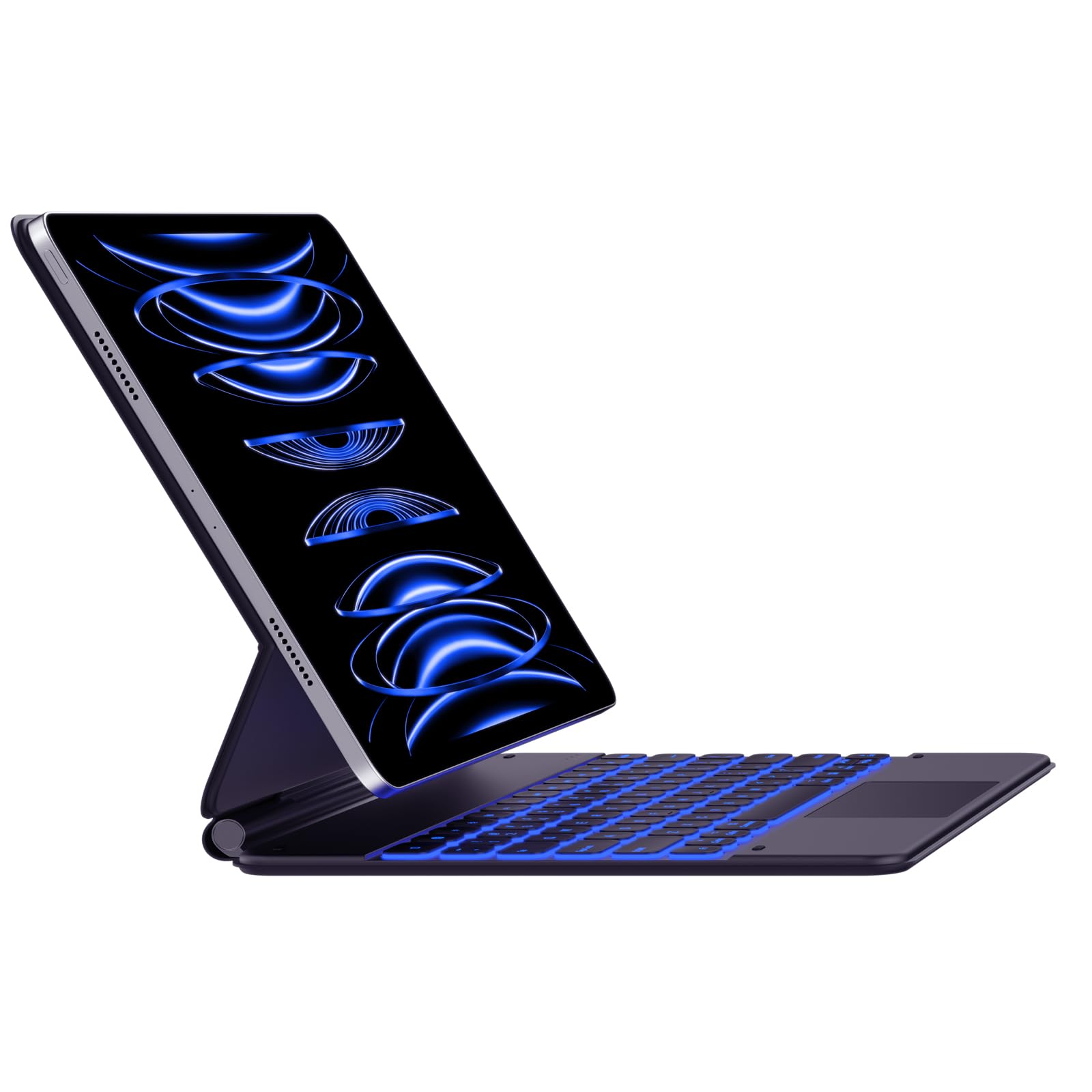
Image: The typecase Keyboard Case with an iPad Pro magnetically attached, displaying blue backlit keys and a vibrant screen.
- Ensure the camera cutout on the case aligns with your iPad's camera.
- The magnetic connection is designed to be strong, but always handle with care.
3. Pairing with Your iPad (Bluetooth Connection)
- አብራ፡ Locate the power switch on the side of the keyboard and slide it to the "ON" position.
- የማጣመሪያ ሁነታን አግብር፡ ተጭነው ይያዙት። ተገናኝ button (or a similar Bluetooth pairing key, often indicated by a Bluetooth icon) on the keyboard. The Bluetooth indicator light will start blinking, indicating it's in pairing mode.
- On Your iPad: ወደ ሂድ ቅንብሮች > ብሉቱዝ.
- መሣሪያ ይምረጡ፡- In the Bluetooth devices list, you should see "typecase Keyboard" or a similar name. Tap on it to connect.
- ማረጋገጫ፡- Once paired, the Bluetooth indicator light on the keyboard will stop blinking and remain solid (or turn off), and your iPad will show the keyboard as "Connected."
Note: The keyboard will automatically attempt to reconnect to the last paired device when powered on. If connection issues occur, repeat the pairing steps.
የአሠራር መመሪያዎች
Keyboard Layout and Function Keys
The keyboard features a standard QWERTY layout with an additional row of function keys at the top for quick access to iPad features.
- Escape (Esc): Functions as a Home button.
- Brightness Keys: Adjust iPad screen brightness.
- Keyboard Backlight Keys: Adjust backlight color and brightness.
- የሚዲያ መቆጣጠሪያ ቁልፎች፡- አጫውት/ ለአፍታ አቁም፣ ያለፈው ትራክ፣ ቀጣይ ትራክ።
- የድምጽ ቁልፎች; ድምጸ-ከል አድርግ፣ ድምጹን ቀንስ፣ ድምጹን ጨምር።
- የመቆለፊያ ቁልፍ፡ Locks the iPad screen.
- Globe Key: Used for switching between keyboard languages or emoji keyboard (functionality may vary based on iPadOS settings).
የጀርባ ብርሃን መቆጣጠሪያ
The keyboard offers 11 backlight colors and 3 levels of brightness. Use the dedicated backlight keys (often marked with a light bulb icon or similar) in the function row to cycle through colors and adjust brightness.
- Press the backlight key once to change color.
- Press the brightness key (often combined with backlight key or separate) to cycle through brightness levels.
የትራክፓድ አጠቃቀም
The integrated trackpad supports multi-touch gestures, similar to a laptop trackpad. Ensure your iPadOS is updated to support trackpad functionality.
| የእጅ ምልክት | ድርጊት |
|---|---|
| ነጠላ የጣት መታ ማድረግ | Click, select item. |
| Two Fingers Swipe | ወደ ላይ/ወደታች/ግራ/ቀኝ ይሸብልሉ። |
| ሁለት ጣቶች መቆንጠጥ | አጉላ/አጉላ። |
| ሶስት ጣቶች ወደ ላይ ያንሸራትቱ | Go to Home Screen. |
| ሶስት ጣቶች ወደ ግራ/ቀኝ ያንሸራትቱ | በክፍት መተግበሪያዎች መካከል ይቀያይሩ። |
Note: Trackpad precision and responsiveness are optimized for general use. For specific settings or advanced gestures, refer to your iPad's accessibility settings.
ራስ-እንቅልፍ ተግባር
The keyboard case is designed with an auto-sleep feature to conserve battery. If inactive for a period, the keyboard will enter sleep mode. Press any key to wake it up and reconnect to your iPad.
ጥገና
- ማጽዳት፡ ለስላሳ ይጠቀሙ, መamp, lint-free cloth to clean the keyboard and case. Avoid harsh chemicals or abrasive materials.
- ማከማቻ፡ When not in use, close the case to protect both the iPad and the keyboard. Store in a cool, dry place away from direct sunlight.
- የባትሪ እንክብካቤ የባትሪውን ዕድሜ ለማራዘም፣ ኪቦርዱን ሙሉ በሙሉ ደጋግሞ ከመሙላት ይቆጠቡ። ሙሉ በሙሉ ባይሟሟም እንኳ በመደበኛነት ቻርጅ ያድርጉት።
- Magnetic Clasp: Ensure the magnetic clasp is free from debris to maintain a secure closure.
መላ መፈለግ
- የቁልፍ ሰሌዳው እየተገናኘ አይደለም፡
- የቁልፍ ሰሌዳ መብራቱን እና መሙላቱን ያረጋግጡ።
- ብሉቱዝ በእርስዎ iPad ላይ መንቃቱን ያረጋግጡ።
- Forget the device in your iPad's Bluetooth settings and re-pair it.
- የቁልፍ ሰሌዳውን እና አይፓድዎን እንደገና ያስጀምሩ።
- ምላሽ የማይሰጡ ቁልፎች፡-
- የቁልፍ ሰሌዳው በብሉቱዝ በኩል መገናኘቱን ያረጋግጡ።
- Ensure the keyboard is not in sleep mode.
- በቁልፎቹ ስር ያሉ ማንኛውንም አካላዊ እንቅፋቶች ይፈትሹ።
- የትራክፓድ ችግሮች፡
- የቁልፍ ሰሌዳው መገናኘቱን ያረጋግጡ።
- ለትራክፓድ ተግባር የiPadOS ቅንብሮችን ያረጋግጡ።
- የመከታተያ ሰሌዳውን ያፅዱ።
- iPad Slipping from Magnetic Mount:
- Ensure the iPad is correctly aligned with the magnetic panel.
- Check for any debris between the iPad and the magnetic surface.
- Avoid excessive force or sudden movements that could dislodge the iPad.
ዝርዝሮች
| ባህሪ | ዝርዝር |
|---|---|
| የሞዴል ቁጥር | KB206129 |
| ተኳኋኝነት | iPad Pro 12.9-inch (6th, 5th, 4th, 3rd Gen) |
| ግንኙነት | ብሉቱዝ |
| የባትሪ ዓይነት | ሊቲየም ፖሊመር (ተጨምሯል) |
| የኃይል መሙያ ወደብ | ዩኤስቢ-ሲ |
| የጀርባ ብርሃን | 11 Colors, 3 Brightness Levels (RGB support) |
| ልዩ ባህሪያት | Backlit, Lightweight, Integrated Trackpad, Magnetic Clasp |
| ቁሳቁስ | አሲሪሎንitrile Butadiene Styrene |
| የእቃው ክብደት | 1.13 ኪ |
| የጥቅል ልኬቶች | 30.48 x 25.4 x 3.56 ሴ.ሜ |
ዋስትና እና ድጋፍ
Your typecase Keyboard Case is covered by a limited warranty against manufacturing defects. For specific warranty terms and conditions, please refer to the documentation included with your purchase or visit the official typecase webጣቢያ.
For technical support, troubleshooting assistance, or warranty claims, please contact typecase customer service through their official support channels. Contact information can typically be found on the product packaging or the brand's webጣቢያ.


