1. መግቢያ
This manual provides essential instructions for the safe and effective use of your Sony Cyber-Shot RX100 VII Digital Camera (DSC-RX100M7). Please read this manual thoroughly before operating the camera and retain it for future reference. This camera combines a 20.1MP 1-inch stacked CMOS sensor with a versatile ZEISS 24–200 mm zoom lens, offering high-quality imaging in a compact form factor.
2. ማዋቀር
2.1. Unboxing and Checking Contents
ከመቀጠልዎ በፊት፣ ሁሉም እቃዎች በጥቅሉ ውስጥ መኖራቸውን ያረጋግጡ፡
- Sony Cyber-Shot DSC-RX100 VII Digital Camera (DSC-RX100M7)
- ዳግም ሊሞላ የሚችል የባትሪ ጥቅል NP-BX1
- የ AC አስማሚ
- የማይክሮ ዩኤስቢ ገመድ
- የእጅ አንጓ
- የትምህርት መመሪያ (ይህ ሰነድ)
Note: Additional accessories like memory cards, cases, and extra batteries may be included depending on your specific bundle.
2.2. ባትሪውን በመሙላት ላይ
The supplied NP-BX1 battery pack is not fully charged. Charge it before first use.
- የባትሪውን ጥቅል ወደ ካሜራ ያስገቡ።
- Connect the camera to the AC Adaptor using the Micro USB cable.
- የኤሲ አስማሚውን ከግድግዳ ሶኬት ጋር ይሰኩ። ቻርጅ lamp ይበራል ።
- When charging is complete, the CHARGE lamp ይጠፋል።
ሙሉ ክፍያ በተለምዶ 150 ደቂቃ ያህል ይወስዳል።
2.3. ባትሪ እና ማህደረ ትውስታ ካርዱን ማስገባት
በካሜራው ግርጌ ላይ ያለውን የባትሪ/የማህደረ ትውስታ ካርድ ሽፋን ይክፈቱ።
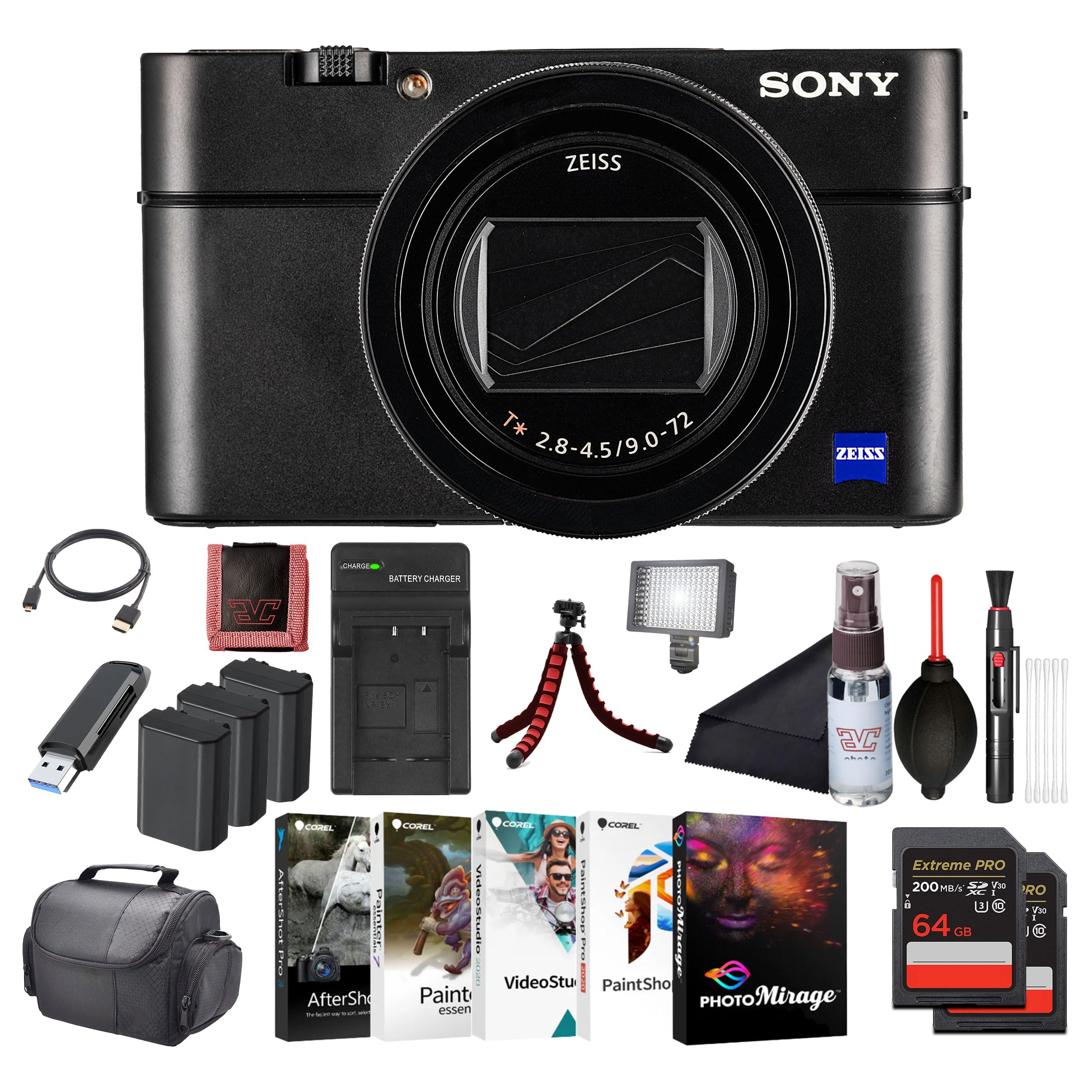
ምስል፡ ፊት ለፊት view of the Sony Cyber-Shot RX100 VII camera, showcasing the ZEISS lens and compact body.
- Insert the battery pack with the arrow pointing into the camera until it clicks into place.
- Insert a compatible memory card (SDXC recommended) with the notched corner facing as shown in the diagram (refer to camera body for specific orientation) until it clicks.
- ሽፋኑን በአስተማማኝ ሁኔታ ይዝጉ።
2.4. የመጀመሪያ ቅንብሮች
When you turn on the camera for the first time, the initial setup screen will appear.
- ቀን እና ሰዓት የአሁኑን ቀን እና ሰዓት ያዘጋጁ።
- Area Setting: Select your geographical area.
- ቋንቋ፡ የሚመርጡትን የማሳያ ቋንቋ ይምረጡ።
Follow the on-screen prompts to complete these settings.
3. ካሜራውን መስራት
3.1. የካሜራ ክፍሎች እና መቆጣጠሪያዎች
ከካሜራዎ ዋና ዋና ክፍሎች እና መቆጣጠሪያዎች ጋር እራስዎን ይወቁ።

ምስል: የኋላ view of the Sony Cyber-Shot RX100 VII, showing the LCD screen, control wheel, and various buttons like MENU, Fn, DISP, and MOVIE.
- የኃይል ቁልፍ፡- Located on the top panel, used to turn the camera on/off.
- የመዝጊያ ቁልፍ፡- ለማተኮር በግማሽ ይጫኑ፣ ፎቶ ለማንሳት ሙሉ በሙሉ ይጫኑ።
- የሞድ መደወያ፡ Select shooting modes (P, A, S, M, Auto, Movie, HFR, etc.).
- የመቆጣጠሪያ ጎማ፡ ምናሌዎቹን ያስሱ እና ቅንብሮችን ያስተካክሉ።
- LCD ማሳያ፡- Display images, videos, and menu options. Can be tilted for various shooting angles.
- Viewፈላጊ ፦ Pop-up electronic viewfinder for eye-level shooting.

ምስል: ከፍተኛ view of the Sony Cyber-Shot RX100 VII with its ZEISS Vario-Sonnar T* lens fully extended, showing the mode dial, power button, and shutter button.
3.2. መሰረታዊ ተኩስ
- ካሜራውን ያብሩ: የሚለውን ይጫኑ አብራ/አጥፋ አዝራር።
- Select a shooting mode: አሽከርክር ሞድ ደውል to your desired mode (e.g., ብልህ አውቶማቲክ for simple point-and-shoot).
- ፎቶዎን ይቅረጹ፦ Use the LCD monitor or pop-up viewፈላጊ።
- ትኩረት፡ ግማሹን ይጫኑ የመዝጊያ ቁልፍ to focus. The focus frame will turn green when focus is achieved.
- ያንሱ፡ Fully press the የመዝጊያ ቁልፍ ስዕሉን ለማንሳት.

ምስል፡ ፊት ለፊት view of the Sony Cyber-Shot RX100 VII with its LCD screen tilted upwards, demonstrating its flexible viewለተለያዩ የተኩስ ቦታዎች ማዕዘኖች።
3.3. የላቁ የተኩስ ሁነታዎች
- የፕሮግራም ራስ-ሰር (ፒ): ካሜራው የመክፈቻ እና የመዝጊያ ፍጥነትን ያዘጋጃል፣ ሌሎች ቅንብሮችን ይቆጣጠራሉ።
- Aperture Priority (A): የመክፈቻ ፍጥነትን ታዘጋጃለህ፣ ካሜራው የመዝጊያ ፍጥነትን ያዘጋጃል። የመስክ ጥልቀትን ለመቆጣጠር ተስማሚ።
- ሹተር ቅድሚያ (S)፦ የመዝጊያ ፍጥነትን ታዘጋጃለህ፣ ካሜራው ቀዳዳውን ያዘጋጃል። የእንቅስቃሴ ብዥታን ለመቆጣጠር ተስማሚ።
- በእጅ መጋለጥ (ኤም): የመክፈቻ እና የመዝጊያ ፍጥነትን የምትቆጣጠረው አንተ ነህ።
- የፊልም ሁኔታ Dedicated mode for video recording. Press the ፊልም ቀረጻ ለመጀመር/ለማቆም አዝራር።
- High Frame Rate (HFR): For capturing super slow-motion video.
3.4. Focusing and Autofocus Features
The RX100 VII features advanced autofocus capabilities:
- Real-Time Eye AF: Automatically detects and tracks human and animal eyes for precise focus.
- የእውነተኛ ጊዜ ክትትል Uses AI-based subject recognition to track moving subjects accurately.
- የትኩረት ቦታ፡ Selectable focus areas (Wide, Zone, Center, Flexible Spot, Expanded Flexible Spot, Tracking).
እነዚህን ቅንብሮች በ በኩል ይድረሱባቸው MENU አዝራር።
3.5. የቪዲዮ ቀረጻ
The camera supports high-quality video recording:
- 4ኬ ኤችዲአር ቪዲዮ፡ Record oversampled 4K video with full pixel readout.
- S-Log3/HLG: For advanced color grading and high dynamic range footage.
- ውጫዊ የማይክሮፎን ግብዓት፡ Use an external microphone for improved audio quality (via multi-interface shoe).

ምስል: ጎን view of the Sony Cyber-Shot RX100 VII, showing the pop-up electronic viewfinder in its extended position, and the NFC logo.
4. ጥገና
4.1. ካሜራውን ማጽዳት
- የካሜራ አካል፡ ለስላሳና ደረቅ ጨርቅ በቀስታ ይጥረጉ። ለጠንካራ ቆሻሻ፣ ቀለል ያለ ጨርቅ ይጠቀሙ።ampበውሃ ይረጫል እና ከዚያም ደረቅ ያድርቁ።
- መነፅር Use a lens brush to remove dust, then a lens cleaning cloth with a small amount of lens cleaning fluid. Avoid touching the lens surface directly.
- LCD ማሳያ፡- ለኤልሲዲ ስክሪኖች በተለይ የተነደፈ ለስላሳ ጨርቅ ይጠቀሙ።
Caution: Do not use organic solvents such as alcohol, benzene, or thinner, as these may damage the camera's finish or lens coatings.
4.2. የባትሪ እንክብካቤ
- ጥቅም ላይ በማይውልበት ጊዜ ባትሪዎችን በቀዝቃዛና ደረቅ ቦታ ያከማቹ.
- ባትሪዎችን ከመጠን በላይ ሙቀት ወይም ቀጥተኛ የፀሐይ ብርሃን አያጋልጡ.
- If the battery will not be used for an extended period, charge it once every six months to maintain its performance.
4.3. የማህደረ ትውስታ ካርድ እንክብካቤ
- ለመጀመሪያ ጊዜ ከመጠቀምዎ በፊት ሁልጊዜ በካሜራው ውስጥ አዳዲስ የማህደረ ትውስታ ካርዶችን ቅርጸት ይስሩ።
- Do not remove the memory card while the camera is writing data (e.g., during shooting or playback).
- Back up important data regularly to prevent loss.
5. መላ መፈለግ
በካሜራዎ ላይ ችግሮች ካጋጠሙዎት የሚከተሉትን የተለመዱ ችግሮች እና መፍትሄዎች ይመልከቱ፡
| ችግር | ሊሆን የሚችል ምክንያት / መፍትሄ |
|---|---|
| ካሜራ አይበራም። | ባትሪው ተሟጧል። ባትሪውን ይሙሉት። ባትሪው በትክክል አልገባም። ባትሪውን በትክክል እንደገና ያስገቡት። |
| ፎቶ ማንሳት አይቻልም። | የማህደረ ትውስታ ካርዱ ሞልቷል። አላስፈላጊ ምስሎችን ሰርዝ ወይም አዲስ ካርድ አስገባ። የማህደረ ትውስታ ካርድ አልገባም። የማህደረ ትውስታ ካርድ ያስገቡ። የሌንስ ክዳኑ በርቷል። የሌንስ ክዳኑን ያስወግዱ። |
| ምስሎች ደብዛዛ ናቸው። | የካሜራ መንቀጥቀጥ። ፈጣን የመዝጊያ ፍጥነት ወይም የምስል ማረጋጊያ ይጠቀሙ። Subject is out of focus. Ensure the camera has focused correctly. ሌንስ ቆሻሻ ነው። ሌንሱን አጽዳ። |
| ባትሪ በፍጥነት ይጠፋል. | Frequent use of LCD/viewfinder. Reduce screen brightness or use power-saving modes. Battery life naturally degrades over time. Consider replacing the battery. |
For more detailed troubleshooting, please refer to the comprehensive help guide available on the Sony support webጣቢያ.
6. ዝርዝሮች
Key technical specifications for the Sony Cyber-Shot RX100 VII (DSC-RX100M7):
- የሞዴል ስም፡- DSC-RX100M7
- የምርት ስም፡ ሶኒ
- ከፍተኛ Webየካሜራ ምስል ጥራት፡- 20.1 ሜፒ
- የፎቶ ዳሳሽ ቴክኖሎጂ፡ CMOS (1-inch stacked)
- መነፅር ZEISS Vario-Sonnar T* 24–200 mm F2.8-4.5
- ከፍተኛ የትኩረት ርዝመት፡- 200 ሚሊሜትር
- ከፍተኛው A ቅነቱ: 2.8 ሚሊሜትር
- ምስል ማረጋጊያ፡ Digital, Hybrid (Optical SteadyShot)
- የሚደገፍ File ቅርጸት፡- JPEG ፣ RAW
- ምጥጥነ ገጽታ፡ 4፡3

ምስል: የጎን ፕሮfile of the Sony Cyber-Shot RX100 VII with its ZEISS lens fully extended, highlighting the compact design even with the zoom engaged.
7. ዋስትና እና ድጋፍ
This Sony product is covered by a limited warranty. For specific warranty terms and conditions, please refer to the warranty card included in your product packaging or visit the official Sony support webጣቢያ.
ለቴክኒክ ድጋፍ፣ የምርት ምዝገባ ወይም የአገልግሎት ጥያቄዎች፣ እባክዎን የ Sony ድጋፍን ይጎብኙ webየ Sony ደንበኛ አገልግሎት ማዕከልን ይጎብኙ ወይም ያነጋግሩ። የግዢ ማረጋገጫዎን ለዋስትና ጥያቄዎች ያስቀምጡ።
የመስመር ላይ ድጋፍ www.sony.com/electronics/support


