1. መግቢያ
This manual provides detailed instructions for the proper use, setup, and maintenance of your Creative Aurvana Ace 2 True Wireless In-Ear Headphones. Please read this manual thoroughly before using the product to ensure optimal performance and longevity.

Image: Creative Aurvana Ace 2 earbuds shown in their open charging case, highlighting the black earbuds with copper accents and the translucent charging case.
2. የጥቅል ይዘቶች
ሁሉም እቃዎች በጥቅሉ ውስጥ መኖራቸውን ያረጋግጡ፡-
- Creative Aurvana Ace 2 True Wireless In-Ear Headphones (Left and Right earbuds)
- የመሙያ መያዣ
- የዩኤስቢ-ሲ ኃይል መሙያ ገመድ
- Silicone Ear Tips (Various Sizes: Small, Medium, Large)
- ፈጣን ጅምር መመሪያ (ይህ መመሪያ እንደ አጠቃላይ መመሪያ ሆኖ ያገለግላል)
3. ማዋቀር
3.1 የመጀመሪያ ደረጃ መሙላት
Before first use, fully charge the earbuds and the charging case. Place the earbuds into the charging case. Connect the USB-C charging cable to the case and a power source. The charging indicator on the case will show charging status. A full charge provides up to 6 hours of playback for the earbuds and a total of 24 hours with the charging case (with ANC off).

Image: The Creative Aurvana Ace 2 charging case resting on a wireless charging pad, indicating its wireless charging capability.
3.2 የጆሮ ጫፍ ምርጫ እና ተስማሚነት
Selecting the correct ear tip size is crucial for sound quality and noise isolation. Experiment with the provided silicone ear tips (Small, Medium, Large) to find the best fit for your ears. A good seal ensures optimal audio performance and comfort.

Image: Graphic illustrating different sizes of ear tips for a customized fit.
ጠቃሚ፡- Before first use, ensure you remove any protective clear films covering the charging contacts on the earbuds. Failure to do so will prevent proper charging and pairing.
3.3 የብሉቱዝ ማጣመር
- የጆሮ ማዳመጫዎቹ መሙላታቸውን እና ወደ ቻርጅ መያዛቸውን ያረጋግጡ።
- የኃይል መሙያ መያዣውን ክዳን ይክፈቱ. የጆሮ ማዳመጫዎች በራስ-ሰር የማጣመሪያ ሁነታን ያስገባሉ።
- በመሳሪያዎ (ስማርትፎን፣ ታብሌት፣ ኮምፒውተር) ላይ ወደ ብሉቱዝ ቅንብሮች ይሂዱ።
- Select "Creative Aurvana Ace 2" from the list of available devices.
- አንዴ ከተገናኘ፣ የማረጋገጫ ድምጽ ይወጣል፣ እና የጆሮ ማዳመጫው ለአገልግሎት ዝግጁ ይሆናል።
3.4 Creative App Download
For full functionality, including firmware updates, equalizer settings, and customizable controls, download the Creative app. The app is available for both iOS and Android devices.
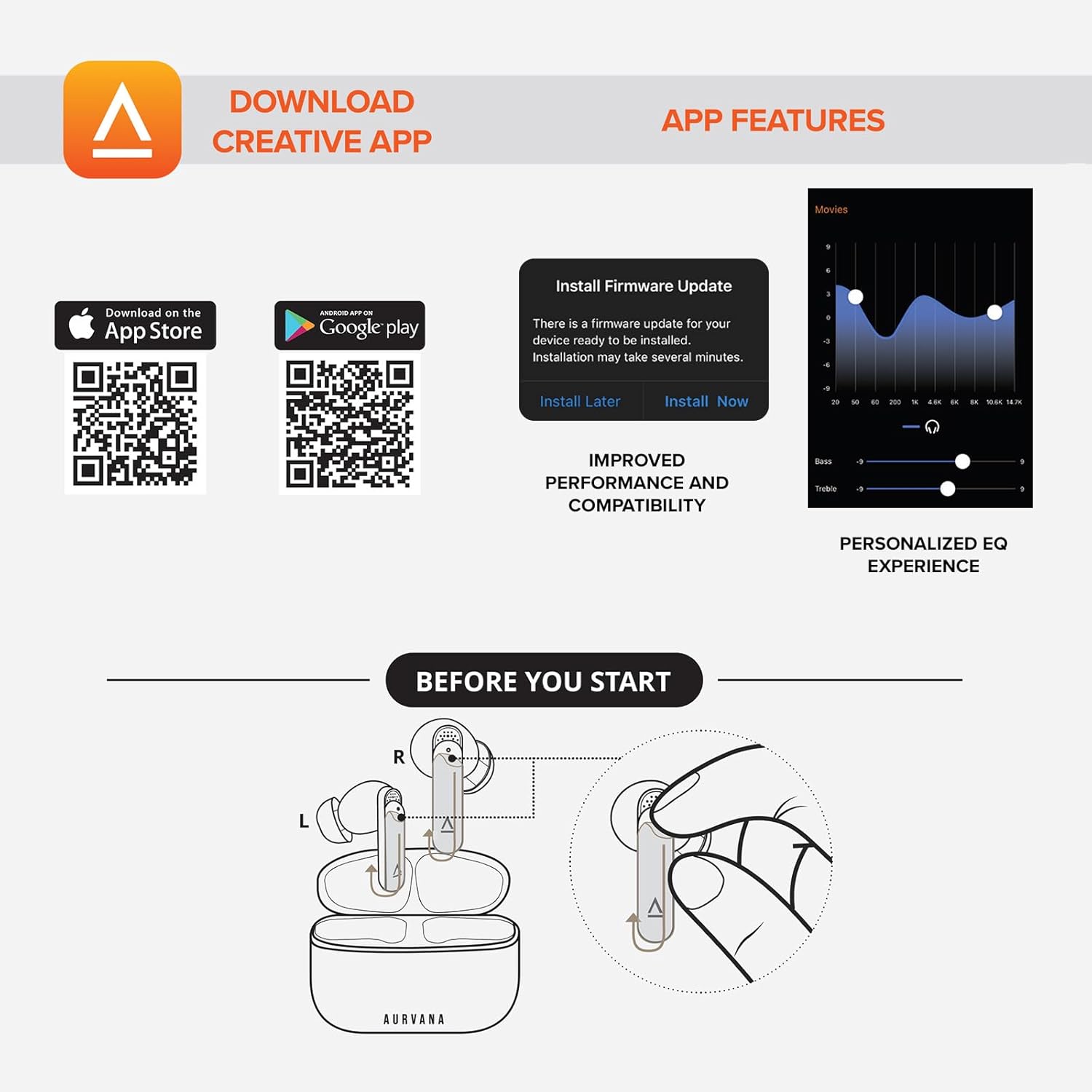
Image: Screenshot showing QR codes for downloading the Creative app from the Apple App Store and Google Play Store, alongside examples of app features such as firmware updates and personalized EQ settings.
ለአንድሮይድ አውርድ፡ ጎግል ፕሌይ ስቶር
ለ iOS አውርድ አፕል መተግበሪያ መደብር
4. የአሠራር መመሪያዎች
4.1 የንክኪ መቆጣጠሪያዎች
The Creative Aurvana Ace 2 earbuds feature touch-sensitive controls on each earbud. Functions can be customized via the Creative app. Common controls include:
- ነጠላ መታ: ኦዲዮን አጫውት/ ለአፍታ አቁም፣ መልስ/ጥሪውን ጨርስ።
- ሁለቴ መታ Next track, Activate voice assistant.
- ሶስቴ መታ Previous track, Toggle ANC/Ambient Mode.
- ሎንግ ፕሬስ Volume control (customizable).

Image: Graphic depicting a finger tapping an earbud, symbolizing touch controls.
4.2 Noise Control (Adaptive ANC & Ambient Mode)
The earbuds feature Adaptive Active Noise Cancellation (ANC) and Ambient Mode. These modes can be toggled via the touch controls or the Creative app.
- የሚለምደዉ ኤኤንሲ፡ መሳጭ የማዳመጥ ልምድ ለማግኘት የውጭ ድምጽን ይቀንሳል።
- ድባብ ሁነታ፡ Allows environmental sounds to pass through, enhancing situational awareness.
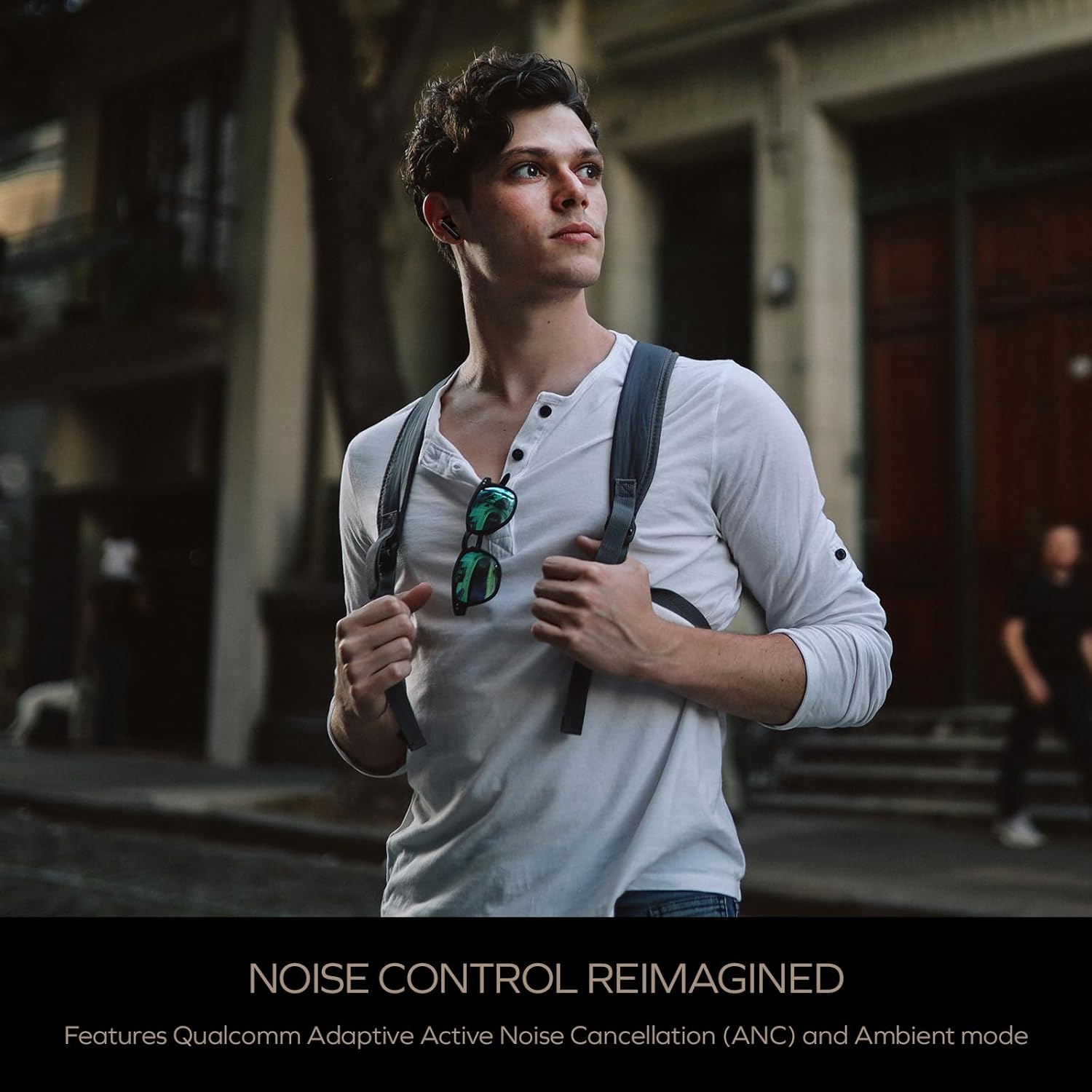
Image: A person wearing the Creative Aurvana Ace 2 earbuds while walking outdoors, illustrating the use of noise control features in various environments.
4.3 Audio Technologies (xMEMS, aptX Lossless, Bluetooth LE Audio)
The Aurvana Ace 2 incorporates advanced audio technologies for high-fidelity sound:
- xMEMS Technology: Provides precise and detailed audio reproduction.
- Qualcomm aptX Lossless: Delivers CD-quality audio over Bluetooth for compatible devices.
- Bluetooth LE Audio: Offers improved wireless audio quality with lower power consumption and Unicast mode for a more stable connection.

ምስል፡ ዝርዝር view of the earbud's internal components, highlighting the xMEMS drivers and 10mm dynamic drivers responsible for audio output.

Image: The Qualcomm aptX Lossless logo, indicating support for high-fidelity audio streaming.

Image: A microchip labeled 'LE Audio', representing the Bluetooth LE Audio technology integrated into the earbuds.
4.4 Voice Assistant and Call Quality
The earbuds support voice assistant activation (e.g., Siri, Google Assistant) via touch controls. Equipped with Qualcomm cVc (clear voice capture) noise cancellation technology and six built-in microphones, the Aurvana Ace 2 ensures clear voice calls.

Image: Graphic showing an earbud with Google Assistant and Siri icons, accompanied by sound wave visualizations, indicating voice assistant support and clear audio transmission.
5. ጥገና
5.1 ጽዳት
Regular cleaning helps maintain optimal performance and hygiene. Use a soft, dry, lint-free cloth to wipe the earbuds and charging case. For ear tips, remove them from the earbuds and clean with mild soap and water, then dry thoroughly before reattaching. If charging issues occur, gently clean the charging contacts on both the earbuds and inside the case with a cotton swab lightly dampአልኮሆል በማሸት።
5.2 ማከማቻ
ጥቅም ላይ በማይውሉበት ጊዜ የጆሮ ማዳመጫዎቹን ለመጠበቅ እና ቻርጅ ለማድረግ በቻርጅ መያዣቸው ውስጥ ያስቀምጡ። መያዣውን ከቀጥታ የፀሐይ ብርሃን እና ከፍተኛ የሙቀት መጠን ራቅ ባለ ቀዝቃዛና ደረቅ ቦታ ያስቀምጡ።
6. መላ መፈለግ
If you encounter issues with your Creative Aurvana Ace 2 earbuds, refer to the following common solutions:
| ችግር | ሊሆን የሚችል ምክንያት | መፍትሄ |
|---|---|---|
| የጆሮ ማዳመጫዎች አይጣመሩም ወይም አይገናኙም | Protective film on contacts, low battery, out of range, incorrect pairing mode. |
|
| የጆሮ ማዳመጫዎች ባትሪ አይሞላም። | Dirty charging contacts, improper placement, faulty cable/power source. |
|
| Frequent disconnections or audio dropouts | Interference, distance from device, low earbud battery. |
|
| Screeching sound in Ambient Mode | Pressure on earbuds, improper fit. |
|
| Audio glitching or shrill noises | Software issue, interference. |
|
| የንክኪ መቆጣጠሪያዎች ምላሽ የማይሰጡ | Incorrect gesture, dirty sensor, temporary software glitch. |
|
7. ዝርዝሮች
| ባህሪ | ዝርዝር |
|---|---|
| የሞዴል ስም | EF1160 |
| የግንኙነት ቴክኖሎጂ | Wireless (Bluetooth 5.2, LE Audio) |
| የድምጽ ሾፌር ዓይነት | xMEMS Driver, 10 mm Dynamic Driver |
| የድምጽ ኮዴኮች | aptX Lossless, aptX Adaptive, AAC, SBC |
| የድምጽ መቆጣጠሪያ | Adaptive Active Noise Cancellation (ANC), Ambient Mode |
| ማይክሮፎኖች | 6 built-in mics with Qualcomm cVc Noise Cancellation |
| የባትሪ ህይወት (የጆሮ ማዳመጫዎች) | እስከ 6 ሰዓታት (ANC ጠፍቷል) |
| ጠቅላላ የጨዋታ ጊዜ ከኬዝ ጋር | እስከ 24 ሰዓታት (ANC ጠፍቷል) |
| የኃይል መሙያ ጊዜ | Approximately 2 hours for earbuds and case |
| የኃይል መሙያ በይነገጽ | ዩኤስቢ-ሲ፣ ገመድ አልባ ባትሪ መሙላት |
| የብሉቱዝ ክልል | እስከ 10 ሜትር (33 ጫማ) |
| የድግግሞሽ ምላሽ | 20 Hz - 20,000 ኸርዝ |
| የመቆጣጠሪያ ዘዴ | ይንኩ ፣ ድምጽ |
| ቁሳቁስ | ፕላስቲክ |
| የምርት ልኬቶች | 3.58 x 4.33 x 1.53 ኢንች |
| የእቃው ክብደት | 5.3 አውንስ |
| ዩፒሲ | 054651196032 |
8. ዋስትና እና ድጋፍ
Creative products are covered by a limited warranty. For specific warranty terms and conditions applicable to your region, please refer to the warranty card included with your product or visit the official Creative webጣቢያ.
For technical support, frequently asked questions, and driver/firmware downloads, please visit the Creative support page:
You can also contact Creative customer service directly for assistance.


