1. መግቢያ
This manual provides detailed instructions for the installation, operation, and maintenance of your Codnida 2K Security Light Bulb Camera (Model LC323). Please read this manual thoroughly before using the product to ensure proper function and safety.
The Codnida LC323 is a versatile security camera designed for both outdoor and indoor use, featuring 2K resolution, PTZ capabilities, 24/7 recording, sound and light alarms, human motion detection, and color night vision. It is designed to fit into standard E27 light bulb sockets for easy installation.
2. የጥቅል ይዘቶች
ሁሉም ክፍሎች በጥቅሉ ውስጥ መገኘታቸውን ያረጋግጡ፡-
- Codnida 2K Security Light Bulb Camera (LC323)
- የተጠቃሚ መመሪያ
- Mounting Accessories (if applicable, e.g., E27 adapter if not integrated)
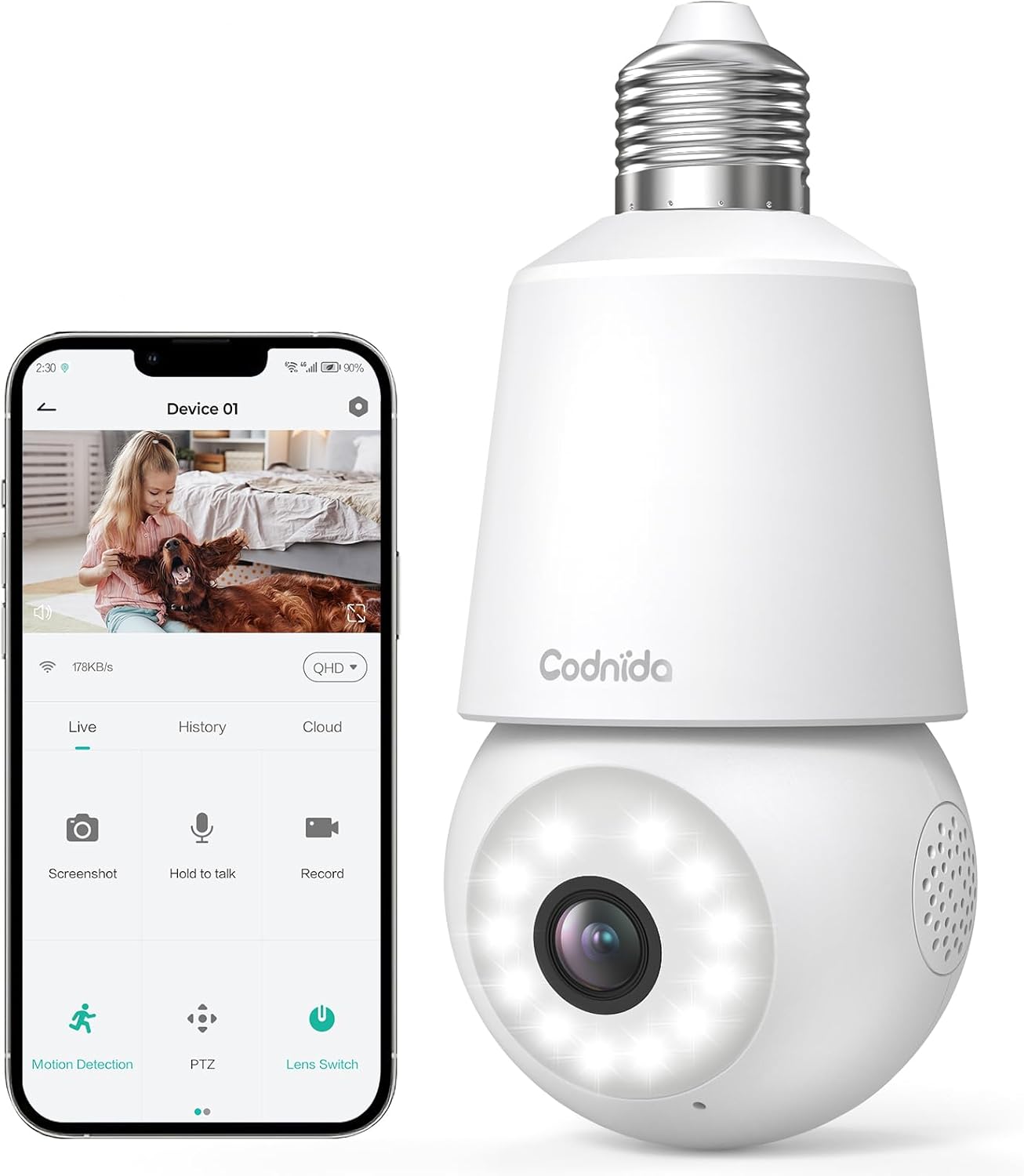
Image: The Codnida LC323 light bulb camera shown alongside a smartphone displaying its live view እና የቁጥጥር በይነገጽ።
3. ዝርዝሮች
| ባህሪ | ዝርዝር |
|---|---|
| የሞዴል ቁጥር | LC323 |
| ጥራት | 2ኬ (3ሜፒ) |
| ግንኙነት | ዋይ ፋይ (2.4GHz ብቻ) |
| የኃይል ምንጭ | ገመድ ያለው ኤሌክትሪክ (E27 ሶኬት) |
| የምሽት ራዕይ ክልል | 10 ሜትር |
| PTZ ሽክርክሪት | ፓን 355°፣ 50° ዘንበል |
| የማከማቻ አማራጮች | ማይክሮ ኤስዲ ካርድ (16-128GB፣ አልተካተተም)፣ የደመና ማከማቻ |
| ባለሁለት መንገድ ኦዲዮ | የሚደገፍ |
| እንቅስቃሴ ማወቂያ | Human Motion Detection, Auto Tracking |
| ማንቂያ ባህሪያት | የድምጽ እና የብርሃን ማስጠንቀቂያ |
| የቤት ውስጥ / የውጪ አጠቃቀም | Outdoor, Indoor (IP66 waterproof and dustproof) |
| የመተግበሪያ ተኳኋኝነት | CloudEdge App (Tablet, Smartphone) |
Note: The camera requires a 2.4GHz Wi-Fi connection. 5GHz Wi-Fi is not supported.
4. የደህንነት መረጃ
- ካሜራውን ከመጫንዎ ወይም ከማስወገድዎ በፊት ኃይሉ መጥፋቱን ያረጋግጡ።
- Install the camera in a standard E27 light bulb socket.
- ካሜራውን ከስራ ክልሉ በላይ ለከፍተኛ ሙቀት ወይም እርጥበት አያጋልጡት።
- Avoid direct exposure to water jets or prolonged submersion, despite its IP66 rating.
- ልጆች በማይደርሱበት ቦታ ያስቀምጡ.
- Only use the camera with compatible power sources (240 Volts, 5 watts).
5. የማዋቀር መመሪያ
5.1 የመተግበሪያ ጭነት
- Download the "CloudEdge" app from your smartphone's app store (Google Play Store for Android or Apple App Store for iOS).
- ለአዲስ መለያ ይመዝገቡ ወይም አስቀድመው ካለዎት ይግቡ።
5.2 የካሜራ ጭነት
ካሜራው በመደበኛ E27 አምፖል ሶኬት ውስጥ በቀላሉ ለመጫን የተነደፈ ነው።
- Ensure the power to the E27 socket is turned off at the main switch.
- Carefully screw the Codnida LC323 camera into the E27 socket until it is securely fastened.
- Turn on the power to the E27 socket. The camera will power on and initiate its startup sequence.

Image: A hand demonstrates screwing the Codnida light bulb camera into an outdoor E27 light fixture, illustrating the simple installation process.
5.3 ከ Wi-Fi ጋር በመገናኘት ላይ
Follow the in-app instructions to connect your camera to your home Wi-Fi network. Remember, only 2.4GHz Wi-Fi is supported.
- Open the CloudEdge app and tap "Add Device" or the "+" icon.
- Select the appropriate device type (e.g., "Smart Camera" or "Light Bulb Camera").
- Follow the prompts to enter your 2.4GHz Wi-Fi network name (SSID) and password.
- The app will generate a QR code. Position your phone screen in front of the camera lens (approx. 15-20 cm away) until you hear a confirmation sound from the camera.
- Once connected, the camera's status indicator light will change, and you can name your device in the app.
6. የአሠራር መመሪያዎች
6.1 ቀጥታ ስርጭት View እና PTZ መቆጣጠሪያ
Access the live video feed and control the camera's pan and tilt functions directly from the CloudEdge app.
- የCloudEdge መተግበሪያን ይክፈቱ እና ካሜራዎን ከመሳሪያዎች ዝርዝር ውስጥ ይምረጡ።
- የቀጥታ ስርጭት view will appear. Use the on-screen joystick or directional arrows to pan (355°) and tilt (50°) the camera lens.

Image: A smartphone screen displays the live view from the Codnida camera with on-screen controls for pan and tilt (PTZ) functionality.
6.2 ባለ ሁለት መንገድ ኦዲዮ
The camera supports two-way audio communication, allowing you to speak and listen through the camera.
- በቀጥታ ውስጥ view, tap the microphone icon to speak. Hold the button while speaking.
- Ensure your phone's volume is up to hear audio from the camera.
Image: An illustration showing the two-way audio feature, with a person outside the house hearing "OK!" from the camera and a person inside speaking "Please put it at the door." through the app.
6.3 የእንቅስቃሴ ማወቂያ እና ራስ-ሰር ክትትል
The camera can detect human motion and automatically track the subject within its field of view.
- Navigate to the camera settings in the CloudEdge app.
- Enable "Motion Detection" and "Human Detection" for optimized alerts.
- Activate "Auto Tracking" to have the camera follow detected movement.
- You can define specific detection zones to focus monitoring on critical areas.
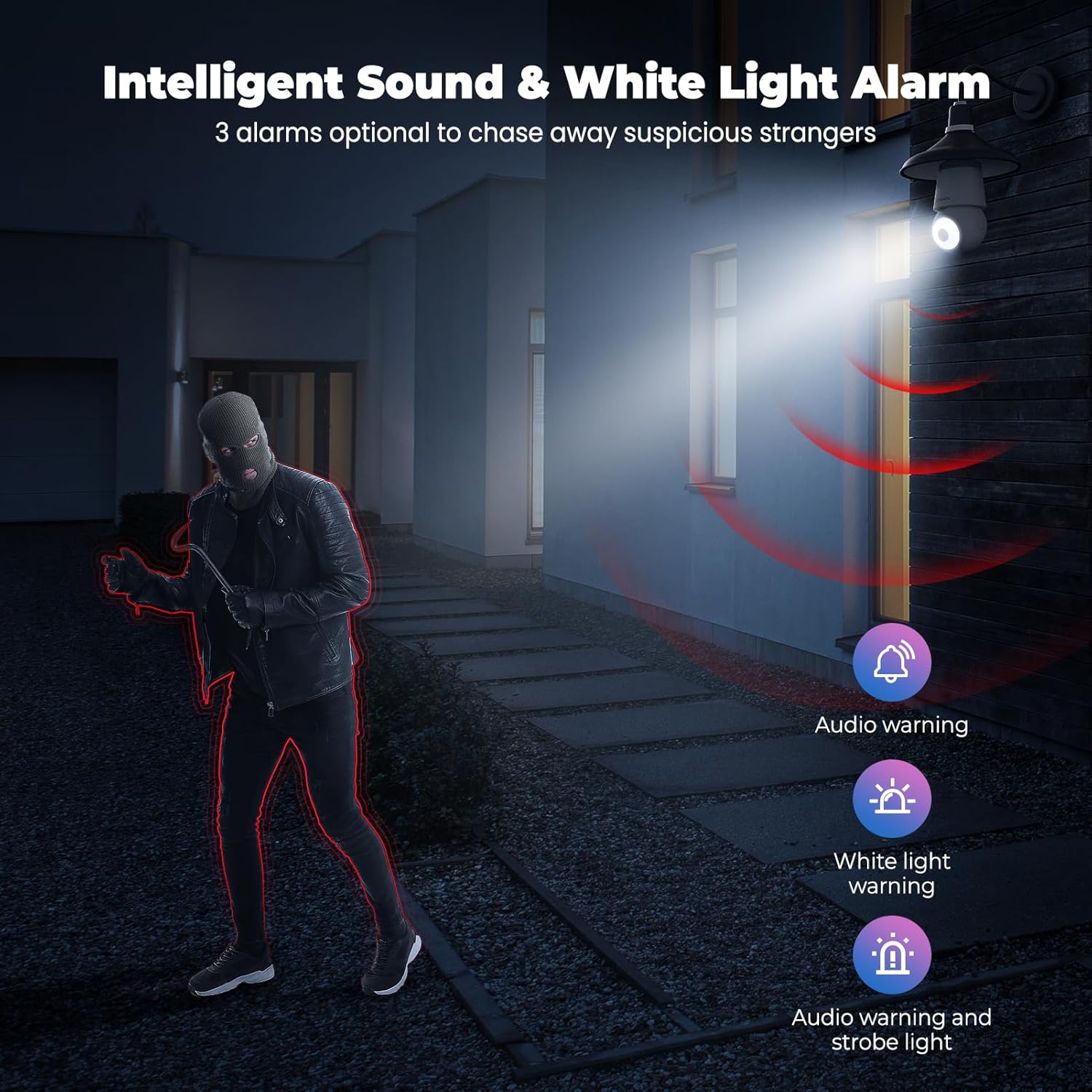
Image: An indoor scene demonstrating motion detection and auto-tracking, with dashed lines indicating the camera's pan and tilt range and boxes highlighting moving cats being tracked.

Image: An outdoor scene illustrating Human AI Intelligent Analytics, showing the camera's ability to detect and differentiate between a person, animal, car, and package.
6.4 የምሽት ራዕይ
The camera provides clear surveillance even in low-light conditions with its color night vision capability.
- የአካባቢ ብርሃን በቂ ካልሆነ ካሜራው በራስ-ሰር ወደ የሌሊት እይታ ሁነታ ይቀየራል።
- Color night vision provides more detail than traditional black and white infrared night vision.

Image: A side-by-side comparison showing the superior detail and color provided by the camera's color night vision feature compared to standard black and white night vision in a low-light outdoor setting.
6.5 የድምፅ እና የብርሃን ማንቂያ
Configure the camera to trigger an audible alarm and/or flashing white light upon detection of suspicious activity.
- In the app settings, enable the sound and light alarm features.
- Choose from audio warning, white light warning, or a combination of both.
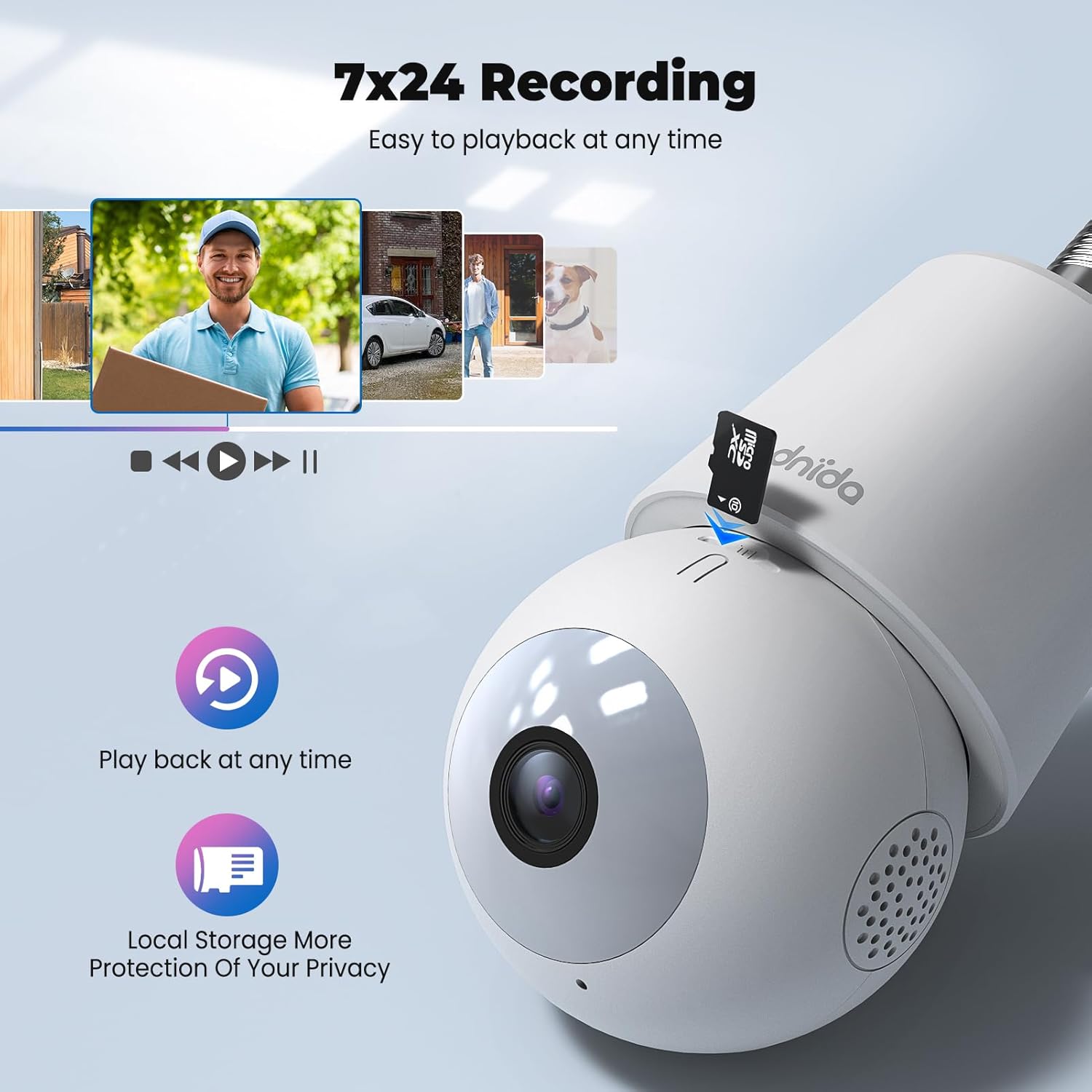
Image: An illustration depicting the intelligent sound and white light alarm feature, showing a bright light and red sound waves emanating from the camera towards a masked figure, with options for audio warning, white light warning, and audio warning with strobe light.
6.6 መቅዳት እና ማከማቻ
The camera supports 24/7 recording and offers both local and cloud storage options.
- የማይክሮ ኤስዲ ካርድ Insert a Micro SD card (16GB to 128GB, not included) into the designated slot for local storage. Ensure the card is formatted correctly via the app.
- የደመና ማከማቻ፡ Cloud storage options may be available through the CloudEdge app (subscription may be required).
- መዳረሻ ተመዝግቧል footage via the "History" or "Playback" section in the app.

ምስል፡ መቀራረብ view of the Codnida camera showing the Micro SD card slot, with icons indicating playback functionality and local storage benefits.

Image: A detailed diagram highlighting the key components of the Codnida camera, including the E27 base, TF card slot, reset button, loudspeaker, working indicator light, lens, and microphone.
6.7 መሳሪያ መጋራት
Share access to your camera with family members or trusted individuals through the CloudEdge app.
- In the app, navigate to the device settings and find the "Share Device" option.
- You can share by scanning a QR code or by entering the recipient's registered CloudEdge account.

Image: An illustration demonstrating the device sharing feature within the CloudEdge app, showing options to share via QR code or by entering another user's registered account.
7. ጥገና
- ማጽዳት፡ የካሜራውን ሌንሶች እና ገላውን ለስላሳ እና ደረቅ ጨርቅ በጥንቃቄ ያጽዱ። ኃይለኛ ኬሚካሎችን ወይም ሻካራ ማጽጃዎችን አይጠቀሙ.
- የጽኑዌር ዝማኔዎች ፦ ጥሩ አፈጻጸም እና ደህንነት ለማረጋገጥ የጽኑ ትዕዛዝ ዝማኔዎችን ለማግኘት የCloudEdge መተግበሪያን በመደበኛነት ያረጋግጡ።
- ኤስዲ ካርድ አስተዳደር በየጊዜው እንደገናview እና የተቀዳ foo ያስተዳድሩtage on your Micro SD card to prevent it from becoming full.
8. መላ መፈለግ
| ችግር | ሊሆን የሚችል መፍትሄ |
|---|---|
| ካሜራ ከWi-Fi ጋር መገናኘት አልቻለም። |
|
| ደካማ የቪዲዮ ጥራት። |
|
| እንቅስቃሴን ማወቅ አይሰራም ወይም በጣም ብዙ የውሸት ማንቂያዎች። |
|
| Cannot hear audio or two-way audio not functioning. |
|
9. ዋስትና እና ድጋፍ
For warranty information and technical support, please refer to the official Codnida webጣቢያ ወይም በቀጥታ የደንበኛ አገልግሎታቸውን ያግኙ። ለዋስትና ጥያቄዎች የግዢ ደረሰኝዎን እንደ ግዢ ማረጋገጫ ያቆዩት።
አምራች፡ ኮዴኒዳ
ያነጋግሩ፡ Refer to Codnida's official support channels for assistance.
የመስመር ላይ መርጃዎች፡- ን ይጎብኙ Codnida Store on Amazon ለምርት ዝማኔዎች እና ተጨማሪ መረጃዎች።