1. መግቢያ
Thank you for choosing the MARVO HG9086W-BK Wireless RGB Gaming Headset. This manual provides essential information for setting up, operating, and maintaining your headset to ensure optimal performance and longevity. Please read this guide thoroughly before use.
2. የጥቅል ይዘቶች
ሁሉም እቃዎች በጥቅልዎ ውስጥ መኖራቸውን ያረጋግጡ፡-
- 1 x MARVO HG9086W-BK Wireless RGB Gaming Headset
- 1 x የዩኤስቢ ገመድ አልባ መቀበያ
- 1 x ሊነቀል የሚችል ማይክሮፎን
- 1 x የኃይል መሙያ ገመድ (ዩኤስቢ-ሲ)
- 1 x የተጠቃሚ መመሪያ
3. ምርት አብቅቷልview
The MARVO HG9086W-BK is a lightweight, ergonomic gaming headset designed for comfort during extended use. It features 40mm drivers for immersive sound, dynamic RGB lighting, and a versatile tri-mode connection system.
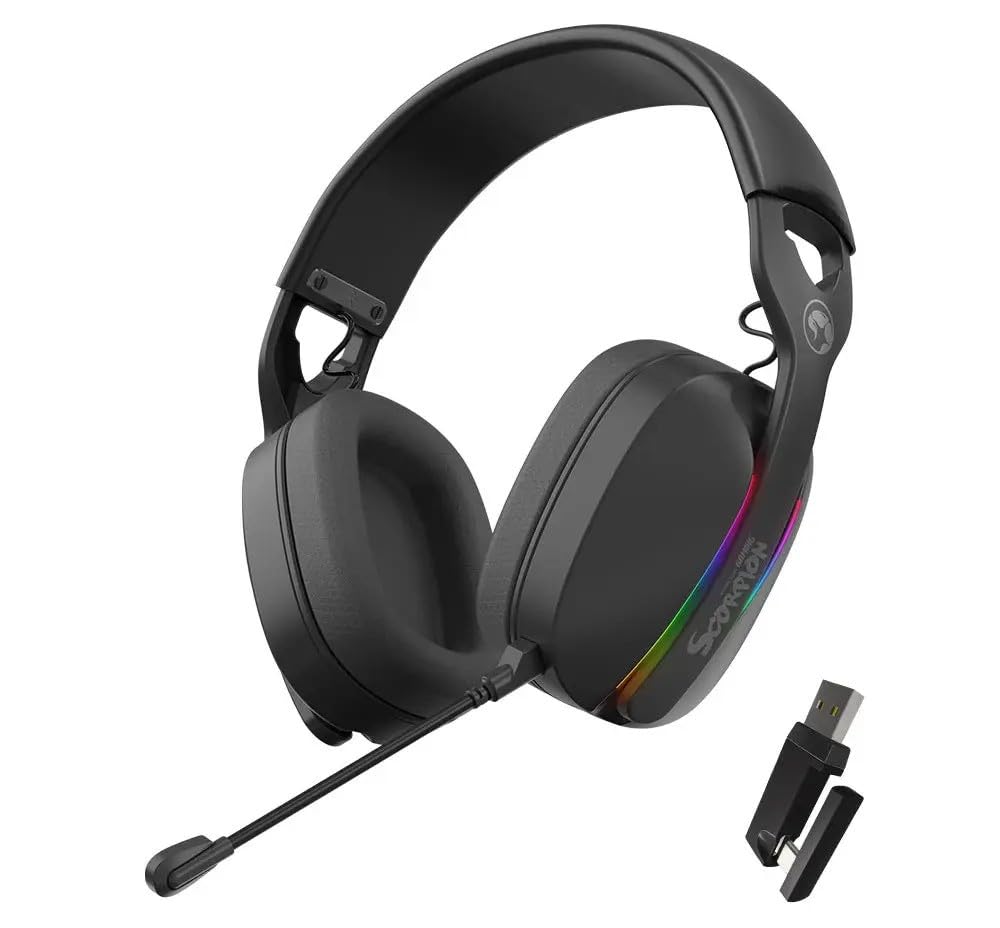
ምስል 3.1፡ ፊት ለፊት view of the MARVO HG9086W-BK Gaming Headset, showcasing its overall design and earcups.

ምስል 3.2፡ Left earcup of the headset, showing control buttons for power, volume, and mode selection.
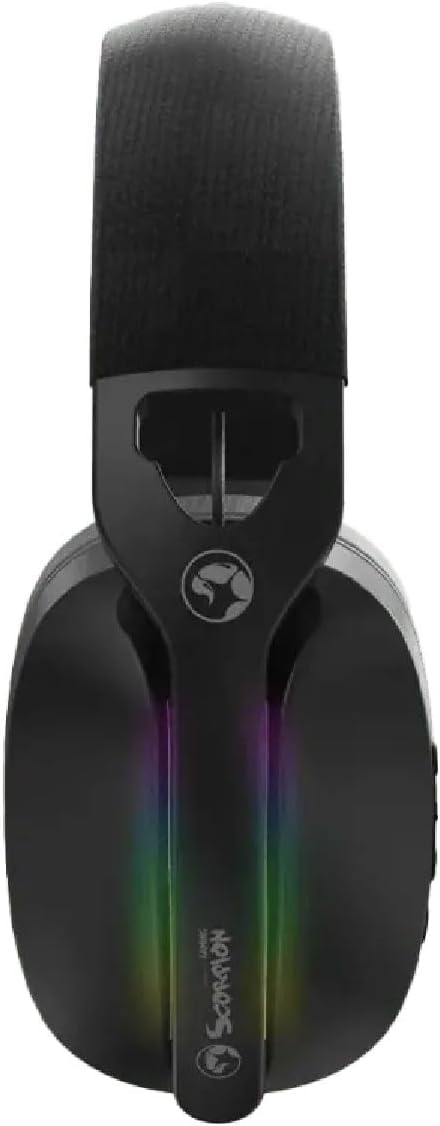
ምስል 3.3፡ ከፍተኛ view of the headset, highlighting the adjustable headband and the integrated RGB lighting strip on the earcups.
4. ማዋቀር እና ግንኙነት
The HG9086W-BK headset offers three connection modes: 2.4G Wireless, Bluetooth 5.3, and Wired.
4.1. 2.4ጂ ገመድ አልባ ግንኙነት (ለጨዋታ የሚመከር)
- Insert the USB wireless receiver into an available USB port on your PC or compatible device.
- የአመልካች መብራቱ እስኪበራ ድረስ የኃይል አዝራሩን በመጫን እና በመያዝ የጆሮ ማዳመጫውን ያብሩ።
- The headset will automatically connect to the receiver. The indicator light will turn solid blue when connected.
- Ensure the headset is selected as the default audio input and output device in your device's sound settings.
4.2. ብሉቱዝ 5.3 ግንኙነት
- በጆሮ ማዳመጫ ላይ ኃይል ፡፡
- Press and hold the Mode button (or a dedicated Bluetooth button if available) until the indicator light flashes blue rapidly, indicating pairing mode.
- On your device (smartphone, tablet, etc.), go to Bluetooth settings and search for "MARVO HG9086W-BK".
- ለማጣመር የጆሮ ማዳመጫውን ይምረጡ። ግንኙነቱ በተሳካ ሁኔታ ሲጠናቀቅ የአመላካች መብራቱ ወደ ሰማያዊ ይለወጣል።
4.3. ባለገመድ ግንኙነት
For wired use, connect a 3.5mm audio cable (not included) from the headset's audio jack to your device's 3.5mm audio port. The headset will function as a passive wired headset. Note that RGB lighting and some wireless functions may not be available in wired mode.
5. የአሠራር መመሪያዎች
5.1. ማብራት / ማጥፋት
- አብራ፡ የኃይል አዝራሩን ተጭነው ለ 3 ሰከንድ ያህል ይያዙ።
- ኃይል ዝጋ: የኃይል አዝራሩን ተጭነው ለ 3 ሰከንድ ያህል ይያዙ።
5.2. የድምጽ መቆጣጠሪያ
- ድምጽ ጨምር የድምጽ መጨመሪያ አዝራሩን ይጫኑ.
- ጥራዝ ታች የድምጽ ቁልቁል አዝራሩን ይጫኑ.
5.3. የማይክሮፎን አጠቃቀም
- ማይክሮፎን ያያይዙ፦ Insert the detachable microphone into the designated port on the left earcup.
- ድምጸ-ከል አድርግ/ አንሳ፡ Use the microphone mute button located on the earcup or the microphone itself.
- ለተመቻቸ የድምጽ ማንሳት ተለዋዋጭ የማይክሮፎን ቡምን ያስተካክሉ።
5.4. RGB መብራት
The headset features dynamic RGB lighting. The lighting typically activates automatically when the headset is powered on. Specific controls for changing RGB modes or turning them off may be available via a dedicated button or software (if applicable). Refer to the product's official website for any software downloads.
6. መሙላት
The MARVO HG9086W-BK headset is equipped with a durable battery for extended gameplay. When the battery is low, the indicator light may flash red or an audible alert may sound.
- የተካተተውን የዩኤስቢ-ሲ ኃይል መሙያ ገመድ በጆሮ ማዳመጫው ላይ ካለው የኃይል መሙያ ወደብ ጋር ያገናኙ።
- የኬብሉን ሌላኛውን ጫፍ ከዩኤስቢ የኃይል ምንጭ ጋር ያገናኙ (ለምሳሌ፡ የኮምፒውተር ዩኤስቢ ወደብ፣ የዩኤስቢ ግድግዳ አስማሚ)።
- The indicator light will typically show red during charging and turn off or change color when fully charged.
ማስታወሻ፡- Avoid using the headset while charging for optimal battery health, though it may be possible depending on the device.
7. ጥገና
ትክክለኛ ጥገና የጆሮ ማዳመጫዎን ረጅም ዕድሜ እና አፈፃፀም ያረጋግጣል።
- ማጽዳት፡ የጆሮ ማዳመጫውን ለመጥረግ ለስላሳ እና ደረቅ ጨርቅ ይጠቀሙ። የጆሮ ማዳመጫውን ለመጥረግ፣ ትንሽamp ጨርቅ መጠቀም ይቻላል፣ ነገር ግን እርጥበት ወደ ድምጽ ማጉያዎቹ ውስጥ እንዳይገባ ያረጋግጡ።
- ማከማቻ፡ የጆሮ ማዳመጫውን በቀጥታ ከፀሀይ ብርሀን እና ከከፍተኛ ሙቀት ርቆ በቀዝቃዛና ደረቅ ቦታ ያከማቹ።
- ፈሳሾችን ያስወግዱ; የጆሮ ማዳመጫውን ለውሃ ወይም ለሌሎች ፈሳሾች አያጋልጡ።
- በጥንቃቄ ይያዙ; የጆሮ ማዳመጫውን ከመጣል ወይም ለጠንካራ ተጽእኖ ከመጋለጥ ይቆጠቡ።
8. መላ መፈለግ
በጆሮ ማዳመጫዎ ላይ ችግሮች ካጋጠሙዎት የሚከተሉትን የተለመዱ መፍትሄዎች ይመልከቱ፡
| ችግር | ሊሆን የሚችል መፍትሄ |
|---|---|
| ከጆሮ ማዳመጫ ምንም ድምፅ የለም። |
|
| ማይክሮፎን አይሰራም |
|
| Headset not connecting |
|
| የ RGB መብራት አይሰራም |
|
9. ዝርዝሮች
| ባህሪ | ዝርዝር መግለጫ |
|---|---|
| የምርት ስም | ማርቮ |
| የሞዴል ስም | HG9086W-BK |
| የግንኙነት ቴክኖሎጂ | Wireless (2.4G, Bluetooth 5.3), Wired (3.5mm) |
| የቅጽ ምክንያት | ከጆሮ በላይ |
| የአሽከርካሪ መጠን | 40 ሚሜ |
| ማይክሮፎን | Integrated, Detachable, Omnidirectional |
| ማብራት | ተለዋዋጭ RGB |
| የእቃው ክብደት | 12.7 አውንስ (360 ግ ገደማ) |
| የጥቅል ልኬቶች | 7.8 x 7.09 x 3.31 ኢንች |
| ቀለም | ጥቁር |
10. ዋስትና እና ድጋፍ
MARVO products are designed for quality and reliability. For warranty information and technical support, please refer to the warranty card included with your product or visit the official MARVO webጣቢያ. ለማንኛውም የዋስትና ጥያቄዎች የግዢ ማረጋገጫዎን ያስቀምጡ።
For further assistance, you may contact MARVO customer support through their official channels.


