1. መግቢያ
Welcome to the DITONG HY300 Plus HD Projector user manual. This guide will help you set up, operate, and maintain your new projector. The HY300 Plus is a portable projector equipped with Android 11 and dual-band WiFi 6, offering a seamless and high-quality viewing experience for movies, presentations, and more, both indoors and outdoors.
2. ምርት አብቅቷልview
2.1 ክፍሎች
The DITONG HY300 Plus projector package typically includes the following items:
- DITONG HY300 Plus Projector
- የኃይል አስማሚ
- የርቀት መቆጣጠሪያ

Image: The DITONG HY300 Plus projector in white, accompanied by its black remote control and a protective cover for the lens.
2.2 ቁልፍ ባህሪያት
- አንድሮይድ 11 ስርዓተ ክወና፡ Built-in smart operating system for direct access to streaming apps without external devices.
- Dual-band WiFi 6 (5G + 2.4G): Ensures faster and more reliable wireless connectivity for smooth streaming and screen mirroring.
- የኤሌክትሮኒክ ትኩረት; Easily adjust image clarity using the remote control.
- 4K Decoding & 720P Native Resolution: Supports 4K video input with a native resolution of 1280x720P for clear images.
- የራስ-ቁልፍ ድንጋይ ማረም; ፍጹም የሆነ አራት ማዕዘን ቅርጽ ያለው ምስል ለማግኘት የምስል መዛባትን በራስ-ሰር ያስተካክላል።
- 180° Flexible Projection Angle: በግድግዳዎች፣ ጣሪያዎች ወይም ወለሎች ላይ መቅረጽ ያስችላል።
- ዝቅተኛ የድምፅ አሠራር; Operates at less than 25dB for a quiet viewልምድ.
- ከፍተኛ ብሩህነት; 8000 Lux (250 ANSI lumens) for vivid and bright images.
- ባለብዙ ገፅታ ምጥጥነቶች Supports 16:9, 4:3, and 16:10.
- የብሉቱዝ ግንኙነት; ውጫዊ የድምጽ መሳሪያዎችን ለማገናኘት.

ምስል፡ አበቃview of the DITONG HY300 Plus features, including electronic focus, Bluetooth 5.0, 4K decoding, 720P native resolution, WiFi 5G/2.4G, and auto keystone correction.

Image: A demonstration of the electronic focus feature, showing a clear image projected onto a screen with the projector and remote control in the foreground.

Image: Illustrates the 180-degree flexible projection angle, showing the projector casting an image onto a wall and a ceiling in a bedroom setting.

Image: Depicts the dual-band WiFi 5G/2.4G capability, showing a fast connection for screen mirroring with a projected image of a car chase.

Image: Illustrates the low noise level of the projector, comparing its sound output to common ambient noises like whispering and a motorcycle passing.
3. ማዋቀር
3.1 Unboxing እና ቁጥጥር
Carefully remove all components from the packaging. Inspect for any signs of damage. If any items are missing or damaged, contact customer support immediately.
3.2 የኃይል ግንኙነት
- የኃይል አስማሚውን ከፕሮጀክተሩ የኃይል ግብዓት ወደብ ጋር ያገናኙ።
- የኃይል አስማሚውን ወደ ተስማሚ የኤሌክትሪክ ሶኬት ይሰኩት.
3.3 የመነሻ ኃይል በርቷል
መሣሪያውን ለማብራት በፕሮጀክተሩ ላይ ያለውን የኃይል ቁልፍ ወይም የርቀት መቆጣጠሪያውን ይጫኑ። ፕሮጀክተሩ ይጀምራል፣ የAndroid 11 በይነገጽን ያሳያል።
3.4 የአቀማመጥ እና የትንበያ ርቀት
ፕሮጀክተሩን በተረጋጋና ጠፍጣፋ መሬት ላይ ያስቀምጡት። ለተመቻቸ viewየፕሮጀክቱን ርቀት ግምት ውስጥ ያስገቡ-
- For a 130-inch display, an optimal projection distance is approximately 1.68 meters.
- The projector supports various screen sizes from 40 inches to 130 inches depending on distance.

Image: A diagram illustrating optimal projection distances for different screen sizes, showing that 1.68 meters is ideal for a 130-inch display.
3.5 የመጫኛ አማራጮች
The HY300 Plus is designed for versatile placement:
- ተንቀሳቃሽ አጠቃቀም፡- Place it on a table or flat surface.
- የጣሪያ ተራራ; The bottom of the projector features a 1/4-inch screw hole, compatible with standard ceiling mounts or camera tripods.
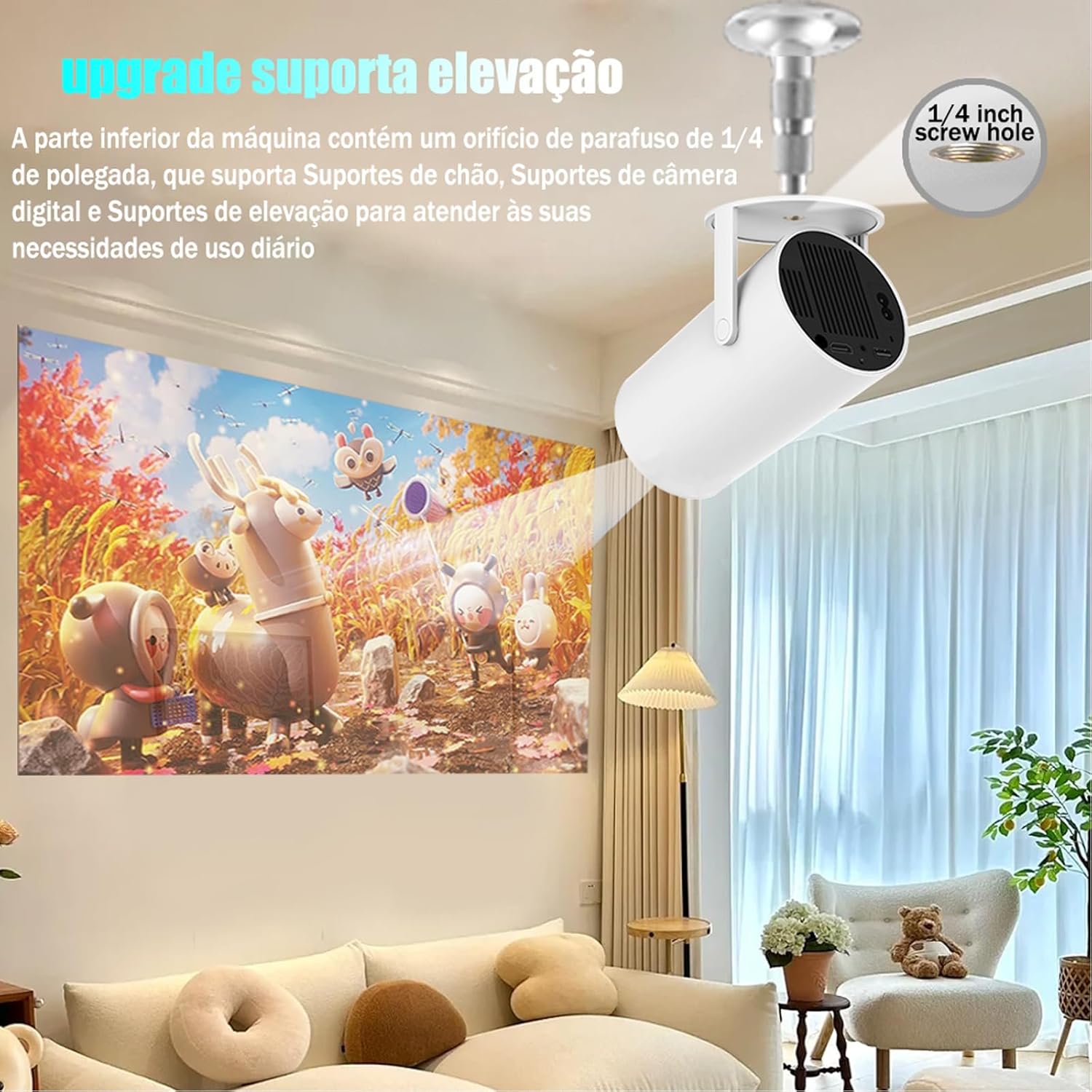
Image: The projector shown mounted to a ceiling, highlighting the 1/4-inch screw hole for various mounting solutions.
4. የአሠራር መመሪያዎች
4.1 የርቀት መቆጣጠሪያ ተግባራት
Use the included remote control to navigate the projector's interface. Key functions include:
- ኃይል አብራ/ አጥፋ
- አሰሳ (ላይ፣ ታች፣ ግራ፣ ቀኝ፣ እሺ)
- Back/Home buttons
- የድምጽ መቆጣጠሪያ
- የትኩረት ማስተካከያ

Image: The DITONG HY300 Plus projector with its remote control, demonstrating the electronic focus feature.
4.2 Electronic Focus Adjustment
የምስል ግልጽነትን ለማስተካከል፦
- Point the remote control at the projector.
- Press the dedicated focus buttons (usually marked with a circle or 'F' icon) on the remote to sharpen the image.
4.3 ራስ-ሰር የኪስቶን ማስተካከያ
The HY300 Plus features automatic keystone correction. When the projector is moved or angled, it will automatically adjust the image to maintain a rectangular shape. Manual adjustments are typically not required.
4.4 የውጭ መሳሪያዎችን ማገናኘት
- ኤችዲኤምአይ: Connect laptops, gaming consoles, or other HDMI-enabled devices using an HDMI cable.
- Screen Mirroring (WiFi): Connect your smartphone or tablet wirelessly via WiFi for screen mirroring. Ensure both devices are connected to the same WiFi network.
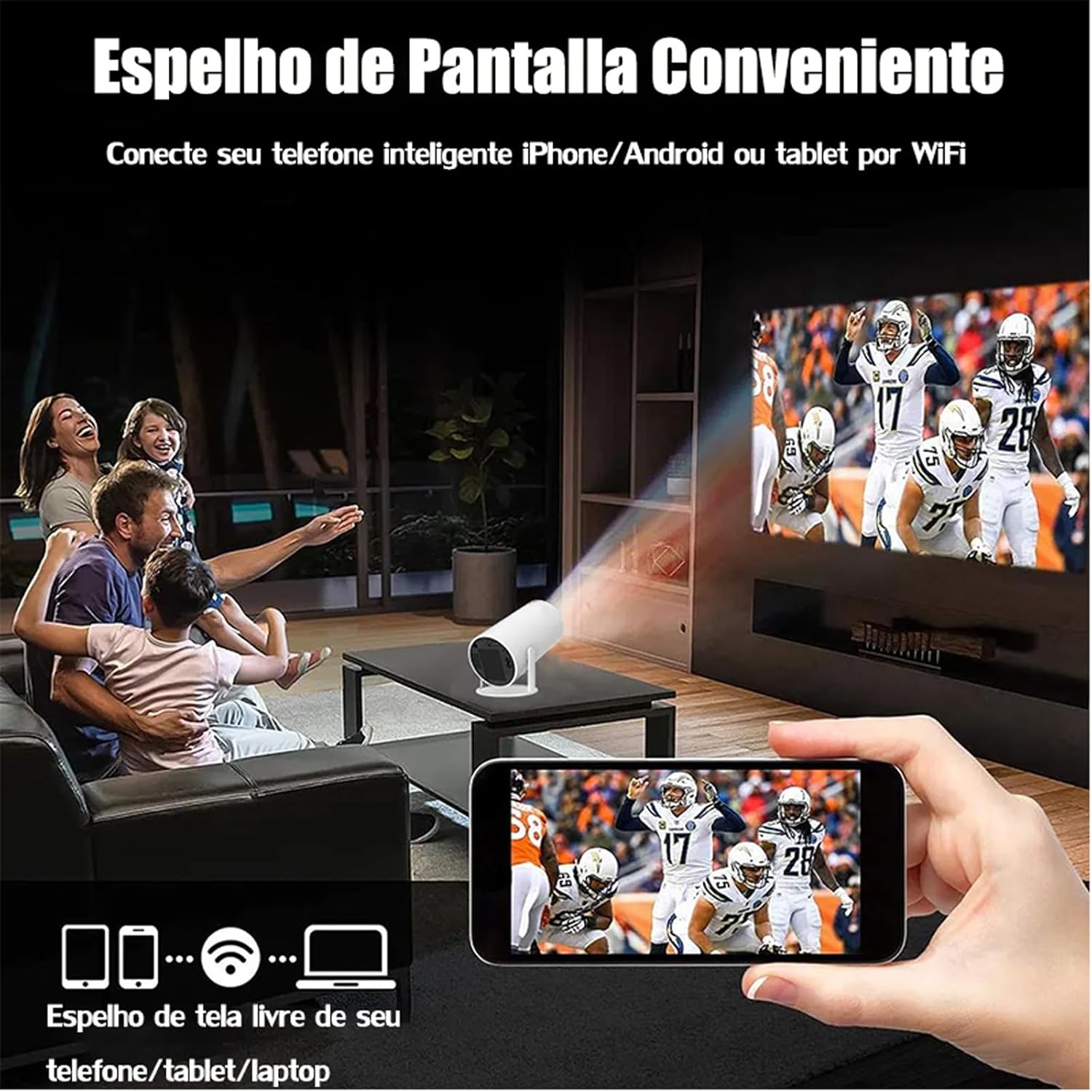
Image: A family watching a football game projected onto a screen, with a smartphone in the foreground demonstrating wireless screen mirroring.
4.5 አንድሮይድ 11ን በማሰስ ላይ
The projector's smart interface allows you to download and use various applications. Use the remote control to navigate through menus, select apps, and adjust settings. Connect to your home WiFi network to access online content.
4.6 የድምጽ ውፅዓት
The projector has built-in speakers. For enhanced audio, you can connect external Bluetooth speakers or headphones via the Bluetooth interface.
5. ጥገና
ትክክለኛ ጥገና የፕሮጀክተርዎን ረጅም ዕድሜ እና ጥሩ አፈፃፀም ያረጋግጣል።
- የሌንስ ማጽዳት; Gently wipe the projector lens with a soft, lint-free cloth or a lens cleaning brush. Avoid abrasive materials that could scratch the lens.
- የአየር ማናፈሻ; ከመጠን በላይ ሙቀትን ለመከላከል የፕሮጀክተሩ የአየር ማናፈሻ ወደቦች ከአቧራ እና ከእንቅፋት የፀዱ መሆናቸውን ያረጋግጡ። በሚሰሩበት ጊዜ የአየር ማናፈሻ ቱቦዎችን አይዝጉ።
- ማከማቻ፡ When not in use, store the projector in a cool, dry place, away from direct sunlight and extreme temperatures. Use the protective cover if provided.
6. መላ መፈለግ
If you encounter issues with your DITONG HY300 Plus projector, refer to the following common problems and solutions:
- ምስል የለም፡
- Ensure the power adapter is securely connected and the projector is powered on.
- Check the input source. Make sure the correct HDMI or mirroring input is selected.
- ደብዛዛ ምስል፡
- Use the remote control to adjust the electronic focus.
- የትንበያው ወለል ጠፍጣፋ እና ፕሮጀክተሩ የተረጋጋ መሆኑን ያረጋግጡ።
- ድምጽ የለም፡
- Check the volume level on the projector and the connected device.
- If using external speakers, ensure they are properly connected via Bluetooth.
- የዋይፋይ ግንኙነት ጉዳዮች፡-
- Ensure the projector is within range of your WiFi router.
- ፕሮጀክተሩን እና የዋይፋይ ራውተርዎን እንደገና ያስጀምሩ።
- Verify the WiFi password is entered correctly.
If the problem persists, please contact DITONG customer support for further assistance.
7. ዝርዝሮች
Below are the detailed specifications for the DITONG HY300 Plus HD Projector:
| ባህሪ | ዝርዝር መግለጫ |
|---|---|
| የምርት ስም | DITONG |
| ሞዴል | HY300 PLUS |
| ስርዓተ ክወና | አንድሮይድ 11 |
| የገመድ አልባ ግንኙነት | Dual-band WiFi 6 (5G + 2.4G) |
| ብሉቱዝ | አዎ |
| የማሳያ ቴክኖሎጂ | LCD |
| ብሩህነት | 8000 Lux (250 ANSI lumens) |
| ቤተኛ ውሳኔ | 1280 x 720 ፒ |
| የሚደገፍ ውሳኔ | እስከ 4 ኪ |
| ምጥጥነ ገጽታ | 16:9, 4:3, 16:10 |
| የማደስ ደረጃ | 60 Hz |
| ትኩረት | ኤሌክትሮኒክ ትኩረት |
| የቁልፍ ማስተካከያ | አውቶማቲክ |
| ተስማሚ መሣሪያዎች | Smartphones, devices with HDMI output |
| የማገናኛ አይነት | Bluetooth, HDMI, Wifi |
| የቅጽ ምክንያት | ተንቀሳቃሽ |
| የመጫኛ አይነት | የጣሪያ ተራራ |
| የምርት ክብደት | 2.27 ግ |
| ጥራዝtage | 1.2E+2 ቮልት |
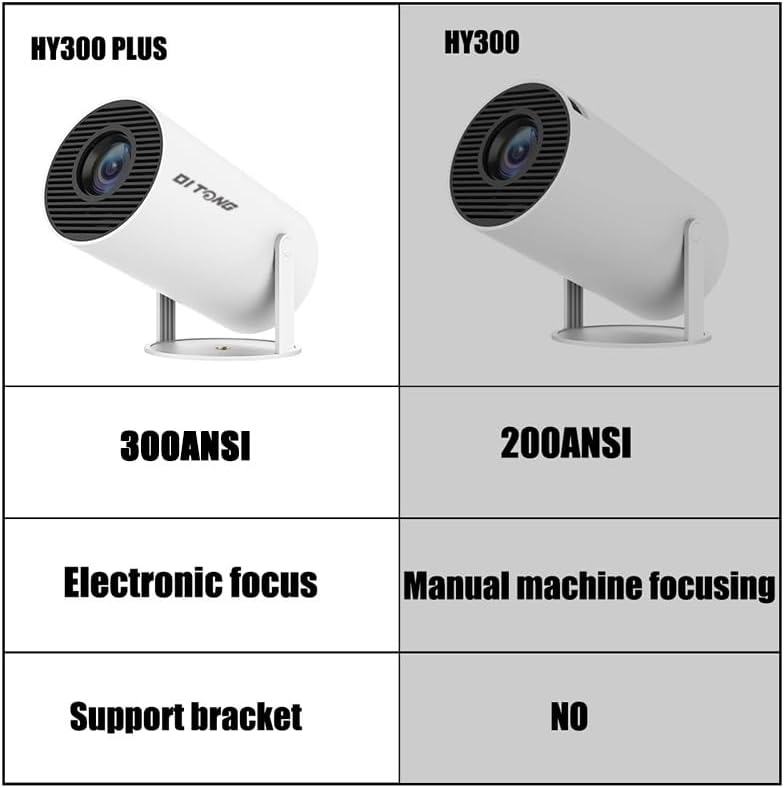
Image: A comparison table highlighting the differences between the HY300 Plus and the original HY300, showing the Plus model has 300 ANSI lumens, electronic focus, and a support bracket.
8. ዋስትና እና ድጋፍ
The DITONG HY300 Plus Projector comes with a manufacturer's warranty. Please refer to the product packaging or the official DITONG webጣቢያ ለተወሰኑ የዋስትና ውሎች እና ሁኔታዎች።
For technical support, troubleshooting assistance, or warranty claims, please contact DITONG customer service through the contact information provided with your purchase or on the official DITONG support channels.