1. መግቢያ
Thank you for choosing the goobay Digital Timer. This device is designed to help you manage power consumption and enhance home security by automatically switching electrical appliances on and off. It features up to 16 programmable settings (8 ON/OFF pairs), a random mode for anti-burglary protection, and an integrated backup battery to retain settings during power outagኢ.
Please read this manual carefully before use to ensure proper operation and safety.
2. የደህንነት መመሪያዎች
- ለቤት ውስጥ አገልግሎት ብቻ. ለእርጥበት ወይም ለከፍተኛ ሙቀት አይጋለጡ.
- Do not exceed the maximum load of 3680 W (230 V AC, 16 A).
- መሳሪያውን አይበታተኑ ወይም ለመጠገን አይሞክሩ። ሁሉንም አገልግሎት ለሚሰጡ ባለሙያዎች ያማክሩ።
- ሰዓት ቆጣሪው ደህንነቱ በተጠበቀ ሁኔታ ከመሬት መውጫ ጋር መገናኘቱን ያረጋግጡ።
- ልጆች በማይደርሱበት ቦታ ያስቀምጡ.
- Unplug the timer from the wall outlet before cleaning. Clean only with a dry cloth.
- Do not connect appliances that generate a lot of heat, such as heaters, without supervision.
3. ምርት አብቅቷልview
The goobay Digital Timer is a compact and efficient device for controlling your electrical appliances.
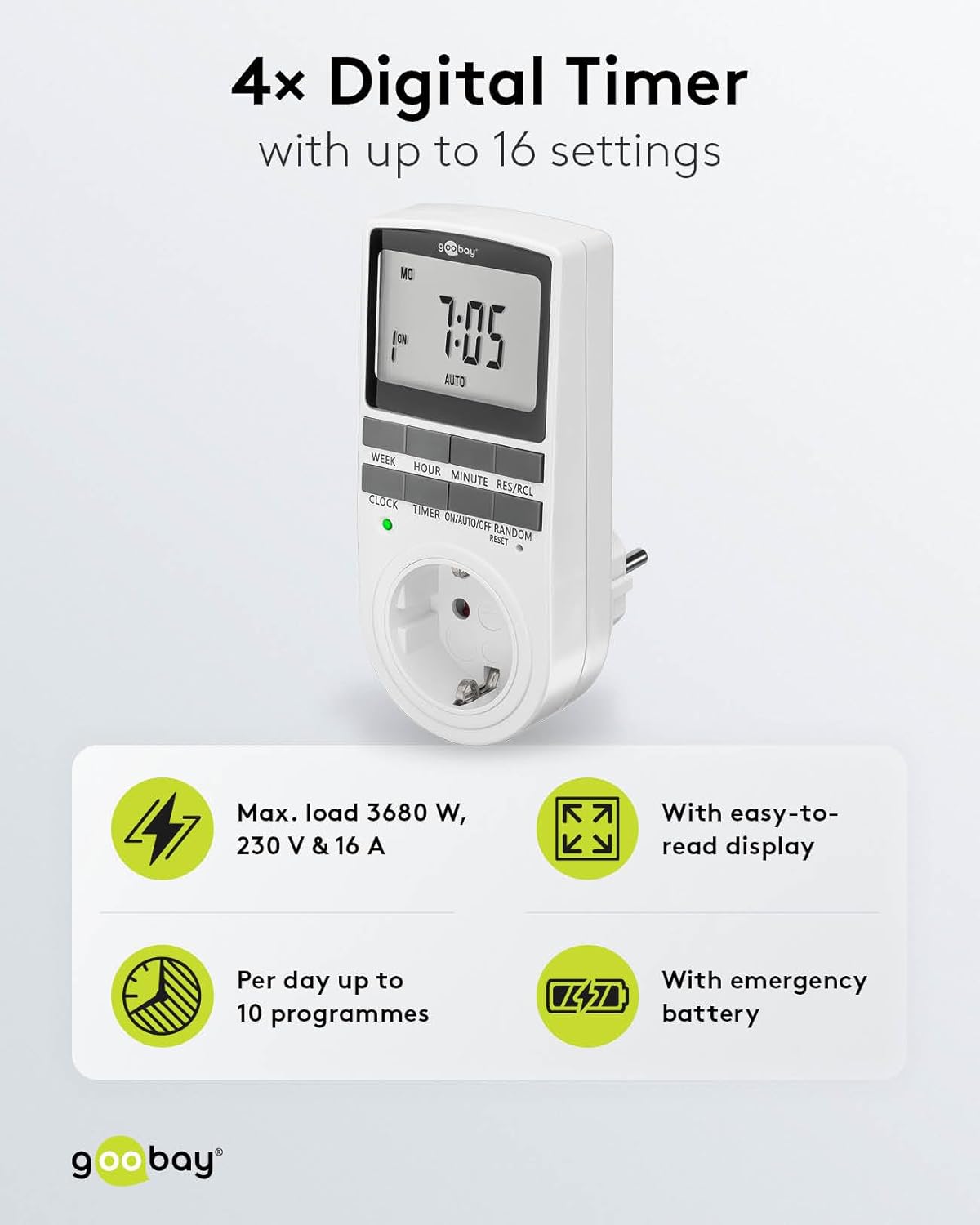
Image: goobay Digital Timer highlighting its features: Max. load 3680 W, 230 V & 16 A; Easy-to-read display; Up to 10 programs per day; Emergency backup battery.
ቁልፍ ባህሪያት የሚከተሉትን ያካትታሉ:
- ከፍተኛ. ጫን፡ 3680 W, 230 V & 16 A
- ፕሮግራም ሊደረጉ የሚችሉ ቅንብሮች፡- Up to 8 ON/OFF program pairs (16 individual settings).
- የዘፈቀደ ሁነታ፡ Simulates presence for enhanced security.
- ምትኬ ባትሪ፡- Retains settings for over 100 days during power outagኢ.
- ኢነርጂ ቁጠባ፡ Interrupts standby mode of connected devices.
- የታመቀ ንድፍ Space-saving installation.

ምስል: ጎን view of the goobay Digital Timer showing its compact dimensions: 135 mm height, 60 mm width, 38 mm depth, and 155g weight.
4. ማዋቀር
4.1 የመጀመሪያ ደረጃ መሙላት
Before first use, plug the timer into a wall outlet for approximately 5-10 minutes to charge the internal backup battery. This ensures the display functions and settings can be retained even when unplugged.
4.2 መሳሪያውን ዳግም ማስጀመር
If the display is blank or unresponsive, or if you wish to clear all previous settings, press the ዳግም አስጀምር button using a small, non-metallic pointed object (e.g., a toothpick or the included reset tool). This will clear all programs and reset the clock.

Image: The goobay Digital Timer showing the LED status display, Reset function (with reset tool), Safety plug (Type F, CEE 7/4, 230V, 16A, 3680W), and Safety socket (Type F, CEE 7/3, 6A, 250V output).
4.3 የአሁኑን ጊዜ ማዘጋጀት
- የሚለውን ይጫኑ ሰዓት አዝራር።
- የሚለውን ይጫኑ ሳምንት button to select the current day of the week (MO, TU, WE, TH, FR, SA, SU).
- የሚለውን ይጫኑ ሰአት የአሁኑን ሰዓት (0-23) ለማዘጋጀት አዝራር።
- የሚለውን ይጫኑ ደቂቃ የአሁኑን ደቂቃ (0-59) ለማዘጋጀት አዝራር።
- የሚለውን ይጫኑ ሰዓት ለማረጋገጥ እና የሰዓት ማቀናበሪያ ሁነታን ለመውጣት እንደገና ይጫኑ።

Image: Close-up of the goobay Digital Timer's display, indicating Weekday, Selected time setting (1-10), Time of day, and Operating mode (On/Auto/Off).
5. የአሠራር መመሪያዎች
5.1 ፕሮግራሚንግ የበራ/አጥፋ ጊዜ
The timer allows for up to 8 ON/OFF program pairs (16 individual settings).
- የሚለውን ይጫኑ TIMER button to enter programming mode. The display will show "1 ON".
- ተጫን ሳምንት to select the day(s) for this program. Options include:
- Individual days (MO, TU, WE, TH, FR, SA, SU)
- Groups of days (MO TU WE TH FR SA SU, MO TU WE TH FR, SA SU, MO TU WE TH FR SA, MO WE FR, TU TH SA, MO TU WE, TH FR SA)
- ተጫን ሰአት የሚፈለገውን ሰዓት ላይ ለማዘጋጀት።
- ተጫን ደቂቃ የተፈለገውን ON ደቂቃ ለማዘጋጀት.
- ተጫን TIMER እንደገና። ማሳያው "1 ጠፍቷል" ያሳያል.
- Repeat steps 2-4 to set the desired OFF time for the same program.
- መጫኑን ይቀጥሉ TIMER to cycle through program settings 2 ON, 2 OFF, up to 8 ON, 8 OFF, setting each as needed.
- ሁሉንም የሚፈለጉትን ፕሮግራሞች ካዘጋጁ በኋላ, ይጫኑ ሰዓት ከፕሮግራሚንግ ሁነታ ለመውጣት እና ወደ የአሁኑ የጊዜ ማሳያ ለመመለስ አዝራሩን ይጫኑ።

Image: Diagram illustrating the functions of the goobay Digital Timer's buttons: WEEK (Set weekday), HOUR (Set hours), MINUTE (Set minutes), RES/RCL (Delete or restore setting), CLOCK (Set different times of day), TIMER (Switch set times), ON/AUTO/OFF (Manual or automatic mode), RANDOM (Random mode).
5.2 Operating Modes (ON/AUTO/OFF)
የሚለውን ይጫኑ በርቷል/በራስ/አጥፋ የአሠራር ሁነታዎችን ለማለፍ የሚያስችል አዝራር፦
- በርቷል The connected appliance will remain continuously ON, overriding all programmed settings.
- ራስ-ሰር The connected appliance will operate according to the programmed ON/OFF times. This is the standard operating mode for scheduled tasks.
- ጠፍቷል The connected appliance will remain continuously OFF, overriding all programmed settings.
5.3 የዘፈቀደ ሁነታ
The random mode is designed to simulate presence for security purposes. When activated, the timer will switch ON and OFF at random intervals between 6:00 PM and 5:30 AM.
- ሰዓት ቆጣሪው መብራቱን ያረጋግጡ አውቶማቲክ ሁነታ.
- የሚለውን ይጫኑ በዘፈቀደ button to activate or deactivate this mode. An "R" will appear on the display when random mode is active.
5.4 የቀን ብርሃን ቁጠባ ጊዜ (DST)
የቀን ብርሃን ቆጣቢ ጊዜን ለማስተካከል፣ ይጫኑ ሰአት እና ደቂቃ buttons simultaneously while in ሰዓት mode. The time will advance or rewind by one hour. Repeat to revert.
6. ጥገና
- ማጽዳት፡ Unplug the timer from the wall outlet before cleaning. Wipe the exterior with a soft, dry cloth. Do not use liquid cleaners or sprays.
- ማከማቻ፡ If storing the timer for an extended period, ensure the backup battery is charged periodically to maintain its functionality.
- ምትኬ ባትሪ፡- The integrated backup battery is designed to retain settings for over 100 days. No user maintenance is required for the battery.
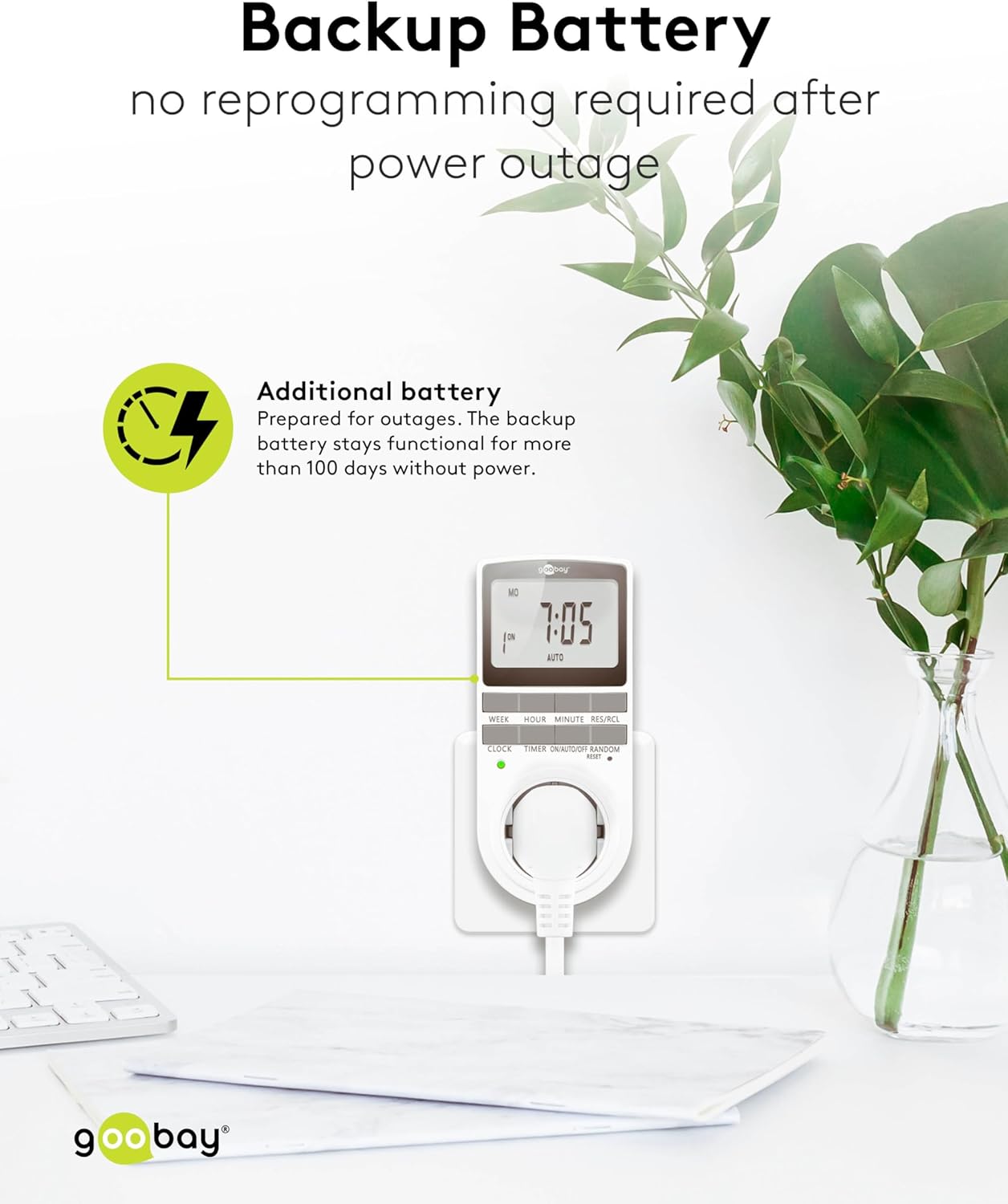
Image: The goobay Digital Timer plugged into an outlet, illustrating the backup battery feature which prevents reprogramming after a power outage.
7. መላ መፈለግ
| ችግር | ሊሆን የሚችል ምክንያት | መፍትሄ |
|---|---|---|
| ማሳያ ባዶ ወይም ምላሽ የማይሰጥ ነው። | Backup battery is depleted or device needs reset. | Plug the timer into a live outlet for 5-10 minutes to charge the battery. If still unresponsive, press the ዳግም አስጀምር አዝራር። |
| መሳሪያው በፕሮግራም በተሰራበት ሰዓት አይበራም/አያጠፋም። | Timer is not in አውቶማቲክ mode, programs are incorrect, or appliance is faulty. | ሰዓት ቆጣሪው መዘጋጀቱን ያረጋግጡ አውቶማቲክ mode. Verify programmed ON/OFF times. Check if the connected appliance works when plugged directly into the wall outlet. |
| Random mode is not working. | Timer is not in አውቶማቲክ mode or random mode is not activated. | ሰዓት ቆጣሪው መብራቱን ያረጋግጡ አውቶማቲክ ሁነታ. የሚለውን ይጫኑ በዘፈቀደ button to activate it (an "R" should appear on the display). |
| ከኃይል በኋላ ጊዜው ትክክል አይደለም።tage. | Backup battery is depleted or was not charged sufficiently. | Plug the timer into a live outlet for at least 10 minutes to fully charge the backup battery. Reset and reprogram if necessary. |
8. ዝርዝሮች
| የምርት ስም፡ | ጉድባይ |
| የሞዴል ቁጥር፡- | 74217 |
| ቀለም፡ | ነጭ |
| ቁሳቁስ፡ | Acrylonitrile Butadiene Styrene Plastic |
| የምርት ልኬቶች (L x W x H)፦ | 7.6 x 6 x 13.5 ሴ.ሜ |
| የእቃው ክብደት፡ | 155 ግ |
| አቅርቦት ቁtage: | 230 ቪ (ኤሲ) |
| ማክስ የመቀየር ኃይል | 3680 ዋ |
| ከፍተኛ. የአሁኑ፡ | 16.0 አ |
| የቅንብሮች ብዛት፡- | 16 (8 ON/OFF program pairs) |
| የጥበቃ ደረጃ | IP20 |
| የጥበቃ ክፍል፡ | I |
| የትውልድ ሀገር፡- | ቻይና |
9. ዋስትና እና ድጋፍ
Specific warranty information is not provided within this manual. For details regarding warranty coverage, technical support, or service, please refer to the official goobay webጣቢያ ወይም ቸርቻሪዎን ያነጋግሩ።
You can often find additional resources and contact information on the manufacturer's webጣቢያ፡ www.goobay.com