1. መግቢያ
This manual provides instructions for the Varmilo Koi 73 JIS Keyboard with Sakura Switches (Model: VMMA73A039SAKURA). This keyboard features a unique design inspired by traditional Chinese Koi fish and water elements, combined with a modern aesthetic. It is a compact 65% size keyboard with a Japanese Industrial Standard (JIS) layout, designed for both functionality and portability. The keyboard is equipped with Cherry-style stabilizers for a stable typing experience.
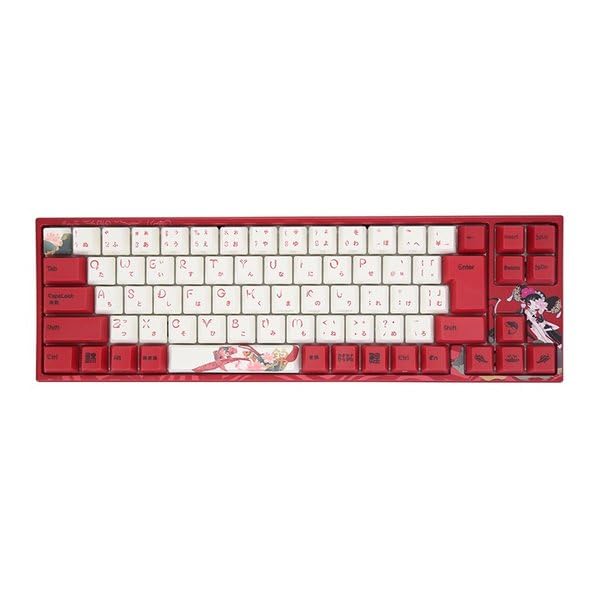
Image: Varmilo Koi 73 JIS Keyboard overview.
2. ቁልፍ ባህሪያት
- Unique Koi Design: Features vibrant koi fish illustrations and a red aesthetic, developed in collaboration with illustrator Li Huan.
- JIS Layout: 73-key Japanese Industrial Standard layout for specific regional input needs.
- Compact 65% Size: Optimizes desk space while retaining essential function and arrow keys.
- Customizable Switches: Offers a choice of Varmilo mechanical electrostatic capacity switches to suit individual typing preferences.
- Cherry-Style Stabilizers: Ensures consistent and stable key presses, especially for larger keys.
- የዩኤስቢ ግንኙነት; Reliable wired connection for stable performance.
3. የማዋቀር መመሪያ
3.1 የጥቅል ይዘቶች
ከመጀመርዎ በፊት እባክዎ ሁሉም እቃዎች በጥቅሉ ውስጥ መኖራቸውን ያረጋግጡ፡-
- Varmilo Koi 73 JIS Keyboard
- የዩኤስቢ ገመድ
- የተጠቃሚ መመሪያ (ይህ ሰነድ)
3.2 የቁልፍ ሰሌዳውን በማገናኘት ላይ
To connect your Varmilo Koi 73 keyboard to your computer, follow these steps:
- የዩኤስቢ-ሲ ወደብ በቁልፍ ሰሌዳው ጀርባ ላይ ያግኙት።
- የቀረበውን የዩኤስቢ ገመድ አንድ ጫፍ ከኪቦርድ ዩኤስቢ-ሲ ወደብ ጋር ያገናኙ።
- የዩኤስቢ ገመዱን ሌላኛውን ጫፍ በኮምፒተርዎ ላይ ካለው የዩኤስቢ ወደብ ጋር ያገናኙ።
- የቁልፍ ሰሌዳው በራስ-ሰር በእርስዎ ስርዓተ ክወና መታወቅ አለበት።
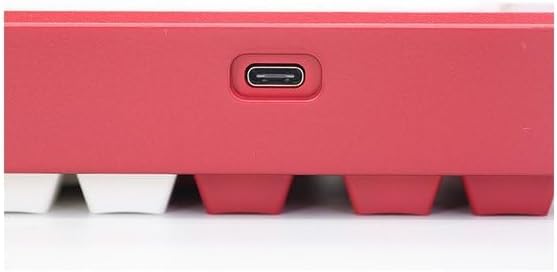
Image: USB-C port for keyboard connection.
3.3 Driver Installation (Optional)
For advanced customization and optimal performance, it is recommended to install the Varmilo driver software. This software allows you to remap keys, adjust performance settings, and customize lighting effects.
Video: This video demonstrates the driver installation process and software usage for Varmilo keyboards. While it features the Muse65 model, the steps for driver installation and basic software navigation are generally applicable to other Varmilo keyboards like the Koi 73.
Please visit the official Varmilo website for the latest driver downloads specific to your keyboard model. Follow the on-screen instructions during installation.
4. የአሠራር መመሪያዎች
4.1 መሰረታዊ ቁልፍ ተግባራት
The Varmilo Koi 73 keyboard features a standard JIS layout. Most keys function as labeled. For special functions, refer to the combination keys below.
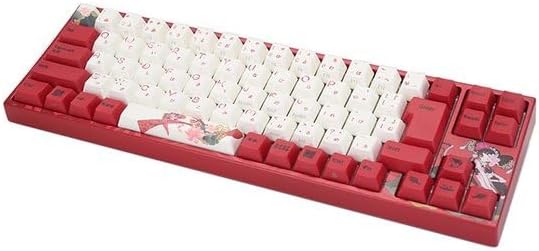
ምስል፡ አልቋልview of the Varmilo Koi 73 JIS Keyboard layout.
4.2 የተግባር (Fn) ቁልፍ ጥምረት
Since this is a 73-key layout, some functions are accessed via the Fn key. Hold down the Fn key and press the corresponding key to activate its secondary function. Common Fn combinations include:
- Fn + F1-F12፡ Multimedia controls (e.g., volume, play/pause).
- Fn + የቀስት ቁልፎች፡ Page Up/Down, Home/End (specific to model, refer to keycap legends).
- Fn + Win ቁልፍ፡ የዊንዶውስ ቁልፍን ይቆልፋል/ይከፍታል።

Image: Left side keys, often used with Fn for additional functions.
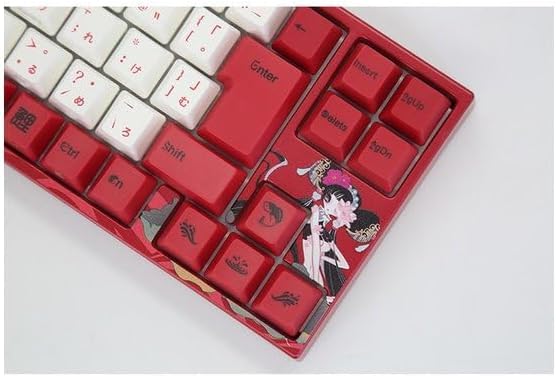
Image: Right side keys, including navigation and utility keys.
4.3 የመብራት ውጤቶች
The Varmilo Koi 73 keyboard supports various RGB lighting effects. You can cycle through different modes and adjust brightness using specific key combinations. Refer to your keyboard's specific keycap legends or the driver software for detailed lighting controls.
Video: This video showcases various RGB lighting effects on a Varmilo keyboard. While the model shown is Muse65, it provides a general idea of the dynamic lighting capabilities available on Varmilo keyboards, including the Koi 73.
5. ጥገና እና እንክብካቤ
Proper maintenance ensures the longevity and optimal performance of your Varmilo Koi 73 keyboard.
- የማጽጃ ቁልፎች; Gently remove keycaps using a keycap puller. Clean the keycaps with a soft cloth dampበመለስተኛ ሳሙናና ውሃ ተሸፍኗል። እንደገና ከማያያዝዎ በፊት ሙሉ በሙሉ መድረሳቸውን ያረጋግጡ።
- የቁልፍ ሰሌዳ አካልን ማጽዳት; Use a soft, dry cloth to wipe down the keyboard body. For stubborn dirt, a slightly damp cloth with a small amount of isopropyl alcohol can be used. Avoid excessive moisture.
- አቧራ ማስወገድ; ከቁልፎቹ መካከል አቧራ እና ፍርስራሾችን ለማስወገድ የታመቀ አየር ይጠቀሙ።
- ፈሳሾችን ያስወግዱ; ጉዳት እንዳይደርስባቸው ከቁልፍ ሰሌዳው ላይ ፈሳሾችን ያርቁ።
- የኬብል እንክብካቤ; የዩኤስቢ ገመዱን ከመጠን በላይ አያጠፍጡ ወይም አያጠምዱ።
6. መላ መፈለግ
If you encounter issues with your Varmilo Koi 73 keyboard, try the following solutions:
- የቁልፍ ሰሌዳ ምላሽ አይሰጥም፡
- የዩኤስቢ ገመድ ከቁልፍ ሰሌዳው እና ከኮምፒዩተር ጋር ደህንነቱ በተጠበቀ ሁኔታ መገናኘቱን ያረጋግጡ።
- የቁልፍ ሰሌዳውን በኮምፒተርዎ ላይ ካለው የተለየ የዩኤስቢ ወደብ ለማገናኘት ይሞክሩ።
- ኮምፒተርዎን እንደገና ያስጀምሩ.
- የዩኤስቢ መገናኛ የሚጠቀሙ ከሆነ ከኮምፒዩተር ጋር በቀጥታ ለመገናኘት ይሞክሩ።
- የማይመዘገቡ ቁልፎች፡-
- ከቁልፍ ክዳኖቹ ስር ያሉትን ማንኛውንም ፍርስራሽ ወይም የውጭ ነገሮች ያረጋግጡ።
- If specific keys are not working, consider reinstalling the keyboard driver.
- የመብራት ጉዳዮች
- Ensure the keyboard driver is installed and up to date.
- Use the Fn key combinations or driver software to adjust lighting modes and brightness.
- የዊንዶውስ ቁልፍ ተቆልፏል፦
- ተጫን Fn + Win ቁልፍ የዊንዶውስ ቁልፍ መቆለፊያን ለመቀየር።
If the problem persists, please contact Varmilo customer support for further assistance.
7. ዝርዝሮች
| የምርት ስም | ቫርሚሎ |
| የሞዴል ቁጥር | VMMA73A039SAKURA |
| የቁልፍ ሰሌዳ አቀማመጥ | 73-key JIS (Japanese Industrial Standard) |
| ግንኙነት | የዩኤስቢ ገመድ |
| የመቀየሪያ አይነት | Mechanical (Linear) |
| ተስማሚ መሣሪያዎች | ላፕቶፕ |
| የምርት ልኬቶች | 34.2 ሴሜ (ኤል) x 34.2 ሴሜ (ወ) x 5.1 ሴሜ (ኤች) |
| የተካተቱ አካላት | የዩኤስቢ ገመድ |
8. ዋስትና እና ድጋፍ
Varmilo products typically come with a manufacturer's warranty. Please refer to the warranty card included with your product or visit the official Varmilo webለዝርዝር የዋስትና ውሎች እና ሁኔታዎች ጣቢያ።
For technical support, driver downloads, or further inquiries, please visit the official Varmilo support page or contact their customer service.
Official Varmilo Webጣቢያ፡ www.varmilo.com


