መግቢያ
This manual provides essential instructions for the safe and efficient use of your Sencor SRV 1550WH Robot Vacuum Cleaner and Mop. Please read this manual thoroughly before operating the device and keep it for future reference.
ምርት አልቋልview
The Sencor SRV 1550WH is a robot vacuum cleaner and mop designed for autonomous cleaning. It vacuums dirt and simultaneously mops dust from hard floors. Equipped with two side brushes, it effectively cleans along walls and in corners. Its ultra-slim design allows it to navigate under furniture and around obstacles. The SENCOR Smart Room technology ensures efficient movement, and the device features intelligent impact and fall sensors for safe operation.
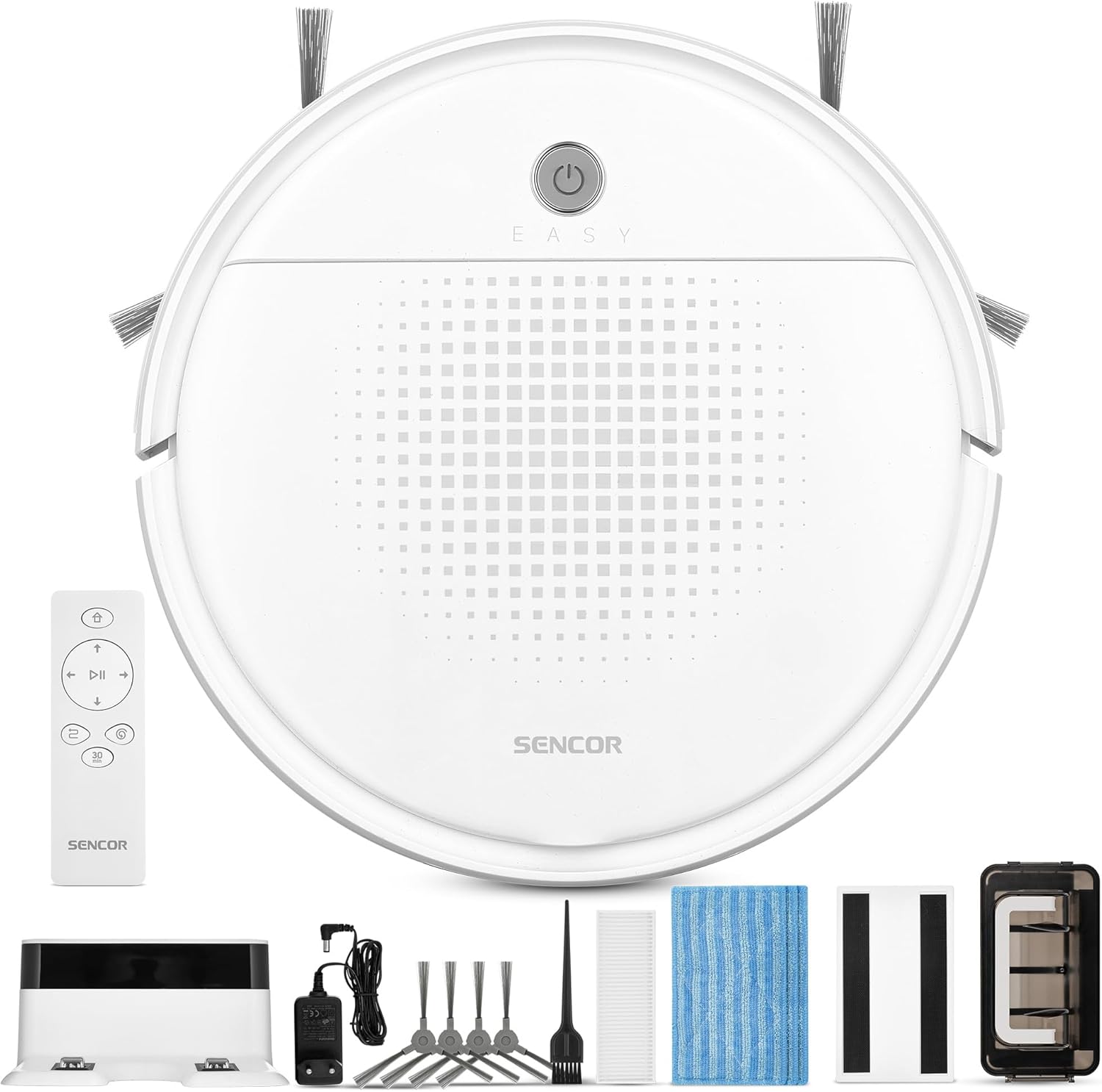
ምስል 1፡ Sencor SRV 1550WH Robot Vacuum Cleaner and Mop with its included accessories, including the charging station, remote control, side brushes, mop pads, and cleaning tools.
የጥቅል ይዘቶች
- Robot vacuum cleaner (including two side brushes and filters)
- የባትሪ መሙያ ጣቢያ
- የጽዳት መለዋወጫ
- 3x textile mop sleeves
- የርቀት መቆጣጠሪያ
- 2x AAA batteries (for remote control)
- 2x spare rotating side brushes
- የኃይል አስማሚ
- 1x spare HEPA filter
- የጽዳት ብሩሽ
የደህንነት መመሪያዎች
Before using the appliance, please read all safety warnings and instructions. Failure to follow these instructions may result in electric shock, fire, or serious injury. Keep this manual in a safe place for future reference.
- ይህንን መሳሪያ እድሜያቸው 8 እና ከዚያ በላይ ለሆኑ ህፃናት እና የአካል፣ የስሜት ህዋሳት ወይም አእምሮአዊ ችሎታዎች ወይም ልምድ እና እውቀት ማነስ ባላቸው ሰዎች መሳሪያውን በአስተማማኝ መንገድ ቁጥጥር ወይም መመሪያ ከተሰጣቸው እና የሚመለከታቸውን አደጋዎች ከተረዱ ሊጠቀሙበት ይችላሉ። .
- ልጆች በመሳሪያው መጫወት የለባቸውም. የጽዳት እና የተጠቃሚ ጥገና ያለ ቁጥጥር በልጆች መደረግ የለበትም.
- Only use the original power adapter and charging station provided by the manufacturer.
- መሳሪያውን እርጥብ በሆኑ አካባቢዎች ወይም በውሃ አቅራቢያ አይጠቀሙ።
- የኃይል መሙያ ጣቢያው ግድግዳው ላይ ጠፍጣፋ እና የተረጋጋ ቦታ ላይ መቀመጡን እና በዙሪያው ግልጽ የሆነ ቦታ መኖሩን ያረጋግጡ።
- Remove any loose cables, small objects, or fragile items from the cleaning area before operation.
- Do not operate the robot over open flames or hot ashes.
- ሮቦቱ ትላልቅ ነገሮችን፣ ፈሳሾችን ወይም የሚቃጠሉ/የሚጨሱ ቁሳቁሶችን እንዲያነሳ አይፍቀዱለት።
- ጥሩ አፈጻጸምን ለመጠበቅ ብሩሾችን እና ማጣሪያዎችን በመደበኛነት ያጽዱ።
ማዋቀር
1. ማሸግ እና የመጀመሪያ ምርመራ
Carefully remove all components from the packaging. Check for any signs of damage. Retain the packaging for future transport or storage.
2. የኃይል መሙያ ጣቢያ አቀማመጥ
Place the charging station against a wall in an open area. Ensure there is at least 1 meter (3 feet) of clear space on both sides and 2 meters (6 feet) in front of the charging station for the robot to easily dock. Connect the power adapter to the charging station and plug it into a power outlet.
3. የጎን ብሩሽዎችን መትከል
Turn the robot upside down. Align the side brushes with the corresponding posts on the bottom of the robot and press them down until they click into place. Ensure they are securely attached.
4. የመጀመሪያ ክፍያ
Place the robot onto the charging station. Ensure the charging contacts on the robot align with those on the station. The indicator light on the robot will show its charging status. For first-time use, charge the robot for at least 5-6 hours to ensure the battery is fully conditioned.
የሮቦት ቫክዩም ማሽኑን በማስኬድ ላይ
1. ማብራት / ማጥፋት
Press and hold the power button on the robot for a few seconds to turn it on or off. Alternatively, use the power button on the remote control.

ምስል 2፡ A hand holding the remote control for the Sencor robot vacuum, with the robot and charging station visible in the background, illustrating remote operation.
2. የጽዳት ዑደት መጀመር
የሚለውን ይጫኑ "Clean" button on the robot or the remote control to start a cleaning cycle. The robot will automatically select a cleaning path using SENCOR Smart Room technology.
3. የጽዳት ሁነታዎች
- ራስ-ሰር ማጽዳት; The robot navigates and cleans the entire accessible area.
- 30-Minute Program: Ideal for smaller areas or a single room, the robot cleans for approximately 30 minutes before returning to the charging station. Activate this mode via the remote control.
4. Mop Function
To use the mop function, attach a clean textile mop sleeve to the bottom of the robot. The robot will vacuum and mop simultaneously. Ensure the water tank (if applicable, though not explicitly mentioned for this model, it's implied by "laveur") is filled if a wet mop is desired. For this model, it uses an antistatic mop for dust wiping.
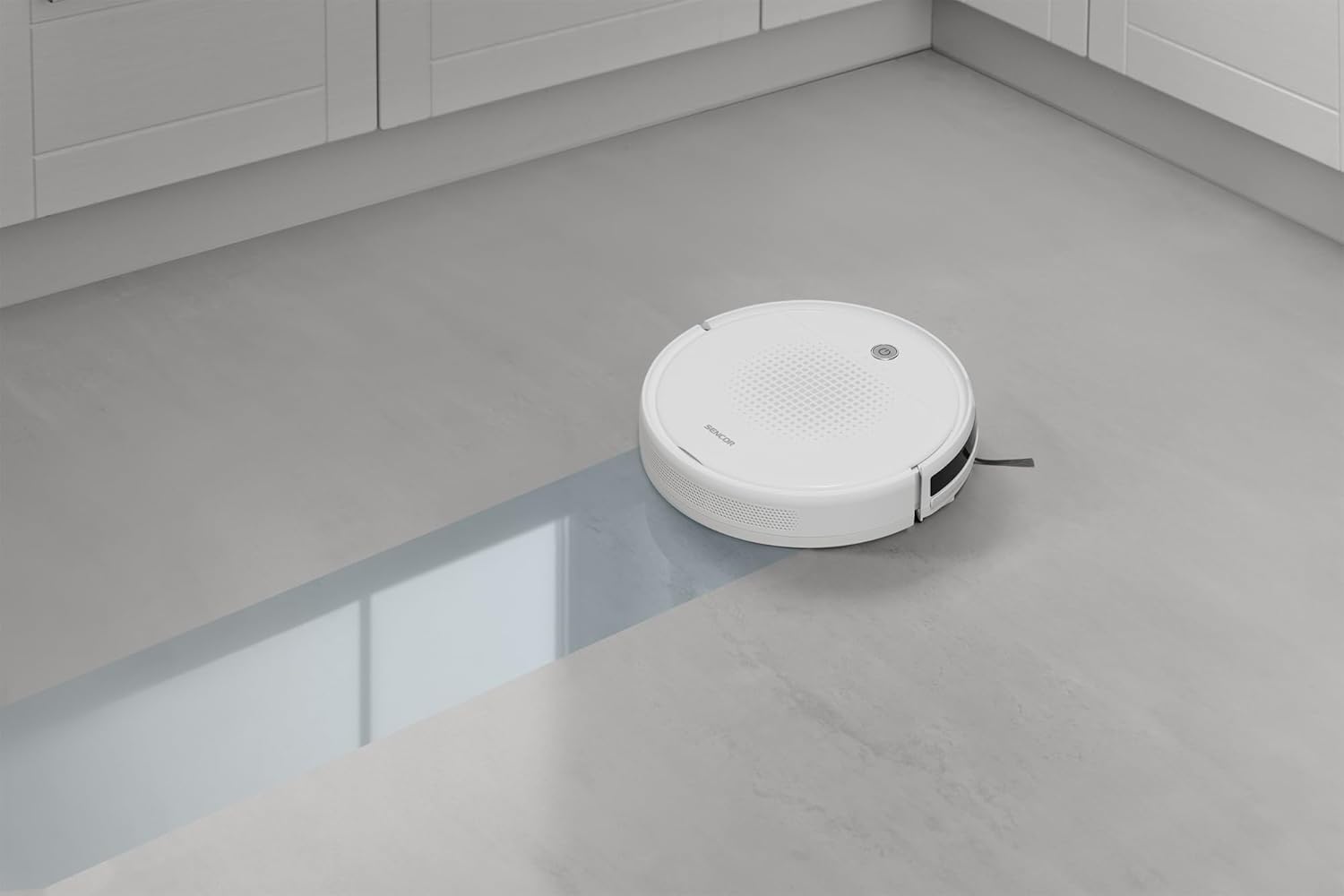
ምስል 3፡ The Sencor robot vacuum cleaner actively mopping a hard floor, leaving a clean path behind it.
5. Automatic Docking and Charging
When the battery is low or a cleaning cycle is complete, the robot will automatically return to its charging station. Ensure the charging station is accessible and powered on.

ምስል 4፡ The Sencor robot vacuum cleaner moving from a carpeted area to a hard floor, demonstrating its ability to clean different surfaces and pick up debris.

ምስል 5፡ The Sencor robot vacuum cleaner operating under a sofa, highlighting its ultra-slim 7 cm design for accessing hard-to-reach areas.
ጥገና
መደበኛ ጥገና ጥሩ አፈጻጸምን ያረጋግጣል እና የእርስዎን ሮቦት ቫክዩም ዕድሜ ያራዝመዋል።
1. የአቧራ ማጠራቀሚያውን ባዶ ማድረግ
Press the release button to remove the dust bin. Open the dust bin cover and empty its contents into a trash can. It is recommended to empty the dust bin after each cleaning cycle.
2. ማጣሪያዎችን ማጽዳት / መተካት
Remove the HEPA filter and primary filter from the dust bin. Tap the filters gently to remove dust. The HEPA filter is not washable; replace it every 3-6 months depending on usage. The primary filter can be rinsed with water and air-dried completely before reinstallation.
3. የጎን ብሩሾችን ማጽዳት
Periodically remove the side brushes by pulling them upwards. Use the provided cleaning brush or a pair of scissors to remove any tangled hair or debris. Reinstall them securely.
4. የሞፕ ፓዶችን ማጽዳት
Remove the textile mop sleeve after each use. Rinse it thoroughly with water and allow it to air dry. Replace mop sleeves when they show signs of wear or reduced effectiveness.
5. የጽዳት ዳሳሾች እና የኃይል መሙያ እውቂያዎች
Wipe the anti-drop sensors, bumper sensors, and charging contacts on both the robot and the charging station with a clean, dry cloth to ensure proper function.
መላ መፈለግ
If your robot vacuum encounters an issue, refer to the following common problems and solutions:
| ችግር | ሊሆን የሚችል ምክንያት | መፍትሄ |
|---|---|---|
| ሮቦት አይበራም። | ባትሪው ዝቅተኛ ነው፤ ባትሪው አልተሞላም። | ሮቦቱን በቻርጅ ጣቢያው ላይ ያስቀምጡት እና ሙሉ በሙሉ መሙላቱን ያረጋግጡ። |
| ሮቦት አያስከፍልም. | Charging contacts are dirty; charging station not powered. | Clean charging contacts on both robot and station. Ensure charging station is plugged in and powered. |
| ሮቦት በተደጋጋሚ ይጣበቃል. | Obstacles in cleaning path; tangled brushes. | Clear the cleaning area of loose cables, small objects. Clean side brushes for tangled hair. |
| ደካማ የጽዳት አፈፃፀም. | Full dust bin; dirty filters; worn brushes. | Empty dust bin. Clean or replace filters. Clean or replace side brushes. |
| ሮቦት ወደ ባትሪ መሙያ ጣቢያ አይመለስም። | Charging station is blocked or not powered; robot too far from station. | Ensure charging station is accessible and powered. Manually place robot near station to assist docking. |
ዝርዝሮች
| የምርት ስም | አነፍናፊ |
| የሞዴል ቁጥር | SRV 1550WH |
| ቀለም | ነጭ |
| ልኬቶች (L x W x H) | 29 x 29 x 7 ሴሜ (11.4 x 11.4 x 2.7 ኢንች) |
| ክብደት | 1.9 ኪሎ ግራም (4.19 ፓውንድ) |
| የአቧራ ቢን አቅም | 200 ሚሊ ሊትር |
| ጥራዝtage | 220 ቮልት |
| ቁሳቁስ | ፕላስቲክ |
| የድምጽ ደረጃ | 60 ዲሴብል |
| የባትሪ ህይወት (የስራ ጊዜ) | እስከ 60 ደቂቃዎች (1 ሰዓት) |
| ልዩ ባህሪያት | Automatic docking, Anti-fall, Anti-collision, Automatic stop, Continuous suction, Simultaneous suction and cleaning, Dirt detection sensor, Logical navigation, Programmable, Pet hair pickup, Easy-to-empty dirt container, Cordless, Bagless, Low noise level, Washable primary filter, HEPA filter. |
| የማጣሪያ ዓይነት | HEPA |
| የመቆጣጠሪያ አይነት | የርቀት መቆጣጠሪያ |
ዋስትና እና ድጋፍ
Sencor offers a satisfaction guarantee for this product. Please refer to your purchase documentation for specific warranty terms and conditions.
- የእርካታ ዋስትና፡- A 30-day satisfaction guarantee is offered.
- መለዋወጫ፡ የመለዋወጫ ዕቃዎች መገኘትን በተመለከተ መረጃ በአሁኑ ጊዜ አይገኝም።
- For further assistance or technical support, please contact Sencor customer service through their official webጣቢያ ወይም ከግዢዎ ጋር የቀረበው የእውቂያ መረጃ።


