1. መግቢያ
Welcome to the user manual for your Thomson RT850BT Bluetooth Speaker, FM Radio, and Alarm Clock. This guide provides detailed instructions on how to set up, operate, and maintain your device. Please read this manual thoroughly before use to ensure proper functionality and to maximize your experience with the RT850BT.
2. የደህንነት መረጃ
ደህንነቱ የተጠበቀ አሰራርን ለማረጋገጥ እና ጉዳት እንዳይደርስ ለመከላከል የሚከተሉትን የደህንነት ጥንቃቄዎች ይከተሉ።
- ክፍሉን ለዝናብ፣ ለእርጥበት ወይም ለከፍተኛ ሙቀት አያጋልጡት።
- ክፍሉን በሙቀት ምንጮች አጠገብ ወይም በቀጥታ የፀሐይ ብርሃን ውስጥ ከማስቀመጥ ይቆጠቡ.
- ትክክለኛውን አየር ማናፈሻ ማረጋገጥ; የአየር ማናፈሻ ክፍተቶችን አያግዱ.
- የቀረበውን የኃይል አስማሚ ብቻ ይጠቀሙ።
- ክፍሉን ለመበተን ወይም ለማሻሻል አይሞክሩ. ሁሉንም አገልግሎቶች ብቁ ለሆኑ ባለሙያዎች ያመልክቱ።
- ክፍሉን ከጠንካራ መግነጢሳዊ መስኮች ያርቁ።
3. የጥቅል ይዘቶች
ሁሉም እቃዎች በጥቅሉ ውስጥ መኖራቸውን ያረጋግጡ፡-
- Thomson RT850BT Unit
- የኃይል አስማሚ
- የተጠቃሚ መመሪያ

Image: Thomson RT850BT packaging, illustrating the product and its key features.
4. ምርት አብቅቷልview
4.1 የፊት ፓነል
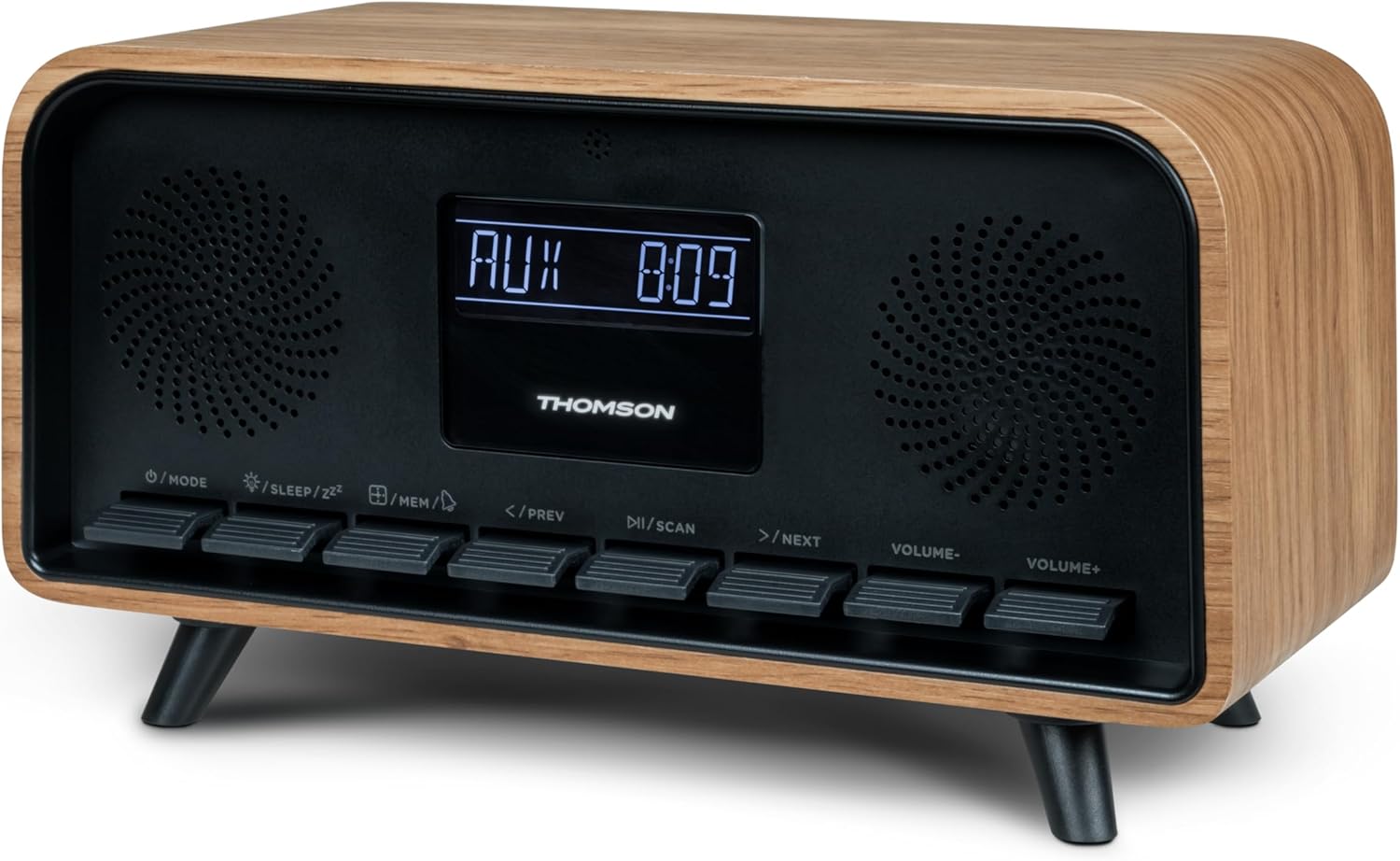
ምስል፡ ፊት ለፊት view of the Thomson RT850BT unit, showing the LCD display, speakers, and control buttons.
- LCD ማሳያ፡- Shows time, mode, and other information.
- /MODE Button: Power On/Off, switch between modes (Bluetooth, FM, AUX).
- /SLEEP/ZZ አዝራር፡- Set sleep timer, activate snooze.
- /MEM Button: Set alarm, save/recall radio stations.
- </PREV Button: Previous track (Bluetooth), tune down (FM).
- /ስካን አዝራር፡ Play/Pause (Bluetooth), auto scan (FM).
- >/NEXT Button: Next track (Bluetooth), tune up (FM).
- VOLUME- Button: ድምጽን ይቀንሱ.
- VOLUME+ Button: የድምጽ መጠን ጨምር.
4.2 የኋላ ፓነል

ምስል: የኋላ view of the Thomson RT850BT, highlighting the power supply, Line In (AUX-IN), and USB-C charge output ports.
- Power Supply (DC IN 5V): የቀረበውን የኃይል አስማሚ ያገናኙ.
- Line In (AUX-IN): 3.5 ሚሜ የድምጽ ግብዓት ለውጫዊ መሳሪያዎች.
- Charge Output (USB-C): USB Type-C port for charging external devices.
5. ማዋቀር
5.1 የኃይል ግንኙነት
- Connect the power adapter to the DC IN 5V port on the rear of the RT850BT.
- የኃይል አስማሚውን ወደ መደበኛ ግድግዳ መሰኪያ ይሰኩት።
- ክፍሉ በራስ-ሰር ይበራል ወይም በተጠባባቂ ሞድ ውስጥ ያስገባል።
5.2 Initial Power On and Clock Setting
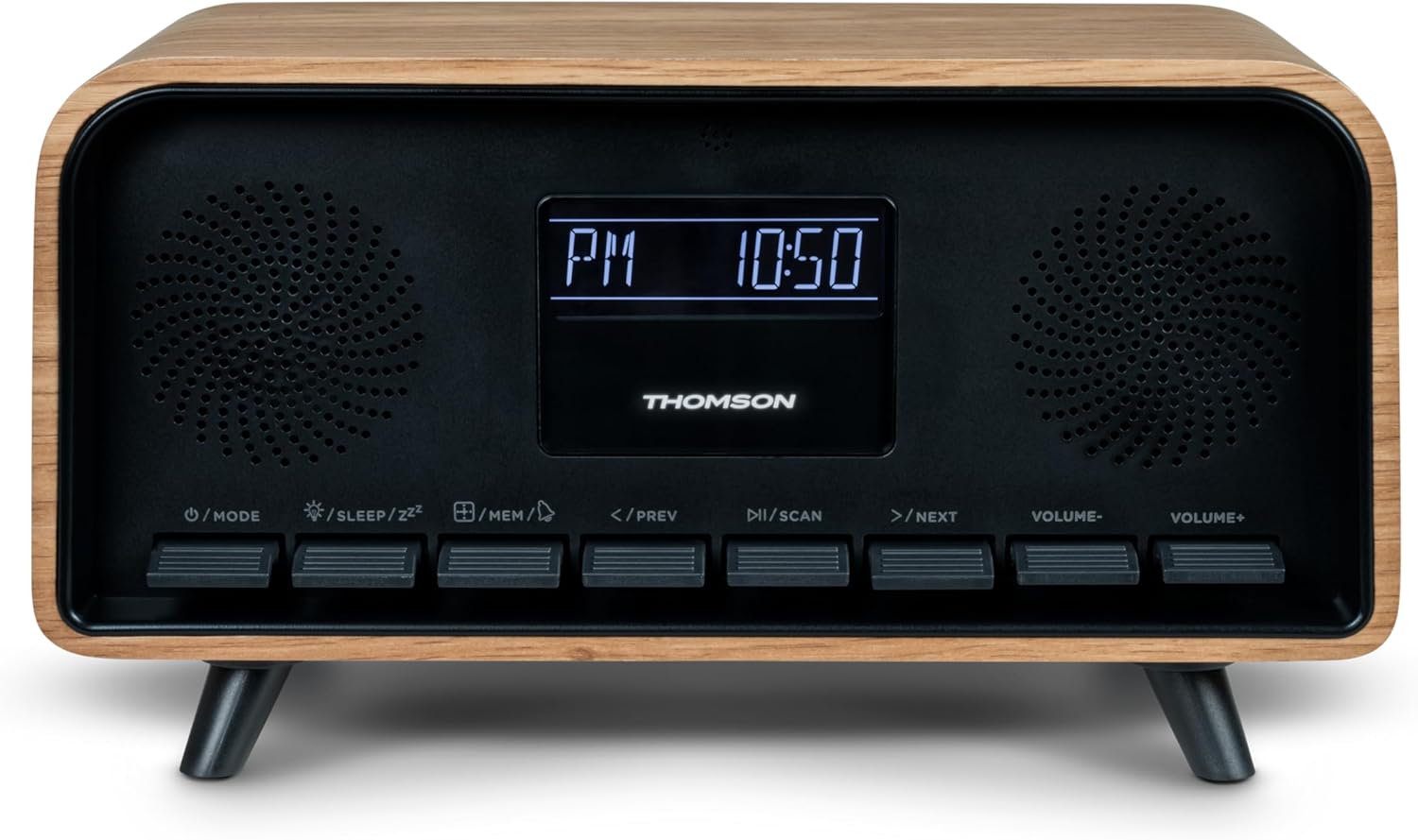
Image: Close-up of the RT850BT's LCD display showing the time, 10:50 PM, and the 'PM' indicator.
- If the unit is in standby, press the /ሞድ እሱን ለማብራት አዝራር።
- ሰዓቱን ለማዘጋጀት፣ ተጭነው ይያዙት። /MEM የማሳያ ጊዜ እስኪያልቅ ድረስ አዝራር.
- የሚለውን ተጠቀም </PREV እና >/NEXT ሰዓቱን ለማስተካከል ቁልፎች. ተጫን /MEM ለማረጋገጥ.
- የሚለውን ተጠቀም </PREV እና >/NEXT ደቂቃውን ለማስተካከል አዝራሮች። ተጫን /MEM ለማረጋገጥ.
- ሰዓቱ አሁን ተዘጋጅቷል ፡፡
6. የአሠራር መመሪያዎች
6.1 የብሉቱዝ ሁነታ

Image: Close-up of the RT850BT's LCD display indicating 'bt' for Bluetooth mode, along with the current time.
- የሚለውን ይጫኑ /ሞድ button repeatedly until 'bt' appears on the display. The unit is now in Bluetooth pairing mode.
- በተንቀሳቃሽ መሣሪያዎ ላይ ብሉቱዝን ያንቁ እና የሚገኙ መሳሪያዎችን ይፈልጉ።
- Select 'RT850BT' from the list to pair. A confirmation tone will sound upon successful connection.
- You can now play audio from your device through the RT850BT.
- የሚለውን ተጠቀም /ስካን አጫውት/አፍታ አቁም፣ እና </PREV / >/NEXT ትራኮችን ለመዝለል ቁልፎች.
- በመጠቀም መጠኑን ያስተካክሉ ድምጽ - እና ድምጽ+ አዝራሮች.
6.2 ኤፍኤም ሬዲዮ ሁነታ
- የሚለውን ይጫኑ /ሞድ button repeatedly until the FM frequency appears on the display.
- ራስ -ሰር ቅኝት ፦ ተጭነው ይያዙት። /ስካን button to automatically scan and save available FM stations (up to 50 stations).
- በእጅ ማስተካከል በአጭሩ ይጫኑ </PREV or >/NEXT to fine-tune the frequency. Press and hold to scan for the next available station.
- Recall Saved Stations: በአጭሩ ይጫኑ /MEM በተቀመጡ ጣቢያዎች ውስጥ ለማሽከርከር የሚያስችል አዝራር።
6.3 የማንቂያ ሰዓት ተግባር
The RT850BT supports setting multiple alarms.
- በተጠባባቂ ሞድ ውስጥ፣ ተጭነው ይያዙት። /MEM button until 'AL1' or 'AL2' flashes.
- ተጠቀም </PREV እና >/NEXT የማንቂያ ሰዓቱን ለማዘጋጀት፣ ከዚያ ይጫኑ /MEM ለማረጋገጥ.
- ለደቂቃዎች ይድገሙት.
- Select the alarm source (Buzzer or FM Radio) using </PREV እና >/NEXT, ከዚያም ይጫኑ /MEM.
- ማንቂያውን ለማንቃት/ለማቦዘን፣ ለአጭር ጊዜ ይጫኑ /MEM button in standby mode to cycle through alarm settings (AL1 ON/OFF, AL2 ON/OFF).
- ማንቂያው ሲሰማ ይጫኑ /SLEEP/ZZ for snooze (alarm will sound again after 9 minutes) or press /ሞድ ለቀኑ ማንቂያውን ለማጥፋት.
6.4 AUX-IN ሁነታ
- Connect an external audio device (e.g., MP3 player, smartphone) to the 'Line In' (AUX-IN) port on the rear panel using a 3.5mm audio cable (not included).
- የሚለውን ይጫኑ /ሞድ ‹AUX› በማሳያው ላይ እስኪታይ ድረስ ደጋግመው አዝራሩ።
- Audio from the connected device will now play through the RT850BT. Control playback from your external device.
6.5 የዲመር ተግባር
The display brightness can be adjusted to three intensity levels.
- In any mode, briefly press the /SLEEP/ZZ button to cycle through the brightness levels.
6.6 የእንቅልፍ ተግባር
Set a timer for the unit to automatically turn off.
- መሳሪያው በሚበራበት ጊዜ ይጫኑ /SLEEP/ZZ button repeatedly to select the desired sleep timer duration (e.g., 15, 30, 60, 90 minutes, OFF).
- ክፍሉ ከተመረጠው ጊዜ በኋላ በራስ-ሰር ይጠፋል።
6.7 የ USB-C ኃይል መሙያ ወደብ
The USB-C port on the rear panel is for charging external devices.
- Connect your compatible device's USB-C charging cable to the 'Charge output' port.
- Ensure the RT850BT is powered on or in standby mode for charging functionality.
7. ጥገና
To maintain the performance and appearance of your RT850BT:
- ማጽዳት፡ Use a soft, dry cloth to clean the exterior. Do not use abrasive cleaners, waxes, or solvents.
- ማከማቻ፡ ክፍሉን ረዘም ላለ ጊዜ ካስቀመጠው ከኃይል ማከፋፈያው ያላቅቁት እና በቀዝቃዛና ደረቅ ቦታ ያስቀምጡት.
- የአየር ማናፈሻ; Ensure the ventilation grilles are free from dust and obstructions.
8. መላ መፈለግ
If you encounter issues with your RT850BT, refer to the following table for common problems and solutions:
| ችግር | ሊሆን የሚችል ምክንያት | መፍትሄ |
|---|---|---|
| ኃይል የለም | የኃይል አስማሚ አልተገናኘም ወይም የተሳሳተ መውጫ። | የኃይል አስማሚው ደህንነቱ በተጠበቀ ሁኔታ መገናኘቱን እና መውጫው ተግባራዊ መሆኑን ያረጋግጡ። |
| ድምጽ የለም። | Volume too low, incorrect mode, or device not paired (Bluetooth). | Increase volume. Check if the correct mode (BT, FM, AUX) is selected. Re-pair Bluetooth device. |
| የብሉቱዝ ማጣመር አልተሳካም። | Device too far, Bluetooth not enabled on source, or RT850BT not in pairing mode. | Ensure devices are within range. Enable Bluetooth on your device. Set RT850BT to 'bt' mode. |
| ደካማ ኤፍኤም አቀባበል | ደካማ ምልክት። | Adjust the unit's position to improve reception. |
| ማንቂያ አይሰማም። | ማንቂያ አልነቃም ወይም በስህተት አልተዘጋጀም። | Verify alarm settings and ensure it is set to ON. |
9. ዝርዝሮች
- ሞዴል፡ RT850BT
- የብሉቱዝ ስሪት፡ 5.3
- ሬዲዮ መቃኛ ኤፍኤም (87.5-108 ሜኸ)
- የጣቢያ ማህደረ ትውስታ፡ 50 ኤፍኤም ጣቢያዎች
- የድምጽ ግቤት፡- AUX-IN (3.5 ሚሜ)
- ማሳያ፡- LCD with 3-intensity dimmer
- የኃይል ውፅዓት፡- 30W Total Music Power
- የኃይል መሙያ ወደብ; USB-C (for external devices)
- የኃይል ምንጭ፡- ባለገመድ ኤሌክትሪክ (ዲሲ 5 ቪ)
- ክብደት፡ 600 ግራም
10. ዋስትና እና ድጋፍ
For warranty information and technical support, please refer to the documentation provided at the time of purchase or contact your local Thomson customer service. Keep your proof of purchase for warranty claims.


