1. መግቢያ
The Moman CP-S Motorcycle Intercom System is designed to provide clear and reliable communication for motorcyclists. Featuring advanced Bluetooth 5.1 technology, noise reduction, and a robust waterproof design, it enhances your riding experience by allowing group communication, music sharing, and hands-free phone calls.

Figure 1: Moman CP-S Intercom Unit with key features.
2. የጥቅል ይዘቶች
The Moman CP-S package includes the following items:
- Moman CP-S Intercom Unit
- Headphone and Microphone Set
- Mounting Clip (for helmet edge)
- Adhesive Mount (for helmet surface)
- የዩኤስቢ ባትሪ መሙያ ገመድ
- Interchangeable Decorative Shells (3 colors)
- የተጠቃሚ መመሪያ
- Installation Tools (screwdriver)
3. የመጫኛ መመሪያ
Proper installation ensures optimal performance and comfort. Follow these steps to install your Moman CP-S intercom system on your helmet.
3.1. Preparing the Helmet
- Remove the helmet's inner lining and cheek pads if they are removable. This provides easier access for speaker and microphone placement.
- Identify suitable locations for the speakers (near your ears) and the microphone (near your mouth).
3.2. የኢንተርኮም ክፍሉን መትከል
Choose between the clip mount or the adhesive mount based on your helmet type and preference.
Using the Clip Mount:
- Loosen the screws on the clip mount using the provided screwdriver.
- Slide the clip mount onto the bottom edge of your helmet, ensuring it is securely fastened.
- Tighten the screws to secure the clip mount in place.
የማጣበቂያ ተራራን በመጠቀም;
- Clean the desired mounting area on the side of your helmet thoroughly.
- Peel off the protective film from the adhesive mount and firmly press it onto the helmet surface for at least 30 seconds. Allow sufficient time for the adhesive to bond before attaching the intercom unit.
Attaching the Intercom Unit:
- Slide the Moman CP-S intercom unit onto the installed clip or adhesive mount until it clicks securely into place.
3.3. ድምጽ ማጉያዎችን እና ማይክሮፎን መትከል
- Attach the adhesive pads to the back of the speakers.
- Carefully place the speakers inside the helmet, aligning them with your ears. Press firmly to secure.
- Attach the adhesive pad to the microphone.
- Position the microphone near your mouth, ensuring it is not obstructed by the helmet's padding.
- Connect the speaker and microphone cables to the appropriate ports on the intercom unit.
3.4. የኬብል አስተዳደር
Tuck all excess cables neatly under the helmet's inner lining to prevent discomfort and ensure they do not interfere with helmet function. Reinstall any removed inner lining or cheek pads.
Video 1: Installation guide for Moman H2 Intercom (similar to CP-S).
4. የአሠራር መመሪያዎች
4.1. ማብራት / ማጥፋት
- አብራ፡ Press and hold the Power button for 3 seconds until the indicator light turns on.
- ኃይል ዝጋ: ጠቋሚው መብራቱ እስኪጠፋ ድረስ የኃይል አዝራሩን ለ 3 ሰከንዶች ተጭነው ይያዙ.
4.2. የብሉቱዝ ማጣመር
- With the device off, press and hold the Function button for 3 seconds. The red and blue indicator lights will flash, indicating pairing mode.
- On your mobile phone, enable Bluetooth and search for "FODSPORTS FX-S" (or similar device name). Select it to pair. The pairing is complete when the indicator light changes.
4.3. የሙዚቃ መልሶ ማጫወት
- አጫውት/ ለአፍታ አቁም፡ የተግባር ቁልፍን በአጭሩ ይጫኑ።
- ቀጣይ ዘፈን፡- Rotate the control knob forward once.
- ቀዳሚ ዘፈን፡- Rotate the control knob backward once.
- የድምጽ ማስተካከያ; Rotate the control knob forward or backward for 1 second to increase or decrease volume.

Figure 2: Music sharing feature between two riders.
4.4. የስልክ ጥሪዎች
- መልስ/ጥሪ ጨርስ፡ የተግባር ቁልፍን በአጭሩ ይጫኑ።
- ጥሪን ውድቅ አድርግ፡ Long press the Function button for 1 second.
- የድምፅ ረዳት Single click to activate AI voice assistant (e.g., Siri, Google Assistant).
- ማንዋል/ራስ-ሰር ጥሪዎችን መመለስ Long press the Function button and ON/OFF button for 3 seconds.

Figure 3: AI Voice Assistant and FM Radio features.
4.5. የኢንተርኮም ኮሙኒኬሽን
- The Moman CP-S supports intercom communication for up to 8 riders within a 2000m range, and 2 riders within a 1000m range.
- It is compatible with other intercom brands.
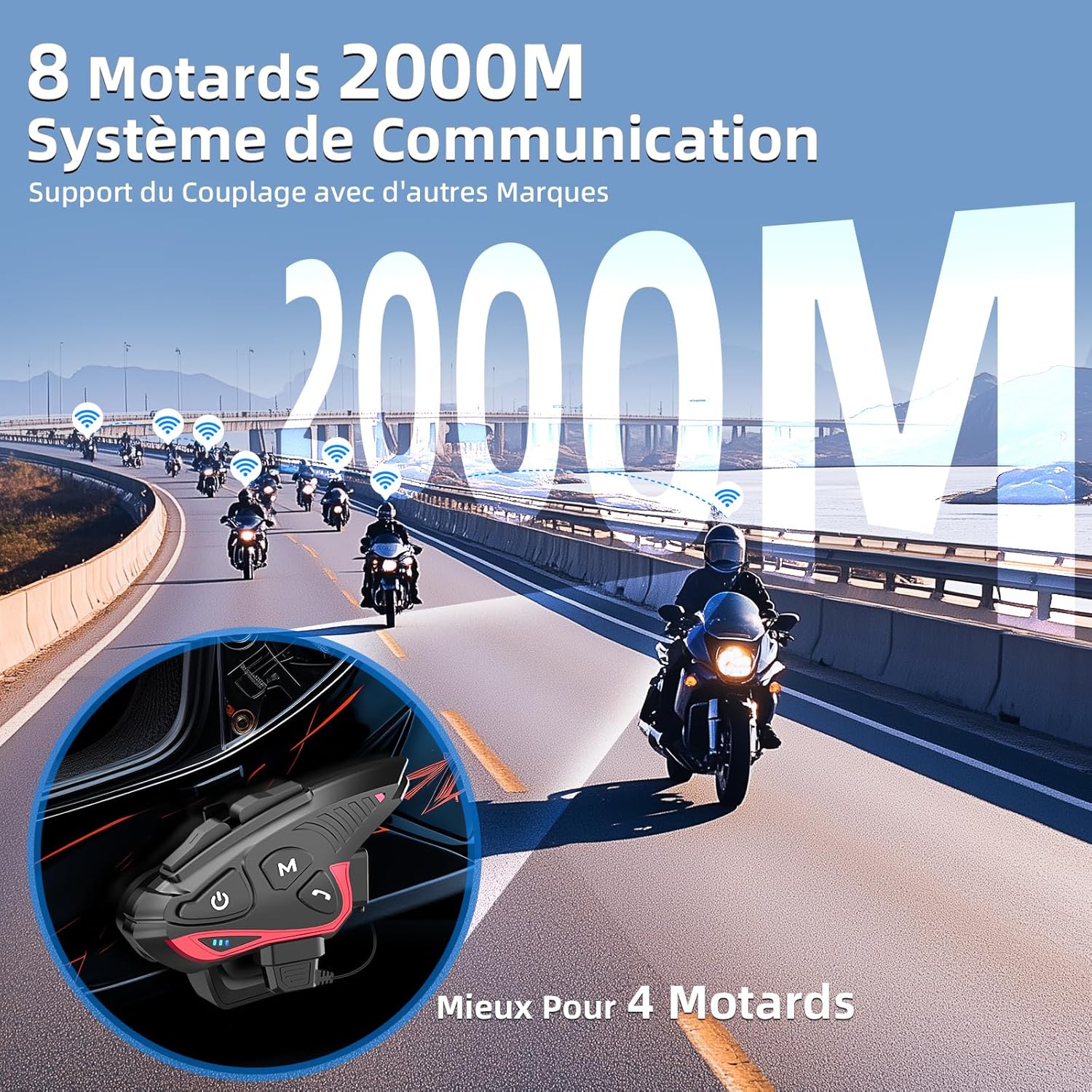
Figure 4: Group intercom communication range and capabilities.
4.6. ኤፍኤም ሬዲዮ
- Activate the FM radio function to listen to broadcasts while riding.
ቪዲዮ 2፡ አልቋልview of Moman H2S Intercom features (similar to CP-S).
5. ዝርዝሮች
| ባህሪ | መግለጫ |
|---|---|
| የሞዴል ቁጥር | ሲፒ-ኤስ |
| ገመድ አልባ ቴክኖሎጂ | ብሉቱዝ 5.1 |
| የኢንተርኮም ክልል | Up to 2000m (8 riders), 1000m (2 riders) |
| የባትሪ አቅም | 900mAh |
| የኃይል መሙያ ጊዜ | 2 ሰዓታት |
| የኢንተርኮም ሰዓት | እስከ 28 ሰዓታት ድረስ |
| የሙዚቃ ማጫዎቻ ጊዜ | እስከ 33 ሰዓታት ድረስ |
| የመጠባበቂያ ጊዜ | እስከ 300 ሰዓታት ድረስ |
| የውሃ መቋቋም | IP65 (ውሃ መከላከያ) |
| የድምፅ ቅነሳ | DSP and 12th Gen CVC |
| የድምጽ ማጉያ መጠን | 40mm Hi-Fi |
| የመቆጣጠሪያ ዘዴ | ድምጽ፣ አዝራሮች |
| የድምጽ ጥያቄዎች | 8 languages (Chinese, English, Japanese, German, French, Italian, Spanish, Korean) |
| ቁሳቁስ | ፕላስቲክ |
| ልዩ ባህሪያት | Noise cancellation, Water resistant, Music sharing, FM Radio, AI Voice Assistant, Interchangeable shells |

ምስል 5፡ የባትሪ ህይወት እና የባትሪ መሙያ ዝርዝሮች።
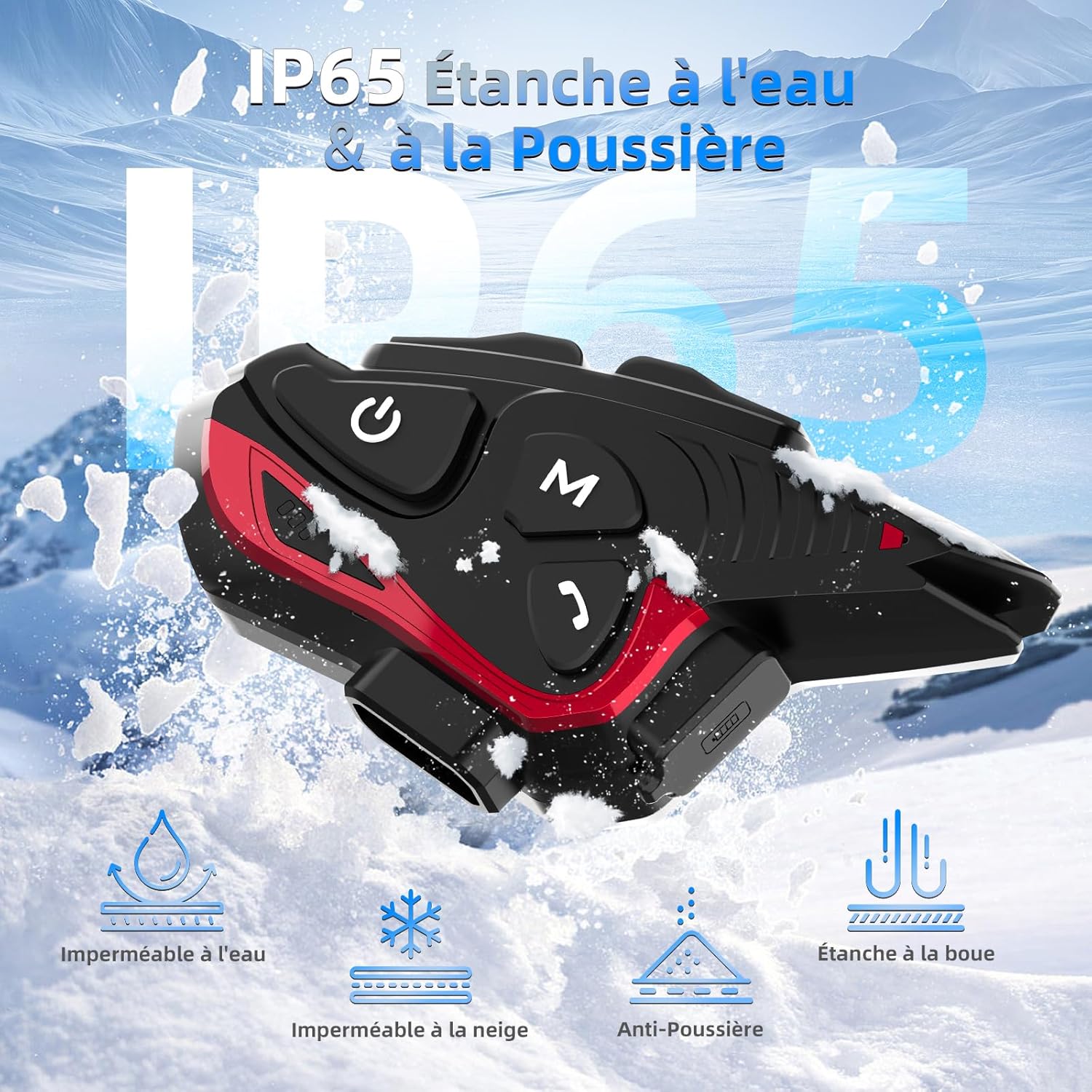
ምስል 6: IP65 የውሃ እና አቧራ መቋቋም.
6. ጥገና
- መሳሪያውን ንጹህና ደረቅ አድርገው ያስቀምጡት። ለስላሳ በሆነ ጨርቅ ይጥረጉ፣amp ጨርቅ.
- መሳሪያውን ለረጅም ጊዜ ለከፍተኛ ሙቀት ወይም ቀጥተኛ የፀሐይ ብርሃን ከማጋለጥ ይቆጠቡ።
- የውሃ መከላከያን ለመጠበቅ ባትሪ በማይሞላበት ጊዜ የኃይል መሙያ ወደብ ሽፋን ደህንነቱ በተጠበቀ ሁኔታ መዘጋቱን ያረጋግጡ።
- የባትሪውን ጤና ለመጠበቅ መሳሪያውን በመደበኛነት ይሙሉት፣ ጥቅም ላይ ባይውልም እንኳ።
7. መላ መፈለግ
7.1. ምንም ኃይል የለም
- ባትሪው መሙላቱን ያረጋግጡ። በተሰጠው የዩኤስቢ ገመድ በመጠቀም መሳሪያውን ከኃይል ምንጭ ጋር ያገናኙት።
- Check if the power button is being held for the correct duration (3 seconds).
7.2. ከስልክ ጋር ማጣመር አይቻልም
- Ensure the device is in pairing mode (red and blue indicator lights flashing).
- የስልክዎን ብሉቱዝ ያጥፉ እና ያብሩ።
- መሣሪያው ከስልክዎ ክልል ውስጥ መሆኑን ያረጋግጡ።
- Forget previous Bluetooth connections on your phone and try pairing again.
7.3. Poor Audio Quality/Noise
- Ensure speakers are correctly positioned near your ears and the microphone is close to your mouth.
- Check for any obstructions around the microphone.
- Verify that the volume is adjusted appropriately.
- The device features DSP and CVC noise reduction, which should minimize ambient noise. If issues persist, ensure the microphone is not picking up excessive wind noise.
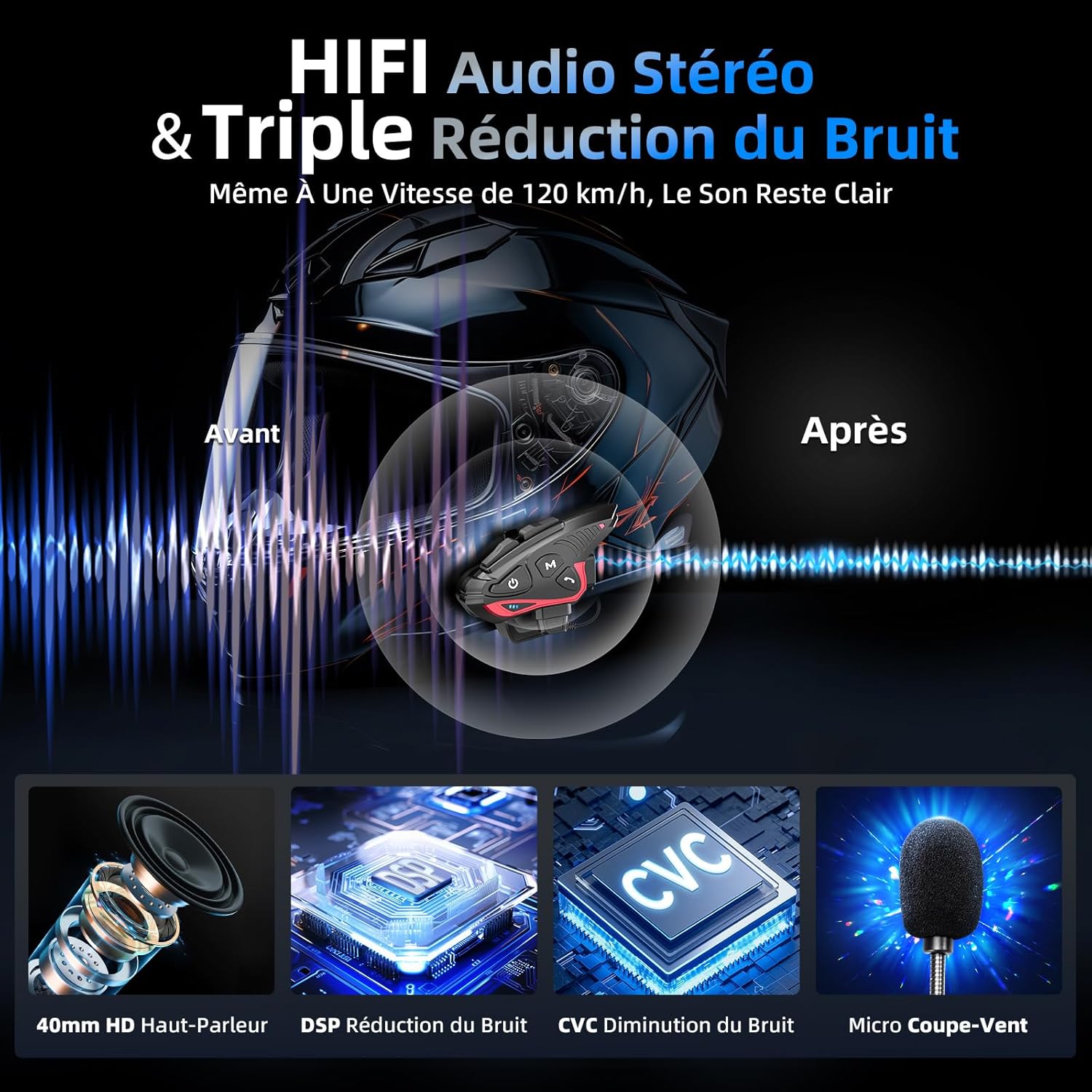
Figure 7: Audio quality and noise reduction technology.
8. ዋስትና እና ድጋፍ
The Moman CP-S Motorcycle Intercom System comes with a 2-year manufacturer's warranty. For technical support, warranty claims, or any other inquiries, please contact Moman customer service through their official channels.


