መግቢያ
The Raycon Open Headphones are engineered to provide an immersive audio experience while maintaining real-time awareness of your surroundings. Their lightweight, over-ear design ensures comfort for extended wear, making them suitable for various activities from work to exercise. This manual will guide you through the essential steps to set up, operate, and maintain your headphones.
ቁልፍ ባህሪዎች
- Real-Time Awareness: Non-intrusive design keeps ear canals free, allowing environmental sounds to be heard.
- Surround Sound Quality: Delivers rich, detailed audio with advanced surround sound technology.
- የ12 ሰዓታት የባትሪ ዕድሜ፡ Provides extended listening time on a single charge.
- ባለሁለት ማይክሮፎን; Ensures clear call quality with maximum audio pickup.
- 5.3 Bluetooth Technology: Offers a strong and stable wireless connection to your devices.
በሣጥኑ ውስጥ ያለው
Upon opening your Raycon Open Headphones package, please ensure all the following components are present:
- Raycon Open Headphones (Black)
- የተጠቃሚ መመሪያ (ይህ ሰነድ)
- Charging Cable (Proprietary)
ማዋቀር
1. የጆሮ ማዳመጫዎችን መሙላት
Before initial use, fully charge your Raycon Open Headphones. Connect the provided charging cable to the charging port on the headphones and plug the other end into a compatible USB power source. The LED indicator will show charging status and turn off when fully charged.
2. ማብራት / ማጥፋት
- አብራ፡ የ LED አመልካች እስኪበራ እና የድምጽ መልእክት እስኪሰሙ ድረስ የኃይል ቁልፉን ተጭነው ይቆዩ።
- ኃይል ዝጋ: የ LED አመልካች እስኪጠፋ ድረስ የኃይል አዝራሩን ተጭነው ይያዙት እና የድምጽ መልእክት እስኪሰሙ ድረስ።
3. የብሉቱዝ ማጣመር
- የጆሮ ማዳመጫዎች መጥፋታቸውን ያረጋግጡ።
- የ LED አመልካች በፍጥነት እስኪበራ ድረስ የኃይል ቁልፉን ለ5-7 ሰከንዶች ያህል ተጭነው ይያዙት፣ ይህም የማጣመሪያ ሁነታን ያሳያል።
- በመሳሪያዎ ላይ (ስማርትፎን፣ ታብሌት፣ ኮምፒውተር) ብሉቱዝን አንቃ እና የሚገኙ መሳሪያዎችን ፈልግ።
- Select "Raycon Open Headphones" from the list of found devices.
- Once connected, the LED indicator will stop flashing and remain solid, and you will hear a confirmation tone.
4. የጆሮ ማዳመጫዎችን መልበስ
The Raycon Open Headphones are designed for a comfortable and secure fit. Place the ear hooks over your ears, ensuring the speakers are positioned just outside your ear canals. Adjust the band around the back of your neck for optimal comfort and stability.
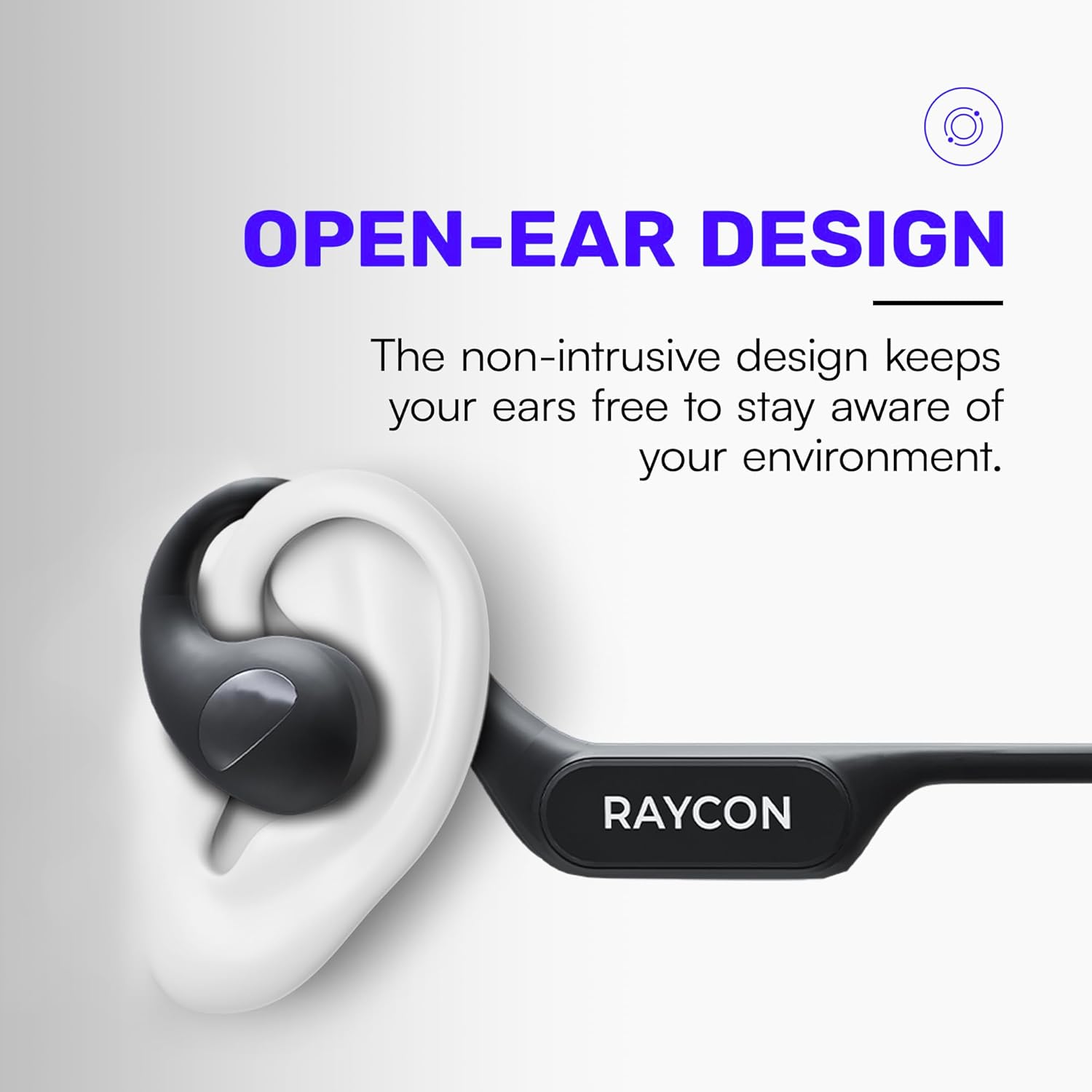
Image: Proper placement of the Raycon Open Headphones, highlighting the open-ear design for comfort and awareness.
የአሠራር መመሪያዎች
መቆጣጠሪያዎች አብቅተዋልview

Image: The control buttons are located on the left side of the headphone band.
- የኃይል ቁልፍ፡- ለማብራት/ ለማጥፋት ተጭነው ይያዙ።
- የድምጽ መጠን መጨመር (+): ድምጽን ለመጨመር አጭር ተጫን።
- ድምጽ መቀነስ (-): ድምጽን ለመቀነስ አጭር ይጫኑ።
- አጫውት/ ለአፍታ አቁም፡ Double-tap the main control button to play or pause audio.
- ቀጣይ ትራክ፡ Triple-tap the main control button to skip to the next track.
- ቀዳሚ ትራክ (Functionality may vary, refer to device settings or specific app controls).
- መልስ/ጥሪ ጨርስ፡ Double-tap the main control button during an incoming call.
- ጥሪን ውድቅ አድርግ፡ Press and hold the main control button during an incoming call.
- የድምፅ ረዳት አግብር Quadruple-tap the main control button to activate your device's voice assistant (e.g., Siri, Google Assistant).
ባለብዙ-ነጥብ ግንኙነት
The Raycon Open Headphones support multi-point connection, allowing you to connect to two devices simultaneously. This feature enables seamless switching between audio sources without re-pairing.

Image: The headphones can connect to multiple devices simultaneously for versatile use.
To use multi-point connection:
- Pair the headphones with your first device as described in the "Bluetooth Pairing" section.
- በመጀመሪያው መሣሪያ ላይ ብሉቱዝን ያሰናክሉ። የጆሮ ማዳመጫዎቹ የማጣመሪያ ሁነታን እንደገና ያስገባሉ።
- የጆሮ ማዳመጫዎቹን ከሁለተኛው መሳሪያዎ ጋር ያጣምሩ.
- በመጀመሪያው መሣሪያ ላይ ብሉቱዝን እንደገና አንቃ። የጆሮ ማዳመጫዎች በራስ-ሰር ከሁለቱም መሳሪያዎች ጋር መገናኘት አለባቸው.
- ድምጽን በንቃት ከሚያስተላልፈው መሳሪያ ላይ ኦዲዮ ይጫወታል።
ጥገና
ማጽዳት
Regularly clean your headphones to ensure optimal performance and hygiene. Use a soft, dry, lint-free cloth to wipe down the surfaces. For stubborn dirt, slightly dampen the cloth with water. Avoid using harsh chemicals, cleaning solvents, or strong detergents.
ማከማቻ
When not in use, store your headphones in a cool, dry place away from direct sunlight and extreme temperatures. Avoid placing heavy objects on top of the headphones to prevent damage.
የባትሪ እንክብካቤ
To prolong battery life, avoid fully discharging the headphones frequently. Charge them regularly, even if not in constant use. If storing for an extended period, charge the battery to approximately 50% before storage.

Image: The headphones offer up to 12 hours of battery life for extended use.
መላ መፈለግ
If you encounter any issues with your Raycon Open Headphones, please refer to the following common solutions:
- ድምጽ የለም፡ Ensure the headphones are powered on, paired correctly, and the volume is turned up on both the headphones and the connected device. Check if the audio source is playing.
- የማጣመሪያ ጉዳዮች፡- Turn off Bluetooth on all previously paired devices. Power off the headphones, then re-enter pairing mode and try connecting again. Ensure the headphones are within the Bluetooth range of your device.
- የመሙላት ጉዳዮች፡- Verify that the charging cable is securely connected to both the headphones and the power source. Try a different USB port or power adapter. Ensure the charging cable is not damaged.
- ደካማ የድምፅ ጥራት; Ensure the headphones are fully charged. Check for any obstructions between the headphones and your device. Move closer to your device to reduce interference.
- ማይክሮፎን አይሰራም; Ensure the headphones are properly connected. Check the microphone settings on your connected device to ensure the Raycon headphones are selected as the input device.
If the issue persists after trying these steps, please contact Raycon customer support for further assistance.
ዝርዝሮች
| ባህሪ | ዝርዝር |
|---|---|
| የሞዴል ስም | RBO841-24E-BLA |
| የግንኙነት ቴክኖሎጂ | ገመድ አልባ |
| ገመድ አልባ የመገናኛ ቴክኖሎጂ | ብሉቱዝ 5.3 |
| የባትሪ ህይወት | 12 ሰዓታት |
| የጆሮ ማዳመጫ ቅርጽ | ከጆሮ በላይ |
| የጆሮ አቀማመጥ | ጆሮ ክፈት |
| የቅጽ ምክንያት | ከጆሮ በላይ |
| የድምጽ መቆጣጠሪያ | የድምፅ ማግለል |
| የእቃው ክብደት | 5.6 አውንስ |
| አምራች | ሬይኮን |
| ዩፒሲ | 811162032347 |
ዋስትና እና ድጋፍ
Your Raycon Open Headphones are covered by a return policy allowing for a refund or replacement within 30 days of purchase. For detailed warranty information or technical support, please contact Raycon customer service directly.


