መግቢያ
Welcome to your Amazon Echo Show 11. This manual provides essential information for setting up, operating, maintaining, and troubleshooting your device. The Echo Show 11 features a vibrant Full-HD 11-inch display, spatial audio, and integrates with Alexa+ for a personalized smart home experience.

ምስል 1፡ The Amazon Echo Show 11, showcasing its 11-inch display with smart home widgets and a photo slideshow. The device sits on a fabric-covered base.
በሣጥኑ ውስጥ ያለው
Upon unboxing your Amazon Echo Show 11, you should find the following items:
- Echo Show 11 (2025 release) device
- የኃይል አስማሚ (30 ዋ)
- ፈጣን ጅምር መመሪያ
ማዋቀር
የኢኮ ሾው 11ዎን ለማዋቀር እነዚህን ደረጃዎች ይከተሉ፡
- አብራ፡ Connect the included 30W power adapter to your Echo Show 11 and plug it into a wall outlet. The device will automatically power on.
- የመጀመሪያ ውቅር፡ Follow the on-screen instructions to select your language, connect to a Wi-Fi network, and log in with your Amazon account. The Echo Show 11 supports Wi-Fi 6E (802.1ax) and 802.11a/b/g/n/ac networks.
- አሌክሳ መተግበሪያ፡ ለሙሉ ተግባር እና የላቁ ቅንብሮች፣ የAlexa መተግበሪያን በFire OS፣ Android ወይም iOS መሳሪያዎ ላይ ያውርዱ። መተግበሪያው እንዲሁም በ web አሳሽ.
- ቀላል ዋይ ፋይ ማዋቀር፡- If you have other Amazon devices, Wi-Fi Simple Setup can streamline the connection process to your network.
መሣሪያውን በመሥራት ላይ
ማሳያ እና ኦዲዮ
The Echo Show 11 features a 10.95-inch Full HD touchscreen with 1920 x 1200 resolution. Enjoy room-filling spatial audio with a 2.8-inch woofer and two full-range drivers for crisp vocals and a wider sound stage.
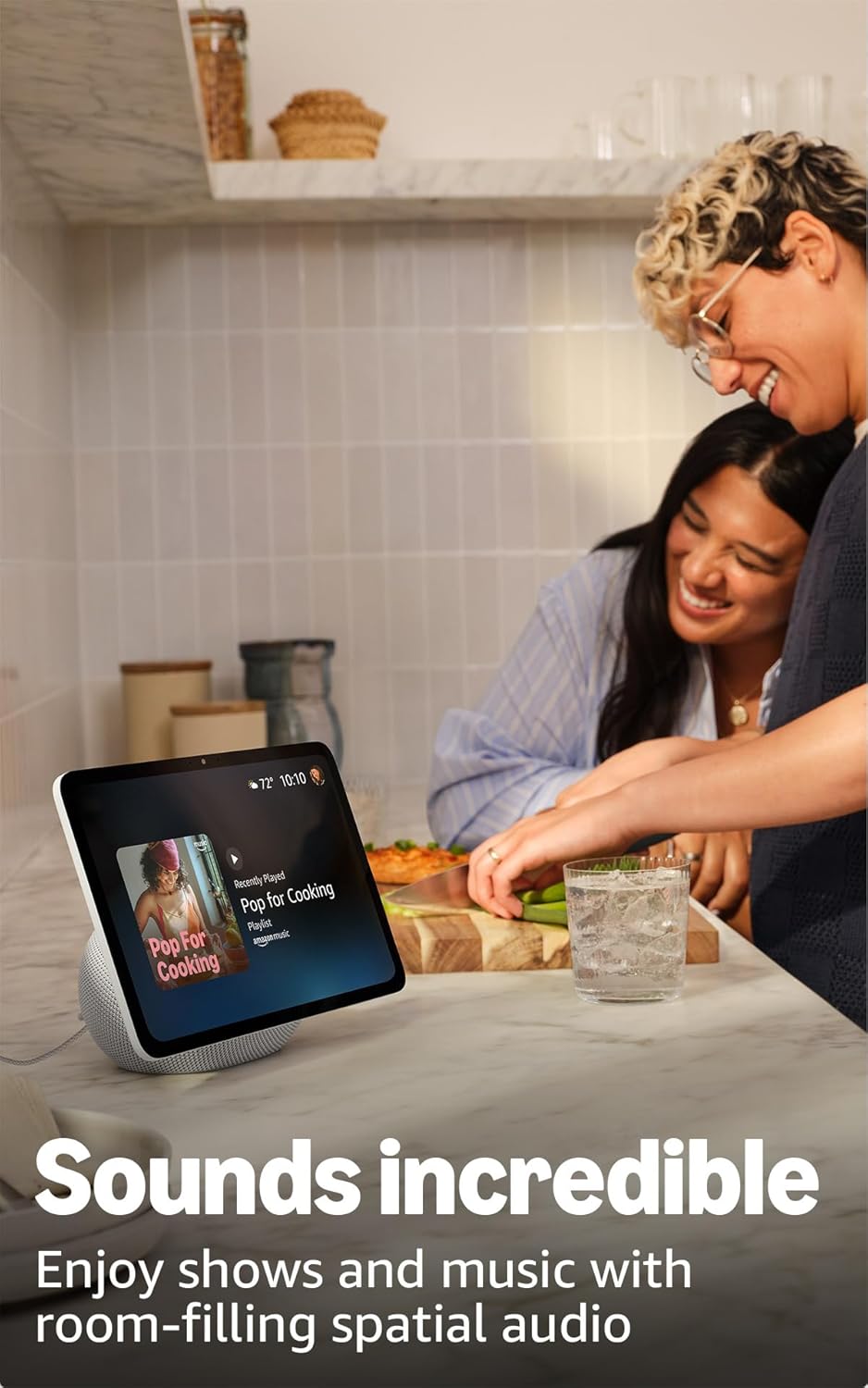
ምስል 2፡ The Echo Show 11 playing music, demonstrating its vibrant display and audio capabilities.
Alexa+ Early Access
Your device includes Alexa+ Early Access, offering a smarter and more proactive AI assistant. The new Alexa+ home screen provides glanceable information and personalized content, including helpful follow-ups, customized notifications, and information based on your interests.

ምስል 3፡ Visual representation of the new Alexa+ experience.
Everyday Assistant
Use your Echo Show 11 to manage daily tasks. The 11-inch display makes it easy to view recipes, calendars, shopping lists, and more. With Alexa+, you can find recipes, make reservations, and order groceries.
ዘመናዊ የቤት መቆጣጠሪያ
The Echo Show 11 features a built-in smart home hub (Zigbee + Matter + Thread Border Router), allowing you to pair and control thousands of compatible devices without an additional hub. View camera feeds, manage lights, and adjust thermostats using the display or your voice. Omnisense technology enables routines via temperature, presence, or visual ID detection.

ምስል 4፡ The Echo Show 11 showing its smart home control interface, managing various devices.
Crystal-Clear Video Calls
Engage in video calls on the vibrant 11-inch screen. The 13 MP camera features auto-framing, 3.3x zoom, and noise reduction technology for natural conversations. Use Live View to check on your home remotely.
Photo Memories Display
When not in use, the 11-inch home screen can function as a digital photo frame. Ask Alexa+ to find specific photos or curate a personal slideshow from your Amazon Photos.
የግላዊነት ባህሪያት
Echo Show 11 በበርካታ የግላዊነት መቆጣጠሪያዎች የተነደፈ ነው፡-
- Microphones & Camera Enable/Disable Button: አካላዊ ቁልፍ ማይክሮፎኖቹን እና ካሜራውን በኤሌክትሮኒክ መንገድ እንዲያላቅቁ ያስችልዎታል።
- Dedicated Camera Controls: Additional camera controls are available on the device and within the Alexa app.
- ዋክ ቃል ቴክኖሎጂ፡- Alexa only begins recording and sending your requests to the cloud after detecting the wake word.
- Voice Recording Review: እንደገና ማድረግ ይችላሉview and delete your voice recordings through the Alexa app or your Amazon account settings.

ምስል 5፡ The physical button on the side of the Echo Show 11 to enable or disable the microphones and camera.
የተደራሽነት ባህሪያት
The Echo Show 11 offers various accessibility features to personalize Alexa to your abilities. Access these settings via ቅንብሮች → ተደራሽነት on your device:
- ወደ Alexa ንካ፡ በማያ ገጽ ላይ ሰቆች ወይም በቁልፍ ሰሌዳ በኩል በመንካት ከአሌክሳ ጋር ይገናኙ።
- የሚለምደዉ ማዳመጥ፡ አሌክሳ ከመመለሱ በፊት ለመናገር ለመጨረስ ተጨማሪ ጊዜ ይሰጣል።
- ተመራጭ የንግግር መጠን፡- አሌክሳ ምን ያህል ፈጣን ወይም ቀርፋፋ እንደሚናገር ይቆጣጠሩ።
- መግለጫ ጽሑፍ Includes Alexa Captioning, Call Captioning, and Closed Captioning for supported content.
- አሳይ እና ይንገሩ፡- Helps users who are blind or visually impaired identify products by saying "Alexa, what am I holding."
- ድምጽView ስክሪን አንባቢ፡- ለዓይነ ስውራን ወይም ማየት ለተሳናቸው ተጠቃሚዎች የንግግር ግብረመልስ ይሰጣል።
- ስክሪን ማጉያ፡ አሳንስ/አውጣ እና በማያ ገጹ ዙሪያ ይንጠፍቁ።
- አቅራቢያ ሲሆን አሳውቅ፡- ከEcho መሣሪያዎ አጠገብ ሲገኙ የማሳወቂያ ድምጾችን ያጫውታል።
- Kindle ጮክ ብሎ አንብብ፡- አሌክሳ የእርስዎን Kindle መጽሐፍት ጮክ ብሎ ማንበብ ይችላል።
- የእውነተኛ ጊዜ ጽሑፍ፡- በቪዲዮ ጥሪ ጊዜ የቀጥታ ጽሑፍ ይተይቡ።
- Additional features include Color Inversion, Color Correction, and Request Sound.
ጥገና
አጠቃላይ እንክብካቤ
To ensure the longevity and optimal performance of your Echo Show 11:
- Keep the device clean by gently wiping the screen and body with a soft, dry, lint-free cloth.
- መሳሪያውን ለከፍተኛ ሙቀት፣ ለረጅም ጊዜ በቀጥታ ለፀሐይ ብርሃን ወይም ከመጠን በላይ እርጥበት እንዳያጋልጡ።
- ገላጭ ማጽጃዎችን ወይም ፈሳሾችን አይጠቀሙ.
የሶፍትዌር ደህንነት ዝመናዎች
Amazon regularly provides software security updates to enhance the performance and security of your Echo Show 11. Ensure your device is connected to the internet to receive these updates automatically. For more information, visit the Amazon website or manage your content and devices.
መላ መፈለግ
If you encounter issues with your Echo Show 11, consider the following basic troubleshooting steps:
- ኃይል የለም፡ የኃይል አስማሚው ከመሣሪያው እና ከሚሠራው የኃይል ምንጭ ጋር ደህንነቱ በተጠበቀ ሁኔታ መገናኘቱን ያረጋግጡ።
- የWi-Fi ግንኙነት ችግሮች፡- Check your Wi-Fi router and ensure it is powered on and functioning. Try restarting your Echo Show 11 and your router. Verify your Wi-Fi password is correct.
- አሌክሳ ምላሽ አይሰጥም Ensure the microphone is not muted (check the privacy button). Speak clearly and ensure you are within range of the device.
- ማያ ምላሽ የማይሰጥ፡ ለጥቂት ሰከንዶች በማላቀቅ እና እንደገና በማገናኘት መሳሪያውን እንደገና ለማስጀመር ይሞክሩ።
- የድምጽ ጉዳዮች፡- Check the volume settings on the device. Ensure no external Bluetooth speakers are connected if you intend to use the internal speakers.
ለተጨማሪ ዝርዝር መላ ፍለጋ ወይም ቀጣይ ችግሮች፣ የአማዞን ድጋፍን ይመልከቱ። webጣቢያ ወይም የደንበኛ አገልግሎትን ያነጋግሩ።
ዝርዝሮች

ምስል 6፡ Size comparison between the Echo Show 11 and Echo Show 8.
| መጠን | 10” x 5” x 7.2“ (255mm x 127mm x 182mm) |
| ክብደት | 45.92 አውንስ (1302 ግራም) |
| ማሳያ | 10.95” Full HD touchscreen with 1920 x 1200 resolution |
| ካሜራ | 13 MP with auto framing |
| ኦዲዮ | 1 X 2.8” Woofer and 2 full-range drivers |
| የ Wi-Fi ግንኙነት | Wi-Fi 6E (802.1ax) supported. Tri-band, Wi-Fi (SISO). Supports 802.11a/b/g/n/ac Wi-Fi networks. Does not support connecting to ad-hoc Wi-Fi networks. |
| ስማርት የቤት ሃብ | ዚግቤ + ጉዳይ + ክር የድንበር ራውተር |
| የብሉቱዝ ግንኙነት | የላቀ የኦዲዮ ስርጭት ፕሮfile (A2DP) እና ኦዲዮ/ቪዲዮ የርቀት መቆጣጠሪያ Profile (AVRCP) support. Bluetooth speakers requiring PIN codes are not supported. |
| ፕሮሰሰር | AZ3 Pro with AI Accelerator |
| ዳሳሾች | Ambient Temperature Sensor, Ambient Light Sensor, Presence Detection, Camera |
| ኦምኒሴንስ ቴክኖሎጂ | Custom technology for ambient AI, enabling visual ID, proximity and presence detection, temperature sensing, and adaptive brightness and color. |
| የስርዓት መስፈርቶች | Echo Show 11 connects to Wi-Fi. Alexa app compatible with Fire OS, Android, iOS, and web አሳሾች. |
| ቋንቋ | አሌክሳ እንግሊዝኛ እና ስፓኒሽ ይናገራል |
ዋስትና እና ድጋፍ
ዋስትና
Your Amazon Echo Show 11 comes with a 1-year limited warranty and service. Optional 1-year, 2-year, and 3-year extended warranties are available for U.S. customers, sold separately. Use of the Echo Show 11 is subject to the terms found on the Amazon webጣቢያ.
የደንበኛ ድጋፍ
ለተጨማሪ እርዳታ፣ የቴክኒክ ድጋፍ ወይም የዋስትና ጥያቄዎች፣ እባክዎን ኦፊሴላዊውን የአማዞን ድጋፍ ይጎብኙ website or contact Amazon customer service directly. You can also find more information and FAQs in the Alexa Privacy Hub and about Amazon Sidewalk on the Amazon webጣቢያ.


