1. መግቢያ
ስለገዙ እናመሰግናለንasing the Salange HY300Pro Mini Projector. This manual provides essential information for setting up, operating, and maintaining your projector. Please read it thoroughly before use to ensure optimal performance and longevity of your device.
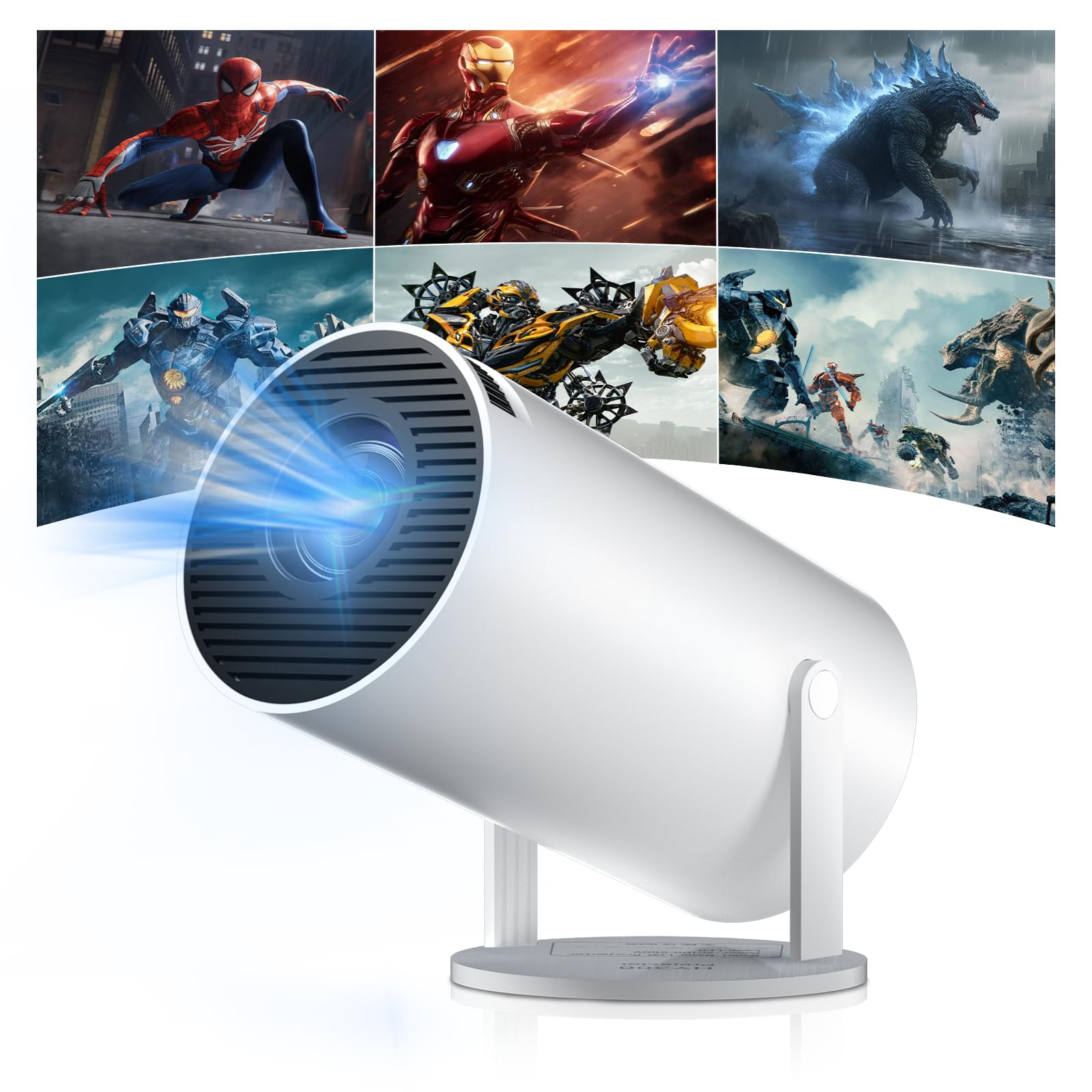
Figure 1: Salange HY300Pro Mini Projector
2. ምርት አብቅቷልview
ቁልፍ ባህሪያት
- ባለሁለት ባንድ ዋይፋይ 6 እና ብሉቱዝ 5.4፡ Ensures fast and stable network connectivity and seamless audio pairing with external speakers or headphones.
- አንድሮይድ 11.0 ኦፕሬቲንግ ሲስተም፡- Supports installation of various applications directly on the projector for versatile entertainment and productivity.
- 4K Support & Native 720P Resolution: Delivers clear and vibrant images, supporting 1080P and 4K video playback.
- 180° ማሽከርከር፡ Flexible projection angles for various setups, including ceiling, wall, or angled surfaces.
- Automatic Keystone Correction & Manual Focus: Intelligently corrects image distortion and allows for fine-tuning clarity.
- የታመቀ እና ተንቀሳቃሽ ንድፍ; Weighs only 700g, making it easy to transport for outdoor activities or different rooms.

ምስል 2 - ተጠናቀቀview of Salange HY300Pro features including 8K support, WiFi 6, Bluetooth 5.4, 180° rotation, and auto keystone correction.
በሣጥኑ ውስጥ ያለው
- 1 x Salange HY300Pro Projector
- 1 x የተጠቃሚ መመሪያ
- 1 x የኃይል ገመድ
- 1 x የርቀት መቆጣጠሪያ

Figure 3: Contents of the Salange HY300Pro package.
3. ማዋቀር
3.1 ማሸግ እና አቀማመጥ
- ሁሉንም ንጥረ ነገሮች ከማሸጊያው ውስጥ በጥንቃቄ ያስወግዱ.
- Place the projector on a stable, flat surface. Ensure adequate ventilation around the device.
- The projector's 180° rotation feature allows flexible placement. Adjust the projector's angle to project onto a wall, ceiling, or screen as desired.

Figure 4: Projector demonstrating 180-degree rotation for various projection surfaces.
3.2 የኃይል ግንኙነት
Connect the provided power cable to the projector's power input and then to a power outlet.
3.3 የመጀመሪያ የኃይል ማብሪያ እና የትኩረት ማስተካከያ
- መሣሪያውን ለማብራት በፕሮጀክተሩ ላይ ያለውን የኃይል አዝራሩን ወይም የርቀት መቆጣጠሪያውን ይጫኑ።
- The projector features automatic keystone correction. It will intelligently detect and correct image distortion to ensure a square image.
- For fine-tuning the image clarity, use the manual focus adjustment ring on the projector.

Figure 5: Illustration of automatic keystone correction and manual focus adjustment.
3.4 የአውታረ መረብ ግንኙነት (ዋይፋይ)
- Navigate to the 'Settings' menu on the projector's home screen.
- Select 'Network & Internet' and enable Wi-Fi.
- Choose your desired Wi-Fi network from the list and enter the password if prompted. The projector supports dual-band 2.4G + 5G WiFi 6 for fast and stable connections.

Figure 6: Visual representation of the projector's WiFi 6 capabilities for ultra-fast streaming.
3.5 የብሉቱዝ ማጣመር
- From the 'Settings' menu, select 'Connected Devices' or 'Bluetooth'.
- ብሉቱዝን አንቃ እና የሚገኙ መሳሪያዎችን ፈልግ።
- ለማጣመር ከዝርዝሩ ውስጥ የእርስዎን የብሉቱዝ ድምጽ ማጉያ ወይም የጆሮ ማዳመጫ ይምረጡ።

Figure 7: Projector connected to various Bluetooth audio devices.
3.6 የውጭ መሳሪያዎችን ማገናኘት
The projector supports HDMI and USB connections.
- ኤችዲኤምአይ: Connect your laptop, game console, Blu-ray player, or TV stick using an HDMI cable. Select the corresponding HDMI input source from the projector's input menu.
- ዩኤስቢ፡ ሚዲያ ለማጫወት የዩኤስቢ ድራይቭ ያስገቡ files directly. Access the files through the media player application on the Android OS.
4. የአሠራር መመሪያዎች
4.1 የአንድሮይድ ስርዓተ ክወና ማሰስ
The Salange HY300Pro runs on Android 11.0, providing a smart TV experience.
- የርቀት መቆጣጠሪያውን በመጠቀም የመነሻ ማያ ገጹን፣ አፕሊኬሽኖችን እና ቅንብሮችን ማሰስ ይችላሉ።
- The interface is intuitive, similar to an Android smartphone or tablet.

Figure 8: Projector displaying the Android OS home screen with various streaming apps.
4.2 የመተግበሪያ አስተዳደር
You can install and manage applications directly on the projector.
- Access the app store (e.g., Google Play Store) to download streaming services, games, and productivity tools.
- To uninstall an app, go to 'Settings' > 'Apps' and select the desired app.
4.3 ስክሪን ማንጸባረቅ
Mirror your smartphone or tablet screen to the projector wirelessly.
- መሳሪያዎም ሆነ ፕሮጀክተሩ ከተመሳሳይ የWi-Fi አውታረ መረብ ጋር መገናኘታቸውን ያረጋግጡ።
- On the projector, select the screen mirroring function (e.g., 'Miracast', 'AirPlay', or 'Screen Share').
- On your smartphone/tablet, enable screen mirroring and select the projector from the list of available devices.
4.4 የምስል እና የድምጽ ቅንብሮች
Adjust various settings to optimize your viewልምድ.
- የሥዕል ቅንጅቶች Access 'Settings' > 'Display' to adjust brightness, contrast, color, and aspect ratio.
- የድምጽ ቅንብሮች፡- Access 'Settings' > 'Sound' to adjust volume, sound mode, and output device.

Figure 9: Projector displaying a large image, illustrating its ability to create a home cinema experience.
5. ጥገና
5.1 ሌንስን ማጽዳት
የፕሮጀክተር ሌንስን በቀስታ ለማጽዳት ለኦፕቲካል ሌንሶች የተነደፈ ለስላሳ፣ ከላጣ ነፃ የሆነ ጨርቅ ይጠቀሙ። ሻካራ ማጽጃዎችን ወይም ከመጠን በላይ ኃይል አይጠቀሙ።
5.2 የአየር ማናፈሻ
Ensure the projector's ventilation vents are clear of dust and obstructions. Blocked vents can lead to overheating and reduced performance. Periodically clean the vents with a soft brush or compressed air.
5.3 ማከማቻ
ረዘም ላለ ጊዜ ጥቅም ላይ በማይውልበት ጊዜ ፕሮጀክተሩን በቀጥታ ከፀሀይ ብርሀን እና ከከፍተኛ ሙቀት ርቆ በቀዝቃዛና ደረቅ ቦታ ያከማቹ። የአቧራ መከማቸትን እና መጎዳትን ለመከላከል ዋናውን ማሸጊያ ወይም መከላከያ መያዣ ይጠቀሙ።
6. መላ መፈለግ
| ችግር | ሊሆን የሚችል ምክንያት | መፍትሄ |
|---|---|---|
| ምንም ምስል አልታየም። | Power cable disconnected; Incorrect input source; Projector in standby mode. | Check power connection; Select correct HDMI/USB input; Press power button to wake up. |
| ምስሉ ደብዛዛ ነው | ትኩረት አልተስተካከለም፤ ፕሮጀክተር ከማያ ገጹ በጣም ርቆ/በጣም ቅርብ። | Adjust manual focus ring; Ensure projector is within optimal projection distance. |
| ድምጽ የለም። | Volume too low; Muted; Incorrect audio output selected; Bluetooth device not paired. | Increase volume; Unmute; Check audio settings; Re-pair Bluetooth device. |
| የWi-Fi/ብሉቱዝ ግንኙነት ችግሮች | Incorrect password; Out of range; Interference. | Verify password; Move closer to router/device; Reduce interference from other electronics. |
| የርቀት መቆጣጠሪያ አይሰራም | Dead batteries; Obstruction; Not paired. | ባትሪዎችን ይተኩ፤ እንቅፋቶችን ያስወግዱ፤ አስፈላጊ ከሆነ የርቀት መቆጣጠሪያውን እንደገና ያጣምሩ። |
7. ዝርዝሮች
| ባህሪ | ዝርዝር |
|---|---|
| የምርት ስም | ሳላንግ |
| የሞዴል ቁጥር | X-HY300PRO |
| ተከታታይ | Salange Mini Beamer |
| ቀለም | ነጭ |
| የማሳያ ዓይነት | LCD |
| ቤተኛ ውሳኔ | 1280 x 720 ፒ |
| ከፍተኛው የማሳያ ጥራት | 3840 x 2160 (4K የሚደገፍ) |
| የግንኙነት ቴክኖሎጂ | Bluetooth, Wi-Fi (WiFi 6) |
| የሃርድዌር በይነገጽ | ብሉቱዝ፣ ኤችዲኤምአይ፣ ዩኤስቢ |
| ተስማሚ መሣሪያዎች | Smartphones, Laptops, Game Consoles, Blu-ray Players, Media Players |
| የንጥል መጠኖች (L x W x H) | 9.5 x 9.5 x 15.7 ሴንቲሜትር |
| ልዩ ባህሪያት | Wi-Fi Compatible, Digital Keystone Correction, Lightweight, Portable, 180° Rotation |
| የሚመከር አጠቃቀሞች | Business, Home Cinema, Gaming, Education |
| የቅጽ ምክንያት | ተንቀሳቃሽ |
| የመጫኛ አይነት | የጠረጴዛ ተራራ |
8. ዋስትና እና ድጋፍ
For warranty information and technical support, please refer to the documentation included with your purchase or visit the official Salange webጣቢያ. ለዋስትና ጥያቄዎች የግዢ ማረጋገጫዎን ያስቀምጡ።