1. መግቢያ
This manual provides detailed instructions for the installation, operation, and maintenance of your Luowice Solar Security Camera. This wireless outdoor camera features a 3W solar panel for continuous power, 360° pan and tilt functionality, 3MP color night vision, and is designed to be weatherproof for reliable outdoor use. Please read this manual thoroughly before use to ensure proper setup and functionality.

Image 1.1: Luowice Solar Security Camera with integrated solar panel.
2. ምርት አብቅቷልview
2.1 ቁልፍ ባህሪያት
- 100% ገመድ አልባ ማዋቀር፡ Operates on WiFi and powered by a 3W solar panel, eliminating the need for frequent battery charging and complex wiring.
- ሰፊ አንግል ሽፋን፡ Offers 355° horizontal and 90° vertical rotation for comprehensive area monitoring via the O-KAM PRO app.
- 3MP Color Night Vision: Provides clear, high-resolution video day and night, including full-color night vision with floodlights.
- Motion-Triggered Floodlights & Auto Tracking: Automatically activates floodlights and tracks human-shaped objects upon detection, enhancing security.
- ባለሁለት መንገድ ኦዲዮ፡- Allows real-time communication with visitors or deterrence of intruders.
- የአካባቢ እና የደመና ማከማቻ፡ Supports micro SD card (up to 128GB, not included) for 24/7 loop recording and optional cloud storage services.
- የአየር ሁኔታ መከላከያ ንድፍ; IP66 rated, ensuring reliable performance in various severe weather conditions.
- Multi-User Sharing & Data Encryption: Securely share camera access with family members with advanced encryption.
2.2 ክፍሎች
ጥቅሉ በተለምዶ የሚከተሉትን ያጠቃልላል
- Luowice Solar Security Camera
- 3W Solar Panel (integrated or separate with mounting bracket)
- ማፈናጠጥ ቅንፍ እና ብሎኖች
- የዩኤስቢ ባትሪ መሙያ ገመድ
- የተጠቃሚ መመሪያ
3. የማዋቀር መመሪያዎች
3.1 ባትሪውን መሙላት
Before initial use, fully charge the camera's internal battery using the provided USB cable. Connect the cable to the camera's charging port and a standard 5V USB power adapter (not included). The indicator light will show charging status.
3.2 የመተግበሪያ ጭነት እና የመለያ ፈጠራ
- አውርድ ኦ-KAM PRO መተግበሪያ ከስማርትፎንዎ የመተግበሪያ መደብር (አይኦኤስ ወይም አንድሮይድ)።
- አዲስ መለያ ለመፍጠር መተግበሪያውን ይክፈቱ እና በስክሪኑ ላይ ያሉትን መመሪያዎች ይከተሉ ወይም አስቀድመው ካለዎት ይግቡ።
3.3 ካሜራውን ከ Wi-Fi ጋር ማገናኘት
- In the O-KAM PRO app, tap the "+" icon to add a new device.
- የካሜራዎን ሞዴል ይምረጡ ወይም ከተጠየቁ በካሜራው ላይ ያለውን የQR ኮድ ይቃኙ።
- Follow the app's instructions to connect the camera to your 2.4 GHz Wi-Fi network. Ensure your phone is connected to the same 2.4 GHz network during setup.
- አንዴ ከተገናኘ በኋላ የካሜራው አመልካች መብራት ይለወጣል፣ እና በመተግበሪያው ውስጥ ማረጋገጫ ይደርስዎታል።

Image 3.1: The camera supports 2.4 GHz Wi-Fi for stable data transmission.
3.4 ካሜራውን መጫን
Choose a location with optimal sunlight exposure for the solar panel and a clear view ለመከታተል በሚፈልጉት አካባቢ። ካሜራው ከWi-Fi አውታረ መረብዎ ርቀት ውስጥ መሆኑን ያረጋግጡ።
- የመጫኛ ቅንፉን እንደ አብነት በመጠቀም የቁፋሮ ቦታዎችን ምልክት ያድርጉበት።
- አስፈላጊ ከሆነ ቀዳዳዎችን ይከርሙ እና የግድግዳ መልህቆችን ያስገቡ.
- የመጫኛ ቅንፉን ከግድግዳው ጋር በዊንችዎች ያያይዙት።
- Attach the camera to the mounting bracket. Adjust the angle of the solar panel to maximize sunlight exposure.

Image 3.2: Camera mounted outdoors, demonstrating continuous solar power.
4. የአሠራር መመሪያዎች
4.1 ቀጥታ ስርጭት View እና የፓን / ዘንበል መቆጣጠሪያ
Open the O-KAM PRO app and select your camera to access the live view. Use the on-screen controls to pan (355° horizontal) and tilt (90° vertical) the camera to adjust its viewአንግል።

Image 4.1: Remote pan and tilt control via the O-KAM PRO app.
4.2 ባለ ሁለት መንገድ ኦዲዮ
ከቀጥታ view, tap the microphone icon to speak through the camera's speaker. Tap the speaker icon to listen to audio from the camera's vicinity.

Image 4.2: Demonstrating two-way audio communication.
4.3 የእንቅስቃሴ ማወቂያ እና ማንቂያዎች
The camera features advanced motion detection with human shape recognition. When motion is detected, the camera can automatically turn on floodlights, track the object, and send instant alerts to your phone.
- Setting Detection Sensitivity: In the app settings, adjust the detection sensitivity to minimize false alarms.
- Defining Detection Zones: Create specific detection zones to focus monitoring on critical areas and ignore irrelevant movements.
- ማንቂያዎች፡ Receive instant app notifications and email alerts when motion is detected.

Image 4.3: Motion detection with intelligent recognition for humans, vehicles, and pets.

Image 4.4: Configuring custom motion detection zones.
4.4 መቅዳት እና ማከማቻ
ካሜራው ሁለት ዋና የማከማቻ ዘዴዎችን ይደግፋል፦
- የማይክሮ ኤስዲ ካርድ Insert a micro SD card (up to 128GB, not included) into the designated slot for continuous 24/7 loop recording, even without network access.
- የደመና ማከማቻ፡ Optional cloud storage services are available through the O-KAM PRO app for secure, remote access to your footage.

Image 4.5: Micro SD card slot for local storage.
5. ጥገና
5.1 ጽዳት
- የካሜራውን ሌንስ እና የፀሐይ ፓኔል በመደበኛነት ለስላሳ፣ መamp cloth to remove dust and debris. This ensures optimal image clarity and solar charging efficiency.
- ኃይለኛ ኬሚካሎችን ወይም አጥፊ ማጽጃዎችን አይጠቀሙ።
5.2 የአየር ሁኔታ ጥበቃ
The camera is IP66 weatherproof, designed to withstand rain, snow, and dust. However, extreme weather conditions may temporarily affect performance. Ensure all ports are securely sealed.
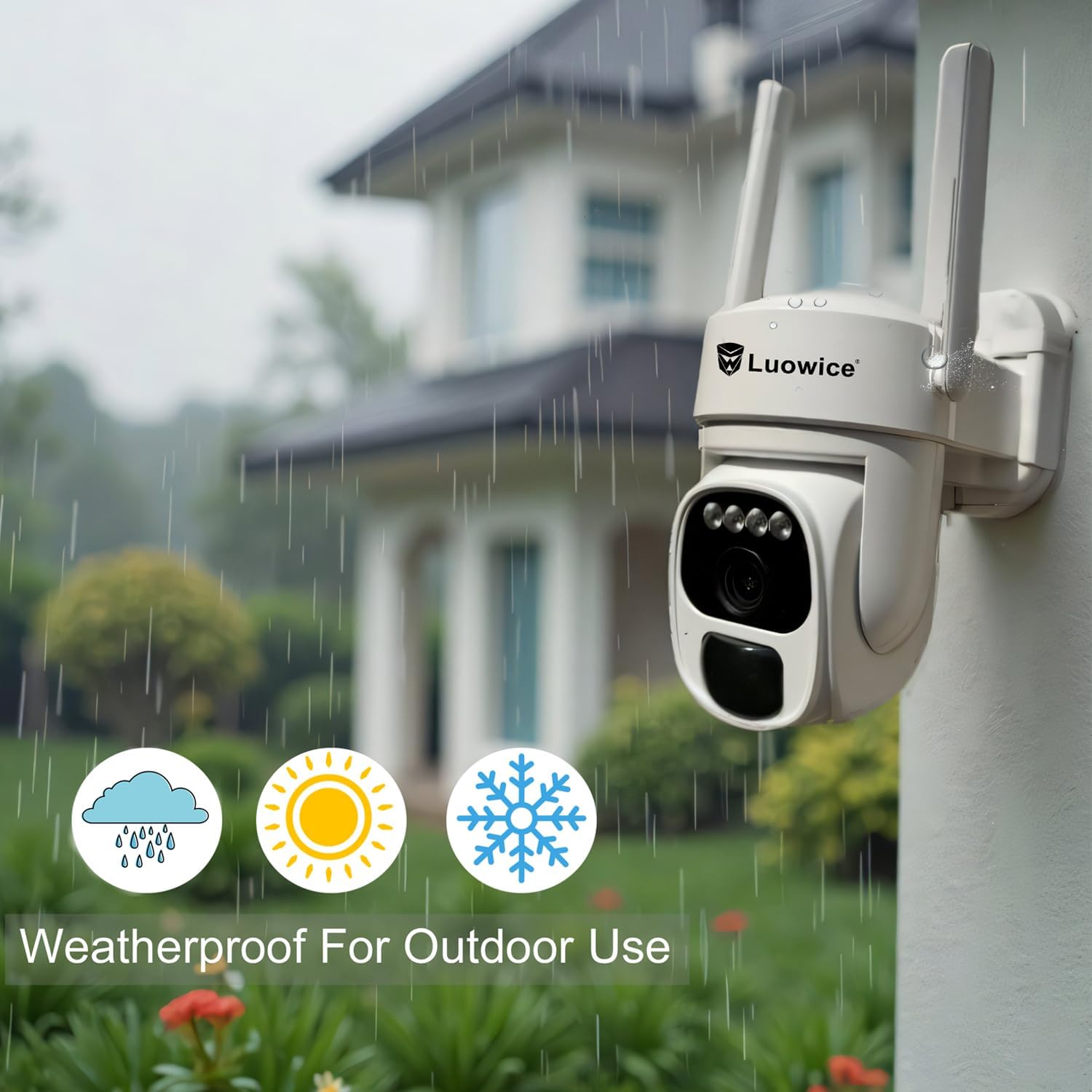
Image 5.1: The camera's weatherproof design for outdoor use.
6. መላ መፈለግ
- ካሜራ ከWi-Fi ጋር አልተገናኘም፡- Ensure your Wi-Fi is 2.4 GHz. Check Wi-Fi signal strength at the camera's location. Restart your router and the camera.
- ባትሪ እየሞላ አይደለም Verify the solar panel is clean and receiving direct sunlight. Check the USB charging cable connection. Ensure the ambient temperature is within the operating range for charging.
- ደካማ የቪዲዮ ጥራት; የካሜራውን ሌንስ ያጽዱ። በቂ ብርሃን ያረጋግጡ። የኢንተርኔት ግንኙነትዎን ፍጥነት ያረጋግጡ።
- የውሸት እንቅስቃሴ ማንቂያዎች፡ በመተግበሪያው ውስጥ የእንቅስቃሴ ማወቂያ ትብነትን ያስተካክሉ። ተዛማጅ ያልሆኑ ቦታዎችን ለማስቀረት የተወሰኑ የመፈለጊያ ዞኖችን ይግለጹ።
- Pan/Tilt not responding: Check app connectivity. Ensure there are no physical obstructions. Restart the camera.
7. ዝርዝሮች
| ባህሪ | ዝርዝር መግለጫ |
|---|---|
| የቪዲዮ ቀረጻ ጥራት | 3 ሜፒ |
| የኃይል ምንጭ | በፀሐይ ኃይል የሚሰራ (3 ዋ የፀሐይ ፓነል) |
| የግንኙነት ፕሮቶኮል | Wi-Fi (2.4 GHz) |
| የፓን/የማጋደል ክልል | 355° አግድም፣ 90° አቀባዊ |
| የምሽት ራዕይ | Color Night Vision with Floodlights |
| የማከማቻ አማራጮች | ማይክሮ ኤስዲ ካርድ (እስከ 128 ጊባ)፣ የደመና ማከማቻ |
| የአየር ሁኔታ መከላከያ ደረጃ | IP66 |
| ባትሪዎች ያስፈልጋሉ። | 1 ሊቲየም አዮን ባትሪ (ተጨምሯል) |
| የእቃው ክብደት | 1.85 ፓውንድ |
| መጠኖች | 7.87 x 6.18 x 5.55 ኢንች (ጥቅል) |
| ተስማሚ መሣሪያዎች | ስማርትፎኖች፣ ታብሌቶች፣ ኮምፒውተሮች |
8. ዋስትና እና ድጋፍ
8.1 የዋስትና መረጃ
Luowice products typically come with a manufacturer's warranty. Please refer to the product packaging or the official Luowice website for specific warranty terms and conditions. Optional extended protection plans may be available for purchase.
8.2 የደንበኛ ድጋፍ
For technical assistance, troubleshooting, or warranty claims, please contact Luowice customer support through their official website or the contact information provided with your product. When contacting support, please have your product model (B0DF4TVZ7Z) and purchase details ready.