1. መግቢያ
Thank you for choosing the Edifier X1 Lite True Wireless Earbuds. This manual provides detailed instructions for setting up, operating, and maintaining your new earbuds to ensure optimal performance and longevity. Please read this manual thoroughly before use.

Image: Edifier X1 Lite True Wireless Earbuds in their open charging case.
2. በሳጥኑ ውስጥ ያለው
The Edifier X1 Lite package includes the following components:
- Edifier X1 Lite True Wireless የጆሮ ማዳመጫዎች (ግራ እና ቀኝ)
- የመሙያ መያዣ
- የዩኤስቢ ባትሪ መሙያ ገመድ
- የተጠቃሚ መመሪያ (ይህ ሰነድ)
3. ማዋቀር
3.1 የመጀመሪያ ደረጃ መሙላት
ከመጠቀምዎ በፊት የጆሮ ማዳመጫውን እና የኃይል መሙያውን ሙሉ በሙሉ ይሙሉ።
- ሁለቱንም የጆሮ ማዳመጫዎች ወደ ኃይል መሙያ መያዣው ውስጥ ያስገቡ።
- የዩኤስቢ ባትሪ መሙያ ገመዱን በሻንጣው ላይ ካለው የኃይል መሙያ ወደብ እና ከኃይል ምንጭ ጋር ያገናኙ (ለምሳሌ የዩኤስቢ ግድግዳ አስማሚ ፣ የኮምፒተር ዩኤስቢ ወደብ)።
- The indicator light on the charging case will show charging status. Refer to the LED indicator section for details.
- ሙሉ ቻርጅ ማድረግ አብዛኛውን ጊዜ ለኬዝ እና ለጆሮ ማዳመጫዎች 1.5 ሰዓታት ያህል ይወስዳል።
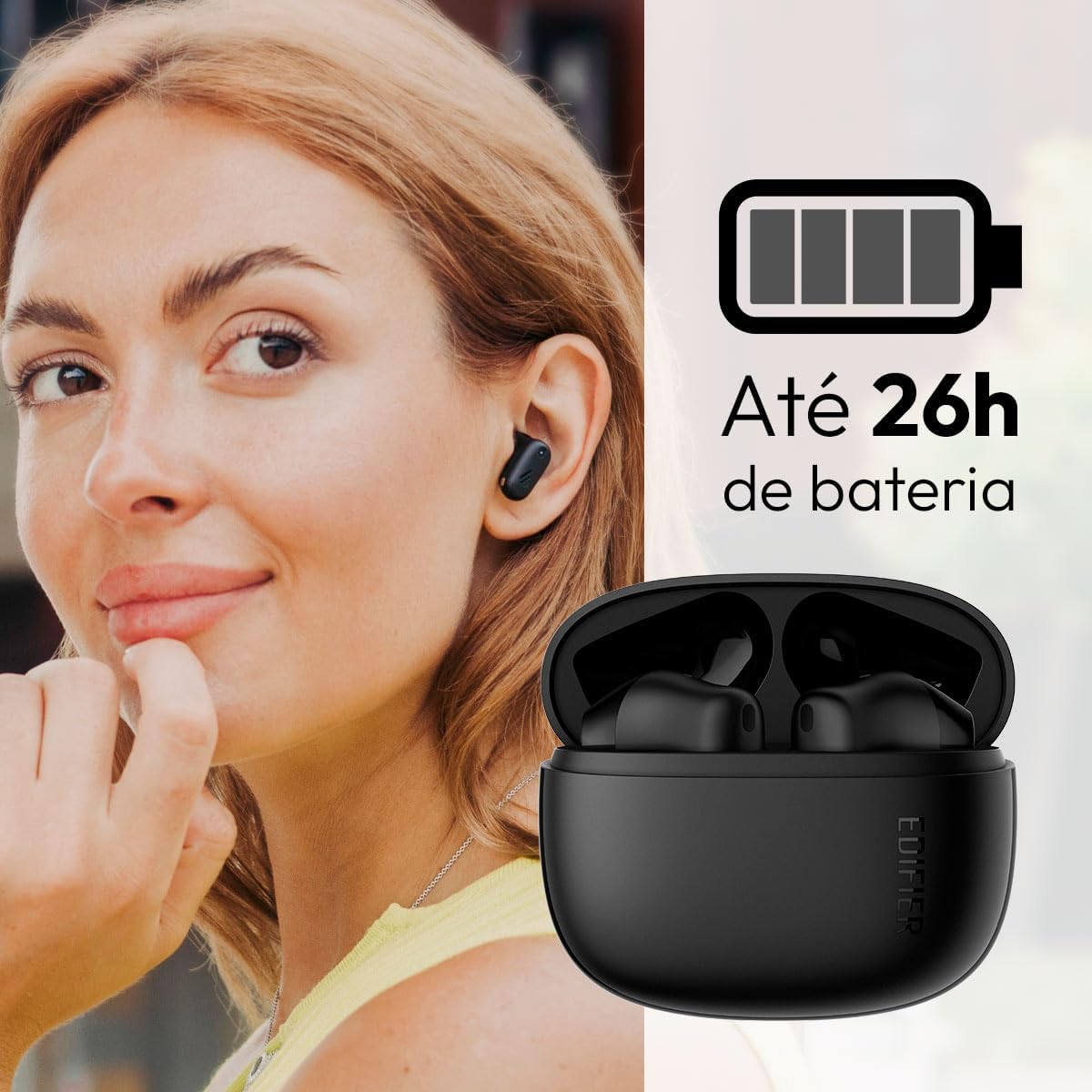
Image: Woman wearing an earbud, with the charging case and a battery icon indicating charging.
Fast Charging Feature:
A 15-minute quick charge can provide approximately 1.5 hours of playtime for the earbuds.

Image: Visual representation of battery life and fast charging capabilities.
3.2 የብሉቱዝ ማጣመር
Follow these steps to pair your Edifier X1 Lite earbuds with your device:
- ለመጀመሪያ ጊዜ ማጣመር; Open the charging case. The earbuds will automatically power on and enter pairing mode. The indicator light on the earbuds will flash rapidly.
- በመሳሪያዎ ላይ (ስማርትፎን፣ ታብሌት፣ ላፕቶፕ) ብሉቱዝን አንቃ።
- ፈልግ "EDIFIER X1 Lite" በሚገኙ የብሉቱዝ መሳሪያዎች ዝርዝር ውስጥ።
- Select "EDIFIER X1 Lite" to connect. Once connected, the indicator lights on the earbuds will turn off, and you will hear a confirmation tone.
- Re-pairing/Connecting to a New Device: If the earbuds are already connected to another device, disconnect them first. Alternatively, with the earbuds in the case and the lid open, press and hold the button on the charging case for 3 seconds to enter pairing mode.

Image: Man using earbuds, highlighting Bluetooth 5.4 connectivity.
3.3 Edifier ConneX App Installation
For enhanced features and customization, download the EDIFIER ConneX app:
- Scan the QR code provided in the image below or visit the official Edifier app download page.
- በእርስዎ ዘመናዊ ስልክ ወይም ጡባዊ ላይ መተግበሪያውን ይጫኑ።
- Open the app and follow the on-screen instructions to connect your X1 Lite earbuds.
- The app allows for sound effect customization, game mode activation, and touch control settings.

Image: EDIFIER ConneX app interface with QR code. Download the Edifier ConneX App
4. የአሠራር መመሪያዎች
4.1 የጆሮ ማዳመጫዎችን መልበስ
Proper fit ensures optimal sound quality and comfort:
- የግራ (L) እና ቀኝ (R) የጆሮ ማዳመጫዎችን ይለዩ።
- እያንዳንዱን የጆሮ ማዳመጫ ወደ ተጓዳኝ የጆሮ ቦይ ቀስ ብለው ያስገቡ።
- የጆሮ ማዳመጫው ደህንነቱ የተጠበቀ እና ምቹ እስኪሆን ድረስ በትንሹ ያሽከርክሩት።

Image: Man demonstrating proper earbud placement.
4.2 ማብራት / ማጥፋት
- አብራ፡ የጆሮ ማዳመጫዎቹ ከመሙያ መያዣው ሲወገዱ በራስ-ሰር ይበራል።
- ኃይል ዝጋ: የጆሮ ማዳመጫዎቹ ወደ ቻርጅ መሙያው ሲመለሱ እና ክዳኑ ሲዘጋ በራስ-ሰር ኃይል መሙላት ይጀምራል።
4.3 የንክኪ መቆጣጠሪያዎች
The Edifier X1 Lite earbuds feature touch-sensitive controls on each earbud. These controls can be customized via the EDIFIER ConneX app.
| ድርጊት | የግራ ጆሮ ማዳመጫ (ኤል) | የቀኝ ጆሮ ማዳመጫ (አር) |
|---|---|---|
| መልስ/ ጥሪን ጨርስ | ሁለቴ መታ ያድርጉ | ሁለቴ መታ ያድርጉ |
| ጥሪን ውድቅ አድርግ | ሶስቴ መታ ያድርጉ | ሶስቴ መታ ያድርጉ |
| ሙዚቃን አጫውት/ ለአፍታ አቁም | ሁለቴ መታ ያድርጉ | ሁለቴ መታ ያድርጉ |
| ቀጣይ ትራክ | N/A (Customize via App) | ሶስቴ መታ ያድርጉ |
| የቀድሞ ትራክ | ሶስቴ መታ ያድርጉ | N/A (Customize via App) |
| የጨዋታ ሁነታ በርቷል/ ጠፍቷል | አራት እጥፍ መታ ማድረግ | አራት እጥፍ መታ ማድረግ |
Note: These are default settings. Functions can be reconfigured using the EDIFIER ConneX app.

ምስል፡ የጆሮ ማዳመጫ ንክኪ መቆጣጠሪያዎችን የሚያሳይ የእይታ መመሪያ።
5. ጥገና
5.1 ጽዳት
- በመደበኛነት የጆሮ ማዳመጫውን እና የኃይል መሙያ መያዣውን ለስላሳ ፣ ደረቅ ፣ ከተሸፈነ ጨርቅ ያፅዱ።
- ሻካራ ማጽጃዎችን፣ አልኮልን ወይም ኬሚካዊ ፈሳሾችን አይጠቀሙ።
- ትክክለኛውን ባትሪ መሙላትን ለመጠበቅ በሁለቱም የጆሮ ማዳመጫዎች እና መያዣው ላይ ያሉ እውቂያዎች ንፁህ እና ከቆሻሻ ነፃ መሆናቸውን ያረጋግጡ።
5.2 የውሃ መቋቋም (IP54)
The Edifier X1 Lite earbuds are IP54 rated, meaning they are protected against dust ingress and splashing water from any direction. This makes them suitable for workouts and light rain.
- የጆሮ ማዳመጫውን በውሃ ውስጥ አታስገቡ።
- የኃይል መሙያ መያዣው ውሃ የማይቋቋም አይደለም። ደረቅ አድርገው ያስቀምጡት።
- If earbuds get wet, wipe them dry completely before placing them back in the charging case to prevent damage.

Image: Demonstrating IP54 sweat resistance during exercise.
5.3 የባትሪ እንክብካቤ
- የጆሮ ማዳመጫውን እና መያዣውን ለከፍተኛ ሙቀት (ሙቅ ወይም ቀዝቃዛ) ከማጋለጥ ይቆጠቡ።
- ጥቅም ላይ በማይውልበት ጊዜ መሳሪያውን በቀዝቃዛና ደረቅ ቦታ ያከማቹ.
- የባትሪውን ጤና ለመጠበቅ መሳሪያውን በተደጋጋሚ ባይጠቀሙም እንኳ በየጊዜው ቻርጅ ያድርጉ።
6. መላ መፈለግ
If you encounter issues with your Edifier X1 Lite earbuds, refer to the following common problems and solutions:
6.1 ምንም ድምፅ ወይም የሚቆራረጥ ግንኙነት የለም
- ባትሪ ይፈትሹ፡ የጆሮ ማዳመጫዎችም ሆኑ የኃይል መሙያ መያዣው በቂ ኃይል መሙላታቸውን ያረጋግጡ።
- እንደገና ያጣምሩ፡ Disconnect the earbuds from your device's Bluetooth settings and then re-pair them.
- ርቀት፡ Ensure the earbuds are within the Bluetooth range (typically 10 meters) of your device.
- ጣልቃ ገብነት፡- Move away from strong Wi-Fi signals or other Bluetooth devices that might cause interference.
- ዳግም ማስጀመር Place both earbuds in the charging case, close the lid, wait a few seconds, then open the lid and try pairing again.
6.2 የጆሮ ማዳመጫዎች ባትሪ እየሞሉ አይደሉም
- ገመዱን ያረጋግጡ፡ የዩኤስቢ ኃይል መሙያ ገመዱ ከኬዝ እና ከኃይል ምንጭ ጋር ደህንነቱ በተጠበቀ ሁኔታ መገናኘቱን ያረጋግጡ።
- የኃይል ምንጭ፡- የተለየ የዩኤስቢ ወደብ ወይም የግድግዳ አስማሚ ይሞክሩ።
- እውቂያዎችን አጽዳ፡ Clean the charging contacts on the earbuds and inside the charging case with a dry cotton swab.
- ትክክለኛ አቀማመጥ፡- የጆሮ ማዳመጫዎቹ በባትሪ መሙያ መያዣው ውስጥ በትክክል መቀመጡን ያረጋግጡ።
6.3 ደካማ የጥሪ ጥራት
- የማይክሮፎን እንቅፋት፦ Ensure the microphone on the earbuds is not covered.
- አካባቢ፡ Move to a quieter environment if possible. The AI algorithm helps, but extreme noise can still affect clarity.
- የግንኙነት መረጋጋት; የተረጋጋ የብሉቱዝ ግንኙነትን ያረጋግጡ።

Image: Man using earbuds for a clear call, highlighting AI voice pick-up technology.
6.4 የመተግበሪያ ግንኙነት ችግሮች
- ብሉቱዝ በርቷል፡ Ensure Bluetooth is enabled on your device and the earbuds are connected.
- የመተግበሪያ ፈቃዶች፡- Check if the EDIFIER ConneX app has necessary Bluetooth and location permissions.
- Restart App/Device: መተግበሪያውን ይዝጉ እና እንደገና ይክፈቱት ወይም ስማርትፎንዎን እንደገና ያስጀምሩ።
- የመተግበሪያ ዝማኔ፡- መተግበሪያው ወደ የቅርብ ጊዜው ስሪት መዘመኑን ያረጋግጡ።
7. ዝርዝሮች
| ባህሪ | ዝርዝር |
|---|---|
| የሞዴል ስም | X1 ሊት |
| የግንኙነት ቴክኖሎጂ | ገመድ አልባ (ብሉቱዝ) |
| የብሉቱዝ ስሪት | 5.4 |
| የድምጽ ሾፌር ዓይነት | ዳይናሚክ ድራይቭ (Φ13ሚሜ) |
| የድግግሞሽ ክልል | 20Hz-20kHz |
| የባትሪ ህይወት | እስከ 7 ሰአታት (የጆሮ ማዳመጫዎች)፣ እስከ 26 ሰአታት (ከኃይል መሙያ መያዣ ጋር) |
| ፈጣን ባትሪ መሙላት | ለ 1.5 ሰዓታት የጨዋታ ጊዜ 15 ደቂቃዎች ክፍያ |
| ዝቅተኛ መዘግየት | 60 ሚሴ |
| የውሃ መቋቋም | IP54 (የጆሮ ማዳመጫዎች ብቻ) |
| ማይክሮፎን | Single Mic AI algorithm voice pick-up |
| የመቆጣጠሪያ ዘዴ | Touch Control, App (EDIFIER ConneX) |
| ቁሳቁስ | ፕላስቲክ |
| የጆሮ ማዳመጫ ክብደት | በአንድ የጆሮ ማዳመጫ በግምት 4 ግራም |
| ቀለም | ጥቁር |
8. ዋስትና እና ድጋፍ
Edifier products are designed with quality and reliability in mind. For warranty information and customer support, please refer to the official Edifier webጣቢያ ወይም በቀጥታ የደንበኛ አገልግሎታቸውን ያግኙ።
- ኦፊሴላዊ Webጣቢያ፡ ጎብኝ www.edifier.com ለምርት ምዝገባ፣ ለተደጋጋሚ ጥያቄዎች እና ለድጋፍ ግብዓቶች።
- የደንበኛ አገልግሎት፡ Contact Edifier customer support for technical assistance or warranty claims. Contact details can typically be found on the official webጣቢያ ወይም በምርት ማሸጊያው ውስጥ.
እባክዎ ለዋስትና ዓላማዎች የግዢ ማረጋገጫዎን ያቆዩ።


