1. መግቢያ
The Promate AirClip True Wireless Earbuds feature Open Wearable Stereo (OWS) technology, providing an open-ear listening experience. This design allows for enhanced environmental awareness while delivering clear audio. The earbuds are equipped with IntelliTouch controls and an ergonomic clip design for stable wear.

Image: Promate AirClip True Wireless Earbuds in their white charging case.

Image: Close-up of Promate AirClip earbuds highlighting the Open Wearable Stereo (OWS) clip-on design.
2. የጥቅል ይዘቶች
እባክዎ ሁሉም እቃዎች በጥቅልዎ ውስጥ መኖራቸውን ያረጋግጡ፡-
- Promate AirClip True Wireless Earbuds (Left and Right)
- የመሙያ መያዣ
- የዩኤስቢ ባትሪ መሙያ ገመድ
- የተጠቃሚ መመሪያ

Image: The Promate AirClip earbuds and their charging case, representing the main components.
3. ማዋቀር
3.1 የጆሮ ማዳመጫውን እና መያዣውን መሙላት
Before first use, fully charge the earbuds and charging case. The charging case has a 500mAh battery, providing extended playtime.
- የቀረበውን የዩኤስቢ ኃይል መሙያ ገመድ ከኬዝ ላይ ካለው የኃይል መሙያ ወደብ እና ከተኳሃኝ የዩኤስቢ የኃይል ምንጭ ጋር ያገናኙ።
- በቻርጅ መሙያ መያዣው ላይ ያለው የአመላካች መብራት የኃይል መሙያውን ሁኔታ ያሳያል።
- የጆሮ ማዳመጫዎቹን በቻርጅ መሙያ መያዣው ውስጥ ያስቀምጡ። ባትሪ መሙላት ለመጀመር በትክክል መቀመጡን ያረጋግጡ።
- A full charge for the case takes approximately 2-3 hours, and for the earbuds, it takes about 30 minutes.
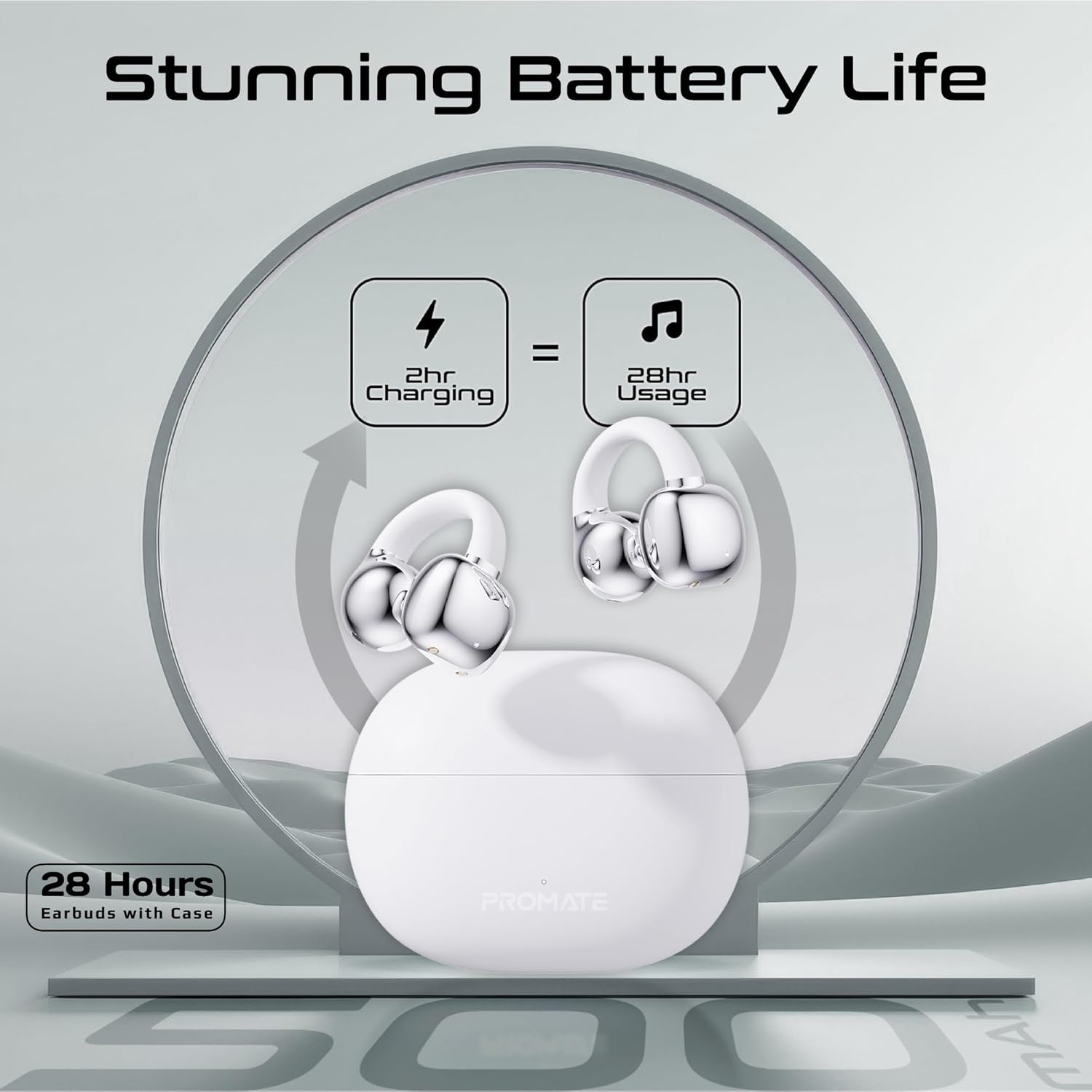
Image: An illustration demonstrating the battery life, indicating 2 hours of charging provides 28 hours of usage with the case.
3.2 የብሉቱዝ ማጣመር
Follow these steps to pair your Promate AirClip earbuds with your device:
- የኃይል መሙያ መያዣውን ይክፈቱ። የጆሮ ማዳመጫዎች በራስ-ሰር የማጣመሪያ ሁነታን ያስገባሉ።
- በመሳሪያዎ ላይ (ስማርትፎን፣ ታብሌት፣ ወዘተ)፣ ብሉቱዝን አንቃ።
- ፈልግ available Bluetooth devices and select "Promate AirClip" from the list.
- አንዴ ከተገናኘ፣ የድምጽ መጠየቂያው የተሳካ ማጣመርን ያረጋግጣል።
- በመሳሪያው ላይ ብሉቱዝ ከነቃ የጆሮ ማዳመጫው ከጉዳይ ሲወጣ በራስ-ሰር ከመጨረሻው የተጣመረ መሳሪያ ጋር ይገናኛል።
4. የአሠራር መመሪያዎች
4.1 የጆሮ ማዳመጫዎችን መልበስ
The AirClip earbuds feature an ergonomic open-ear clip design for a secure and comfortable fit.
- የግራ (L) እና ቀኝ (R) የጆሮ ማዳመጫዎችን ይለዩ።
- Gently clip the earbud onto your ear, ensuring the speaker portion is positioned correctly for optimal sound and the clip rests comfortably around your ear.
- Adjust for a snug fit that remains stable during movement.

Image: A person wearing the Promate AirClip earbud, illustrating the AudioFit stable design and open-ear placement.
4.2 IntelliTouch Controls
The earbuds are equipped with touch-sensitive controls for easy management of audio and calls.
- አጫውት/ ለአፍታ አቁም፡ በሁለቱም የጆሮ ማዳመጫዎች ላይ አንድ ጊዜ መታ ያድርጉ።
- ቀጣይ ትራክ፡ በቀኝ የጆሮ ማዳመጫው ላይ ሁለቴ መታ ያድርጉ።
- ቀዳሚ ትራክ በግራ የጆሮ ማዳመጫው ላይ ሁለቴ መታ ያድርጉ።
- መልስ/ጥሪ ጨርስ፡ በሁለቱም የጆሮ ማዳመጫዎች ላይ አንድ ጊዜ መታ ያድርጉ።
- ጥሪን ውድቅ አድርግ፡ የትኛውንም የጆሮ ማዳመጫ ለ2 ሰከንድ ተጭነው ይያዙ።
- Activate Voice Assistant (Google Assistant/Amazon Alexa): በሁለቱም የጆሮ ማዳመጫዎች ላይ ሶስት ጊዜ መታ ያድርጉ።
- የጨዋታ ሁኔታ፡ Press and hold the right earbud for 2 seconds to toggle low latency game mode.

ምስል፡ መቀራረብ view of a hand interacting with the Promate AirClip earbud, demonstrating the IntelliTouch control feature.

Image: Promate AirClip earbuds shown alongside a smartphone displaying an incoming call, emphasizing crystal clear stereo calls and connectivity.
5. ጥገና
ትክክለኛ ጥገና የጆሮ ማዳመጫዎችዎን ረጅም ዕድሜ እና አፈፃፀም ያረጋግጣል።
- ማጽዳት፡ የጆሮ ማዳመጫዎቹንና የኃይል መሙያ መያዣውን ለማጽዳት ለስላሳ፣ ደረቅ፣ ከላጣ ነፃ የሆነ ጨርቅ ይጠቀሙ። ሻካራ ማጽጃዎችን ወይም መሟሟቶችን አይጠቀሙ።
- የውሃ መቋቋም; The earbuds are IPX4 water-resistant, meaning they are protected against splashing water from any direction. Do not submerge them in water or expose them to heavy rain. Dry them thoroughly if they get wet.
- ማከማቻ፡ ጥቅም ላይ በማይውልበት ጊዜ የጆሮ ማዳመጫዎቹን ለመጠበቅ እና እንዲከፍሉ ለማድረግ በእነሱ ቻርጅ ውስጥ ያከማቹ። ከከፍተኛ ሙቀት ርቆ በቀዝቃዛና ደረቅ ቦታ ያከማቹ።

Image: Promate AirClip earbuds and charging case depicted with a water splash effect, indicating IPX4 water resistance.
6. መላ መፈለግ
If you encounter issues with your Promate AirClip earbuds, refer to the following common solutions:
- የጆሮ ማዳመጫዎች የማይጣመሩ ሁለቱም የጆሮ ማዳመጫዎች በቻርጅ መያዣ ውስጥ መሆናቸውን ያረጋግጡ፣ ከዚያም የማጣመሪያ ሁነታን ለማግበር ክዳኑን ይክፈቱ። የመሣሪያዎን የብሉቱዝ ቅንብሮች ይፈትሹ እና እንደገና ለመገናኘት ይሞክሩ።
- ከአንድ የጆሮ ማዳመጫ ድምጽ የለም Place both earbuds back into the charging case, close the lid, wait a few seconds, then open it again. This can reset the connection.
- የመሙላት ችግሮች፡- Verify the charging cable is securely connected to both the case and the power source. Ensure the charging contacts on the earbuds and inside the case are clean and free of debris.
- ዝቅተኛ መጠን; Adjust the volume on both your connected device and through the earbud controls. Ensure the earbuds are worn correctly.
- የማያቋርጥ ግንኙነት; Move closer to your connected device to reduce interference. Ensure there are no major obstacles between the earbuds and your device.
7. ዝርዝሮች
Key technical specifications for the Promate AirClip True Wireless Earbuds:
| ባህሪ | ዝርዝር መግለጫ |
|---|---|
| የሞዴል ስም | AIRCLIP |
| የብሉቱዝ ስሪት | 5.3 |
| የግንኙነት ቴክኖሎጂ | ገመድ አልባ |
| የጆሮ አቀማመጥ | ጆሮ ክፈት |
| የባትሪ ህይወት (የጆሮ ማዳመጫዎች) | እስከ 6 ሰዓታት ድረስ |
| የባትሪ ህይወት (ከጉዳይ ጋር) | እስከ 28 ሰዓታት ድረስ |
| የጉዳይ ኃይል መሙላት | 500mAh |
| የኃይል መሙያ ጊዜ (የጆሮ ማዳመጫዎች) | በግምት. 30 ደቂቃዎች |
| የኃይል መሙያ ጊዜ (ጉዳይ) | በግምት. 2-3 ሰዓታት |
| የውሃ መቋቋም ደረጃ | IPX4 |
| የድምጽ ነጂ መጠን | 30 ሚሜ |
| የእቃው ክብደት | 42 ግ |
| ተስማሚ መሣሪያዎች | Gaming Consoles, Samsung, Television, Windows, iPhone |
| የመቆጣጠሪያ ዓይነት | Touch, Google Assistant, Amazon Alexa |

Image: A detailed chart outlining various technical specifications for the Promate AirClip earbuds.
8. ዋስትና እና ድጋፍ
Promate products are designed with quality and reliability in mind. For warranty information and customer support, please refer to the warranty card included in your package or visit the official Promate webጣቢያ. ለዋስትና ጥያቄዎች የግዢ ማረጋገጫዎን ያስቀምጡ።
For further assistance, you may contact Promate customer service through their official channels.


