
መግቢያ
This manual provides essential information for the proper setup, operation, and maintenance of your OUKITEL BT20 Smartwatch. Please read this guide thoroughly before using the device to ensure optimal performance and longevity. The OUKITEL BT20 is a military-grade rugged smartwatch designed for durability and comprehensive health and fitness tracking.

The OUKITEL BT20 Smartwatch, built for rugged environments.
የጥቅል ይዘቶች
Upon unboxing your OUKITEL BT20 Smartwatch, please verify that all items listed below are present:
- OUKITEL BT20 Smartwatch
- የኃይል መሙያ ገመድ
- የተጠቃሚ መመሪያ (ይህ ሰነድ)
Unboxing and initial setup of a similar smartwatch, demonstrating typical package contents and first steps.
ምርት አልቋልview
The OUKITEL BT20 features a robust design with a 1.96-inch AMOLED display. It includes physical buttons for power and navigation, along with sensors on the rear for health monitoring.
አካላዊ ባህሪያት
- ማሳያ፡- 1.96-inch AMOLED screen with 410x502 resolution.
- አዝራሮች፡- Dedicated buttons for power, sport mode, and menu navigation.
- ዳሳሾች፡- Optical sensors for heart rate, blood oxygen, and blood pressure monitoring.
- ዘላቂነት፡ Military-grade construction, 5ATM waterproof rating, dustproof, and drop-resistant.

The 1.96-inch AMOLED display of the OUKITEL BT20 Smartwatch.
ማዋቀር
1. Smartwatchን በመሙላት ላይ
Before initial use, fully charge your smartwatch. Connect the magnetic charging cable to the charging points on the back of the watch and plug the USB end into a power adapter (not included).
- የኃይል መሙያ ጊዜ: ለሙሉ ክፍያ በግምት 2.5 ሰዓታት።
- የባትሪ ህይወት፡ Up to 15 days in standby, 10 days with daily use, and 7 days with heavy use.
The OUKITEL BT20 Smartwatch displaying its battery capacity and usage estimates.
2. የመተግበሪያ ጭነት እና ማጣመር
To unlock the full potential of your OUKITEL BT20 Smartwatch, you need to install the companion app on your smartphone.
- መተግበሪያውን ያውርዱ፡- Scan the QR code displayed on the smartwatch screen or in the manual to download the 'FitCloudPro' app from your smartphone's app store (iOS/Android). You can also visit http://fitcloud.hetangsmart.com/qrcode/.
- ብሉቱዝን አንቃ፡ በእርስዎ ዘመናዊ ስልክ ላይ ብሉቱዝ መንቃቱን ያረጋግጡ።
- ማጣመር፡ Open the 'FitCloudPro' app, navigate to the device section, and search for 'BT20' to pair. Follow the on-screen prompts to complete the connection.

Steps for installing the companion app and pairing your smartwatch.
የአሠራር መመሪያዎች
መሰረታዊ ዳሰሳ
- ወደ ላይ/ወደታች ያንሸራትቱ፦ በማሳወቂያዎች እና ፈጣን ቅንብሮች ውስጥ ይሸብልሉ።
- ወደ ግራ/ቀኝ ያንሸራትቱ፦ Access different widgets and main functions (e.g., activity, heart rate, weather).
- የኃይል ቁልፉን ይጫኑ; የንቃት/የእንቅልፍ ማያ ገጽ፣ ወደ መነሻ ማያ ገጽ ይመለሱ።
- የስፖርት አዝራሩን ይጫኑ፡ Quickly access sport modes.
የብሉቱዝ ጥሪ
The OUKITEL BT20 supports Bluetooth 5.2 for stable call functionality.
- ጥሪዎችን ማድረግ; Use the dial pad on the watch or access synced contacts to make calls directly from your wrist.
- ጥሪዎችን መቀበል፡- Answer or reject incoming calls directly on the smartwatch.
- ማሳወቂያዎች፡- Receive instant messages from various apps (SMS, WhatsApp, Facebook, Instagአውራ በግ ፣ ወዘተ)።

Bluetooth calling feature on the OUKITEL BT20 Smartwatch.
የጤና ክትትል
The smartwatch continuously monitors key health metrics.
- የልብ ምት: 24-hour continuous heart rate tracking.
- የደም ኦክስጅን (ስፒኦ2)፡- የደምዎን የኦክስጅን መጠን ይከታተሉ።
- የደም ግፊት; Track your blood pressure.
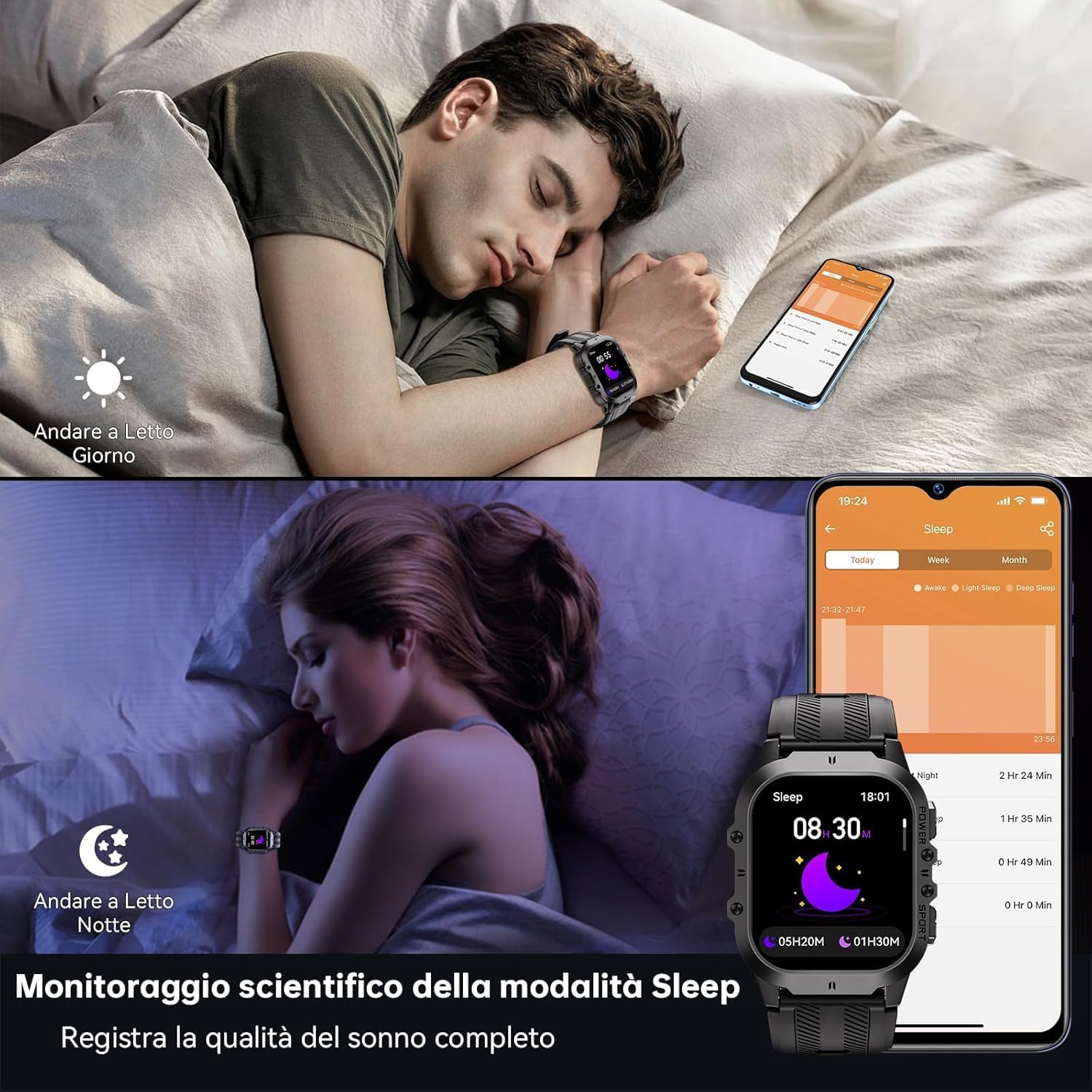
- የእንቅልፍ ክትትል; Records sleep status and quality during the night.
የልብ ምት፣ የደም ግፊት እና የደም ኦክስጅንን ጨምሮ የጤና ክትትል ባህሪያት።
የስፖርት ሁነታዎች
With over 120 sports modes, the BT20 is suitable for a wide range of activities.
- የእንቅስቃሴ ክትትል፡ Automatically records daily activity data including steps, calories, and distance.
- የጂፒኤስ ክትትል Utilizes your mobile phone's GPS for specific movement tracks, viewበመተግበሪያው ውስጥ መቻል።
- የሚደገፉ ሁነታዎች፡ Includes mountaineering, skiing, running, hiking, cycling, and more.
The OUKITEL BT20 Smartwatch tracking a cycling activity.
ሌሎች ተግባራት
The smartwatch offers several convenient features:
- የካሜራ ርቀት: የስማርትፎን ካሜራዎን በርቀት ይቆጣጠሩ።
- የአየር ሁኔታ ዝመናዎች የእውነተኛ ጊዜ የአየር ሁኔታ መረጃ ያግኙ።
- የማንቂያ ተግባር ማንቂያዎችን በቀጥታ ከእጅ አንጓ ያዘጋጁ።
- የውሃ መጥለቅለቅ ማሳሰቢያ፡- Receive reminders to drink water.
- የማይንቀሳቀስ አስታዋሽ፡ Get alerts when you've been inactive for too long.
- የእጅ ባትሪ፡ A built-in flashlight for convenience.
Demonstration of various smartwatch features including flashlight, battery life, sports modes, and Bluetooth calling.
ጥገና እና እንክብካቤ
To ensure the longevity and optimal performance of your OUKITEL BT20 Smartwatch, follow these care guidelines:
- ማጽዳት፡ ሰዓቱን በየጊዜው ለስላሳና ደረቅ ጨርቅ ይጥረጉና ያሰርቁት። ለጠንካራ ቆሻሻ፣ ትንሽ ቆብ ይጠቀሙ።amp ጨርቅ እና በደንብ ማድረቅ.
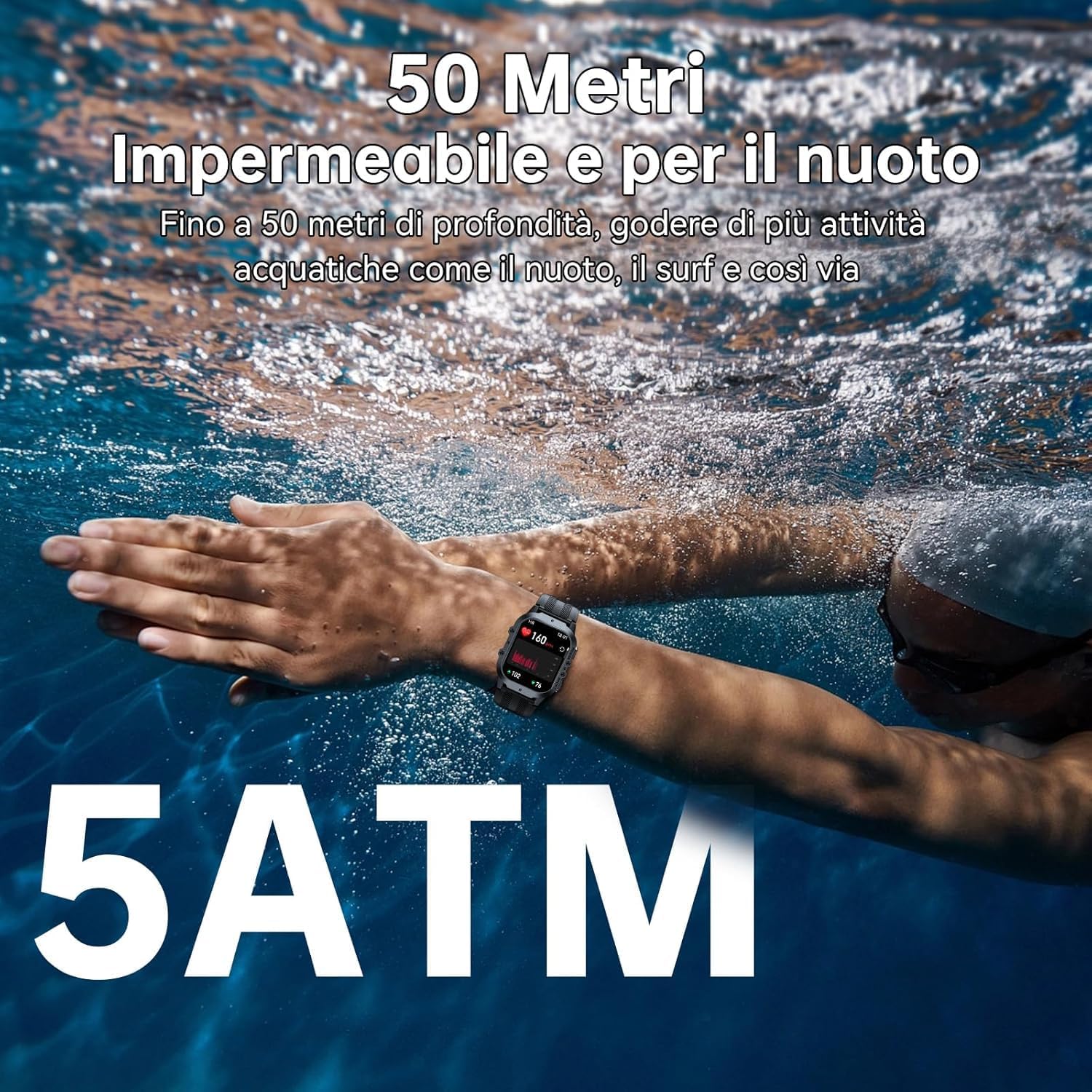
- የውሃ መቋቋም; The watch is 5ATM waterproof, suitable for swimming and shallow water activities. Do not use for deep diving or hot baths.
- የሙቀት መጠን፡ Avoid exposing the watch to extreme temperatures (below -40°C or very high heat) for prolonged periods.
- ተጽዕኖ፡ While rugged, avoid unnecessary drops or impacts to prevent damage.
- በመሙላት ላይ፡ የተሰጠውን የኃይል መሙያ ገመድ ብቻ ይጠቀሙ። ከመሙላትዎ በፊት የኃይል መሙያው ግንኙነቶች ንጹህ እና ደረቅ መሆናቸውን ያረጋግጡ።

The OUKITEL BT20 Smartwatch is 5ATM waterproof, suitable for swimming.
መላ መፈለግ
በስማርት ሰዓትዎ ላይ ችግሮች ካጋጠሙዎት የሚከተሉትን የተለመዱ መፍትሄዎች ይመልከቱ፡
| ችግር | ሊሆን የሚችል መፍትሄ |
|---|---|
| ሳይበራ ይመልከቱ | ሰዓቱ ሙሉ በሙሉ መሙላቱን ያረጋግጡ። የኃይል ቁልፉን ተጭነው ለብዙ ሰከንዶች ይቆዩ። |
| ከስልክ ጋር ማጣመር አይቻልም | Ensure Bluetooth is enabled on your phone. Restart both the watch and phone. Make sure the 'FitCloudPro' app is updated. |
| ትክክለኛ ያልሆነ የጤና መረጃ | Ensure the watch is worn snugly on your wrist. Clean the sensor on the back of the watch. Avoid excessive movement during measurements. |
| ማሳወቂያዎች አልተቀበሉም። | Check app settings to ensure notifications are enabled for desired apps. Verify Bluetooth connection is stable. |
| አጭር የባትሪ ህይወት | Reduce screen brightness, disable continuous heart rate monitoring, or limit frequent notifications. |
ዝርዝሮች
| ባህሪ | ዝርዝር |
|---|---|
| ሞዴል | BT20 |
| ማሳያ | ባለ 1.96-ኢንች AMOLED፣ 410 x 502 ጥራት |
| የባትሪ አቅም | 350 ሚአሰ ሊቲየም ሜታል |
| የኃይል መሙያ ጊዜ | በግምት. 2.5 ሰዓታት |
| የባትሪ ህይወት (የተለመደ) | እስከ 10 ቀናት ድረስ |
| ግንኙነት | ብሉቱዝ 5.2 |
| የውሃ መቋቋም | 5 ኤቲኤም |
| ማህደረ ትውስታ | 128 ሜባ |
| ስርዓተ ክወና | Android Wear 2.9 (compatible with iOS/Android) |
| ክብደት | 140 ግ |
ዋስትና እና ድጋፍ
OUKITEL products are designed for durability and performance. For warranty information and customer support, please refer to the official OUKITEL webጣቢያ ወይም ቸርቻሪዎን ያነጋግሩ። ለዋስትና ጥያቄዎች የግዢ ደረሰኝዎን እንደ ግዢ ማረጋገጫ ያቆዩት።
- ዋስትና፡- Typically includes a manufacturer's warranty against defects.
- ድጋፍ፡ Online resources, FAQs, and customer service contact information are usually available on the brand's official channels.


