መግቢያ
This manual provides essential information for setting up, operating, maintaining, and troubleshooting your HP 15-DY58 Slim Laptop. Please read this guide thoroughly to ensure proper use and to maximize the performance and longevity of your device.
በሣጥኑ ውስጥ ያለው
Upon opening your HP 15-DY58 Slim Laptop package, you should find the following items:
- HP 15-DY58 Slim Laptop
- የ AC ኃይል አስማሚ እና የኃይል ገመድ
- ፈጣን የማስጀመሪያ መመሪያ (በተናጠል ከተካተተ)
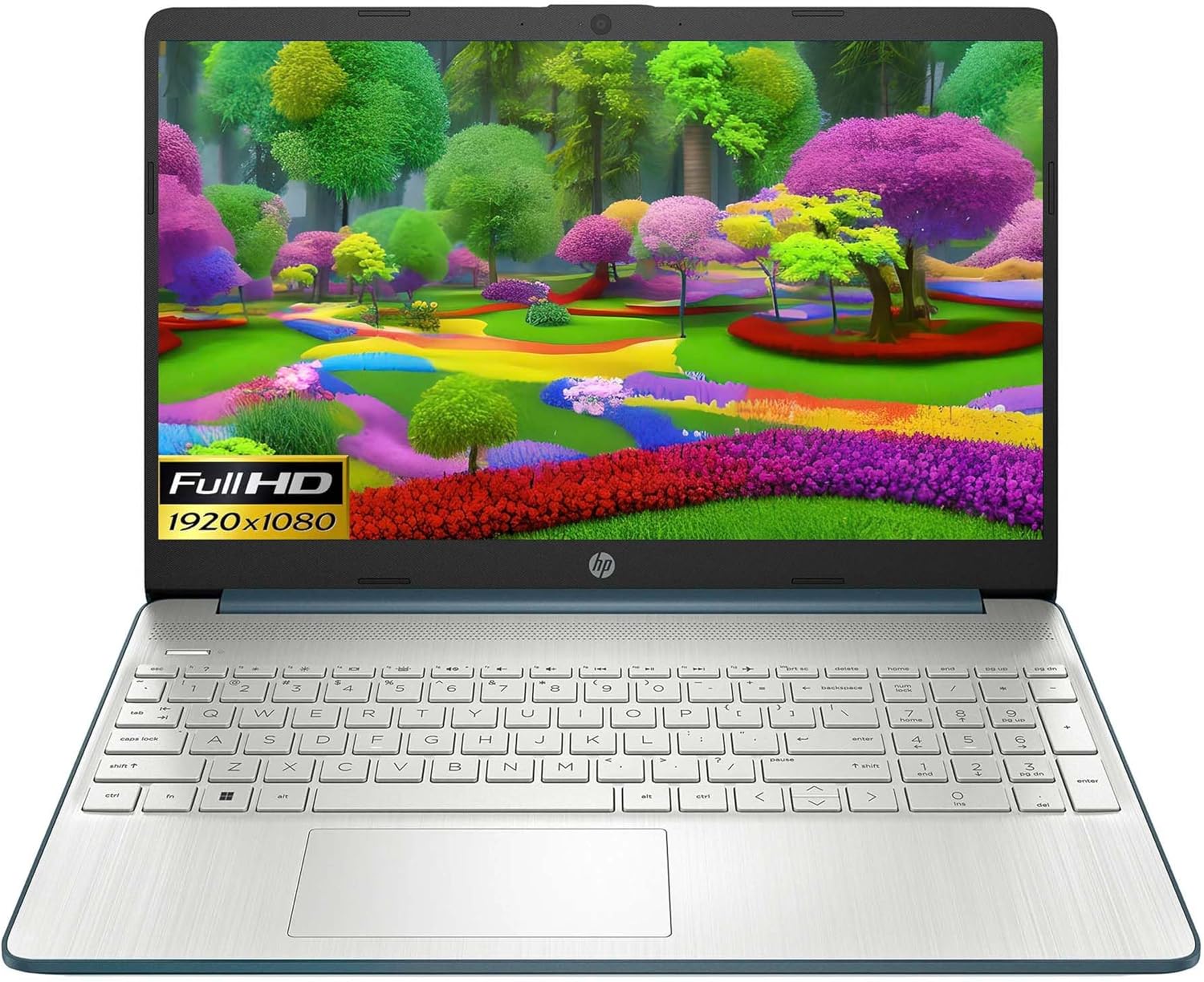
Image: HP 15 Slim Laptop, closed view, showing the blue lid with HP logo.
ማዋቀር
1. የመጀመሪያ ኃይል በርቷል
- የኃይል አስማሚን ያገናኙ; የኤሲ የኃይል አስማሚውን ከላፕቶፑ የኤሲ ስማርት ፒን ወደብ እና ከዚያም ወደ ግድግዳ ሶኬት ይሰኩ።
- ላፕቶፑን ይክፈቱ፤ የማሳያውን ክዳን በጥንቃቄ ያንሱ.
- አብራ፡ Press the power button, usually located on the keyboard deck. The laptop will begin the initial Windows 11 setup process.
- የማያ ገጽ ላይ መመሪያዎችን ይከተሉ፡- Complete the Windows 11 setup, including language selection, network connection, and user account creation.

Image: HP 15 Slim Laptop open, showcasing the Windows 11 operating system interface during initial setup.
2. ተያያዥ መሳሪያዎች
Your HP 15-DY58 Slim Laptop offers various ports for connecting external devices:
- የዩኤስቢ አይነት-ኤ ወደቦች፡ Connect USB devices such as mice, keyboards, or external storage drives. There are two SuperSpeed USB Type-A 5Gbps ports.
- የዩኤስቢ ዓይነት-C ወደብ፡- Connect compatible USB-C devices. This laptop features one SuperSpeed USB Type-C 5Gbps signaling rate port.
- የኤችዲኤምአይ ወደብ Connect an external monitor or TV using an HDMI cable for extended display. The laptop has one HDMI 1.4b port.
- የጆሮ ማዳመጫ/ማይክሮፎን ጥምር ጃክ፡ የጆሮ ማዳመጫዎችን፣ ውጫዊ ድምጽ ማጉያዎችን ወይም የጆሮ ማዳመጫውን ማይክሮፎን ያገናኙ።
- የኤስዲ ሚዲያ ካርድ አንባቢ፦ ፎቶዎችን ለማስተላለፍ የኤስዲ ካርድ ያስገቡ እና files.

Image: Left side ports including SD card reader, headphone jack, USB-C, AC power, and HDMI.

Image: Right side ports featuring two USB Type-A ports.
ላፕቶፕዎን በመስራት ላይ
መሰረታዊ ተግባራት
- የኃይል ቁልፍ፡- Located on the keyboard deck, use it to turn the laptop on or off, or to put it to sleep.
- የቁልፍ ሰሌዳ፡ The full-size island-style keyboard provides comfortable typing. Familiarize yourself with function keys (Fn) for quick access to settings like volume, brightness, and Wi-Fi.
- የመዳሰሻ ሰሌዳ Use the integrated touchpad for navigation. It supports multi-touch gestures for scrolling, zooming, and more.

Image: HP 15 Slim Laptop open, showcasing የእሱ ማሳያ እና የቁልፍ ሰሌዳ.
የገመድ አልባ ግንኙነት
- ዋይ ፋይ፡ Connect to wireless networks using Wi-Fi 5 (802.11ac). Access Wi-Fi settings through the Windows 11 taskbar or Settings app.
- ብሉቱዝ፡ Pair Bluetooth-enabled devices such as headphones, speakers, or mice using Bluetooth 5. Manage Bluetooth devices in Windows 11 Settings.
ማሳያ እና ኦዲዮ
- ማሳያ፡- The 15.6-inch Full HD (1920 x 1080) micro-edge display offers clear visuals. Adjust brightness and display settings via Windows 11.
- ኦዲዮ፡ The laptop features dual speakers for audio output. The headphone/microphone combo jack allows for private listening or communication.
- ካሜራ፡ The HP True Vision 720p HD camera with integrated dual array digital microphones is suitable for video calls and online meetings.
ጥገና
ላፕቶፕዎን በማጽዳት ላይ
- ስክሪን፡ ለስላሳ፣ ከቆሸሸ ነፃ የሆነ ጨርቅ በትንሹ ተጠቀም መampበውሃ ወይም በስክሪን ማጽጃ የታሸገ። ኃይለኛ ኬሚካሎችን ያስወግዱ.
- የቁልፍ ሰሌዳ እና ቻሲስ; ንጣፎችን ለማጽዳት ለስላሳ ጨርቅ ይጠቀሙ. የተጨመቀ አየር ከቁልፎች መካከል አቧራ ያስወግዳል.
- ወደቦች፡ ወደቦች ከአቧራ እና ከቆሻሻ ነጻ መሆናቸውን ያረጋግጡ። አስፈላጊ ከሆነ የታመቀ አየር ይጠቀሙ.
የሶፍትዌር ዝማኔዎች
Regularly update your Windows operating system and drivers to ensure optimal performance and security. Access Windows Update through the Settings app.
የባትሪ እንክብካቤ
- ከፍተኛ የሙቀት መጠንን ያስወግዱ.
- በተደጋጋሚ ባትሪውን ሙሉ በሙሉ አያድርጉ.
- ለረጅም ጊዜ ማከማቻ, ባትሪውን ወደ 50-70% ገደማ ይሙሉት.
መላ መፈለግ
This section addresses common issues you might encounter with your HP 15-DY58 Slim Laptop.
ላፕቶፕ አይበራም።
- የኤሲ አስማሚው ከሁለቱም ከላፕቶፕ እና ከሚሰራ የኃይል ማከፋፈያ ጋር ደህንነቱ በተጠበቀ ሁኔታ መገናኘቱን ያረጋግጡ።
- ሌላ መሳሪያ በመጫን የኃይል ማከፋፈያው የሚሰራ መሆኑን ያረጋግጡ።
- ባትሪው ሙሉ በሙሉ ከተለቀቀ, ለማብራት ከመሞከርዎ በፊት ለጥቂት ደቂቃዎች እንዲሞላ ይፍቀዱለት.
የማሳያ ጉዳዮች
- ማሳያ የለም፡ If the laptop powers on but the screen remains black, try connecting an external monitor via the HDMI port to check if the issue is with the laptop's internal display.
- ደብዛዛ ማሳያ፡ Adjust screen brightness using the function keys (usually F2/F3 or similar, look for sun icons) or through Windows 11 display settings.
የግንኙነት ችግሮች (ዋይፋይ/ብሉቱዝ)
- ዋይ ፋይ፡ Ensure Wi-Fi is enabled in Windows 11 settings. Restart your router and modem. Run the Windows Network Troubleshooter.
- ብሉቱዝ፡ Ensure Bluetooth is enabled. Try unpairing and re-pairing the device. Update Bluetooth drivers if necessary.
ዝርዝሮች
| ባህሪ | ዝርዝር |
|---|---|
| ሞዴል | HP 15-DY58 Slim Laptop |
| ፕሮሰሰር | Intel 12th Gen Core i5-1235U (up to 4.2 GHz, 10-core) |
| ግራፊክስ | የተቀናጀ Intel Iris Xe ግራፊክስ |
| ስርዓተ ክወና | ዊንዶውስ 11 መነሻ (64-ቢት) |
| ማህደረ ትውስታ (ራም) | 8 ጊባ DDR4 |
| ማከማቻ | 256 ጊባ PCIe NVMe M.2 SSD |
| ማሳያ | 15.6-inch Full HD (1920 x 1080), Micro-edge, Anti-glare, 250 nits |
| የገመድ አልባ ግንኙነት | Wi-Fi 5 (802.11ac)፣ ብሉቱዝ 5 |
| ወደቦች | 1x SuperSpeed USB Type-C 5Gbps, 2x SuperSpeed USB Type-A 5Gbps, 1x HDMI 1.4b, 1x AC Smart Pin, 1x Headphone/Microphone Combo, 1x Multi-format SD Media Card Reader |
| ካሜራ | HP True Vision 720p HD Camera with Integrated Dual Array Digital Microphones |
| ኦዲዮ | ባለሁለት ድምጽ ማጉያዎች |
| የቁልፍ ሰሌዳ | Full-size Island-style Keyboard |
| ልኬቶች (LxWxH) | 14 x 10 x 1 ኢንች |
| ክብደት | 3.3 ፓውንድ |

Image: HP 15 Slim Laptop, emphasizing its energy efficiency certifications.
ዋስትና እና ድጋፍ
ለዝርዝር የዋስትና መረጃ፣ እባክዎን ከምርትዎ ጋር የተካተተውን የዋስትና ካርድ ይመልከቱ ወይም ኦፊሴላዊውን የ HP ድጋፍን ይጎብኙ webጣቢያ. HP የሚከተሉትን ጨምሮ የተለያዩ የድጋፍ ምንጮችን ያቀርባል፡-
- የመስመር ላይ ድጋፍ Access drivers, software updates, and troubleshooting guides.
- የቴክኒክ ድጋፍ; Contact HP customer service for assistance with technical issues.
- የምርት ምዝገባ ዝማኔዎችን እና ድጋፍን ለመቀበል ምርትዎን ያስመዝግቡ።
ጎብኝ ድጋፍ.hp.com ለበለጠ መረጃ።