መግቢያ
This manual provides detailed instructions for the safe and effective use of your Ourlife 5K30FPS WiFi Action Camera. Please read this manual thoroughly before operating the device to ensure optimal performance and longevity.
ኦurlife M40TR is a versatile action camera designed to capture high-quality video and photos in various environments, including underwater, thanks to its robust waterproof casing. It features 5K 30fps video recording, a dual-screen display, a 170-degree wide-angle lens, and Wi-Fi connectivity.
በሣጥኑ ውስጥ ያለው
ቦክስ ሲወጡ፣ እባክዎ ሁሉም አካላት መገኘታቸውን ያረጋግጡ፡-
- Ourlife M40TR Action Camera
- የውሃ መከላከያ መያዣ
- የመጫኛ መለዋወጫዎች
- የዩኤስቢ ባትሪ መሙያ ገመድ
- የተጠቃሚ መመሪያ (ይህ ሰነድ)
- Remote Control (if included with specific package)

Image: The Ourlife M40TR Action Camera shown with its waterproof housing and a small remote control. This image illustrates the primary components included with the camera.
ምርት አልቋልview
Familiarize yourself with the camera's main components and interfaces.
- የፊት ስክሪን፡ 1.3-inch display for quick status checks.
- የኋላ ማያ ገጽ፦ 2.0-inch IPS touch screen for menu navigation and playback.
- መነፅር 170 ዲግሪ ሰፊ አንግል ሌንስ።
- የኃይል / ሁነታ ቁልፍ Used to power on/off and switch between modes.
- መዝጊያ/እሺ አዝራር፡- Used to start/stop recording or take photos, and confirm selections.
- የማይክሮፎን ወደብ፡ ውጫዊ ማይክሮፎን ለማገናኘት.
- የዩኤስቢ ወደብ፡ ለክፍያ እና የውሂብ ማስተላለፍ.
- የማይክሮ ኤስዲ ካርድ ማስገቢያ; ለማህደረ ትውስታ ካርድ ማስገቢያ።
- የባትሪ ክፍል፡ For battery insertion.

ምስል፡ መቀራረብ view of the Ourlife Action Camera highlighting its 2-inch responsive touch screen. This screen is used for controlling camera functions and reviewኢንግ ፍሎtage.
ማዋቀር
1. ባትሪውን በመሙላት ላይ
Before first use, fully charge the camera battery. Connect the camera to a USB power source (e.g., computer, wall adapter) using the provided USB cable. The charging indicator light will illuminate during charging and turn off when complete.
2. የማይክሮ ኤስዲ ካርድ ማስገባት
A MicroSD card (not included) is required for recording. Use a Class 10 or higher MicroSD card, up to 128GB. Insert the card into the MicroSD card slot with the contacts facing the correct direction until it clicks into place.
ማስታወሻ፡- For optimal performance, format the MicroSD card within the camera before first use and periodically thereafter.
3. የውሃ መከላከያ መያዣውን ማያያዝ
The camera comes with a waterproof case for underwater use and protection against impacts. Ensure the camera is securely placed inside the case and the latch is firmly closed before submerging or exposing to harsh conditions.
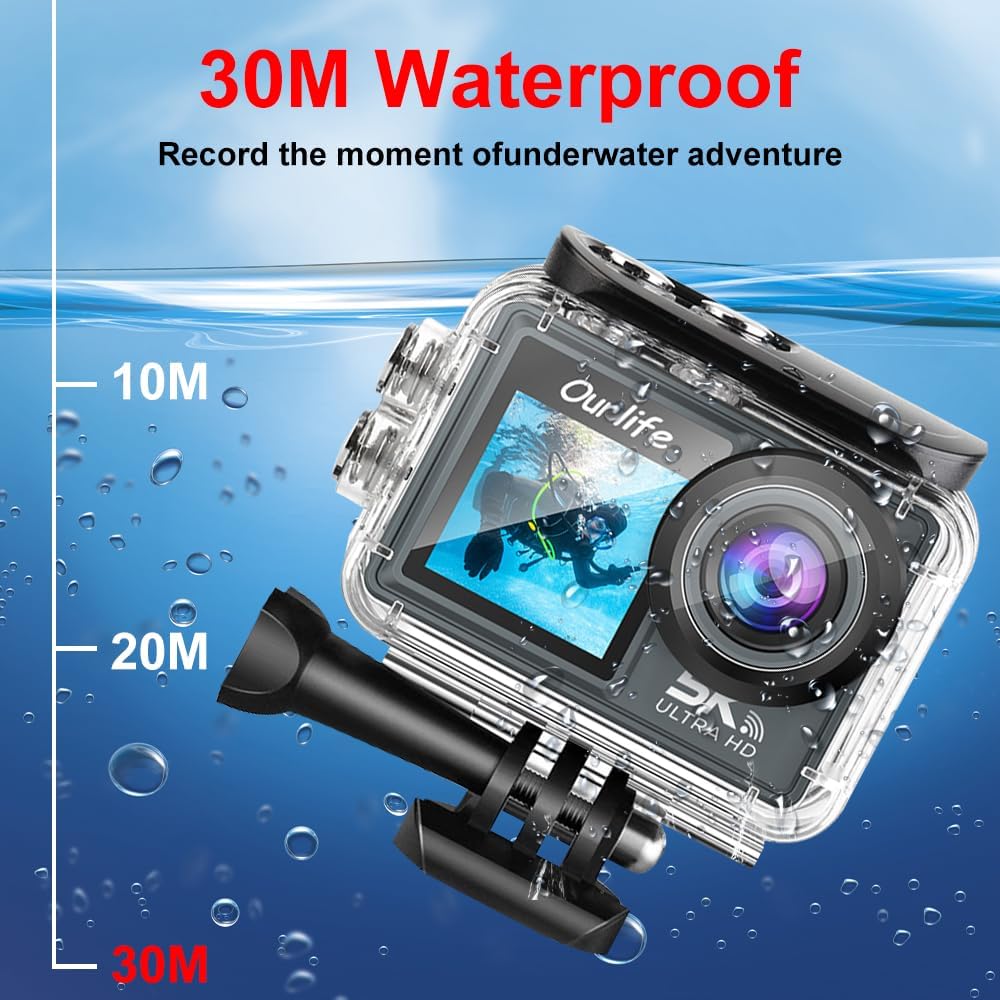
Image: The Ourlife Action Camera enclosed in its waterproof case, depicted underwater with depth markers indicating its 30-meter waterproof capability. This highlights the camera's suitability for aquatic activities.
4. ማብራት / ማጥፋት
To power on, press and hold the Power/Mode button for a few seconds. To power off, press and hold the Power/Mode button again until the screen turns off.
ካሜራውን በመስራት ላይ
1. መሰረታዊ ቁጥጥሮች እና አሰሳ
Use the Power/Mode button to cycle through different shooting modes (Video, Photo, Playback, Settings). Use the touch screen for menu navigation and selecting options. The Shutter/OK button initiates recording or takes a photo in the respective modes.
2. የቪዲዮ ቀረጻ
In Video mode, press the Shutter/OK button to start recording. Press it again to stop. The camera supports resolutions up to 5K at 30 frames per second (fps), as well as 4K, 2.7K, 1080P, and 720P options. Adjust resolution in the settings menu.
3. የፎቶ ቀረጻ
In Photo mode, press the Shutter/OK button to take a single photo. The camera offers various photo modes including single shot, automatic shooting, burst mode, and timed photography.
4. የዋይፋይ እና የመተግበሪያ ግንኙነት
Enable Wi-Fi in the camera's settings. Download the official Ourlife app on your smartphone or tablet. Connect your device to the camera's Wi-Fi network. The app allows for remote control, live preview, playback, and sharing of your footage.
5. ውጫዊ ማይክሮፎን ድጋፍ
For enhanced audio quality, connect a compatible external microphone to the camera's microphone port. Ensure the microphone is securely connected before recording.
6. Enhanced Image Stabilization (EIS)
The camera features Electronic Image Stabilization (EIS) to reduce blur and shake in your videos, especially during action-packed activities. This feature can be toggled On or Off in the camera settings.

Image: A side-by-side comparison demonstrating the effect of Enhanced Image Stabilization (EIS). The left image shows a clear, stable shot with EIS enabled, while the right image shows a blurred shot with EIS disabled, illustrating the benefit of the feature.
7. ሰፊ አንግል ሌንስ
የ170 ዲግሪ ሰፊ አንግል ሌንስ ሰፊ የሆነ የምስል መስክ ይይዛል view, ideal for landscapes, group shots, and immersive action footage. Be aware that wide-angle lenses may exhibit some distortion at the edges of the frame.

ምስል፡ የምስል ማሳያasing the 170-degree ultra wide-angle capability of the Ourlife Action Camera, demonstrating how it captures a significantly broader scene compared to narrower angles, ideal for expansive views.
ጥገና
- ማጽዳት፡ Use a soft, lint-free cloth to clean the camera lens and screens. For the waterproof case, rinse with fresh water after saltwater use and allow to air dry.
- ማከማቻ፡ ካሜራውን ከቀጥታ የፀሐይ ብርሃን እና ከፍተኛ የሙቀት መጠን ራቅ ባለ ቀዝቃዛና ደረቅ ቦታ ያስቀምጡ። ለረጅም ጊዜ ከተከማቸ ባትሪውን ያውጡት።
- የባትሪ እንክብካቤ Avoid fully discharging the battery frequently. Charge the battery regularly, even if not in use, to maintain its lifespan.
መላ መፈለግ
| ችግር | ሊሆን የሚችል መፍትሄ |
|---|---|
| ካሜራ አይበራም። | Ensure the battery is charged. Reinsert the battery. |
| ቪዲዮ መቅዳት/ፎቶ ማንሳት አይቻልም። | Check if a MicroSD card is inserted and formatted. Ensure sufficient storage space. |
| ደካማ የቪዲዮ/የፎቶ ጥራት። | ሌንሱን ያጽዱ። የጥራት ቅንብሮችን ያረጋግጡ። በቂ ብርሃን ያረጋግጡ። |
| የWi-Fi ግንኙነት ችግሮች። | Ensure Wi-Fi is enabled on the camera and your device. Restart both devices. Check app permissions. |
| ካሜራ ይቀዘቅዛል ወይም ምላሽ አይሰጥም። | ጠንካራ ዳግም ማስጀመር ለማከናወን ባትሪውን ያስወግዱ እና እንደገና ያስገቡ። |
ዝርዝሮች
| ባህሪ | ዝርዝር |
|---|---|
| የሞዴል ቁጥር | M40TR |
| የቪዲዮ ጥራት | Up to 5K 30fps (also 4K, 2.7K, 1080P, 720P) |
| የውሃ መከላከያ ጥልቀት | Up to 30 meters (with waterproof case) |
| የዋናው ማያ ገጽ መጠን | 2.0-ኢንች አይፒኤስ |
| ሁለተኛ ደረጃ የስክሪን መጠን | 1.3-ኢንች |
| የሌንስ አንግል | 170-degree Wide-Angle |
| ግንኙነት | ዋይ ፋይ፣ ዩኤስቢ |
| ማከማቻ | MicroSD Card (Class 10 or higher, up to 128GB) |
| ውጫዊ የማይክሮፎን ድጋፍ | አዎ |
| ምስል ማረጋጊያ | ኤሌክትሮኒክ ምስል ማረጋጊያ (EIS) |
| ቀለም | ጥቁር |
ዋስትና እና ድጋፍ
For warranty information and technical support, please refer to the official Ourlአይፍ webጣቢያ ወይም በቀጥታ የደንበኛ አገልግሎታቸውን ያግኙ። ለዋስትና ጥያቄዎች የግዢ ደረሰኝዎን እንደ ግዢ ማረጋገጫ ያቆዩት።
Official Ourlife Store: Visit the Ourlife Store on Amazon


