መግቢያ
This manual provides comprehensive instructions for the MoKo 10X Rechargeable Magnifying Glass with 21 LED Lights. Designed for enhanced visual clarity, this device is ideal for reading, inspection, and exploring small details. It features a powerful 10X magnification, adjustable LED lighting, and a comfortable ergonomic design for extended use.
ምርቱን ከመጠቀምዎ በፊት ተገቢውን አሠራር እና ጥገና ለማረጋገጥ ይህንን መመሪያ በደንብ ያንብቡ።
በሣጥኑ ውስጥ ያለው
- MoKo 10X Rechargeable Magnifying Glass
- የዩኤስቢ ባትሪ መሙያ ገመድ
- የጽዳት ጨርቅ
- የማከማቻ ቦርሳ
- የተጠቃሚ መመሪያ
ማዋቀር
1. የመነሻ ኃይል መሙላት
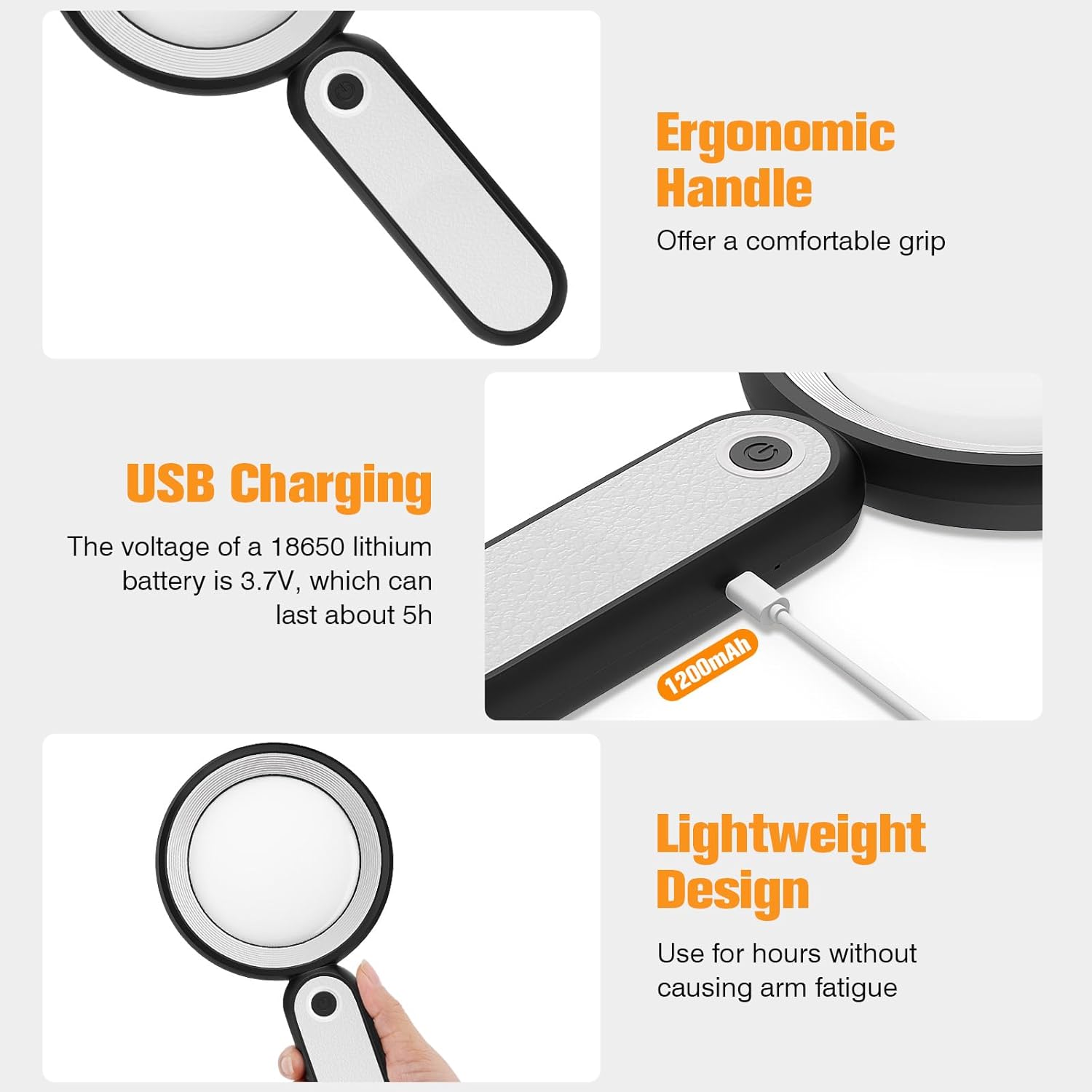
Before first use, fully charge the magnifying glass. Locate the USB charging port on the handle of the device.

Image: USB charging port on the handle.
- Connect the provided USB charging cable to the charging port on the magnifying glass.
- የዩኤስቢ ገመዱን ሌላኛውን ጫፍ ከዩኤስቢ የኃይል አስማሚ (ያልተካተተ) ወይም ከኮምፒዩተር የዩኤስቢ ወደብ ጋር ይሰኩ።
- The charging indicator lights (if present) will show the charging status. Allow the device to charge until fully powered, typically around 5 hours for a full charge.
2. የእጅ ማስተካከያ
The magnifying glass features an adjustable handle for comfortable use.

Image: Ergonomic handle design.
- Gently pivot the handle to your desired angle for handheld use.
- The handle can be folded for compact storage or extended for a comfortable grip during use.
የአሠራር መመሪያዎች
1. ማጉላት
The MoKo Magnifying Glass provides 10X magnification for clear viewing of small text and objects.

Image: Magnifying glass in use, showing 10X magnification on text.
- Hold the magnifying glass approximately 3-5 inches (7.5-12.5 cm) above the object you wish to magnify.
- Adjust the distance slightly until the object comes into clear focus.
2. የ LED የመብራት ሁነታዎች
The device is equipped with 21 LED lights and three lighting modes to suit various environments and reduce eye strain.

Image: Three adjustable lighting modes (cool, warm, mixed) for the LED lights.
- Locate the power button on the handle.
- Press the power button once to activate the አሪፍ ብርሃን ሁነታ.
- ለመቀየር የኃይል አዝራሩን ለሁለተኛ ጊዜ ይጫኑ ሙቅ ብርሃን ሁነታ.
- Press the power button a third time to activate the Mixed Light ሁነታ.
- Press the power button a fourth time to turn off the LED lights.
Choose the lighting mode that provides the most comfortable and clear viewing experience for your specific task and ambient light conditions.
ጥገና
1. ሌንስን ማጽዳት
To maintain optimal clarity, keep the optical glass lens clean.
- Use the provided soft cleaning cloth to gently wipe the lens surface.
- Avoid using abrasive materials, paper towels, or chemical cleaners, as these can scratch or damage the lens.
- ለግትር ማጭበርበሮች፣ በትንሹ መampen the cleaning cloth with a small amount of lens cleaning solution or water, then gently wipe and dry.
2. ማከማቻ
When not in use, store the magnifying glass in the provided storage pouch to protect it from dust and scratches.

Image: Magnifying glass being stored in its protective pouch.
- ከፀሀይ ብርሀን እና ከከፍተኛ ሙቀት ርቆ በቀዝቃዛና ደረቅ ቦታ ያከማቹ።
መላ መፈለግ
| ችግር | ሊሆን የሚችል ምክንያት | መፍትሄ |
|---|---|---|
| መብራቶች አይበሩም። | ዝቅተኛ ባትሪ ወይም መሳሪያ ጠፍቷል። | Charge the device using the provided USB cable. Ensure the power button is pressed correctly to cycle through modes. |
| Magnification is blurry or distorted. | Incorrect distance from object or dirty lens. | Adjust the distance between the lens and the object. Clean the lens with the provided cleaning cloth. |
| እጀታው ጠንካራ ወይም ለማስተካከል አስቸጋሪ ነው. | Minor friction in the hinge. | Apply gentle, consistent pressure. Avoid forcing the hinge. |
ዝርዝሮች
| ባህሪ | ዝርዝር |
|---|---|
| የምርት ስም | ሞኮ |
| የሞዴል ቁጥር | 10X |
| የማጉላት ጥንካሬ | 10X |
| የሌንስ ቁሳቁስ | Optical Glass |
| የ LED መብራቶች | 21 LED ዶቃዎች |
| የመብራት ሁነታዎች | 3 (Cool, Warm, Mixed) |
| የኃይል ምንጭ | Rechargeable USB (1200mAh battery, 3.7V) |
| የባትሪ ሕይወት (ቀጣይነት ያለው አጠቃቀም) | በግምት 5 ሰዓታት |
| የምርት ልኬቶች | 9.57 x 4.72 x 1.02 ኢንች (24.3 x 12 x 2.6 ሴሜ) |
| የእቃው ክብደት | 7.05 አውንስ (200 ግ) |
| ዩፒሲ | 840401442876 |
ምስል: የምርት ልኬቶች.
ዋስትና እና ድጋፍ
MoKo products are designed for reliability and performance. For warranty information or technical support, please refer to the contact details provided with your purchase or visit the official MoKo webጣቢያ.
ለማንኛውም የዋስትና የይገባኛል ጥያቄዎች የግዢ ደረሰኝዎን እንደ ግዢ ማረጋገጫ ያቆዩት።
ጠቃሚ የደህንነት መረጃ
- Do not expose the magnifying glass to direct sunlight for extended periods, as this may cause fire or damage to surfaces.
- ልጆች በማይደርሱበት ቦታ ያስቀምጡ.
- መሳሪያውን ከመጣል ወይም ለጠንካራ ተጽእኖዎች ከማድረግ ተቆጠብ።
- Do not attempt to disassemble or modify the magnifying glass.


