መግቢያ
Welcome to the BOYA BOYALINK 2 A2 wireless microphone system. This comprehensive user manual provides detailed instructions for the proper setup, operation, and maintenance of your device. Please read this manual thoroughly before using the product to ensure optimal performance and longevity.
የጥቅል ይዘቶች
ከዚህ በታች የተዘረዘሩት ሁሉም እቃዎች በጥቅልዎ ውስጥ መካተታቸውን ያረጋግጡ፡-
- 2 × BOYALINK 2 Transmitters (TX)
- 1 × BOYALINK 2 Receiver (RX)
- 1 × USB Type-C Adapter
- 1 × Lightning Adapter
- 1 × 3.5 ሚሜ TRS አስማሚ
- 1 × One-to-Three Charging Cable
- 2 × Fur Windshields
- 1 × ተሸካሚ ቦርሳ

ምርት አልቋልview
The BOYALINK 2 A2 system is a versatile wireless microphone solution designed for various recording scenarios. It features two compact transmitters and a receiver with interchangeable adapters for broad compatibility.

ማዋቀር
1. መሳሪያዎቹን መሙላት
Before initial use, ensure all transmitters and the receiver are fully charged. Place them in the charging case and connect the case to a power source using the provided charging cable. The charging time is approximately 1.5 hours for a full charge, providing up to 10 hours of operating time per transmitter.

2. ተቀባዩን ከመሳሪያዎ ጋር ማገናኘት
The BOYALINK 2 A2 receiver offers universal compatibility through its interchangeable adapters:
- Identify Adapter: Choose the appropriate adapter for your recording device:
- Lightning Adapter for iPhone (14/13/12/XR/X/8/7/6 series)
- USB-C Adapter for Android smartphones, Mac, iPad, and iPhone (15/16 series)
- 3.5mm TRS Adapter for cameras and some action cameras
- አስማሚውን ያያይዙ፦ Securely attach the selected adapter to the receiver unit.
- መሰካት፥ Plug the receiver with the attached adapter into your recording device's corresponding port.

ማስታወሻ፡- This system does not support Android phones with a 3.5mm round headphone jack.
3. ራስ-ሰር ማጣመር
The BOYALINK 2 A2 system is designed for effortless pairing. The transmitters and receiver will automatically connect once powered on.
- አብራ፡ Press and hold the power button on each transmitter and the receiver until the indicator lights illuminate.
- ግንኙነት አረጋግጥ፡ A solid blue indicator light on both the transmitters and receiver signifies a successful connection and readiness for use.
የአሠራር መመሪያዎች
ኃይል አብራ/ አጥፋ
To power on or off any unit (transmitter or receiver), press and hold its respective power button for a few seconds until the indicator lights respond.
የድምጽ መሰረዝ
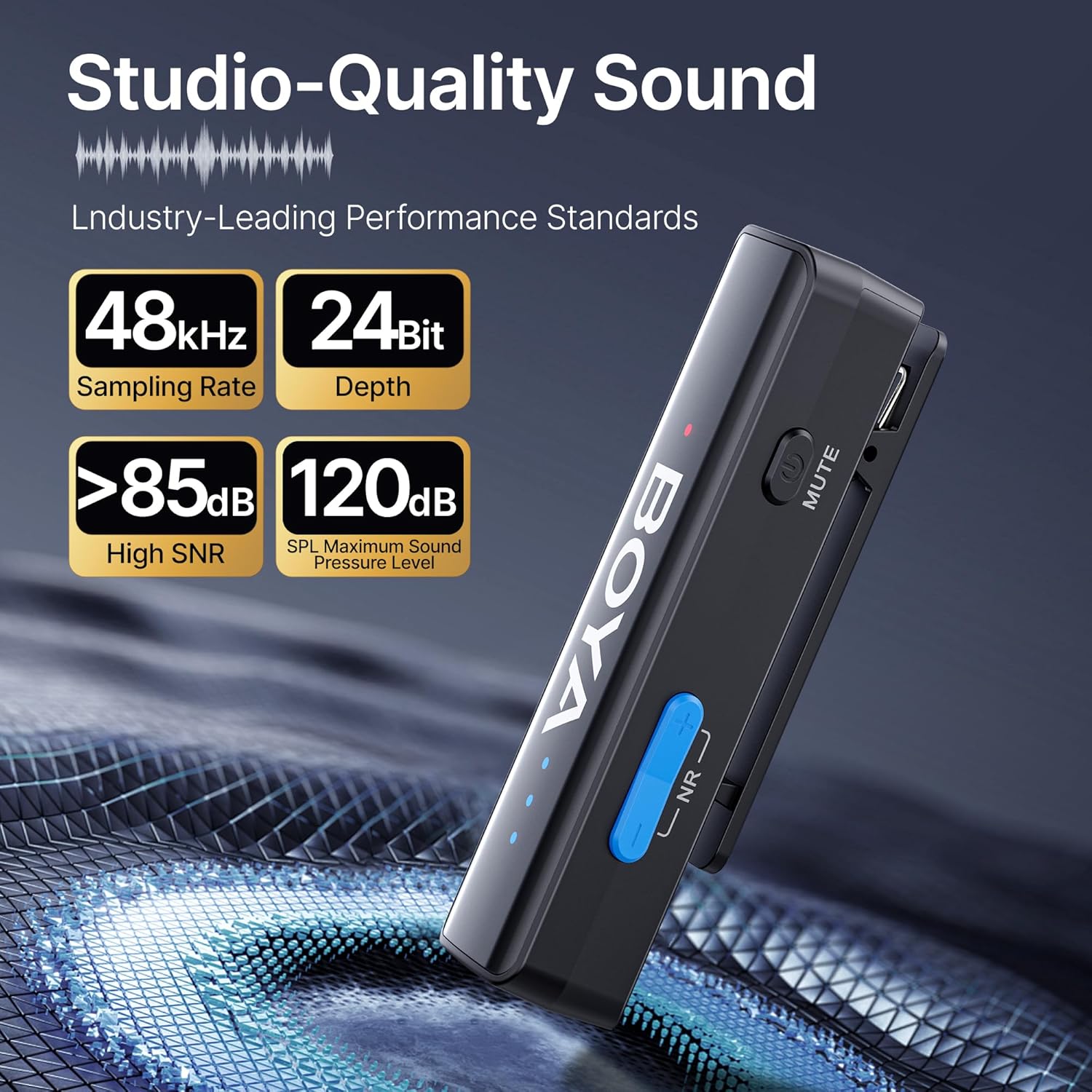
The BOYALINK 2 A2 features a 2-level smart noise cancellation function to reduce ambient noise. Press the "NR" button on the transmitter to toggle between strong noise reduction, weak noise reduction, and no noise reduction modes.

For outdoor use or in windy conditions, attach the provided fur windshields to the transmitters to further minimize wind noise.
ቁጥጥር ያግኙ
Adjust the audio input level (gain) to suit your recording environment. The system offers 6 volume control levels, each providing a 6dB boost, for a total range of 0-36dB. Use the volume control buttons on the transmitter to increase or decrease the gain. LED indicators will display the current volume level.

ተግባር ድምጸ-ከል አድርግ
To temporarily mute a transmitter, press the mute button located on the side of the transmitter. Press it again to unmute.
App Control (BOYA Central)
Enhance your control over the BOYALINK 2 A2 system by downloading the BOYA Central app. The app provides access to advanced functions including external playback, noise reduction settings, mute control, gain adjustments, and power management. It also allows for firmware updates.

ሞኖ/ስቲሪዮ ሁነታ
The system supports both mono and stereo recording modes. In mono mode, both transmitters' audio is combined into a single channel. In stereo mode, each transmitter's audio is recorded on a separate channel, offering greater flexibility in post-production. ማስታወሻ፡- When using the BOYALINK 2 A2 with a smartphone, only mono mode is available.

በሚቀዳበት ጊዜ ኃይል መሙላት
The receiver unit allows for pass-through charging of your connected device (e.g., smartphone) while the microphone system is in use. This feature ensures that your recording sessions are not interrupted by low device battery.

Playback Without Unplugging
እንደገና ማድረግ ይችላሉview your recorded audio or video directly from your device without needing to disconnect the BOYALINK 2 A2 receiver. This prevents wear and tear on your device's port and offers convenience.

ጥገና
- ማጽዳት፡ መሳሪያዎቹን ለማጽዳት ለስላሳና ደረቅ ጨርቅ ይጠቀሙ። ጠበኛ ኬሚካሎችን ወይም ሻካራ ቁሳቁሶችን ከመጠቀም ይቆጠቡ።
- ማከማቻ፡ When not in use, store the BOYALINK 2 A2 system in its provided carrying bag to protect it from dust, moisture, and physical damage.
- የአካባቢ ሁኔታዎች; መሳሪያዎቹን ለከፍተኛ ሙቀት፣ ለቀጥታ የፀሐይ ብርሃን ወይም ለከፍተኛ እርጥበት ከማጋለጥ ይቆጠቡ።
- የባትሪ እንክብካቤ For optimal battery life, avoid fully discharging the batteries frequently. Charge them regularly, even if the device is not in active use for extended periods.
መላ መፈለግ
ምንም ድምፅ ወይም ዝቅተኛ ድምጽ ውፅዓት የለም
- Ensure the receiver is securely connected to your recording device and the correct adapter is used.
- Verify that both transmitters and the receiver are powered on and successfully paired (solid blue indicator lights).
- Check the gain control levels on the transmitters and adjust them as necessary.
- Confirm your recording device's audio input settings are correctly configured to use the external microphone.
- Ensure the transmitters are not muted.
Interference or Poor Audio Quality
- Ensure transmitters and receiver are within the optimal operating range (up to 1000ft / 300m line-of-sight).
- Activate the appropriate noise cancellation mode (strong or weak) via the "NR" button on the transmitter.
- Use the provided fur windshields when recording in windy or outdoor environments.
- Avoid placing the system near strong electromagnetic interference sources (e.g., Wi-Fi routers, other wireless devices).
መሣሪያ እየሞላ አይደለም።
- Check that the charging cable is securely connected to both the charging case and a working power source.
- Ensure the transmitters and receiver are correctly seated in the charging case.
- ሌላ የኃይል መሙያ ገመድ ወይም የኃይል አስማሚ ይሞክሩ።
ቴክኒካዊ ዝርዝሮች
| ባህሪ | ዝርዝር |
|---|---|
| የሞዴል ስም | BOYALINK 2 A2 (2TX+ 3-in-1 RX) |
| የማይክሮፎን ቅጽ ምክንያት | ላቫሊየር |
| የዋልታ ንድፍ | ሁሉን አቀፍ |
| የግንኙነት ቴክኖሎጂ | 2.4 ጊኸ ገመድ አልባ |
| የማገናኛ አይነት | 3.5 mm Jack, Lightning, Type-C |
| ተስማሚ መሣሪያዎች | Camera, Smartphone, Tablet (iPhone, Android, Mac, iPad) |
| የድግግሞሽ ምላሽ | 20Hz - 20 ኪኸ |
| የምልክት-ወደ-ጫጫታ ሬሾ | > 85 ዲቢቢ |
| ከፍተኛው SPL | 120 ዲቢ |
| የድምጽ ቅርጸት | 48 ኪኸ/24ቢት |
| የማስተላለፍ ክልል | Up to 1000ft (300m) Line-of-Sight |
| መዘግየት | 25 ሚሴ |
| የባትሪ ዕድሜ (ማስተላለፊያ) | እስከ 10 ሰዓታት ድረስ |
| የኃይል መሙያ ጊዜ | በግምት. 1.5 ሰዓታት |
| የእቃው ክብደት | 1.45 Ounces (per unit, approximate) |
| ልኬቶች (L x W x H) | 4.41 x 2.87 x 1.3 inches (overall package/case) |
| ልዩ ባህሪያት | 2-Level Noise Reduction, 6-Level Volume Control, 6mm Tiny Mic, 3-in-1 RX, APP Control & Firmware Updates, Metal Clip, Mute Function, Charging While In Use, Playback Without Unplugging |
ዋስትና እና ድጋፍ
BOYA products are covered by a limited warranty. For detailed warranty terms, conditions, and registration, please visit the official BOYA website or contact your authorized BOYA dealer. Please retain your proof of purchase for any warranty claims or technical support inquiries.
For technical assistance, troubleshooting, or further information, please visit the BOYA support page or contact customer service through the official webጣቢያ.