1. መግቢያ
This manual provides essential information for the proper installation, operation, and maintenance of your LaView 2K Solar Camera Outdoor Wireless Security System. Please read this manual thoroughly before using the product to ensure optimal performance and safety. This system includes four (4) 2K QHD wireless cameras with integrated solar panels for continuous power.
2. ምርት አብቅቷልview
ላView 2K Solar Camera is a high-performance outdoor security solution designed for ease of use and comprehensive surveillance. Key features include:
- 2K QHD & Color Night Vision: Captures ultra-clear color images day and night.
- 100% Wireless & Solar-Powered: Eliminates wiring and manual recharging.
- 360° ፓን እና 120° ዘንበል፡ Provides full coverage with no blind spots.
- ስማርት PIR ማወቂያ፦ Reduces false alarms by accurately detecting people, vehicles, and pets.
- ባለሁለት መንገድ ኦዲዮ፡- Enables communication with visitors or deterring intruders.
- IP65 የአየር ሁኔታ መከላከያ; አስቸጋሪ የውጪ ሁኔታዎችን ለመቋቋም የተነደፈ።
- ባለብዙ ተጠቃሚ ማጋራት፡- Supports up to 20 simultaneous viewE ንዲሻሻል.
- የስማርት ቤት ተኳኋኝነት ከአማዞን አሌክሳ እና ጎግል ረዳት ጋር ይሰራል።

Figure 1: LaView 2K Solar Camera Outdoor Wireless Security System (4 Pack)
3. በሳጥኑ ውስጥ ያለው
የእርስዎ ላView 2K Solar Camera system includes the following components:
- 4 x LaView 2K Solar Camera Bodies
- 4 x የፀሐይ ፓነሎች (የተዋሃዱ ወይም የተለዩ፣ እንደ ሞዴል ልዩነት)
- Mounting Hardware (screws, anchors, mounting brackets)
- የዩኤስቢ-ሲ ኃይል መሙያ ገመድ
- ፈጣን ጅምር መመሪያ / የተጠቃሚ መመሪያ

Figure 2: Typical box contents for LaView 2K Solar Camera.
4. ማዋቀር
4.1 Initial Camera Setup
- ካሜራውን መሙላት; Fully charge the camera battery using the provided USB-C cable before installation.
- መተግበሪያውን ያውርዱ፡- "ዋንስ" ን ያውርዱ እና ይጫኑView Cloud" app from your smartphone's app store (available for Android and iOS).
- አብራ፡ Open the waterproof cover on the bottom of the camera. Press and hold the power button for approximately 5 seconds until you hear a chime and the camera begins its self-test rotation.
- ማጣመር፡ ዋንስን ይክፈቱView Cloud app, create an account, and log in. Tap the "+" or "Add Device" button. The app should automatically detect nearby devices via Bluetooth. Follow the in-app instructions to complete the pairing process. Ensure your smartphone is connected to a 2.4GHz Wi-Fi network.
4.2 አካላዊ ጭነት
- ቦታ ይምረጡ፡- Select an outdoor location with good Wi-Fi signal strength and sufficient sunlight exposure for the solar panel. The camera is IP65 weatherproof.
- ካሜራውን ይጫኑ; Use the provided mounting template to mark drill holes on your wall. Drill holes, insert anchors, and secure the camera's mounting bracket with screws. Attach the camera body to the bracket.
- የፀሐይ ፓነልን ይጫኑ; If the solar panel is separate, mount it in a location that receives maximum direct sunlight throughout the day. Connect the solar panel cable to the camera's 5V charging port.
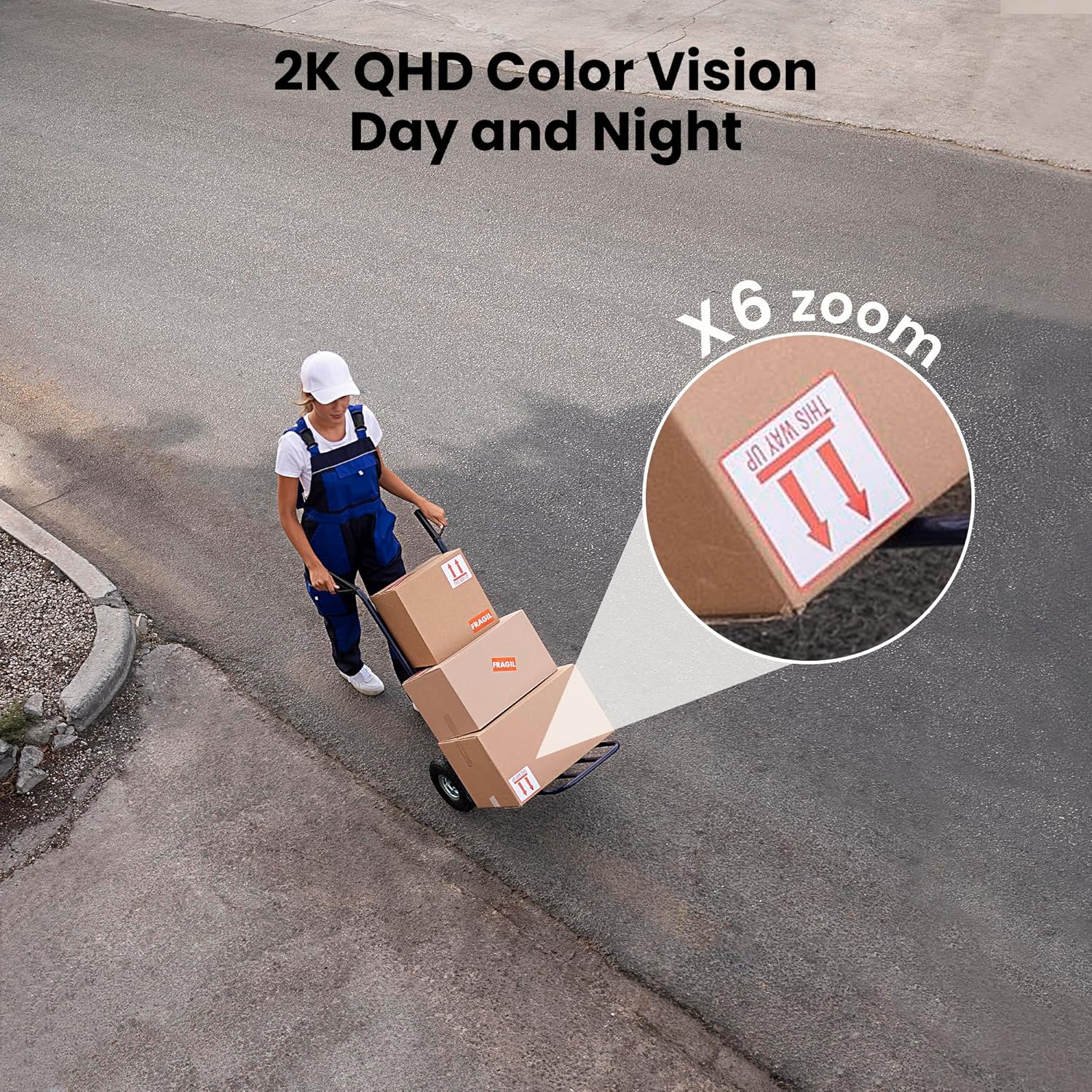
Figure 3: Flexible installation options for the LaView 2K Solar Camera.
5. የአሠራር መመሪያዎች
5.1 ቀጥታ ስርጭት View እና የካሜራ መቆጣጠሪያ
- ዋንስን ይክፈቱView Cloud app to access the live feed from your camera.
- Use the on-screen controls to pan the camera 360° horizontally and tilt it 120° vertically for full coverage.
- የ6X ዲጂታል ማጉላት ባህሪን በመጠቀም view details in the 2K QHD resolution.

Figure 4: Control 360° pan and 120° tilt directly from your phone.
5.2 የቪዲዮ ጥራት እና የሌሊት እይታ
- The camera provides 2K QHD video resolution for clear images.
- የቀለም የምሽት እይታ; With an F/1.6 aperture, the camera captures clear color images even in low-light conditions.
- የኢንፍራሬድ የምሽት እይታ; For complete darkness, the camera automatically switches to infrared mode for black and white video.
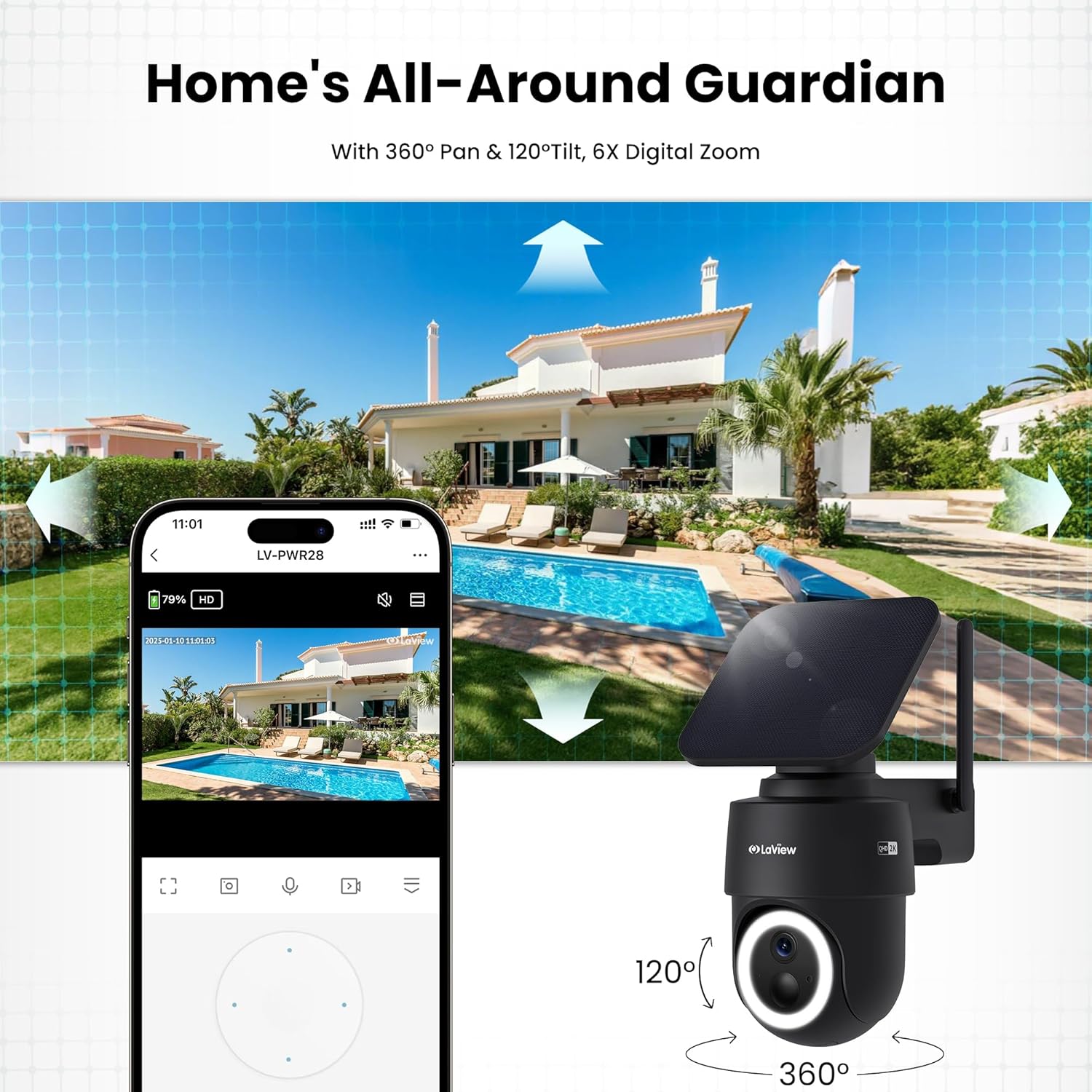
Figure 5: Experience 2K QHD color vision day and night with 6X zoom.
5.3 የእንቅስቃሴ ማወቂያ እና ማንቂያዎች
- የ PIR ማወቂያ The advanced PIR sensor and intelligent algorithms accurately detect human, vehicle, and pet motion, reducing false alarms.
- ሊበጁ የሚችሉ ዞኖች፡ Set specific detection sensitivity and zones within the app.
- ፈጣን ማንቂያዎች፡- እንቅስቃሴ ሲገኝ በስማርትፎንዎ ላይ የግፊት ማሳወቂያዎችን ይቀበሉ።
- ሳይረን እና ትኩረት፦ Configure the camera to trigger a siren and spotlight upon motion detection for deterrence.

Figure 6: Auto-record on motion detection, capturing movement paths for clear activity tracking.
5.4 ባለ ሁለት መንገድ ኦዲዮ
- Use the microphone and speaker in the app to communicate with anyone near the camera.

Figure 7: Stay connected with two-way talk functionality.
5.5 የማከማቻ አማራጮች
- የማይክሮ ኤስዲ ካርድ Insert a Micro SD card (up to 256GB, not included) into the designated slot for local storage of recordings.
- የደመና ማከማቻ፡ Optional cloud storage is available with a 30-day free trial. A subscription is required for continued cloud service.

Figure 8: Dual storage options: Micro SD card and Cloud Storage.
5.6 ስማርት ቤት ውህደት
- The camera is compatible with Amazon Alexa and Google Assistant. Follow the instructions in your smart home app to connect the camera.

Figure 9: Works with smart home devices like Amazon Alexa and Google Assistant.
6. ጥገና
6.1 ባትሪ መሙላት
- The integrated solar panel continuously charges the camera's rechargeable battery. Ensure the solar panel is clean and free from obstructions for optimal charging.
- If necessary, the camera can also be charged directly via the USB-C port using the provided cable.
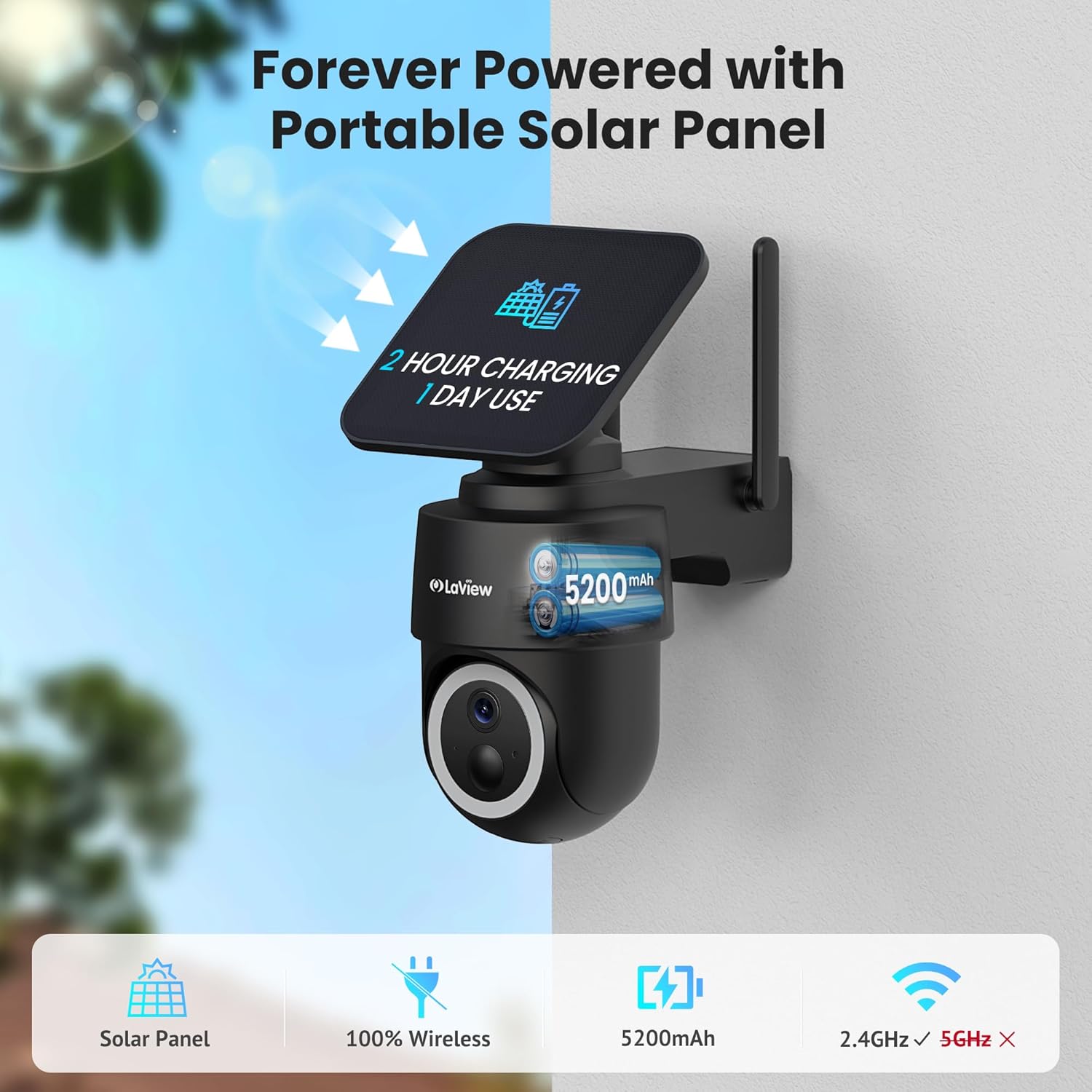
Figure 10: Forever powered with portable solar panel.
6.2 የአየር ሁኔታ መቋቋም
- The camera has an IP65 weatherproof rating, protecting it from dust and water jets. It operates in temperatures from 14°F to 122°F (-10°C to 50°C).

ምስል 11፡ ለሁሉም ሁኔታዎች የአየር ሁኔታን የሚቋቋም IP65 ዲዛይን።
6.3 ጽዳት
- የካሜራ ሌንስንና የፀሐይ ፓነሉን በለስላሳ፣ ዲ አዘውትሮ ያጽዱamp cloth to ensure clear image quality and efficient charging.
7. መላ መፈለግ
- ካሜራ ከWi-Fi ጋር አለመገናኘት፡- Ensure your Wi-Fi network is 2.4GHz. Reboot your router and smartphone. Reset the camera by holding the reset button for 5 seconds until you hear a chime, then attempt pairing again.
- ተደጋጋሚ የሐሰት ማንቂያዎች; Adjust the PIR detection sensitivity and customize detection zones within the app to minimize unwanted alerts from non-relevant motion sources.
- ደካማ የምስል ጥራት፡ Ensure the camera lens is clean and free from obstructions. Check Wi-Fi signal strength.
- ባትሪ እየሞላ አይደለም፡- Verify the solar panel is receiving direct sunlight and is free from dirt or obstructions. Ensure the solar panel cable is securely connected to the camera.
8. ዝርዝሮች
| የሞዴል ስም | LV-PWR28Q-B-4PK |
| የቤት ውስጥ / የውጭ አጠቃቀም | ከቤት ውጭ |
| የኃይል ምንጭ | በፀሐይ የሚሠራ |
| የግንኙነት ፕሮቶኮል | ዋይ ፋይ (2.4GHz ብቻ) |
| የቪዲዮ ቀረጻ ጥራት | 2K QHD (3K mentioned in specs, but 2K QHD in features) |
| የመቆጣጠሪያ አይነት | Amazon Alexa |
| የመጫኛ አይነት | የግድግዳ ተራራ |
| የአየር ሁኔታ መከላከያ ደረጃ | IP65 |
| የአሠራር ሙቀት | 14°F እስከ 122°F (-10°C እስከ 50°C) |
| የንጥል መጠኖች (L x W x H) | 10 x 13 x 9 ኢንች |
| የእቃው ክብደት | 7.88 ፓውንድ |
| ዩፒሲ | 192728016859 |
9. ዋስትና እና ድጋፍ
- የ1-ዓመት የመተኪያ ዋስትና፡ የእርስዎ ላView 2K Solar Camera system is covered by a 1-year replacement warranty.
- የዕድሜ ልክ የቴክኒክ ድጋፍ; LaView offers lifetime technical support via phone for prompt and reliable solutions.
- 1-on-1 Customer Service: Dedicated customer service is available for personalized assistance.

Figure 12: LaView provides comprehensive after-sales support.


