መግቢያ
This comprehensive user manual is designed to help you unlock the full potential of your Google Pixel 9, Pixel 9 Pro, or Pixel 9 Pro XL smartphone. Whether you are new to the Pixel ecosystem or upgrading to the latest series, this guide provides detailed, step-by-step instructions and comprehensive illustrations to navigate Android 14 and master your device's advanced features.
The manual covers everything from initial setup to advanced camera functions, battery optimization, security settings, powerful AI tools, gaming enhancements, and smart home integration. It is written in clear, user-friendly language, making complex functions easy to understand for all users, from beginners to seniors.
በእጅ ተጠናቀቀview

Front cover of the user manual, featuring the Google Pixel 9, 9 Pro, and 9 Pro XL smartphones.
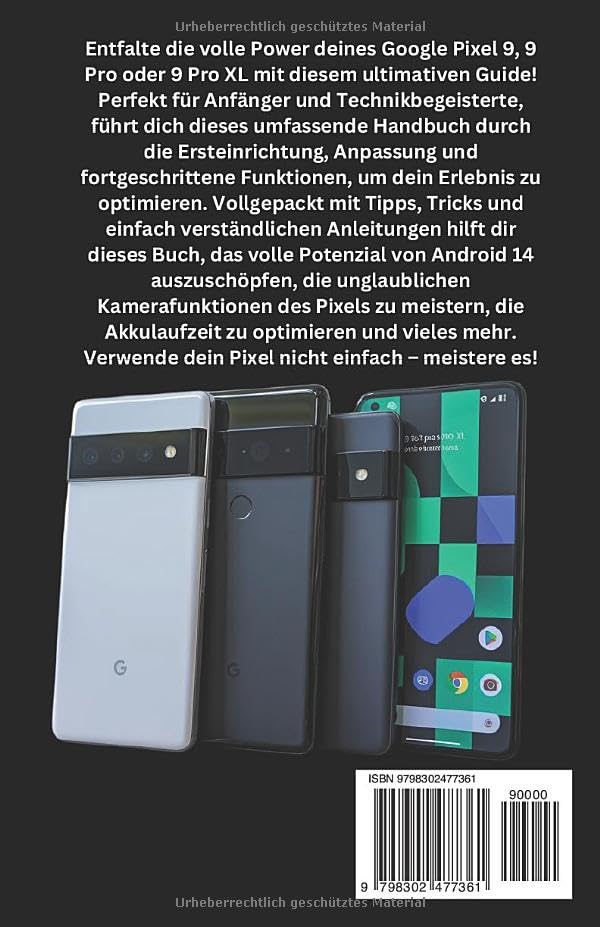
Back cover of the user manual, showing the ISBN-13: 979-8302477361.
1. የመጀመሪያ ደረጃ ማዋቀር እና ማዋቀር
This section guides you through the essential steps to set up your new Google Pixel 9 series device. From powering on for the first time to connecting to Wi-Fi and transferring data, these instructions ensure a smooth start.
1.1 First-Time Power On
- መሣሪያዎን ይሙሉ Before starting, ensure your Pixel device has sufficient charge. Connect the provided USB-C cable to the charging port and a compatible power adapter.
- አብራ፡ Press and hold the power button (typically on the right side of the device) until the Google logo appears.
- ቋንቋ ይምረጡ፡- የሚመርጡትን ቋንቋ ለመምረጥ በማያ ገጽ ላይ ያሉትን ጥያቄዎች ይከተሉ።
1.2 ከ Wi-Fi ጋር በመገናኘት ላይ
A stable internet connection is crucial for setup and updates.
- From the setup screen, tap on "ጀምር" or "Let's go".
- Select your Wi-Fi network from the list. If prompted, enter the network password.
- መታ ያድርጉ "አገናኝ".
1.3 የጉግል መለያ ማዋቀር
Your Google account is essential for accessing apps, services, and backups.
- Sign in with an existing Google account or create a new one.
- Review እና የGoogle የአገልግሎት ውል እና የግላዊነት መመሪያን ይቀበሉ።
2. Operating Your Google Pixel 9 Series
This section details the core functionalities and advanced features of your Pixel device, helping you navigate Android 14 and utilize its capabilities effectively.
2.1 አንድሮይድ 14ን በማሰስ ላይ
- መነሻ ስክሪን፡ የመነሻ ማያ ገጽዎን በዊጅቶች እና በመተግበሪያ አቋራጮች ያብጁ።
- ማሳወቂያዎች፡- ማሳወቂያዎችን እና ፈጣን ቅንብሮችን ለመድረስ ከላይ ወደ ታች ያንሸራትቱ።
- የመተግበሪያ መሳቢያ፡ ከመነሻ ማያ ገጹ ግርጌ ወደ ላይ ያንሸራትቱ view ሁሉም የተጫኑ መተግበሪያዎች.
2.2 የካሜራ ተግባራት
The Pixel 9 series boasts advanced camera capabilities. Explore modes like:
- Super Res Zoom: Enhance digital zoom for clearer distant shots.
- የምሽት ሁነታ፡ Capture vibrant photos in low-light conditions.
- የቁም ስዕል ሁነታ ደብዛዛ ዳራ ያላቸው ሙያዊ የሚመስሉ ፎቶዎችን ይፍጠሩ።
2.3 Google Assistant & Gemini AI
Utilize voice commands and intelligent AI features:
- Activate Google Assistant by saying "Hey Google" or long-pressing the power button.
- Leverage Gemini AI for smart routines, content summaries, and more.
2.4 ደህንነት እና ግላዊነት
Protect your data with built-in security features:
- የፊት ማወቂያ Set up facial unlock for quick and secure access.
- የጣት አሻራ ዳሳሽ Register your fingerprints for biometric authentication.
- የግላዊነት ዳሽቦርድ፡ Monitor app permissions and data access.
- Family Link & Parental Controls: Manage screen time and content for family members.
2.5 የጨዋታ ተሞክሮ
Optimize your gaming with Game Mode:
- Access Game Mode settings to enhance performance and minimize distractions during gameplay.
2.6 ስማርት ቤት ውህደት
Connect your Pixel to your smart home ecosystem:
- Control Google Nest devices and other compatible smart home products directly from your Pixel.
3. ጥገና እና የባትሪ ማመቻቸት
Proper maintenance ensures the longevity and optimal performance of your Google Pixel device. This section focuses on maximizing battery life.
3.1 Battery Saving Techniques
- የሚለምደዉ ባትሪ፡ የአጠቃቀም ቅጦችዎን ለማወቅ እና የመተግበሪያ የኃይል ፍጆታን ለማመቻቸት በቅንብሮች ውስጥ አዳፕቲቭ ባትሪን ያንቁ።
- ጨለማ ጭብጥ፡- Use Dark Theme to reduce power consumption on OLED screens.
- የስክሪን ብሩህነት፡ Adjust screen brightness to a comfortable level or enable Adaptive Brightness.
- የበስተጀርባ መተግበሪያ አድስ፡ Limit background activity for apps that consume significant power.
- የአካባቢ አገልግሎቶች፡ Turn off location services when not in use or set them to "While using the app" for specific applications.
4. የተለመዱ ጉዳዮችን መላ መፈለግ
This section provides general guidance for resolving common issues you might encounter with your Google Pixel 9 series device. For more detailed troubleshooting, refer to the comprehensive manual or Google's official support resources.
4.1 መሳሪያ ምላሽ አይሰጥም
- ዳግም ማስጀመር አስገድድ፡- Press and hold the power button for about 30 seconds until the device restarts.
4.2 የግንኙነት ችግሮች (Wi-Fi/ብሉቱዝ)
- አብራ/አጥፋ፡ Try turning Wi-Fi or Bluetooth off and then on again from Quick Settings.
- አውታረ መረብን እርሳ፡ For Wi-Fi issues, forget the network and reconnect.
- ራውተርን እንደገና ያስጀምሩ If other devices are affected, restart your Wi-Fi router.
4.3 የመተግበሪያ ብልሽት ወይም መቀዝቀዝ
- መተግበሪያን አስገድድ Go to Settings > Apps > See all apps, select the problematic app, and tap "Force stop".
- መሸጎጫ አጽዳ፡ In the app's settings, go to Storage & cache and tap "Clear cache".
- መተግበሪያን አዘምን፡ መተግበሪያው ከGoogle Play መደብር ወደ የቅርብ ጊዜው ስሪት መዘመኑን ያረጋግጡ።
5. የምርት ዝርዝሮች
The following table outlines key specifications for the Google Pixel 9, 9 Pro & 9 Pro XL User Manual (Paperback edition).
| ባህሪ | ዝርዝር |
|---|---|
| ASIN | B0DPLCFBMJ |
| አታሚ | በነጻነት ታትሟል |
| የታተመበት ቀን | ዲሴምበር 4፣ 2024 |
| ቋንቋ | ጀርመንኛ |
| የህትመት ርዝመት | 335 ገፆች |
| ISBN-13 | 979-8302477361 |
| የእቃው ክብደት | 13.8 አውንስ |
| መጠኖች | 5.5 x 0.76 x 8.5 ኢንች |
6. ዋስትና እና ድጋፍ
This user manual provides comprehensive instructions for operating your Google Pixel 9 series device. Please note that this manual itself does not include warranty information for the Google Pixel smartphones. For details regarding the warranty of your Google Pixel device, please refer to the official documentation provided with your smartphone or visit the official Google support webጣቢያ.
For further assistance or technical support related to your Google Pixel 9, 9 Pro, or 9 Pro XL, please visit the official Google Support page or contact Google customer service directly.
Disclaimer: This manual is a guide for the Google Pixel 9 series and is not an official Google publication. All product names, logos, and brands are property of their respective owners.


