መግቢያ
Thank you for choosing the GENBOLT GB102HD Dual-Lens Wi-Fi Indoor Security Camera. This manual provides essential information for the safe and efficient use of your device. Please read it thoroughly before installation and operation, and retain it for future reference.
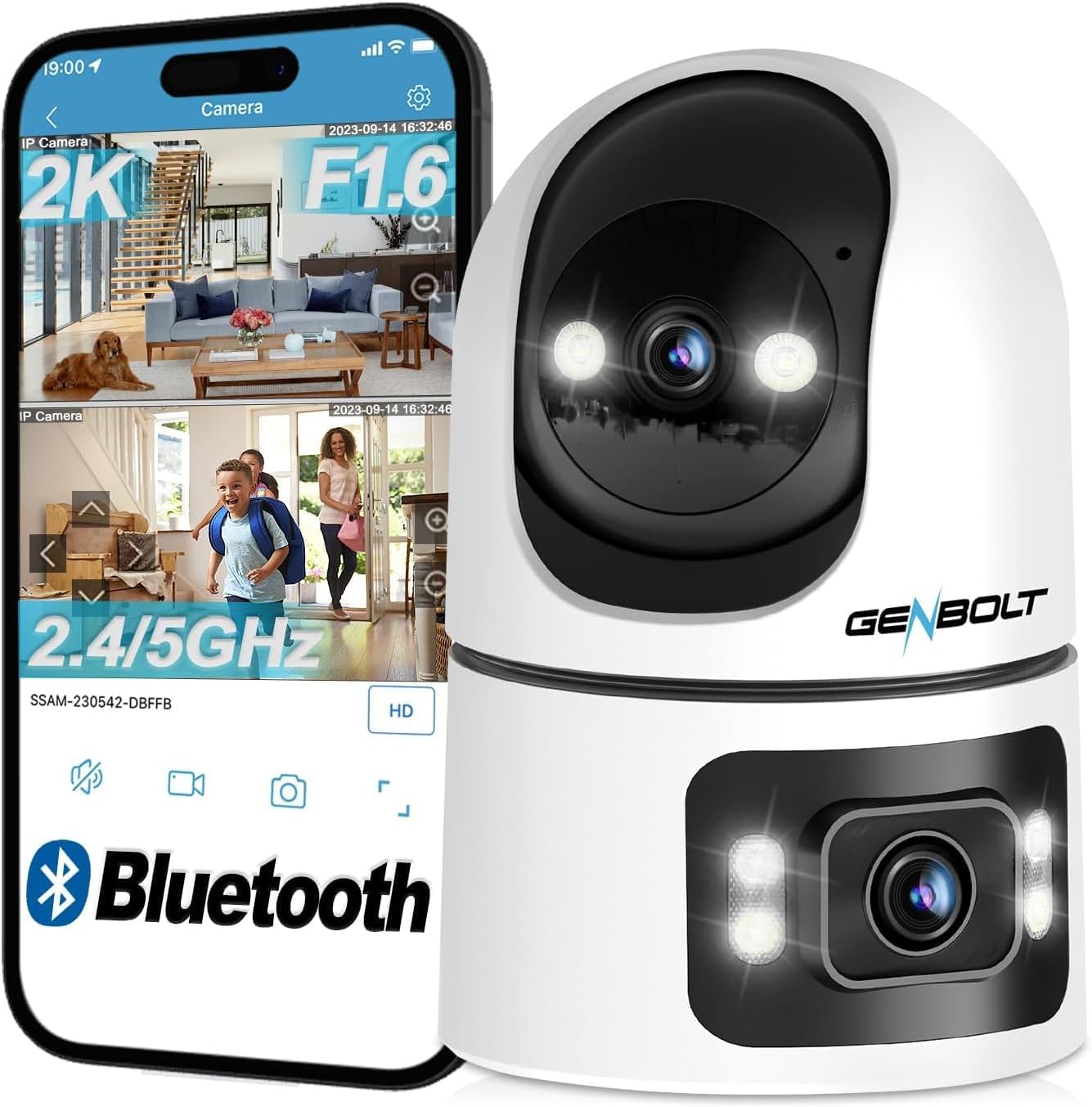
The GB102HD camera is designed for indoor surveillance, offering advanced features such as dual lenses for comprehensive coverage, 1080P HD video, AI-powered motion detection, two-way audio, and versatile recording options. It is ideal for monitoring pets, children, or the elderly, providing peace of mind through remote access and smart alerts.
ምርት አልቋልview
ቁልፍ ባህሪያት
- ባለሁለት-ሌንስ ስርዓት; Combines a pan-tilt lens for dynamic tracking and a fixed wide-angle lens for static overview, providing a 360-degree field of view.
- 1080P HD ጥራት፡ ግልጽ እና ዝርዝር የቪዲዮ ፎዎችን ያቀርባልtage.
- AI Human & Motion Detection: Intelligent algorithms detect human shapes and motion, reducing false alarms and triggering automatic tracking.
- ራስ-ሰር ክትትል; The camera automatically follows detected subjects within its field of view.
- ባለሁለት መንገድ ኦዲዮ፡- Built-in speaker and microphone allow for real-time communication.
- ባለ ሙሉ ቀለም የምሽት እይታ; Provides clear, colorful images even in low-light conditions, up to 10 meters.
- ተለዋዋጭ ማከማቻ፡ Supports up to 128GB MicroSD card and offers a 7-day free trial for cloud storage.
- Multi-Platform Access: View live feeds and recordings via smartphone (iOS/Android), tablet, or computer (macOS/Windows) applications.
- የWi-Fi ግንኙነት፡- Supports 2.4GHz and 5GHz Wi-Fi for stable and fast network connection.
የጥቅል ይዘቶች
- GENBOLT GB102HD Camera Body
- የተጠቃሚ መመሪያ
- Power Adapter (USB)
- Mounting Accessories (if applicable, not explicitly listed but common for cameras)
የምርት ንድፍ
የማዋቀር መመሪያ
1. በመሳሪያው ላይ ኃይል መስጠት
Connect the camera to a power source using the provided USB power adapter. The camera will initiate its startup sequence. Wait for the voice prompt indicating that the camera has started and is ready for network configuration.

2. የመተግበሪያ ጭነት
Download the "GENBOLT CAM" application from your smartphone's app store (available for iOS and Android). Install the application on your device.
3. Initial Device Pairing
- Open the "GENBOLT CAM" app.
- አዲስ ካሜራ ለማከል የ"+" አዶውን ይንኩ።
- The app may request permission to access location services and Bluetooth. Grant these permissions for proper device detection and setup. For iPhone users, ensure "New Connections" is allowed for Bluetooth.
- The app will scan for nearby Bluetooth devices. Select your camera from the list (e.g., "SSAS-200386-DFAAF") and tap "Add" or "Connect".
4. የ Wi-Fi ግንኙነት
- After successful Bluetooth pairing, the app will prompt you to select your Wi-Fi network. Choose your 2.4GHz or 5GHz Wi-Fi network (note: some older models may only support 2.4GHz).
- Enter your Wi-Fi password and confirm.
- The camera will attempt to connect to the Wi-Fi network. Once connected, the app will confirm the successful addition of the device.
- You can then name your camera (e.g., "Living Room", "Baby Room") and begin monitoring.

የአሠራር መመሪያዎች
1. ቀጥታ ስርጭት View and Dual-Lens Control
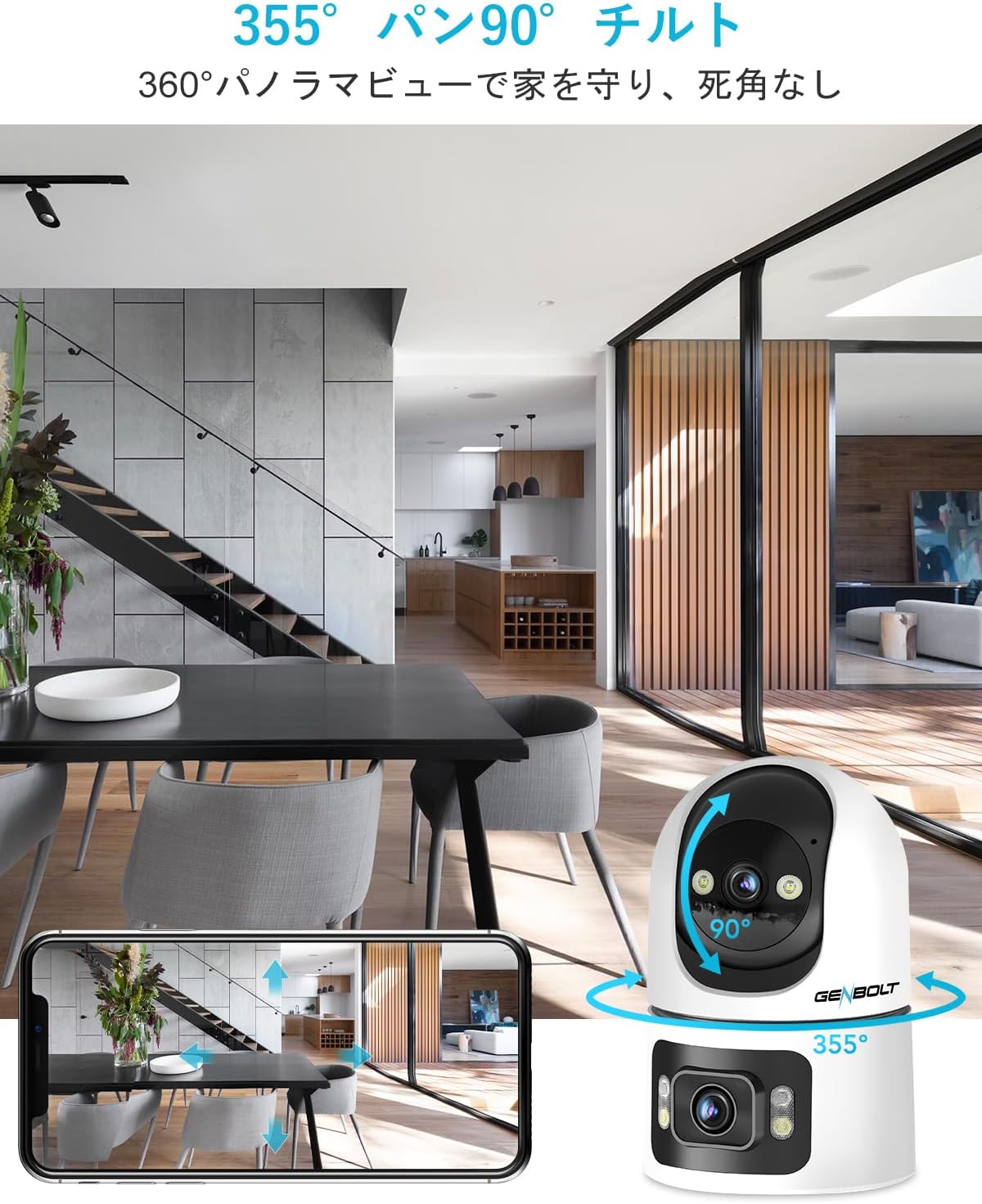
Access the live feed through the GENBOLT CAM app. The dual-lens system allows for simultaneous monitoring of two areas. The upper lens provides a pan-tilt view that can be remotely controlled, while the lower lens offers a fixed 90-degree wide-angle view.

2. Pan/Tilt and Digital Zoom
Use the controls within the app to remotely pan the upper lens 355 degrees horizontally and tilt it 90 degrees vertically. The camera also supports 4x digital zoom to focus on specific details.
3. የእንቅስቃሴ ማወቂያ እና ማንቂያዎች
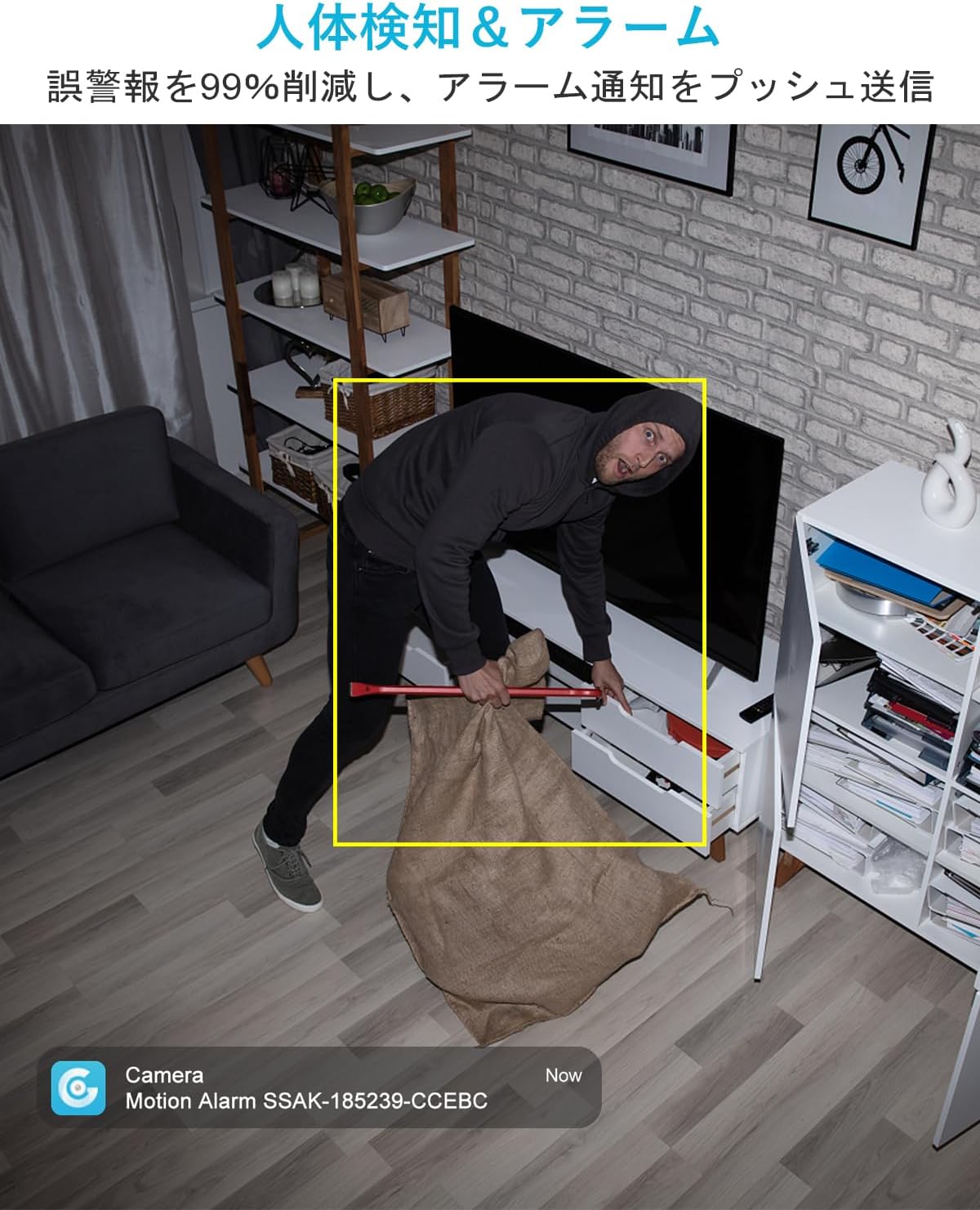
The camera features AI-powered human and motion detection. When unusual movement or a human shape is detected, the camera will automatically track the subject, record video, and send instant notifications to your smartphone. This helps ensure you don't miss important events.

4. ባለ ሁለት መንገድ የድምጽ ግንኙነት
Utilize the built-in speaker and microphone for two-way communication. This allows you to speak to family members, pets, or even deter intruders directly through the camera from your smartphone, regardless of your location.

5. የምሽት እይታ ሁነታዎች
The GB102HD offers advanced night vision capabilities. It can automatically switch to full-color night vision mode in low-light conditions, providing clear and vibrant images up to 10 meters. You can also customize LED brightness and motion-triggered lighting.

6. መቅዳት እና መልሶ ማጫወት
The camera supports continuous recording or event-triggered recording to a MicroSD card (up to 128GB) or cloud storage. A 7-day free trial for cloud storage is available. Easily review ተመዝግቧል footagበቀጥታ ከመተግበሪያው.

7. Multi-Device Access
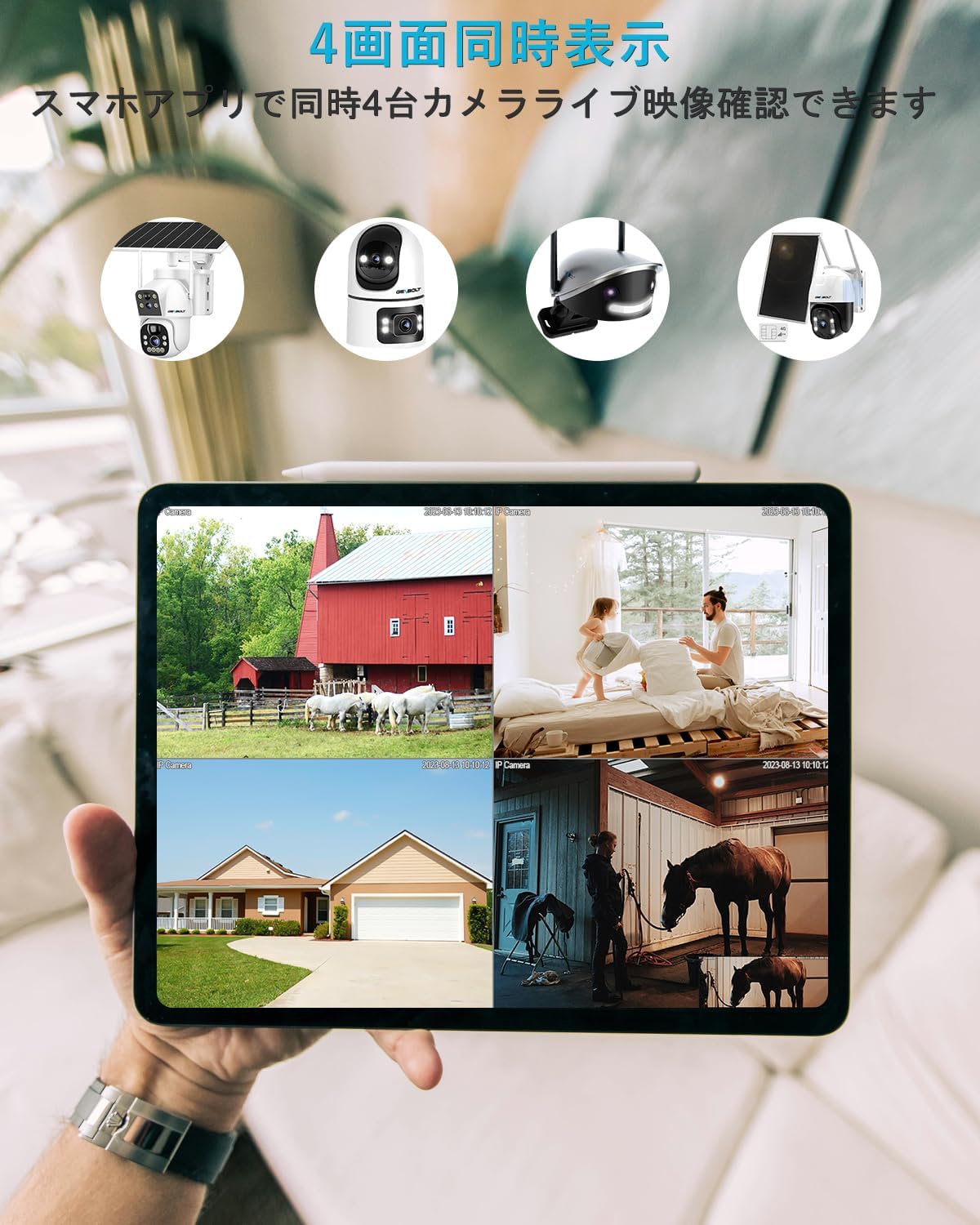
Monitor your camera feed from various devices, including smartphones (iPhone/Android), tablets, and computers (macOS/Windows). The app allows for simultaneous viewing of up to four cameras.

ጥገና
- ማጽዳት፡ የካሜራውን ሌንስና ሰውነት ለስላሳና ደረቅ ጨርቅ በቀስታ ይጥረጉ። ውሱን ወይም ሌንስን ሊጎዱ የሚችሉ ጠጣር ኬሚካሎችን ወይም ሻካራ ቁሳቁሶችን ከመጠቀም ይቆጠቡ።
- አቀማመጥ፡- Ensure the camera is placed in a stable indoor environment, away from direct sunlight, extreme temperatures, and high humidity.
- የሶፍትዌር ማሻሻያ Regularly check the GENBOLT CAM app for firmware updates to ensure optimal performance and security.
- የኃይል አቅርቦት; ጉዳትን ለመከላከል ከካሜራው ጋር የቀረበውን የመጀመሪያውን የኃይል አስማሚ ብቻ ይጠቀሙ።
መላ መፈለግ
- ካሜራ ከWi-Fi ጋር አልተገናኘም፡- Ensure your Wi-Fi network is 2.4GHz or 5GHz (depending on camera model compatibility) and the password is correct. Move the camera closer to the router.
- ተደጋጋሚ ግንኙነቶች; Check your Wi-Fi signal strength. Reduce interference from other electronic devices.
- ምንም ማሳወቂያዎች የሉም Verify that app notifications are enabled in your phone settings and within the GENBOLT CAM app. Check motion detection sensitivity settings.
- ደካማ የምስል ጥራት; ሌንሱ ንጹህ መሆኑን ያረጋግጡ። የኢንተርኔት ግንኙነትዎን ፍጥነት ያረጋግጡ።
- ባለሁለት መንገድ የድምጽ ጉዳዮች፡- Ensure microphone and speaker permissions are granted to the app. Check volume settings on both the camera and your smartphone.
- ካሜራው ምላሽ እየሰጠ አይደለም፦ Try restarting the camera by unplugging and re-plugging the power adapter. If issues persist, perform a factory reset (refer to the app for instructions).
ዝርዝሮች
| ባህሪ | ዝርዝር መግለጫ |
|---|---|
| የሞዴል ስም | GB102HD |
| የቪዲዮ ቀረጻ ጥራት | 1080 ፒ |
| ቀለም | ነጭ |
| የእቃዎች ብዛት | 1 |
| ገመድ አልባ የመገናኛ ቴክኖሎጂ | ዋይ ፋይ (2.4GHz/5GHz) |
| የመጫኛ ዓይነት | Freestanding / Tabletop Mount |
| የምሽት ራዕይ ክልል | እስከ 8 ሜትር (በግምት 26 ጫማ) |
| ቁሳቁስ | አሲሪሎኒትሪል ቡታዲየን ስቲሪን (ኤቢኤስ) |
| የምርት ልኬቶች (LxWxH) | 7.5 x 7.5 x 15 ሴሜ (በግምት 2.95 x 2.95 x 5.9 ኢንች) |
| የውሃ መቋቋም ደረጃ | Not Waterproof (Indoor Use Only) |
| የውፅዓት ሁኔታ | ዩኤስቢ |
| የመቆጣጠሪያ ዓይነት | የመተግበሪያ ቁጥጥር |
| የሚመከር አጠቃቀሞች | Pet Monitoring, Baby Monitoring, Home Security |
| ተስማሚ መሣሪያዎች | Smartphones, Tablets, Desktops, Laptops |
ዋስትና እና ድጋፍ
GENBOLT is committed to providing reliable products and excellent customer service.
- 12-Month Service Warranty: Your GENBOLT GB102HD camera is covered by a 12-month service warranty from the date of purchase.
- የ30-ቀን ገንዘብ ተመላሽ ዋስትና፡ በግዢዎ ካልረኩ፣ በ30 ቀናት ውስጥ ተመላሽ ገንዘብ ማግኘት ይችላሉ።
- የዕድሜ ልክ የቴክኒክ ድጋፍ; GENBOLT offers lifetime technical support for its products.
For detailed instructions, application downloads, and further assistance, please visit our official webጣቢያ፡ www.genbolt.com. If you have any questions or encounter issues, please do not hesitate to contact our support team.


