መግቢያ
Thank you for choosing the 1MORE Piston-Fit USB-C Headphones. This manual provides detailed instructions for the proper setup, operation, and maintenance of your new headphones. Please read this manual thoroughly before use to ensure optimal performance and longevity of your device.

Image: The 1MORE Piston-Fit USB-C Headphones in use, highlighting their design and comfort.
የጥቅል ይዘቶች
ሁሉም እቃዎች በጥቅልዎ ውስጥ መኖራቸውን ያረጋግጡ፡-
- 1MORE Piston-Fit USB-C Headphones (2 pairs if 2-pack)
- የሲሊኮን የጆሮ ማዳመጫዎች (የተለያዩ መጠኖች)
- የተጠቃሚ መመሪያ (ይህ ሰነድ)

ምስል: የተሟላ view of the 1MORE Piston-Fit USB-C Headphones, including the USB-C connector and inline remote.
ምርት አልቋልview
The 1MORE Piston-Fit USB-C Headphones are designed for clear audio and comfortable wear. Key components include:
- የጆሮ ማዳመጫዎች Featuring a 45° angled fit for secure placement and noise isolation.
- የዩኤስቢ-ሲ አገናኝ For direct connection to compatible devices.
- የመስመር ውስጥ የርቀት መቆጣጠሪያ፦ Integrated control button for music and call management.
- ማይክሮፎን Built into the inline remote for hands-free communication.
- Kevlar-Reinforced Cable: Designed for durability and tangle resistance.

ምስል: ዝርዝር view of the earbuds, highlighting their construction.
ማዋቀር
- የጆሮ ማዳመጫዎችን ይምረጡ፦ Choose the silicone eartips that provide the most comfortable and secure fit for your ears. A proper seal enhances sound quality and noise isolation.
- ከመሳሪያ ጋር ተገናኝ፡ Insert the USB-C connector into the USB-C port of your compatible smartphone, tablet, or laptop. The headphones are plug-and-play and do not require additional drivers for most devices.

Image: Illustration of the 45° angled in-ear design for optimal fit and comfort.
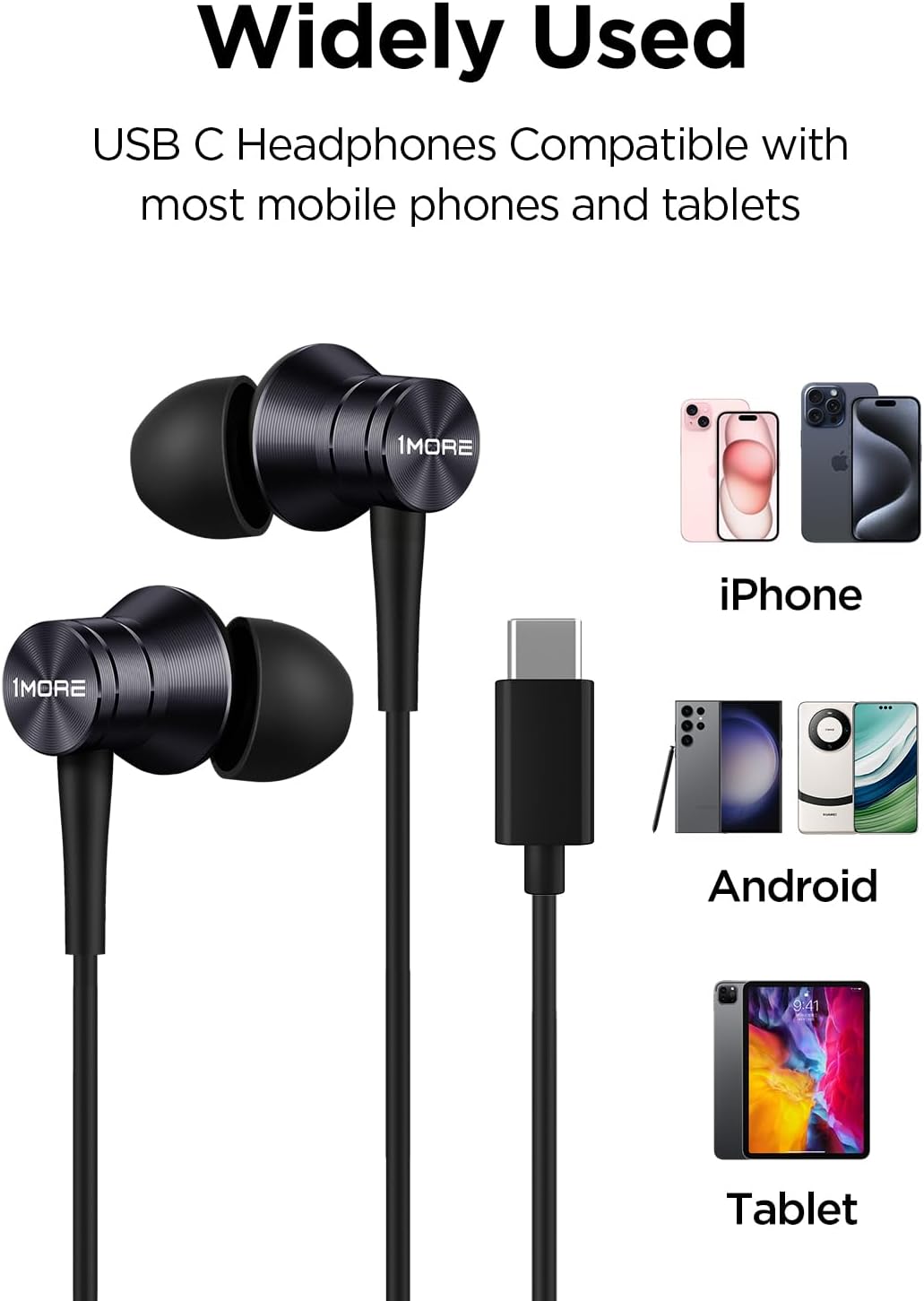
Image: Visual representation of the headphones' wide compatibility with USB-C devices.
የአሠራር መመሪያዎች
The inline remote provides convenient control over your audio and calls.
የሙዚቃ መልሶ ማጫወት
- አጫውት/ ለአፍታ አቁም፡ የመቆጣጠሪያውን ቁልፍ አንዴ ይጫኑ ፡፡
የጥሪ አስተዳደር
- ጥሪ መልስ፡- የመቆጣጠሪያውን ቁልፍ አንዴ ይጫኑ ፡፡
- ጥሪን ጨርስ፡ Press the control button once during a call.
- ጥሪን ውድቅ አድርግ፡ Press and hold the control button for approximately 2 seconds.

Image: Detailed functions of the inline microphone and multi-function control button.
ጥገና እና እንክብካቤ
- ማጽዳት፡ Regularly clean the eartips with a soft, dry cloth. For deeper cleaning, remove the silicone eartips and wash them with mild soap and water, ensuring they are completely dry before reattaching.
- ማከማቻ፡ ጥቅም ላይ በማይውሉበት ጊዜ የጆሮ ማዳመጫዎቹን ንጹህና ደረቅ ቦታ ያስቀምጡ። ከፍተኛ የሙቀት መጠንን ያስወግዱ።
- የኬብል እንክብካቤ; The Kevlar-reinforced cable is designed to be durable and tangle-free. Avoid sharp bends or excessive pulling to prevent damage.
- እርጥበትን ያስወግዱ; የጆሮ ማዳመጫውን ለውሃ ወይም ከመጠን በላይ እርጥበት አያጋልጡ።
መላ መፈለግ
| ችግር | ሊሆን የሚችል ምክንያት | መፍትሄ |
|---|---|---|
| ድምጽ ወይም ዝቅተኛ ድምጽ የለም |
|
|
| ማይክሮፎን አይሰራም |
|
|
| የማይንቀሳቀስ ወይም የተዛባ ድምፅ |
|
|
ዝርዝሮች
- የሞዴል ስም፡- P10
- የግንኙነት ቴክኖሎጂ; ባለገመድ (ዩኤስቢ-ሲ)
- የጆሮ አቀማመጥ; በጆሮ ውስጥ
- የድምጽ መቆጣጠሪያ; የድምፅ ማግለል
- የድምጽ ሾፌር አይነት፡- Dynamic Driver (Aerospace-grade composite diaphragm)
- ጫና፡ 32 ኦኤም
- የኬብል ባህሪ፡ Tangle Free, Kevlar-Reinforced
- የመቆጣጠሪያ ዘዴ፡- Remote (Inline button)
- የእቃው ክብደት፡ Approximately 14 grams (0.08 Kilograms)
- ተስማሚ መሣሪያዎች Cellphones, Laptops, Tablets (e.g., iPhone 15, Samsung Galaxy, Pixel 10, OnePlus)
- የተካተቱ አካላት፡- የሸክላ ዕቃዎች

Image: Illustration of the aerospace-grade composite diaphragm for powerful sound.
ዋስትና እና ድጋፍ
1MORE products are covered by a limited warranty. For detailed warranty information, please refer to the warranty card included with your product or visit the official 1MORE website. For technical support, troubleshooting assistance, or to inquire about replacement parts, please contact 1MORE customer service through their official channels.
የመስመር ላይ ድጋፍ www.1more.com/support


