1. መግቢያ
The NEDIS SmartLife Outdoor Pan-Tilt Spotlight Camera (WIFICO22CWT) is designed to enhance your home security with advanced features and seamless integration. This manual provides essential information for the proper installation, operation, and maintenance of your camera.
Key features include a 3MP (1296p) sensor for clear images, remote pan and tilt control, automatic tracking, color and infrared night vision, two-way audio, motion and sound detection with instant notifications, and an IP65 weatherproof rating for outdoor reliability.
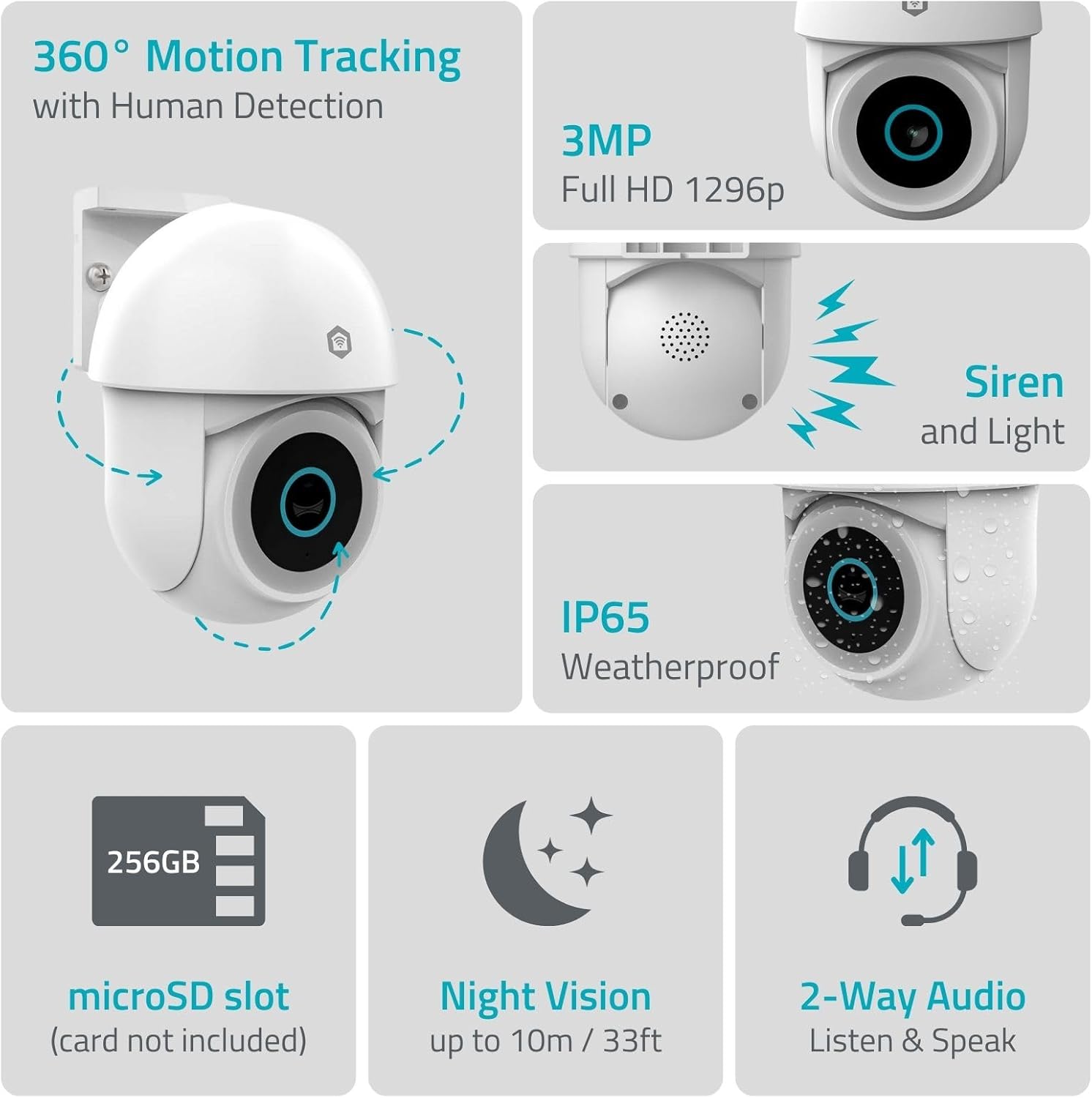
ምስል 1.1፡ አልቋልview of NEDIS SmartLife Outdoor Camera features, including 360-degree motion tracking, 3MP resolution, siren and light, IP65 weatherproofing, microSD slot, night vision, and two-way audio.
2. የጥቅል ይዘቶች
እባክዎን ጥቅሉን ለሚከተሉት ነገሮች ያረጋግጡ፡
- NEDIS SmartLife Outdoor Pan-Tilt Spotlight Camera (WIFICO22CWT)
- የኃይል አስማሚ (5 ቪ ዲሲ)
- ማፈናጠጥ ቅንፍ እና ብሎኖች
- ፈጣን ጅምር መመሪያ (ይህ መመሪያ)
3. ማዋቀር
3.1. የመተግበሪያ ጭነት
- አውርድ ነዲስ ስማርትላይፍ መተግበሪያ ከመተግበሪያ መደብር (iOS) ወይም ከGoogle Play መደብር (አንድሮይድ)።
- ለአዲስ መለያ ይመዝገቡ ወይም አስቀድመው ካለዎት ይግቡ።
3.2. ማብራት እና የመጀመሪያ ግንኙነት
- ካሜራውን ከኃይል አስማሚው ጋር ያገናኙ እና ወደ ኤሌክትሪክ ሶኬት ይሰኩት።
- Wait for the camera's indicator light to flash, indicating it is ready for pairing.
- Open the Nedis SmartLife app, tap '+' to add a new device, and follow the on-screen instructions to connect the camera to your 2.4 GHz Wi-Fi network.
3.3. የማይክሮኤስዲ ካርድ መጫን (አማራጭ)
For local storage of recordings, install a microSD card (up to 256GB, not included).
- Locate the microSD card slot on the camera (refer to the camera diagram in the quick start guide).
- Carefully insert the microSD card into the slot until it clicks into place.
- Format the microSD card via the camera settings in the Nedis SmartLife app.
3.4. ካሜራውን መትከል
The camera comes with a wall/ceiling mount. Choose a suitable location with a clear view and within Wi-Fi range.

Image 3.1: Camera dimensions for mounting reference.
- የመጫኛ ቅንፉን እንደ አብነት በመጠቀም የቁፋሮ ቦታዎችን ምልክት ያድርጉበት።
- አስፈላጊ ከሆነ ቀዳዳዎችን ቆፍሩ እና የግድግዳ መሰኪያዎችን ያስገቡ።
- Secure the mounting bracket to the wall or ceiling with screws.
- Attach the camera to the mounting bracket and adjust its initial angle.
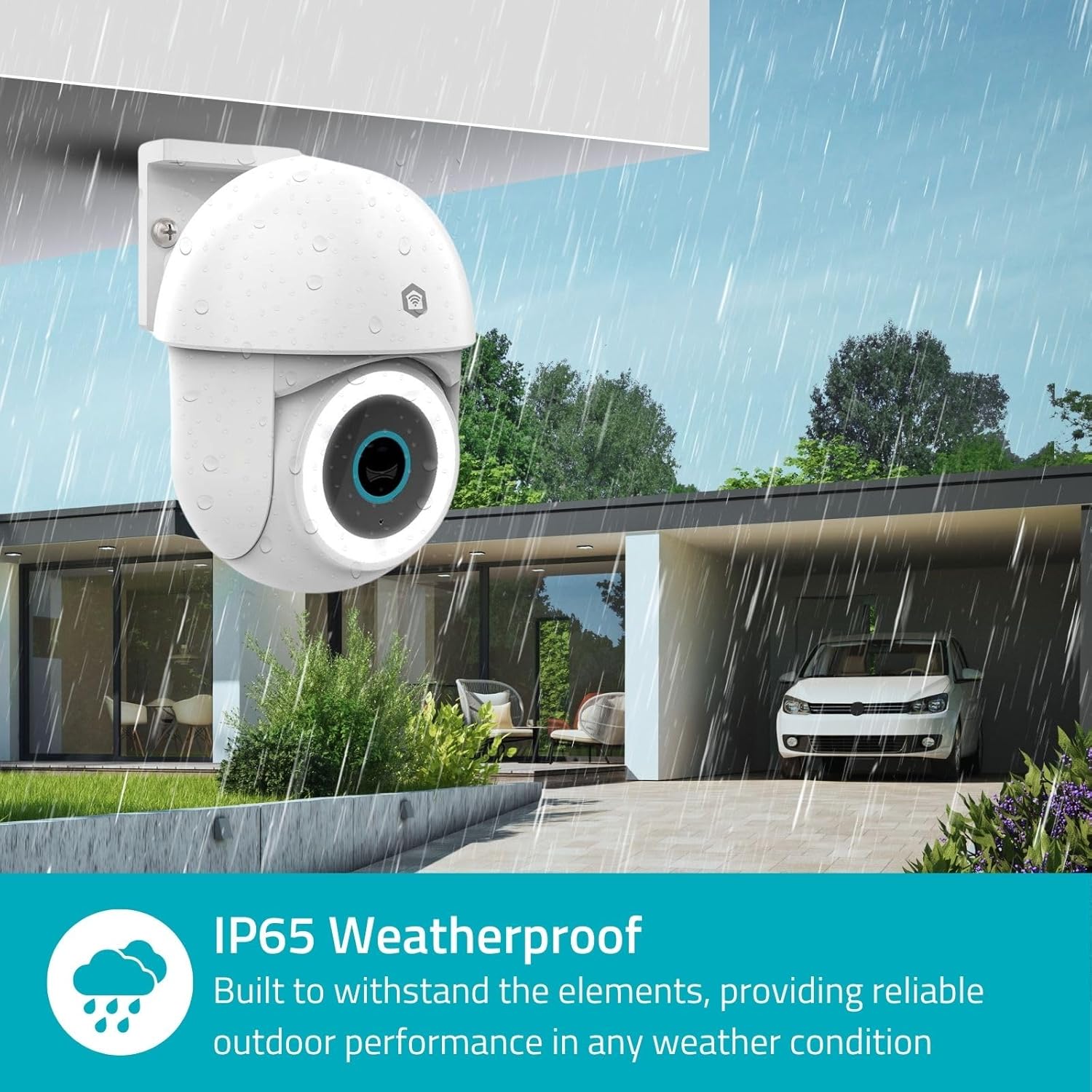
Image 3.2: The IP65 weatherproof design ensures reliable outdoor performance in various weather conditions.
4. የአሠራር መመሪያዎች
4.1. ቀጥታ ስርጭት View እና የፓን / ዘንበል መቆጣጠሪያ
Access the live feed from your camera through the Nedis SmartLife app. Use the on-screen controls to remotely pan (horizontal) and tilt (vertical) the camera to monitor a wide area.
4.2. የእንቅስቃሴ መለየት እና ክትትል
The camera features advanced motion detection, including human detection, to minimize false alarms. You can customize detection zones within the app.
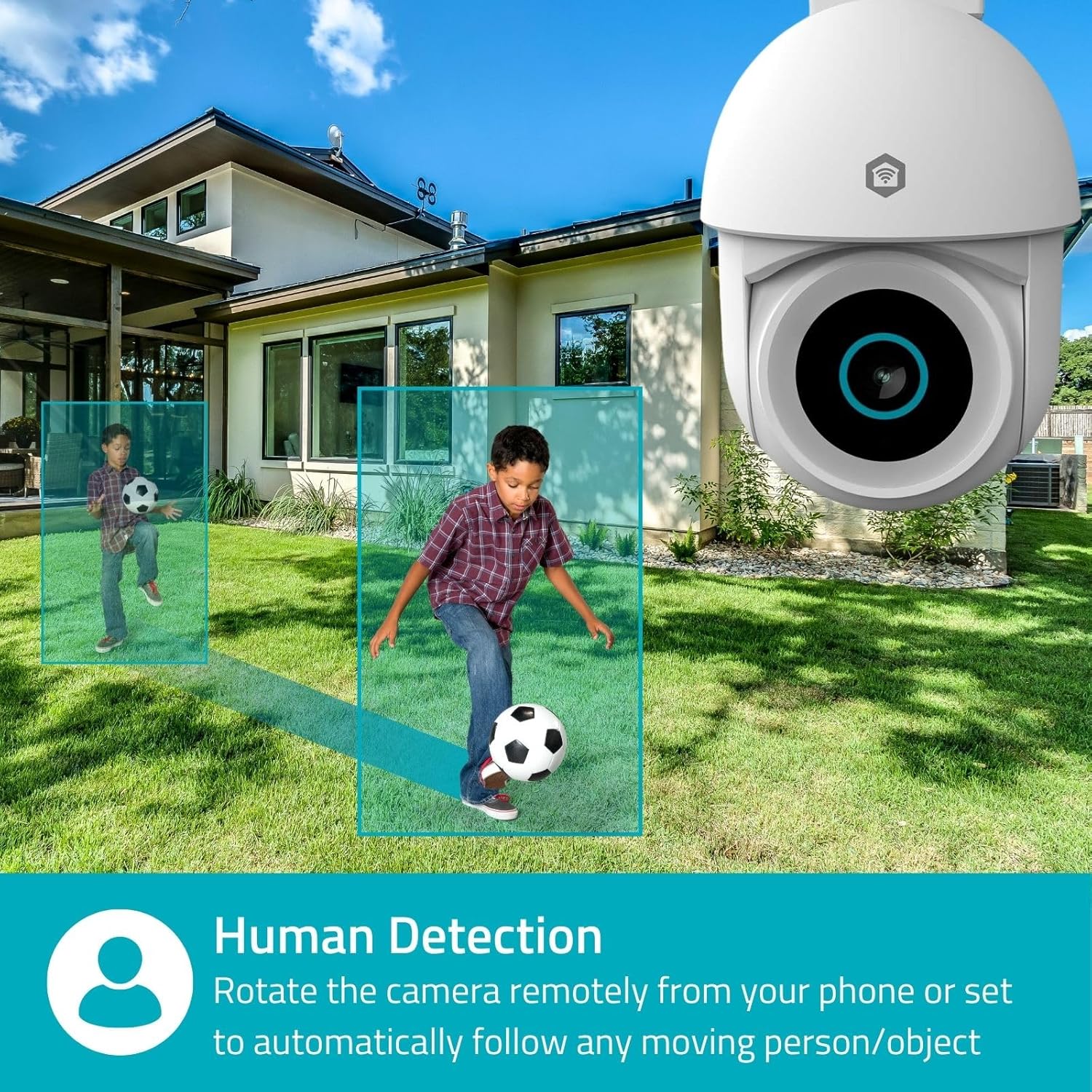
Image 4.1: Human Detection allows the camera to automatically follow moving persons or objects.
አንቃ ራስ-መከታተል in the app settings to have the camera automatically follow detected movement.
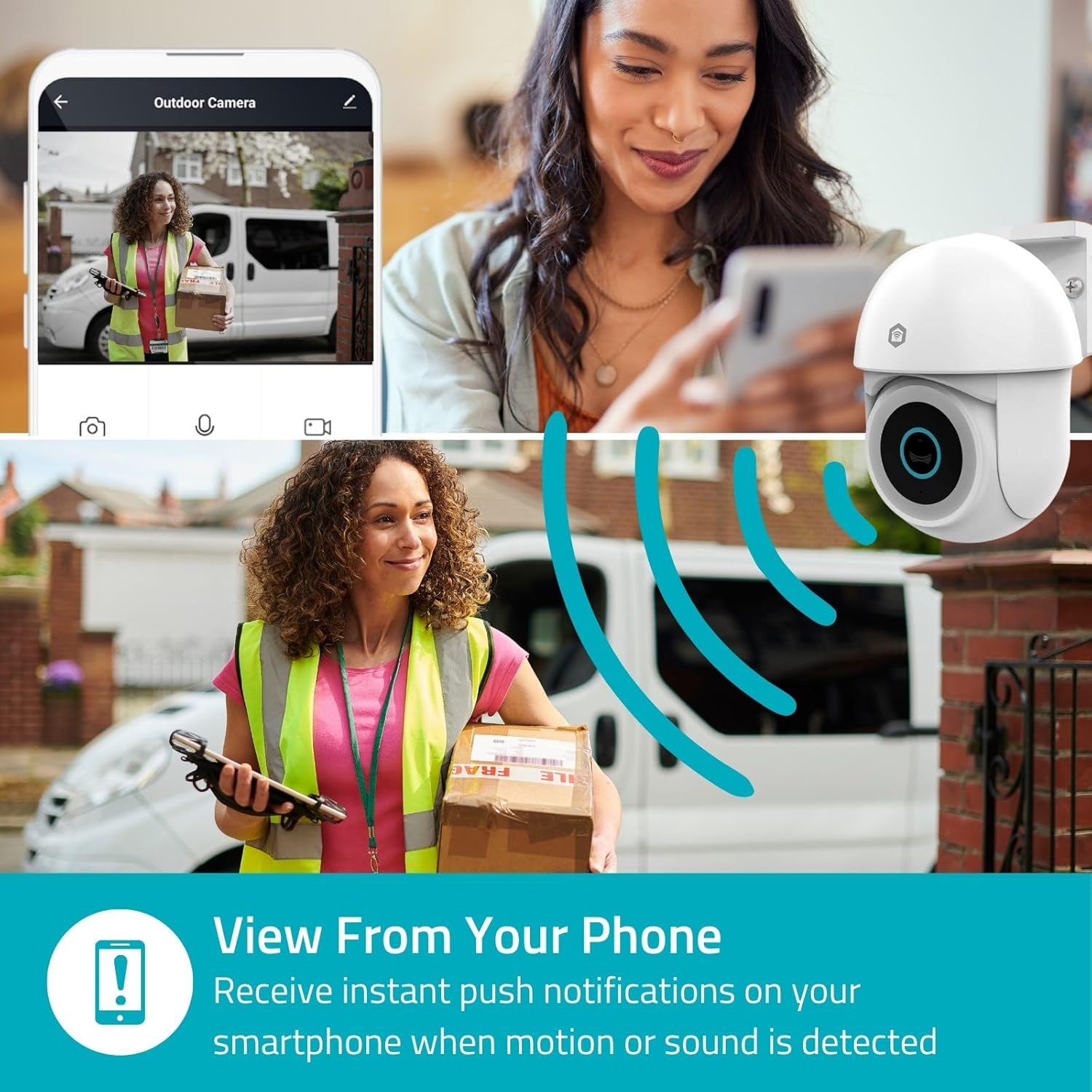
Image 4.2: Receive instant push notifications on your smartphone when motion or sound is detected.
4.3. ባለሁለት መንገድ ኦዲዮ
Utilize the built-in microphone and speaker for two-way communication. You can listen to the environment and speak through the camera via the app.
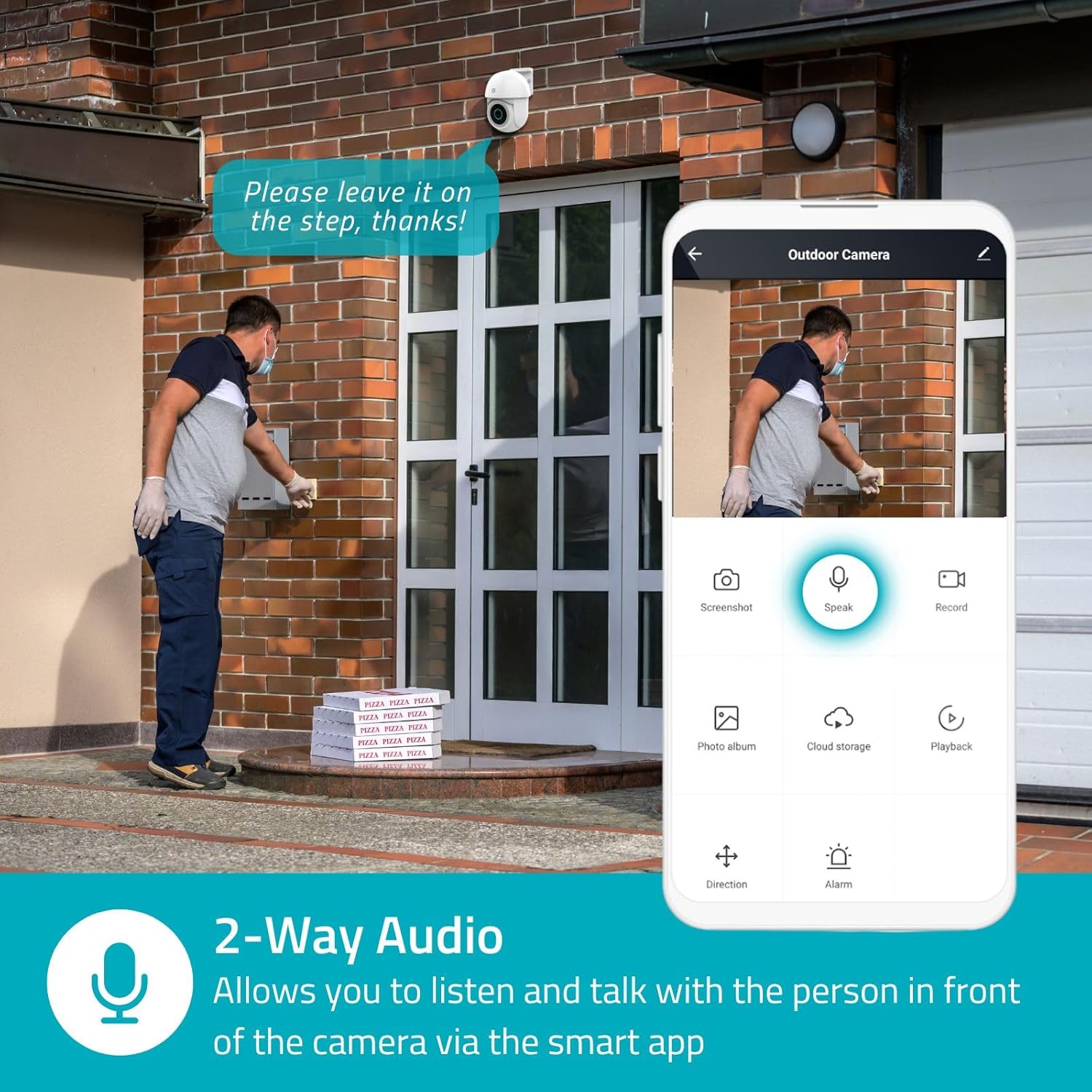
Image 4.3: Two-Way Audio allows you to listen and talk with individuals in front of the camera.
4.4. የምሽት ራዕይ
ካሜራው ሁለት የሌሊት እይታ ሁነታዎችን ይደግፋል፦
- የቀለም የምሽት እይታ; Achieved using dimmable white LEDs, providing full-color images in low light.
- የኢንፍራሬድ የምሽት እይታ; Standard black and white night vision using infrared LEDs, effective up to 10 meters (33 feet).

Image 4.4: Comparison of Day Mode and Night Mode, illustrating the camera's 3MP resolution and 10m night vision capability.
4.5. Spotlight and Siren
When motion is detected, you can configure the camera to activate its white LEDs (spotlight) and/or a siren. This can deter intruders or provide illumination.

Image 4.5: The camera's light and siren can be activated upon motion detection to deter unwanted visitors.
4.6. መቅዳት እና መልሶ ማጫወት
Recordings can be stored on a microSD card (up to 256GB) or via optional cloud storage. Access and playback recorded footage through the Nedis SmartLife app.
4.7. የግላዊነት ሁነታ
Activate Privacy Mode in the app to temporarily disable recording and live view when you are home, ensuring your privacy.
4.8. ስማርት ቤት ውህደት
The camera is compatible with Google Home and Amazon Alexa, allowing for voice control and integration into your smart home ecosystem.
5. ጥገና
- ማጽዳት፡ የካሜራ ሌንስንና ሰውነትን በለስላሳ፣ d በቀስታ ይጥረጉamp ጨርቅ. ኃይለኛ ኬሚካሎችን ወይም ሻካራ ማጽጃዎችን አይጠቀሙ.
- የጽኑዌር ዝማኔዎች ፦ Regularly check the Nedis SmartLife app for available firmware updates to ensure optimal performance and security.
- የኃይል አቅርቦት; የኃይል አስማሚው እና ገመዱ ከጉዳት የፀዱ መሆናቸውን ያረጋግጡ።
6. መላ መፈለግ
6.1. ካሜራ ከWi-Fi ጋር አለመገናኘት።
- የWi-Fi አውታረ መረብዎ 2.4 ጊኸ መሆኑን ያረጋግጡ። ካሜራው 5 GHz ዋይ ፋይን አይደግፍም።
- የWi-Fi ይለፍ ቃል በትክክል መገባቱን ያረጋግጡ።
- በማዋቀር ጊዜ ካሜራውን ከWi-Fi ራውተርዎ ጋር ቅርብ ያድርጉት።
- ራውተርዎን እና ካሜራውን እንደገና ያስጀምሩ።
6.2. ደካማ የቪዲዮ ጥራት
- የWi-Fi ምልክትዎን ጥንካሬ ያረጋግጡ። ደካማ ምልክት የቪዲዮ ጥራትን ሊጎዳ ይችላል።
- የካሜራ ሌንስ ንጹህ እና ከእንቅፋቶች የጸዳ መሆኑን ያረጋግጡ።
- Adjust the video resolution settings in the app if your network bandwidth is limited.
6.3. የእንቅስቃሴ ማወቂያ እየሰራ አይደለም
- የእንቅስቃሴ ማወቂያ በመተግበሪያ ቅንብሮች ውስጥ መንቃቱን ያረጋግጡ።
- Check the sensitivity settings and detection zones.
- ካሜራውን የሚያግዱ ምንም አይነት አካላዊ እንቅፋቶች አለመኖራቸውን ያረጋግጡ view.
6.4. No Audio or Two-Way Audio Issues
- በመተግበሪያው ውስጥ የማይክሮፎን እና የድምጽ ማጉያ ድምጽ ቅንብሮችን ያረጋግጡ።
- በመተግበሪያው ውስጥ ሲናገሩ የስማርትፎንዎ ማይክሮፎን ድምጸ-ከል እንዳይደረግበት ያረጋግጡ።
- Verify network connectivity for real-time audio transmission.
7. ዝርዝሮች
| ባህሪ | ዝርዝር መግለጫ |
|---|---|
| የሞዴል ቁጥር | WIFICO22CWT |
| ጥራት | 3 MP (1296p) |
| ግንኙነት | Wi-Fi (2.4 GHz) |
| Pan/Tilt Function | አዎ |
| የአየር ሁኔታ መከላከያ ደረጃ | IP65 |
| የምሽት ራዕይ | Color (white LEDs) & IR (up to 10m) |
| ባለሁለት መንገድ ኦዲዮ | አዎ |
| የማከማቻ አማራጮች | MicroSD (up to 256GB, not included), Cloud Storage (optional) |
| የኃይል ግቤት | 5 ቪ ዲ.ሲ |
| ልኬቶች (L x W x H) | 10 x 8.3 x 11 ሴ.ሜ |
| ክብደት | 292 ግራም |
| ልዩ ባህሪያት | Human Detection, Auto-Tracking, Spotlight, Siren, Privacy Mode, Onvif support |
| ተኳኋኝነት | ጎግል መነሻ፣ Amazon Alexa |
8. ዋስትና እና ድጋፍ
This product comes with a standard manufacturer's warranty. For detailed warranty information, please refer to the warranty card included in your package or visit the official NEDIS webጣቢያ.
For technical support, troubleshooting assistance, or further inquiries, please contact NEDIS customer service through their official webበምርት ማሸጊያው ውስጥ የቀረበው ጣቢያ ወይም የእውቂያ መረጃ.
የመስመር ላይ መርጃዎች፡-
- ን ይጎብኙ NEDIS webጣቢያ ለምርት ዝማኔዎች እና ድጋፍ።
- Check the Nedis SmartLife app for FAQs and in-app support options.


