1. መግቢያ
ስለገዙ እናመሰግናለንasing the Promate Beamer-A250 4K UHD LCD Projector. This manual provides essential information for setting up, operating, and maintaining your device. Please read it thoroughly before use to ensure optimal performance and safety.
2. የምርት ባህሪዎች
- 4ኬ ዩኤችዲ ጥራት፡ Experience stunning visuals with 3840 x 2160 resolution, powered by advanced LCD technology for vibrant colors and sharp clarity.
- 250 ANSI Lumens ብሩህነት፡ Enjoy clear and vivid images even in well-lit environments, ideal for daytime presentations or movie nights.
- Integrated Telescopic Monopod Stand: The built-in adjustable stand allows for effortless setup and perfect alignment with any screen or wall.
- Automatic Keystone Correction & Manual Focus: Achieve a perfectly aligned and sharp image every time with automatic angle adjustment and precise manual focus.
- አንድሮይድ 11 ኦፕሬቲንግ ሲስተም፡- Access your favorite streaming platforms like Netflix, YouTube, and Prime Video directly from the projector without additional devices.
- የኤችዲኤምአይ ግንኙነት; Connect laptops, gaming consoles, or Blu-ray players via the HDMI port, supporting up to 4K resolution at 30Hz for smooth visuals.
- USB & HDD Storage Support: Play content directly from external storage devices, supporting USB flash drives up to 64GB and hard drives up to 512GB.
- Built-in Speaker & Bluetooth Audio: Enjoy clear and immersive sound from the integrated speaker or connect Bluetooth speakers/headphones for a personalized audio experience.
- አነስተኛ እና ተንቀሳቃሽ ዲዛይን፡ Compact and lightweight, featuring a lens cover that doubles as a comfortable carrying handle, making it ideal for on-the-go use.
3. የጥቅል ይዘቶች
ሁሉም እቃዎች በጥቅሉ ውስጥ መኖራቸውን ያረጋግጡ፡-
- Promate Beamer-A250 Projector
- የርቀት መቆጣጠሪያ
- የኃይል አስማሚ
- የተጠቃሚ መመሪያ
ማንኛቸውም እቃዎች ከጠፉ ወይም ከተበላሹ፣ እባክዎ የደንበኛ ድጋፍን ያግኙ።
4. ማዋቀር
4.1. ማብራት
- የኃይል አስማሚውን ከፕሮጀክተሩ የኃይል ግብዓት ወደብ ጋር ያገናኙ።
- የኃይል አስማሚውን ወደ ግድግዳ መውጫ ይሰኩት.
- መሣሪያውን ለማብራት በፕሮጀክተሩ ላይ ያለውን የኃይል አዝራሩን ወይም የርቀት መቆጣጠሪያውን ይጫኑ።
4.2. መቆሚያውን ማስተካከል
The Beamer-A250 features an integrated telescopic monopod stand. Gently pull the stand to extend it to your desired height for optimal projection angle. Ensure the projector is stable on a flat surface.
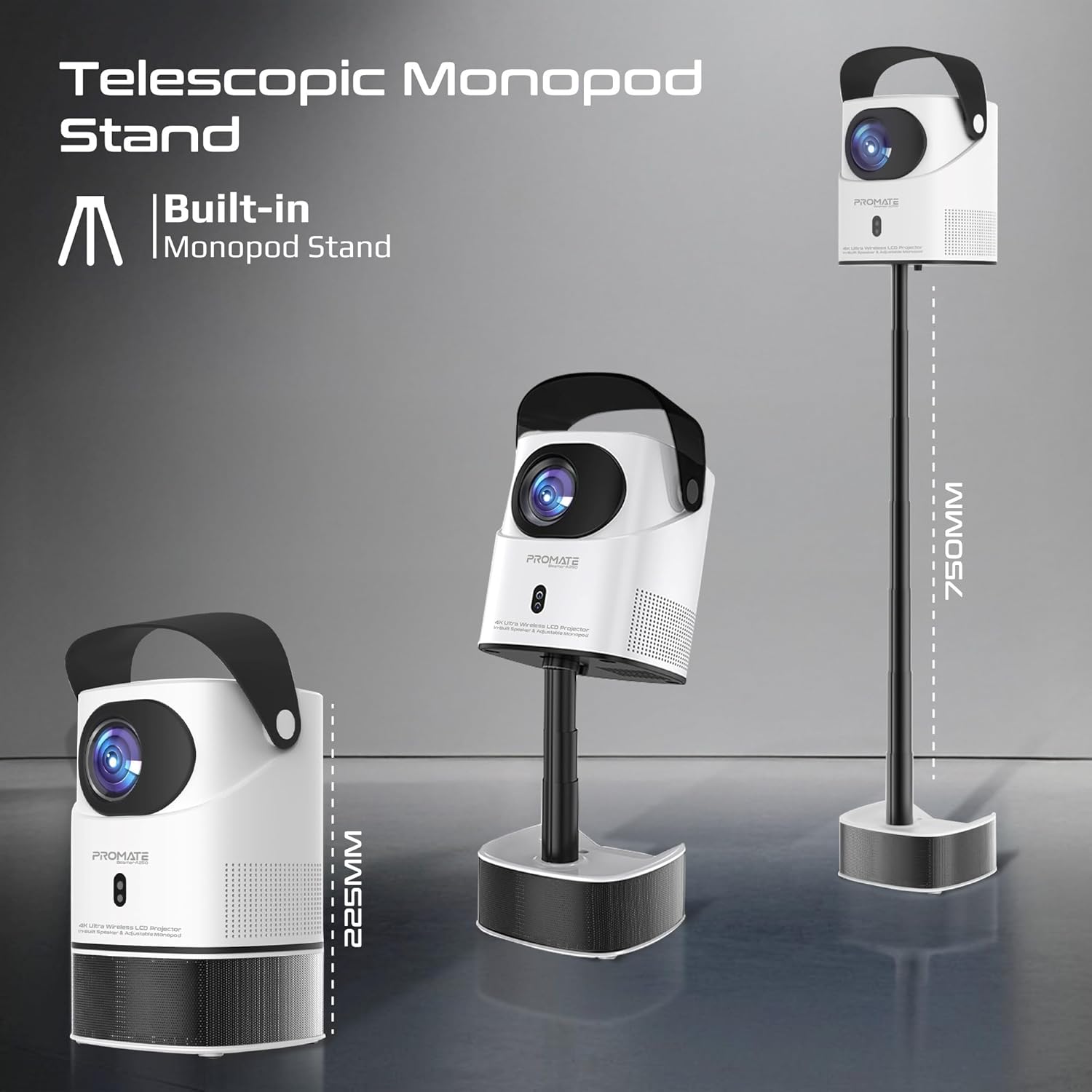
Image: The Promate Beamer-A250 projector demonstrating its adjustable telescopic monopod stand.
5. የአሠራር መመሪያዎች
5.1. የመጀመሪያ ማዋቀር (አንድሮይድ 11)
በመጀመሪያ ሲበራ፣ የማያ ገጽ ላይ ጥያቄዎችን ይከተሉ፡-
- ቋንቋዎን ይምረጡ።
- ከWi-Fi አውታረ መረብ ጋር ይገናኙ።
- Log in with your Google account (optional, for app access).
- የቀን እና የሰዓት ቅንብሮችን ያስተካክሉ።

Image: The projector's interface showing the Android 11 home screen with streaming applications.
5.2. የትኩረት እና የኪስቶን እርማት
The projector features automatic keystone correction and manual focus for a clear, rectangular image.
- ራስ-ሰር የቁልፍ ድንጋይ ማረም; The projector will automatically adjust the image angle to correct for distortion when placed at an angle.
- በእጅ ትኩረት; Use the focus ring on the projector lens or the remote control to fine-tune the image sharpness until it is perfectly clear.

Image: Visual representation of auto keystone correction and manual focus adjustment.
5.3. የግንኙነት አማራጮች
The Beamer-A250 offers multiple ways to connect your devices:
- ኤችዲኤምአይ: Connect external devices like laptops, gaming consoles, or Blu-ray players using an HDMI cable. The projector supports 4K@30Hz input.
- ዩኤስቢ፡ Insert a USB flash drive (up to 64GB) or an external hard drive (up to 512GB) into the USB port to play media files በቀጥታ.
- ብሉቱዝ፡ Pair Bluetooth speakers or headphones for enhanced audio. Navigate to Settings > Bluetooth to connect.
- ዋይ ፋይ፡ የመስመር ላይ የዥረት አገልግሎቶችን እና መተግበሪያዎችን ለመድረስ ከቤትዎ የWi-Fi አውታረ መረብ ጋር ይገናኙ።

ምስል: የኋላ view of the projector showing USB and HDMI ports.
5.4. የኦዲዮ ውፅዓት
The projector has a built-in speaker. For external audio, use the Bluetooth connectivity feature to pair with your preferred audio devices.
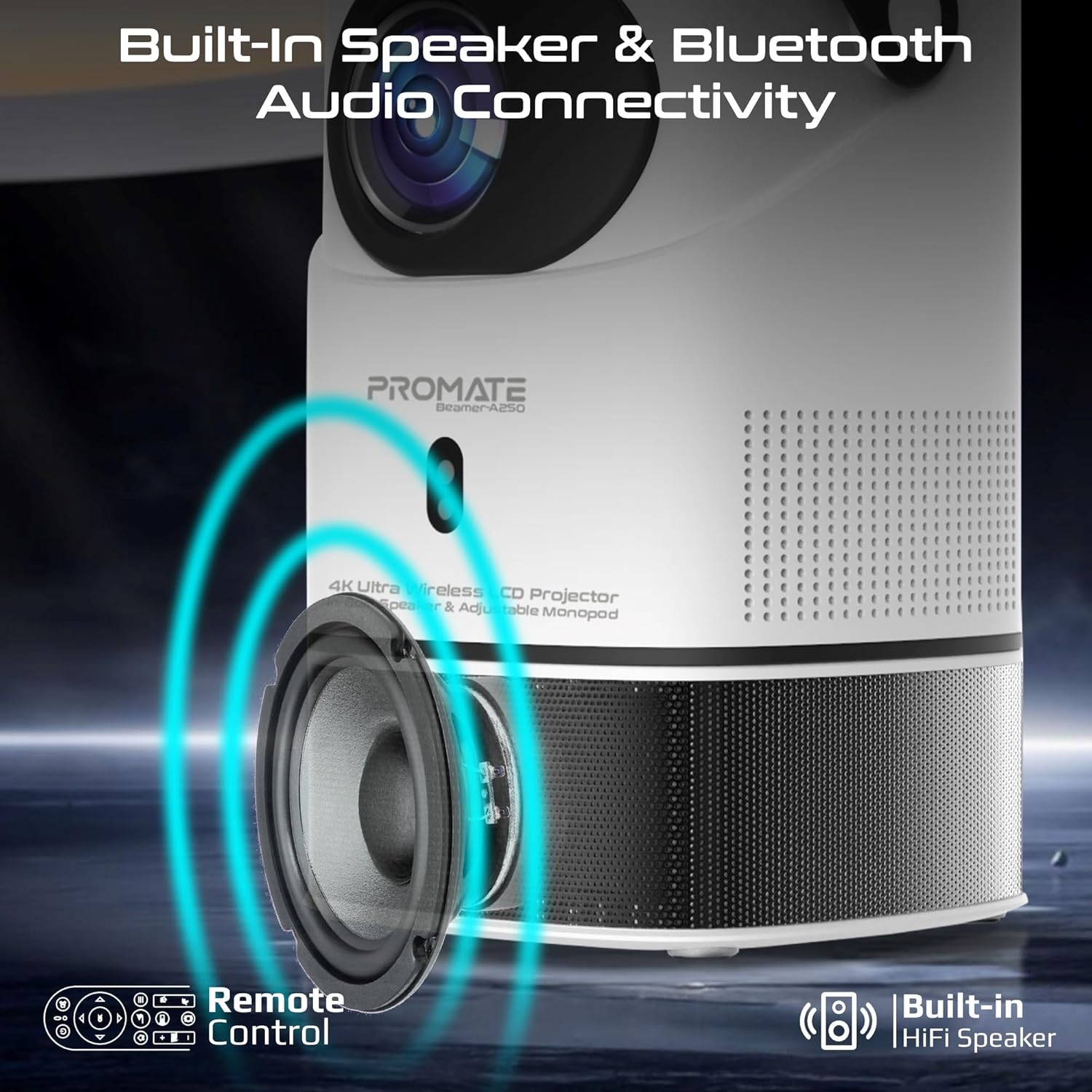
Image: Illustration of the projector's built-in speaker and Bluetooth audio capabilities.
6. ጥገና
6.1. ሌንስን ማጽዳት
Use a soft, lint-free cloth specifically designed for optical lenses to gently wipe the projector lens. Avoid using abrasive cleaners or cloths that could scratch the lens.
6.2. አጠቃላይ ጽዳት
የፕሮጀክተሩን ውጫዊ ክፍል ለስላሳና ደረቅ ጨርቅ ይጥረጉ። ፈሳሽ ማጽጃዎችን ወይም መሟሟቶችን አይጠቀሙ።
6.3. ማከማቻ
When not in use, store the projector in a cool, dry place away from direct sunlight and extreme temperatures. Use the integrated lens cover/handle for protection and easy transport.

Image: The projector's lens cover doubles as a handle for portability.
7. መላ መፈለግ
| ችግር | ሊሆን የሚችል ምክንያት | መፍትሄ |
|---|---|---|
| ምንም ምስል አልተገመተም | ኃይል አልተገናኘም፤ የግቤት ምንጭ የተሳሳተ ነው፤ የሌንስ ክዳን በርቷል | Check power connection; Select correct input source (HDMI, USB); Remove lens cap |
| ምስሉ ደብዛዛ ነው | Focus not adjusted; Projector too close/far from screen | Adjust manual focus; Reposition projector within throw distance |
| ምስል የተዛባ ነው (ትራፔዞይድ ቅርጽ) | Keystone not corrected | Ensure auto keystone correction is enabled or manually adjust in settings |
| ድምጽ የለም። | Volume too low; External audio device not connected/paired | Increase volume; Connect/pair Bluetooth audio device |
| ከWi-Fi/ብሉቱዝ ጋር መገናኘት አልተቻለም | Incorrect password; Device out of range; Interference | Verify password; Move closer to router/device; Reduce interference |
8. ዝርዝሮች
| ባህሪ | ዝርዝር |
|---|---|
| የምርት ስም | አስተዋውቅ |
| የሞዴል ስም | Beamer-A250 |
| የማሳያ ቴክኖሎጂ | LCD |
| ቤተኛ ውሳኔ | 3840 x 2160 (4ኬ ዩኤችዲ) |
| ብሩህነት | 250 ኤኤንአይ ጨረሮች |
| የንፅፅር ሬሾ | 2000፡1 |
| ስርዓተ ክወና | አንድሮይድ 11 |
| ግንኙነት | Wi-Fi, Bluetooth 4.0, HDMI (4K@30Hz input), USB |
| የዩኤስቢ ማከማቻ ድጋፍ | Up to 64GB (Flash Drive), Up to 512GB (Hard Drive) |
| የምስል መጠን | 2 to 10 meters (throw distance), Up to 150 inches (image size) |
| መጠኖች | 18L x 18W x 31H ሴሜ |
| ክብደት | 2.34 ኪ.ግ |
| የተካተቱ አካላት | User Manual, Power Adapter |
9. ዋስትና እና ድጋፍ
The Promate Beamer-A250 projector comes with a two-year manufacturer's warranty. For warranty claims, technical support, or any inquiries, please contact Promate customer service through their official webምርቱ የተገዛበት ጣቢያ ወይም ቸርቻሪ።
10. የምርት ቪዲዮዎች
10.1. ፕሮጀክተር ኦቨርview
ቪዲዮ: አልቋልview of a 4K Android projector, showcasing features like auto-focus, keystone correction, and screen mirroring. This video provides a general demonstration of similar projector functionalities.


