1. ምርት አብቅቷልview
This manual provides instructions for the Acer Vero 24-inch FHD IPS Monitor and the accompanying ErgoFlexy Dual Monitor Mount. The monitor features a 1920x1080 resolution, 120Hz refresh rate, 4ms response time, anti-glare screen, integrated speakers, and VESA mount compatibility. The dual monitor mount allows for ergonomic adjustments including tilt, swivel, and height.
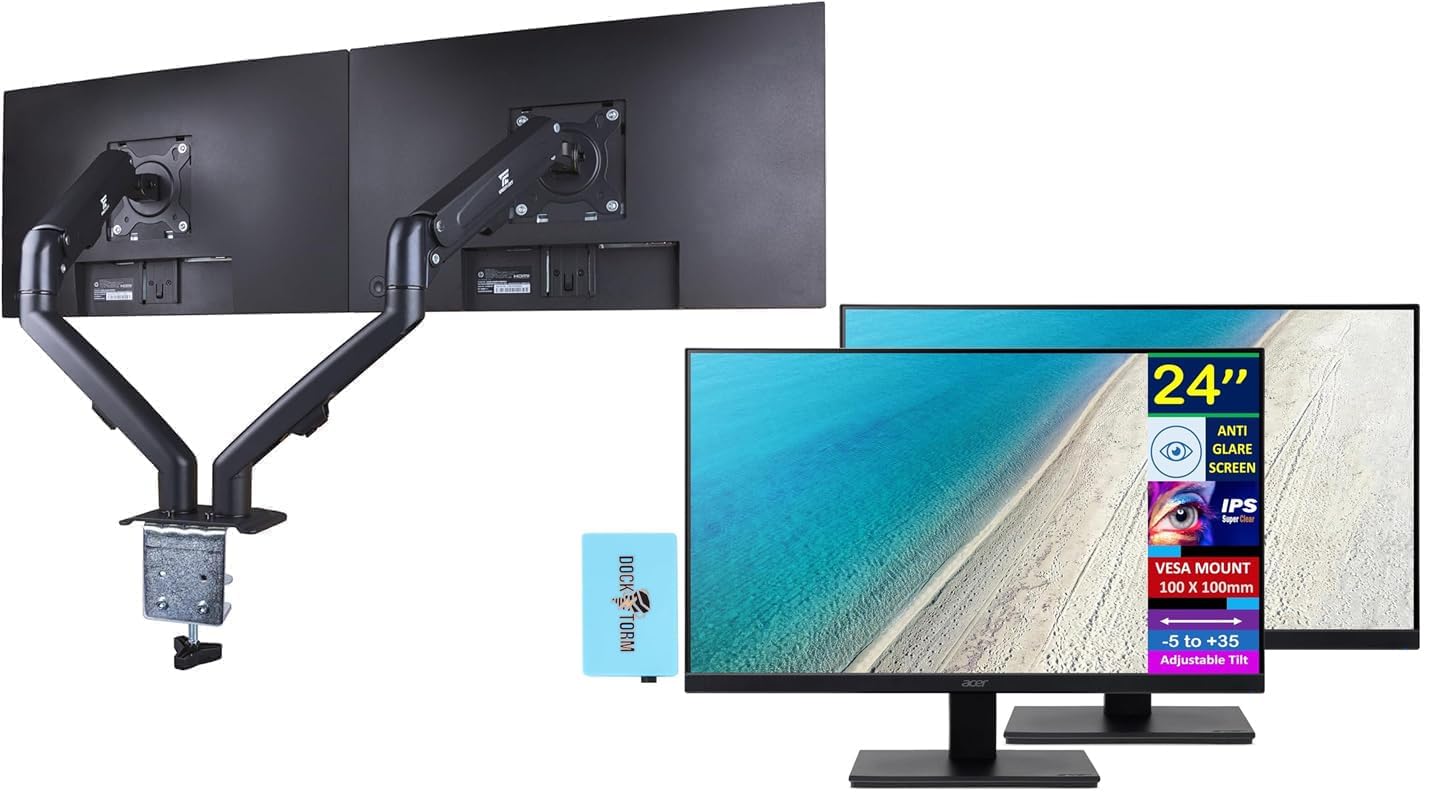
Image 1.1: Two Acer Vero 24-inch monitors attached to the ErgoFlexy Dual Monitor Mount, showcasing the setup.
2. የጥቅል ይዘቶች
Verify that all components are present in the package. If any items are missing or damaged, contact your retailer.
- Acer Vero 24-inch FHD IPS Monitor (x2)
- ErgoFlexy Dual Monitor Mount (x1)
- የኃይል ገመዶች (x2)
- HDMI Cables (x2)
- VGA Cables (x2)
- Dockztorm Hub (x1)
- የተጠቃሚ መመሪያ (ይህ ሰነድ)
- Mounting Hardware (screws, washers, Allen keys)
3. የማዋቀር መመሪያዎች
3.1 Monitor Assembly (if not using mount)
If you are not using the dual monitor mount, you can assemble the monitor with its included stand.
- መቆጣጠሪያውን ከማሸጊያው በጥንቃቄ ያስወግዱ።
- የመቆሚያውን መሠረት ከቆመው አንገት ጋር ያያይዙት። በተሰጠው ዊንጣ ያስጠብቁት።
- Attach the assembled stand to the back of the monitor until it clicks into place or is secured with screws.

ምስል 3.1፡ ፊት view of the Acer Vero 24-inch monitor with its standard stand.

ምስል 3.2፡ የኋላ view of the Acer Vero 24-inch monitor, highlighting the VESA mounting holes and input ports.
3.2 ErgoFlexy Dual Monitor Mount Installation
The ErgoFlexy Dual Monitor Mount is designed for desks with a thickness between 10mm and 18mm.
- የዴስክ ክላርን አያይዝamp: የጠረጴዛውን ደህንነት ይጠብቁ clamp component of the mount to the edge of your desk. Tighten the screw until the mount is stable.
- የጦር መሳሪያዎችን ማሰባሰብ፡ Connect the monitor arms to the central pole of the desk clamp.
- Attach Monitors:
- Remove any pre-attached stands from the monitors.
- Align the VESA mounting holes (100mm x 100mm) on the back of each Acer Vero monitor with the mounting plate on each arm.
- Secure the monitors to the mounting plates using the provided screws.

ምስል 3.3፡ ጎን view of the dual monitor setup, illustrating the monitor arms and their connection points.
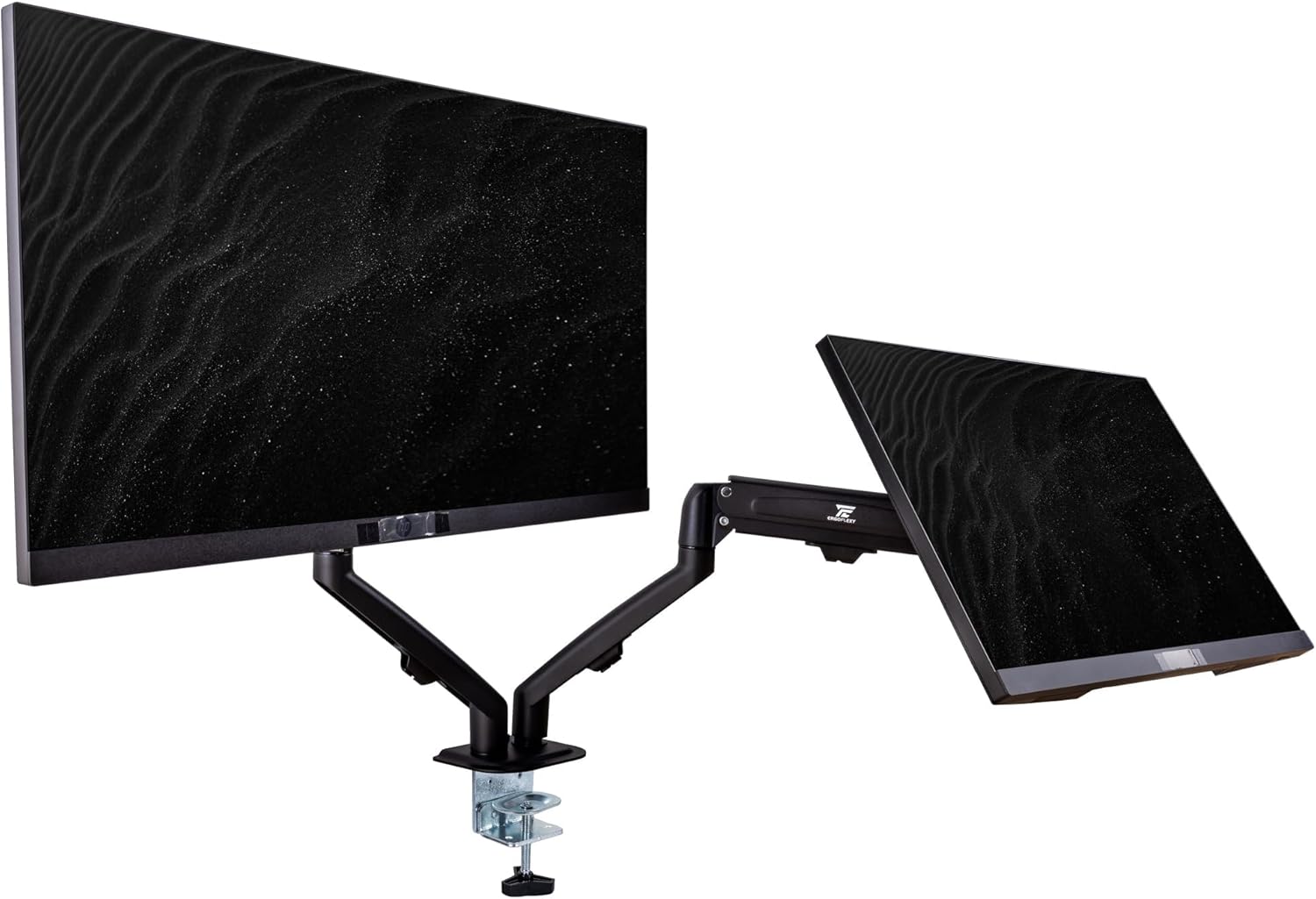
Image 3.4: Diagram detailing the maximum height, extension, swivel, and tilt ranges of the ErgoFlexy Dual Monitor Mount, along with supported screen sizes (17"-27") and weight capacity (2-7kg).
3.3 ማገናኛ ገመዶች
Connect the necessary cables to each monitor and your computer.
- የኃይል ገመድ Connect one end of the power cable to the monitor's power input and the other end to a power outlet.
- የቪዲዮ ገመድ፡- Connect either an HDMI cable or a VGA cable from your computer's video output to the corresponding input port on each monitor. The monitor supports 1 x HDMI and 1 x VGA.
- ኦዲዮ ገመድ If using external speakers or headphones with the monitor's audio output, connect an audio cable from the monitor's audio line out to your audio device.
- Dockztorm Hub: Connect the Dockztorm Hub to your computer via USB for additional connectivity.
4. የአሠራር መመሪያዎች
4.1 ማብራት / ማጥፋት
- To power on the monitor, press the power button located on the monitor's frame.
- To power off, press and hold the power button until the monitor turns off.
4.2 የማሳያ ቅንብሮችን ማስተካከል
Use the OSD (On-Screen Display) menu buttons, typically located on the bottom or back of the monitor, to adjust settings such as:
- ብሩህነት/ንፅፅር፡ Adjust for optimal visual comfort.
- የቀለም ቅንጅቶች የቀለም ሙቀት፣ ጋማ እና ሙሌት ቀይር።
- የግቤት ምርጫ፡- Manually switch between HDMI and VGA inputs if auto-detection fails.
- የድምጽ ቅንብሮች፡- Control volume for integrated speakers or connected audio devices.
4.3 Ergonomic Adjustments with ErgoFlexy Mount
The ErgoFlexy Dual Monitor Mount allows for flexible positioning of your monitors.
- የከፍታ ማስተካከያ; Lift or lower the monitor arms along the central pole to achieve your desired viewing ቁመት.
- ዘንበል Adjust the monitor screen vertically from -5 to +35 degrees for optimal viewing angle. The mount itself supports +90° / -45° tilt.
- ማወዛወዝ፡ Rotate the monitor horizontally up to 180 degrees (+/- 90 degrees from center) on the mount. The mount supports +/- 180° swivel.
- ማሽከርከር፡ Pivot the monitor from landscape to portrait orientation (0 to 90 degrees). The mount supports 180° rotation.
- ቅጥያ፡ Extend or retract the monitor arms to adjust the distance from your eyes. The maximum extension is 15 inches (28mm).

ምስል 4.1፡ የጎን ፕሮfile of the Acer Vero 24-inch monitor, demonstrating its slim design.
5. ጥገና
5.1 Cleaning the Monitor Screen
To clean the anti-glare screen, use a soft, lint-free cloth lightly dampበውሃ ወይም በልዩ ማያ ገጽ ማጽጃ የታሸገ።
- ማጽጃውን በቀጥታ በስክሪኑ ላይ አይረጩ።
- ማጽጃዎችን፣ አልኮልን ወይም አሞኒያን መሰረት ያደረጉ መፍትሄዎችን ከመጠቀም ይቆጠቡ፣ ምክንያቱም እነዚህ የስክሪን ገጹን ሊጎዱ ይችላሉ።
- Ensure the monitor is powered off and unplugged before cleaning.
5.2 አጠቃላይ እንክብካቤ
- Keep the monitor and mount in a clean, dry environment.
- ምርቱን ለከፍተኛ ሙቀት ወይም እርጥበት ከማጋለጥ ይቆጠቡ።
- በሞኒተሩ ላይ የአየር ማናፈሻ ክፍተቶችን አይዝጉ።
6. መላ መፈለግ
| ችግር | ሊሆን የሚችል ምክንያት | መፍትሄ |
|---|---|---|
| በማያ ገጹ ላይ ምንም ምስል የለም |
|
|
| የሚያብረቀርቅ ወይም ያልተረጋጋ ምስል |
|
|
| ከተዋሃዱ ድምጽ ማጉያዎች ምንም ድምጽ የለም |
|
|
| Monitor mount feels unstable |
|
|
7. ዝርዝሮች
| ባህሪ | ዝርዝር መግለጫ |
|---|---|
| የማሳያ መጠን | 24 ኢንች |
| የፓነል ዓይነት | አይፒኤስ |
| ጥራት (ከፍተኛ) | ኤፍኤችዲ (1920 x 1080) |
| ምጥጥነ ገጽታ | 16፡9 |
| የማደስ ደረጃ | 120Hz |
| የምላሽ ጊዜ | 4ሚሴ (GTG) |
| ብሩህነት | 250 ኒት |
| የንፅፅር ሬሾ | 1000፡1 |
| Viewአንግል (H/V) | 178°/178° |
| የቀለም ድጋፍ | 16.7 ሚሊዮን ቀለሞች |
| የስክሪን ሽፋን | ፀረ-ነጸብራቅ |
| ወደቦች | 1 x HDMI፣ 1 x VGA፣ የድምጽ መስመር ማስገቢያ/ውጪ |
| የተዋሃዱ ተናጋሪዎች | አዎ |
| VESA ተራራ ተኳኋኝነት | 100 ሚሜ x 100 ሚሜ |
| የክትትል ዘንበል | -5° እስከ +35° |
| የምርት ልኬቶች (W x D x H) | 21.26 x 7.72 x 16.69 ኢንች (ከቁም ጋር) |
| የእቃው ክብደት | 9.70 lb (monitor only) |
| Mount Swivel Angle | +/- 180 ° |
| Mount Rotation Angle | 180° |
| Mount Tilt Angle | +90° / -45° |
| Mount Max Extension | 15 ኢንች (28 ሚሜ) |
| Mount Fit Desk Thickness | 10 - 18ሚሜ |
| Mount Weight Capacity | 2 - 7 Kg per arm |
8. የዋስትና መረጃ
For detailed warranty information regarding your Acer Vero monitors and ErgoFlexy Dual Monitor Mount, please refer to the warranty card included in your product packaging or visit the official Acer webጣቢያ.
Optional protection plans are available for purchase separately, offering extended coverage beyond the standard manufacturer's warranty. These plans typically cover defects and malfunctions for a specified period (e.g., 3-year or 4-year plans).
9. ድጋፍ
If you encounter issues not covered in the troubleshooting section or require further assistance, please contact Acer customer support.
- Acer ድጋፍ Webጣቢያ፡ ጎብኝ www.acer.com/support for drivers, FAQs, and contact information.
- የመስመር ላይ መርጃዎች፡- ይመልከቱ የኤሰር መደብር በአማዞን ላይ ለተጨማሪ የምርት መረጃ.


