1. መግቢያ
This manual provides instructions for the Keychron Custom Coiled Aviator USB-C Cable, designed for reliable connectivity with mechanical keyboards and other USB-C devices. The cable features a durable braided design, a 5-pin (GX12) detachable metal aviator connector, and includes a USB-A adapter for broad compatibility. It supports both fast charging and stable data transfer.
2. የማዋቀር መመሪያዎች
Follow these steps to connect your Keychron Custom Coiled Aviator USB-C Cable to your device.
2.1 Cable Components
The cable consists of a coiled section, a straight section, a detachable aviator connector, and USB-C connectors on both ends. A USB-A adapter is also included for devices requiring a USB-A connection.

Image 1: Keychron Coiled Aviator USB-C Cable with the GX12 aviator connector detached, showing the USB-C end and the coiled section.
2.2 ገመዱን ማገናኘት
- Connect the Aviator Connector: Align the 5-pin (GX12) aviator connector sections and push them together firmly. Twist the locking ring to secure the connection.
- Connect to Keyboard: Plug the USB-C end of the coiled section into the USB-C port on your mechanical keyboard.
- Connect to Computer/Device: Plug the USB-C end of the straight section into a USB-C port on your computer or host device.
- Using the USB-A Adapter (Optional): If your computer or device only has USB-A ports, attach the included USB-A adapter to the USB-C end of the straight section, then plug it into a USB-A port.

Image 2: Keychron Coiled Aviator USB-C Cable with the GX12 aviator connector securely attached.
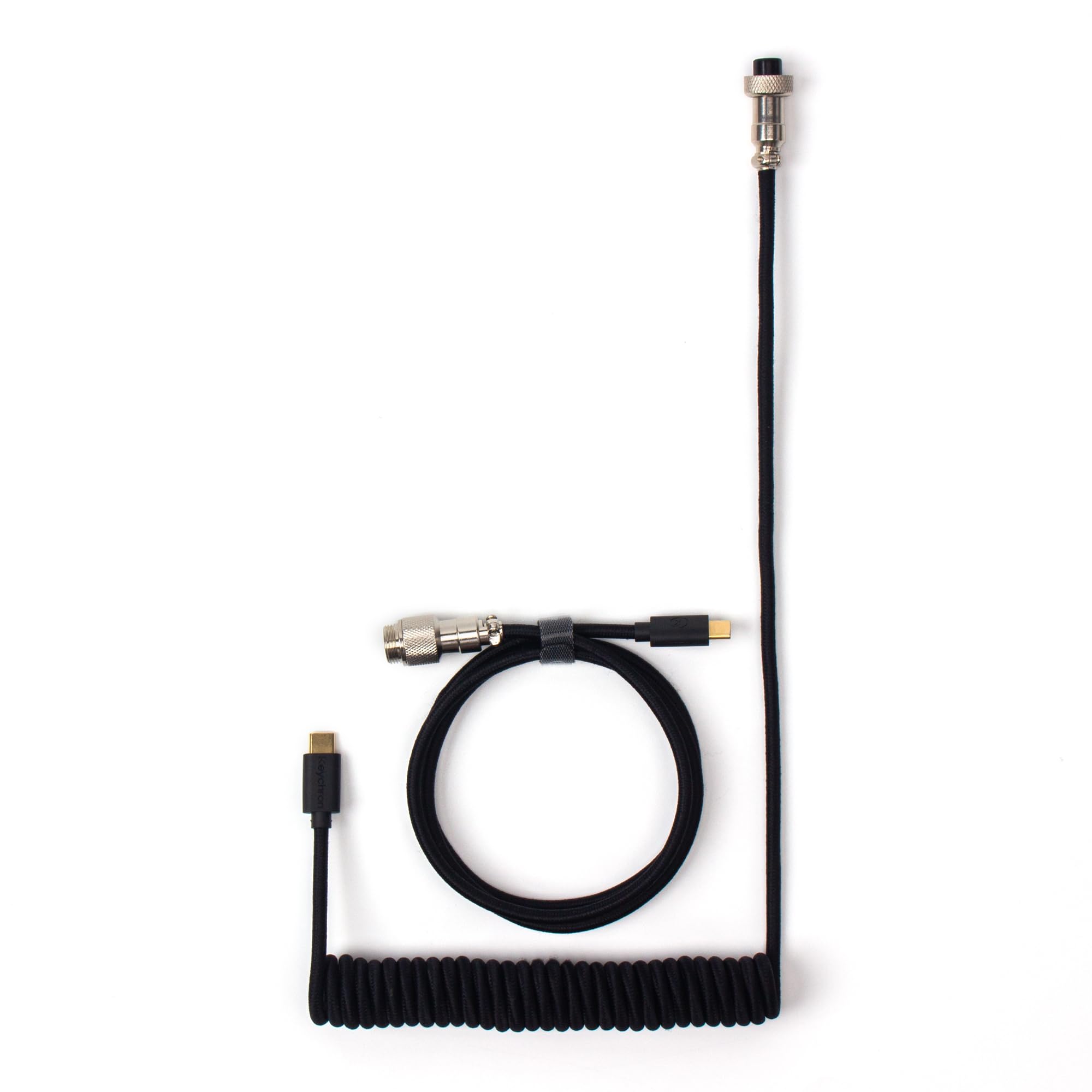
Image 3: Keychron Coiled Aviator USB-C Cable displaying both USB-C connectors, one on the coiled section and one on the straight section.
3. የአሠራር መመሪያዎች
Once connected, the Keychron Custom Coiled Aviator USB-C Cable facilitates both power delivery and data communication between your keyboard and the host device.
3.1 የውሂብ ማስተላለፍ እና ኃይል መሙላት
- The cable ensures stable data transfer for keyboard input and firmware updates.
- It supports efficient charging for compatible devices, including mechanical keyboards with rechargeable batteries.
3.2 ሰፊ ተኳሃኝነት
This cable is compatible with a broad range of devices, including:
- Keychron Q, Q Pro, Q Max, V, V Max series keyboards.
- Keychron 81 Pro, K4 Pro, K10 Pro keyboards.
- Keychron low-profile keyboards (e.g., Q6, Q6 Max, Q6 HE, Q1, Q1 HE, Q3 Max, Q3 HE, Q5, Q5 Max, V1, V1 Max, V3, V3 Max, V5, V5 Max, V6, V6 Max, K3, K3 Max).
- Most other USB-C mechanical keyboards.
- Other USB-C peripherals requiring data transfer or charging.
4. ጥገና
Proper care will extend the lifespan and maintain the performance of your cable.
- አያያዝ፡ Avoid excessive pulling or bending, especially at the connector points, to prevent internal wire damage.
- የሽብልቅ እንክብካቤ፡ To maintain the coiled shape, avoid overstretching the coil frequently. Allow it to naturally retract when not in use.
- ማጽዳት፡ Use a soft, dry cloth to wipe the cable and connectors. Do not use harsh chemicals or abrasive materials.
- ማከማቻ፡ Store the cable in a clean, dry place away from direct sunlight and extreme temperatures.
- Aviator Connector: Ensure the aviator connector is clean and free of debris before connecting. Avoid forcing the connection if it does not align easily.
5. መላ መፈለግ
If you encounter issues with your cable, try the following troubleshooting steps:
- ምንም ግንኙነት/መሣሪያ አልታወቀም፡-
- Ensure all connectors (USB-C, aviator, USB-A adapter if used) are fully and securely plugged in.
- Try connecting the cable to a different USB port on your computer.
- Test the cable with another compatible device to determine if the issue is with the cable or the original device.
- If using the USB-A adapter, ensure it is firmly attached to the USB-C end.
- ቀስ ብሎ መሙላት፡
- Verify that the power source (e.g., USB port, wall adapter) provides sufficient power for your device.
- Ensure the cable is directly connected and not through a non-powered USB hub.
- የሚቆራረጥ ግንኙነት;
- በኬብሉ ወይም በማገናኛዎች ላይ የሚታይ ጉዳት ካለ ያረጋግጡ።
- Ensure the aviator connector's locking ring is fully tightened.
- Avoid placing heavy objects on the cable or bending it sharply.
6. ዝርዝሮች
| ባህሪ | ዝርዝር |
|---|---|
| የምርት ስም | ኪክሮን |
| ሞዴል | Cab-B |
| የማገናኛ አይነት | USB Type C (with USB-A adapter included) |
| የኬብል አይነት | ዩኤስቢ |
| ልዩ ባህሪ | Braided, Coiled Design, Detachable Aviator Connector (5-Pin GX12), Data Transfer |
| ተስማሚ መሣሪያዎች | Keychron Q, Q Pro, Q Max, V, V Max, 81 Pro, K4 Pro, K10 Pro, low-profile keyboards, and most USB-C mechanical keyboards. |
| Number of Pins (Aviator) | 5 |
| የግንኙነት ቴክኖሎጂ | ዩኤስቢ |
| ቀለም | ጥቁር |
7. ዋስትና እና ድጋፍ
የዋስትና መረጃ እና የቴክኒክ ድጋፍ ለማግኘት፣ እባክዎ ይፋዊውን Keychron ይመልከቱ website or contact Keychron customer service directly. Keep your purchase receipt for warranty claims.
ኪክሮን ኦፊሴላዊ Webጣቢያ፡ www.keychron.com


