1. መግቢያ
The iFLYTEK AINOTE Air 2 is an 8.2-inch AI E Ink tablet designed for smart note-taking, document management, and enhanced productivity. It integrates advanced AI features such as real-time voice-to-text transcription, multi-language translation, and intelligent meeting summaries. The device offers a paper-like writing experience with its E Ink display and included stylus, making it suitable for various professional and academic applications.

Image 1.1: The AINOTE Air 2 tablet with its stylus, showcasing its AI-powered note-taking features.
2. በሳጥኑ ውስጥ ያለው
ሁሉም ክፍሎች በማሸጊያው ውስጥ መኖራቸውን ያረጋግጡ፡-
- AINOTE Air 2 Main Unit
- ስቲለስ ፔን
- የኃይል መሙያ ገመድ (አይነት-ሲ)
- የተጠቃሚ መመሪያ (ይህ ሰነድ)

Image 2.1: Standard accessories included with the AINOTE Air 2.
3. ማዋቀር
3.1 የመጀመሪያ ደረጃ መሙላት
Before first use, fully charge your AINOTE Air 2 tablet. Connect the provided USB Type-C cable to the tablet's charging port and a compatible USB power adapter (not included). The charging indicator will illuminate.
3.2 ማብራት / ማጥፋት
- ለማብራት፡- Press and hold the power button located on the top edge of the tablet until the screen activates.
- ለማጥፋት፡- የኃይል አዝራሩን ተጭነው ይያዙት፣ ከዚያም በማያ ገጹ ላይ ካሉት አማራጮች ውስጥ 'ፓወር አጥፋ' የሚለውን ይምረጡ።
3.3 የመጀመሪያ ውቅር
በመጀመሪያ ሲበራ፣ የማያ ገጽ ላይ ጥያቄዎችን ይከተሉ፡-
- የሚመርጡትን ቋንቋ ይምረጡ።
- ከWi-Fi አውታረ መረብ ጋር ይገናኙ።
- Set up your iFLYTEK account or log in.
- Complete any system updates.
4. የአሠራር መመሪያዎች
4.1 Note-Taking and Writing
The AINOTE Air 2 provides a paper-like writing experience using the included stylus. Open the 'Notes' application to begin a new note or access existing ones.
- የስታይለስ አጠቃቀም፡- The stylus is designed for precise input. It features a built-in eraser and offers 4096 levels of pressure sensitivity for a natural writing feel. No charging is required for the stylus.
- የእጅ ጽሑፍ-ወደ-ጽሑፍ፡ Convert handwritten notes to editable text in 83 languages. Select the conversion option within the notes interface.

Image 4.1: The AINOTE Air 2 demonstrating handwritten notes and their digital transcription.

Image 4.2: Close-up of the stylus in use on the AINOTE Air 2, illustrating the immersive writing experience.
4.2 AI Note-Taking and Transcription
The tablet offers real-time voice-to-text transcription and AI-powered meeting summaries.
- Voice Transcription: Record audio during meetings or lectures. The tablet transcribes spoken words into text in 15 languages, including English, Spanish, Chinese, French, and more.
- የስብሰባ ማጠቃለያዎች፡- Utilize the AI to generate concise summaries of recorded and transcribed meetings, highlighting key points and action items.

Image 4.3: The AINOTE Air 2 displaying multi-language transcription capabilities.

ምስል 4.4፡ አልቋልview of the AINOTE Air 2's extensive language support for transcription, translation, and handwriting conversion.
4.3 Reading and Display
The 8.2-inch HD E Ink screen provides a comfortable reading experience, similar to physical paper.
- ለዓይን ተስማሚ ማሳያ; The E Ink technology reduces eye strain, making it suitable for extended reading sessions.
- የሚስተካከለው መብራት; Features a dual-color temperature reading light with 24 adjustable brightness levels to customize warm/cool tones for various environments.
- ከፍተኛ ጥራት፡ A 1920x1440 resolution (293 PPI) ensures sharp text and image clarity.

Image 4.5: The AINOTE Air 2's adjustable dual-color temperature lighting for comfortable reading.
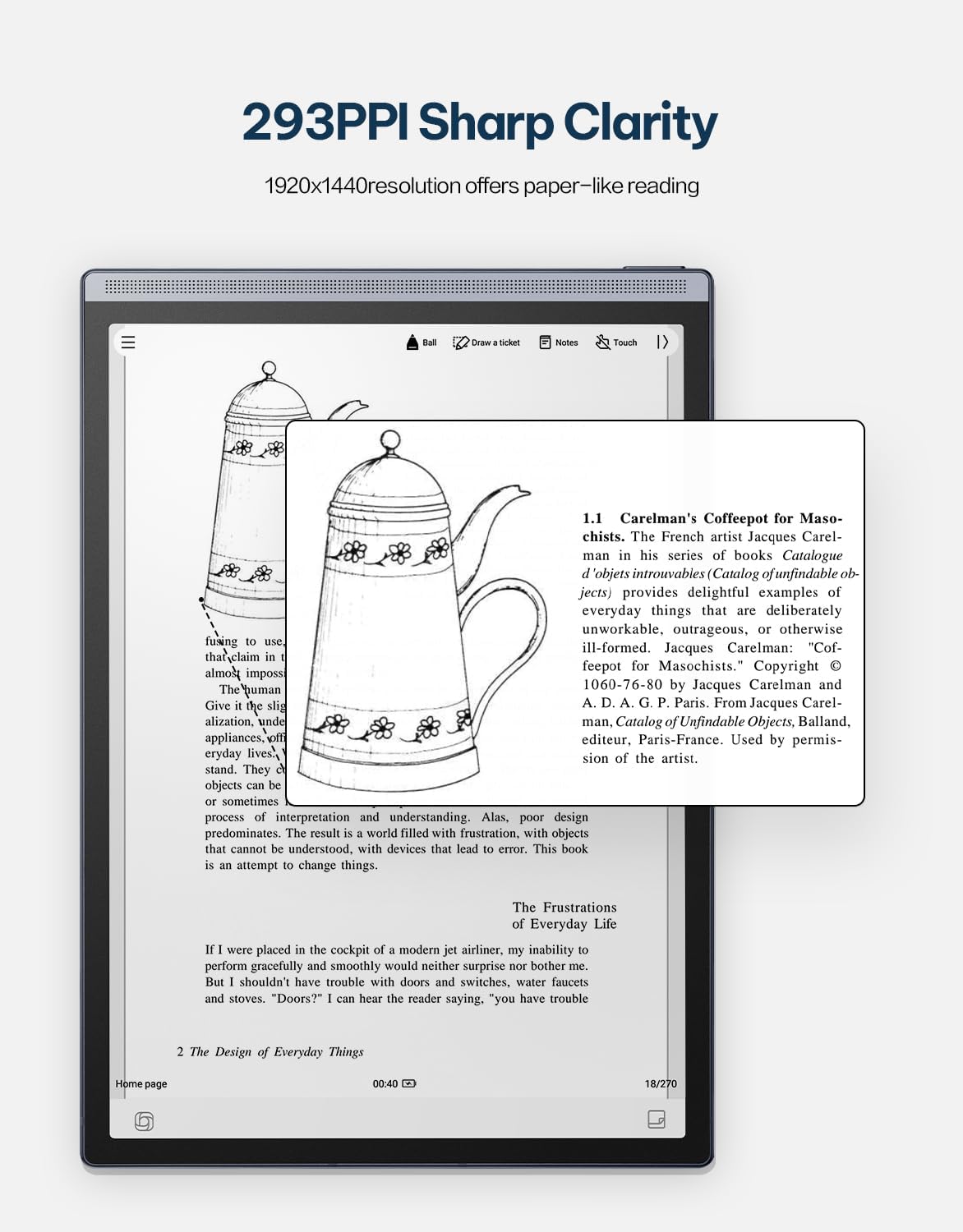
Image 4.6: The AINOTE Air 2's display quality, showing sharp text and images for reading.
4.4 Schedule Management and AI Features
The tablet integrates AI for efficient schedule management and enhanced productivity.
- ብልጥ መርሐግብር Mark handwritten notes with special symbols (stars, triangles, circles) using the stylus to automatically create to-dos and highlight important items, syncing them with your schedule.
- የውይይት ጂፒቲ ውህደት፡- Engage in intelligent dialogues with ChatGPT for information retrieval, brainstorming, and task assistance.
- በ AI የተጎላበተ ፍለጋ፡- Utilize semantic retrieval to quickly locate key points in meetings and documents, supporting text, voice, and handwriting search.

Image 4.7: Various productivity features of the AINOTE Air 2, including smart scheduling and cloud synchronization.

Image 4.8: The AINOTE Air 2's integration with ChatGPT for interactive assistance.
4.5 Cloud Sync and Storage
The AINOTE Air 2 supports secure cloud syncing for your notes and documents.
- OneDrive Integration: Sync your content with OneDrive for access across multiple devices and secure storage.
- ጎግል ፕሌይ፡ The tablet integrates with Google Play, allowing access to a wider range of applications.
5. ጥገና
5.1 መሳሪያውን ማጽዳት
- የጡባዊውን ስክሪን እና አካል በቀስታ ለማጽዳት ለስላሳ፣ ከተለመጠ ጨርቅ ይጠቀሙ።
- Do not use abrasive cleaners, alcohol, or chemical solvents, as these can damage the screen and finish.
- ከማጽዳትዎ በፊት መሳሪያው ጠፍቶ እና ከማንኛውም የኃይል ምንጭ መገናኘቱን ያረጋግጡ።
5.2 የባትሪ እንክብካቤ
- Avoid exposing the tablet to extreme temperatures (hot or cold) as this can affect battery life and performance.
- ለተመቻቸ የባትሪ ዕድሜ፣ ባትሪውን በተደጋጋሚ ከመሙላት ይቆጠቡ።
- If storing the device for an extended period, charge it to approximately 50% before storage.

Image 5.1: The AINOTE Air 2's USB-C port and battery capacity information.

Image 5.2: Visual representation of the AINOTE Air 2's 2600 mAh battery and its extended usage time.
6. መላ መፈለግ
6.1 የተለመዱ ጉዳዮች እና መፍትሄዎች
| ጉዳይ | ሊሆን የሚችል ምክንያት | መፍትሄ |
|---|---|---|
| መሣሪያው አይበራም። | ባትሪ ዝቅተኛ፤ የስርዓት ብልሽት | መሣሪያውን ቢያንስ ለ 30 ደቂቃዎች ይሙሉ. የኃይል አዝራሩን ለ10-15 ሰከንድ በመያዝ የግዳጅ ዳግም ማስጀመርን ያከናውኑ። |
| ስቲለስ ምላሽ እየሰጠ አይደለም። | Stylus tip worn; Software glitch | Check if the stylus tip needs replacement. Restart the tablet. Ensure the stylus is within operating range. |
| የWi-Fi ግንኙነት ችግሮች | የተሳሳተ የይለፍ ቃል፤ የራውተር ችግር፤ የሶፍትዌር ስህተት | Verify Wi-Fi password. Restart your router. Restart the tablet and try connecting again. |
| የዘገየ አፈጻጸም/ መዘግየት | Too many apps open; Low storage; Outdated software | Close unnecessary applications. Free up storage space. Check for and install system updates. |
7. ዝርዝሮች
| ባህሪ | ዝርዝር |
|---|---|
| የሞዴል ስም | AINOTE Air 2 (XF-DX-B282E) |
| የስክሪን መጠን | 8.2 ኢንች |
| የማሳያ ዓይነት | E Ink, 1920x1440 resolution (293 PPI) |
| ስርዓተ ክወና | አንድሮይድ |
| ፕሮሰሰር | RK3566 ባለአራት ኮር 1.8GHz |
| ማህደረ ትውስታ | 4GB LPDDR4x |
| ማከማቻ | 32 ጊባ EMMC |
| ባትሪ | 2600 mAh (Up to 1 week daily use, 3 weeks standby) |
| ግንኙነት | ዩኤስቢ 2.0 ዓይነት-ሲ |
| መጠኖች | 7.5 x 0.2 x 5.3 inches (Ultra-slim 5mm) |
| ክብደት | 1.06 ፓውንድ (230 ግ) |
| ስታይለስ | 4096 pressure sensitivity, built-in eraser, no charging required |
| ማብራት | Dual-color temperature reading light, 24 adjustable levels |

Image 7.1: Physical dimensions and weight of the portable AINOTE Air 2 tablet.

Image 7.2: Internal specifications of the AINOTE Air 2, including CPU, memory, and operating system.
8. ዋስትና እና ድጋፍ
8.1 የምርት ዋስትና
The iFLYTEK AINOTE Air 2 comes with a standard manufacturer's warranty. Please refer to the warranty card included in your product packaging or visit the official iFLYTEK webለዝርዝር የዋስትና ውሎች እና ሁኔታዎች ጣቢያ።
8.2 የደንበኛ ድጋፍ
For technical assistance, troubleshooting, or general inquiries, please contact iFLYTEK customer support through their official webበምርት ሰነድዎ ውስጥ የቀረበው ጣቢያ ወይም የእውቂያ መረጃ።
9. ምርት አብቅቷልview ቪዲዮ
ይህንን ቪዲዮ ለእይታ እይታ ይመልከቱview of the AINOTE Air 2 tablet's features and functionality.
Video 9.1: An official product video demonstrating the key features and usage of the AINOTE Air 2 tablet.


