መግቢያ
The Oraimo Spacebuds Z (OTW-625) are premium wireless Bluetooth earbuds designed for immersive sound and daily comfort. They feature advanced Active Noise Cancellation (ANC) up to 35dB, providing a distraction-free listening experience. With a 4-microphone noise cancellation system, crystal-clear call quality is ensured. The earbuds deliver rich, deep sound through 360 Spatial Sound and HavyBass™ technology with 10mm dynamic drivers. Enjoy up to 38 hours of total playtime, AniFast™ fast charging, Bluetooth 5.4 connectivity with low-latency game mode, IPX5 water resistance, and full customization via the Oraimo Sound App. These features make the Spacebuds Z ideal for music, calls, gaming, and everyday use.
በሣጥኑ ውስጥ ያለው
Carefully unpack your Oraimo Spacebuds Z. The package should contain the following items:
- Oraimo Spacebuds Z Earbuds (Pair)
- የገመድ አልባ ባትሪ መሙያ መያዣ
- የዩኤስቢ-ሲ ኃይል መሙያ ገመድ
- የሲሊኮን ጆሮ ጠቃሚ ምክሮች በርካታ መጠኖች
- የተጠቃሚ መመሪያ

Image: Oraimo Spacebuds Z earbuds and charging case, illustrating up to 38 hours of total playtime.
ማዋቀር
ለመጀመሪያው ማዋቀር እና ማጣመር የሚከተሉትን ደረጃዎች ይከተሉ
- የጆሮ ማዳመጫዎችን መሙላት; ለመጀመሪያ ጊዜ ከመጠቀምዎ በፊት ሁለቱንም የጆሮ ማዳመጫዎች በቻርጅ መሙያ መያዣው ውስጥ ያስቀምጡ እና መያዣውን በተሰጠው የዩኤስቢ-ሲ ገመድ በመጠቀም ከኃይል ምንጭ ጋር ያገናኙት። የጆሮ ማዳመጫዎቹ እና መያዣው ሙሉ በሙሉ መሞላቸውን ያረጋግጡ።
- አብራ፡ Open the charging case. The earbuds will automatically power on and enter pairing mode. The indicator lights on the earbuds will flash.
- ከመሣሪያዎ ጋር ያጣምሩ፡
- በእርስዎ ዘመናዊ ስልክ፣ ታብሌት ወይም ሌላ ብሉቱዝ የነቃ መሣሪያ ላይ ወደ ብሉቱዝ ቅንብሮች ይሂዱ።
- ፈልግ available devices and select "Oraimo Spacebuds Z" from the list.
- Once connected, you will hear a confirmation tone, and the earbud indicator lights will stop flashing.
- Fit the Earbuds: Choose the ear tips that provide the most comfortable and secure fit for optimal sound quality and noise cancellation. Insert the earbuds into your ears and gently twist them to lock them in place.
Video: This video demonstrates the unboxing of the Oraimo Spacebuds Z, showing how to open the charging case, remove the earbuds, and the included accessories like the charging cable and ear tips. It also shows a user placing the earbuds in their ears.
የአሠራር መመሪያዎች
የንክኪ መቆጣጠሪያዎች
The Oraimo Spacebuds Z feature touch controls for easy management of audio and calls. The specific functions can be customized via the Oraimo Sound App.
| ድርጊት | የግራ ጆሮ ማዳመጫ | የቀኝ Earbud |
|---|---|---|
| ተጫወት/ ለአፍታ አቁም | ነጠላ መታ ያድርጉ | ነጠላ መታ ያድርጉ |
| ቀጣይ ትራክ | ሁለቴ መታ ያድርጉ | ሁለቴ መታ ያድርጉ |
| የቀድሞ ትራክ | ሶስቴ መታ ያድርጉ | ሶስቴ መታ ያድርጉ |
| መልስ/ ጥሪን ጨርስ | ነጠላ መታ ያድርጉ | ነጠላ መታ ያድርጉ |
| ጥሪን ውድቅ አድርግ | ረጅም ተጫን (2 ሰ) | ረጅም ተጫን (2 ሰ) |
| የድምጽ ረዳትን አግብር | ረጅም ተጫን (2 ሰ) | ረጅም ተጫን (2 ሰ) |
| የANC/የግልጽነት ሁነታን ቀይር | ረጅም ተጫን (3 ሰ) | ረጅም ተጫን (3 ሰ) |
| የድምጽ መጠን መጨመር | ኤን/ኤ | መታ ያድርጉ እና ይያዙ |
| የድምጽ መጠን መቀነስ | መታ ያድርጉ እና ይያዙ | ኤን/ኤ |
ንቁ የጩኸት ስረዛ (ኤኤንሲ) እና ግልጽነት ሁነታ
The Spacebuds Z offer advanced ANC to reduce ambient noise and a Transparency Mode to stay aware of your surroundings.
- አግብር/አቦዝን፦ Long press either earbud for 3 seconds to cycle through ANC On, Transparency Mode, and ANC Off.
- ኤኤንሲ Reduces external noise by up to 35dB, ideal for travel or noisy environments.
- ግልጽነት ሁነታ: የጆሮ ማዳመጫዎቹን ሳያስወግዱ አካባቢዎን በግልጽ እንዲሰሙ ያስችልዎታል።

Image: A person wearing an Oraimo Spacebuds Z earbud, with sound waves illustrating active noise cancellation.
የጥሪ አስተዳደር
The 4 AI noise-cancelling microphones ensure clear communication during calls.
- የጥሪዎችን መልስ / ማብቂያ ሁለቱንም የጆሮ ማዳመጫውን አንድ ጊዜ መታ ያድርጉ።
- ውድቅ ጥሪዎችን የትኛውንም የጆሮ ማዳመጫ ለ2 ሰከንድ በረጅሙ ተጫን።

Image: Diagram of Oraimo Spacebuds Z earbuds highlighting the FF (Feed-Forward) and Talk microphones for 4-mic AI noise cancellation.
ዝቅተኛ መዘግየት ጨዋታ ሁነታ
For an optimized gaming experience, activate the low-latency game mode to ensure seamless synchronization between audio and visuals. This mode can typically be toggled via the Oraimo Sound App or a specific touch gesture (refer to app for details).
ባለሁለት መሣሪያ ግንኙነት
The earbuds support connecting to two devices simultaneously. To switch between devices, simply pause playback on one device and start playback on the other. The earbuds will automatically switch audio sources.
በመሙላት ላይ
The Oraimo Spacebuds Z offer extended battery life and fast charging capabilities.
- የጆሮ ማዳመጫ ጨዋታ ጊዜ፡- በአንድ ክፍያ እስከ 10 ሰዓታት ድረስ.
- ጠቅላላ የጨዋታ ጊዜ (ከኃይል መሙያ መያዣ ጋር): እስከ 38 ሰዓታት ድረስ.
- ጉዳዩን መሙላት፡- Connect the charging case to a USB power adapter using the provided USB-C cable. The indicator light on the case will show charging status.
- AniFast™ Fast Charging: ፈጣን የ10 ደቂቃ ክፍያ እስከ 180 ደቂቃ መልሶ ማጫወትን ይሰጣል።
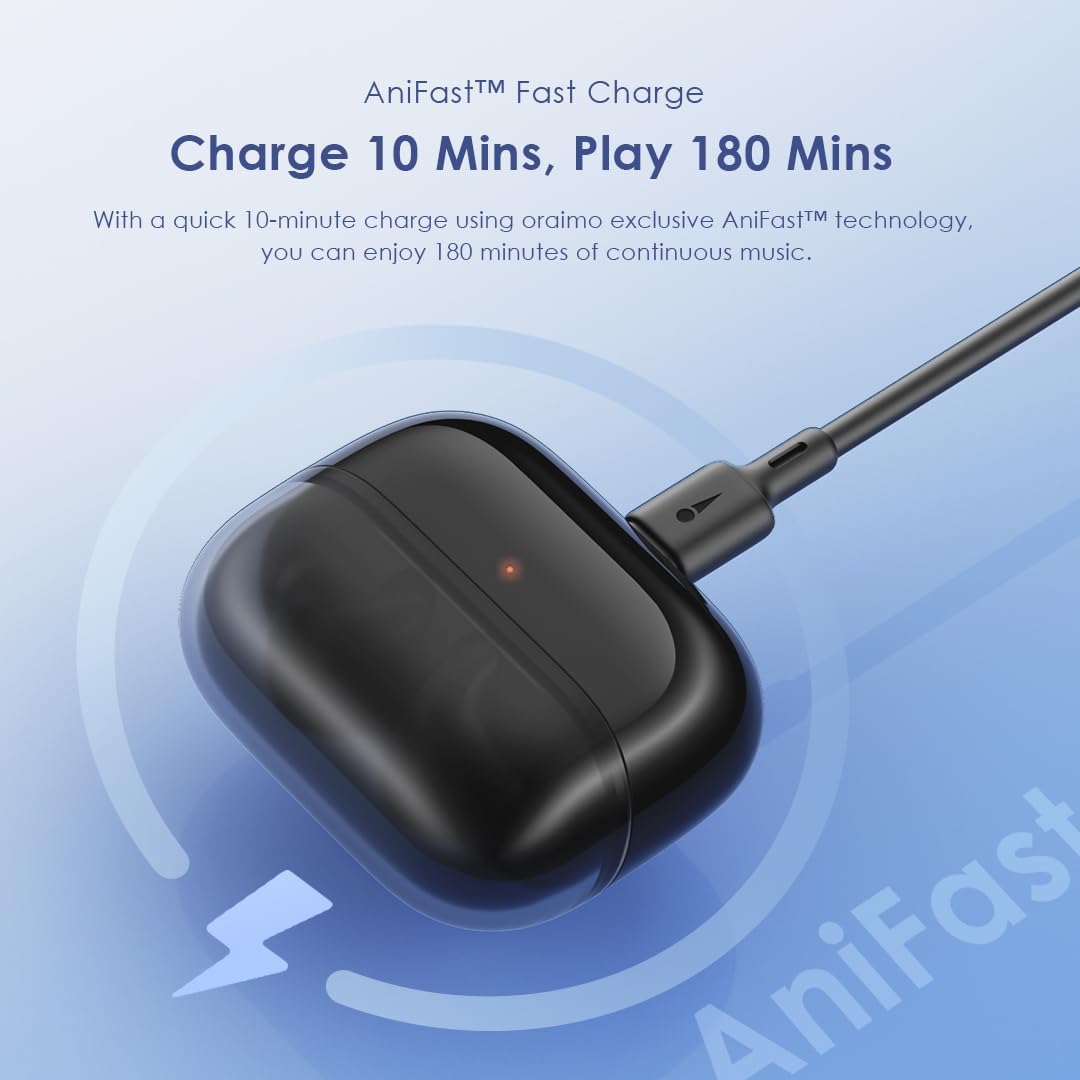
Image: Oraimo Spacebuds Z charging case connected via USB-C cable, demonstrating AniFast™ fast charging.
ጥገና
የጆሮ ማዳመጫዎችዎን ረጅም ዕድሜ እና ጥሩ አፈጻጸም ለማረጋገጥ እነዚህን የጥገና መመሪያዎች ይከተሉ፡-
- ማጽዳት፡ በመደበኛነት የጆሮ ማዳመጫውን እና የኃይል መሙያ መያዣውን ለስላሳ ፣ ደረቅ ፣ ከተሸፈነ ጨርቅ ያፅዱ። ኃይለኛ ኬሚካሎችን ወይም ሻካራ ቁሳቁሶችን አይጠቀሙ.
- የጆሮ ምክሮች: Remove and clean the silicone ear tips with mild soap and water, then dry them thoroughly before reattaching.
- የኃይል መሙያ ወደቦች; የዩኤስቢ-ሲ ባትሪ መሙያ ወደብ ከአቧራ እና ከቆሻሻ ነጻ ያድርጉት።
- ማከማቻ፡ ጥቅም ላይ በማይውልበት ጊዜ የጆሮ ማዳመጫዎቹን ለመጠበቅ እና እንዲከፍሉ ለማድረግ በእነሱ ቻርጅ ውስጥ ያከማቹ።
- የውሃ መቋቋም; The earbuds are IPX5 water-resistant, meaning they can withstand splashes and sweat. Do not submerge them in water or expose them to heavy rain. Dry them completely before placing them back in the charging case.
መላ መፈለግ
If you encounter issues with your Oraimo Spacebuds Z, refer to the following common solutions:
- የጆሮ ማዳመጫዎች የማይጣመሩ
- ሁለቱም የጆሮ ማዳመጫዎች መሞላታቸውን ያረጋግጡ።
- የጆሮ ማዳመጫዎቹን ወደ መያዣው መልሰው ያስቀምጡ፣ ክዳኑን ይዝጉ፣ ለጥቂት ሰከንዶች ይጠብቁ፣ ከዚያ እንደገና ወደ ማጣመር ሁነታ ለመግባት እንደገና ይክፈቱ።
- On your device, forget the "Oraimo Spacebuds Z" from your Bluetooth settings and try pairing again.
- አንድ የጆሮ ማዳመጫ ብቻ ነው የሚሰራው፡-
- ሁለቱም የጆሮ ማዳመጫዎች መሞላታቸውን ያረጋግጡ።
- Place both earbuds in the charging case, close the lid, and then open it again. This often re-syncs them.
- በሁለቱም የጆሮ ማዳመጫዎች እና በሻንጣው ውስጥ የኃይል መሙያ እውቂያዎችን ያጽዱ።
- ደካማ የድምፅ ጥራት;
- Ensure earbuds are properly seated in your ears with the correct size ear tips.
- የጆሮ ማዳመጫ አፍንጫዎችን ማንኛውንም ሰም ወይም ፍርስራሽ ያጽዱ።
- Try moving closer to your connected device to avoid interference.
- የመሙላት ችግሮች፡-
- የዩኤስቢ-ሲ ገመድ እና የኃይል አስማሚውን ለጉዳት ያረጋግጡ።
- በመያዣው ላይ ያለው የኃይል መሙያ ወደብ ንጹህ መሆኑን ያረጋግጡ።
- Verify that the earbuds are correctly placed in the charging case.
እነዚህ እርምጃዎች ችግሩን ካልፈቱ፣ እባክዎ የደንበኛ ድጋፍን ያግኙ።
ዝርዝሮች
| ባህሪ | ዝርዝር |
|---|---|
| የሞዴል ቁጥር | OTW-625 |
| የግንኙነት ቴክኖሎጂ | ብሉቱዝ |
| የብሉቱዝ ስሪት | 5.4 |
| የድምጽ መቆጣጠሪያ | Active Noise Cancellation (ANC) up to 35dB |
| አሽከርካሪዎች | 10mm Dynamic Drivers with HavyBass™ Technology |
| ማይክሮፎኖች | 4 AI Noise-Cancelling Microphones |
| ጠቅላላ የጨዋታ ጊዜ | እስከ 38 ሰዓታት (የ10 ሰዓት የጆሮ ማዳመጫዎች + የ28 ሰዓት መያዣ) |
| ፈጣን ባትሪ መሙላት | AniFast™ (10 min charge for 180 min playtime) |
| የውሃ መቋቋም | IPX5 |
| የመቆጣጠሪያ ዓይነት | የንክኪ መቆጣጠሪያ |
| ተስማሚ መሣሪያዎች | Smartphones, tablets, laptops, desktop computers |
| የቁስ ዓይነት | Premium ABS plastic, Silicone ear tips, Stainless steel details, Rubberized charging case |
| የእቃው ክብደት | 50 ግራም |
| የምርት ልኬቶች | 4.2 x 14.1 x 16.7 ሴ.ሜ |
| እክል | 24 ኦኤም |
| የድግግሞሽ ምላሽ | 48 ኪ.ሰ |
የደህንነት መረጃ
በመሳሪያዎ ላይ ጉዳት ወይም ጉዳት እንዳይደርስ ለመከላከል የሚከተሉትን የደህንነት መመሪያዎች ያንብቡ እና ይከተሉ፡
- ምርቱን አይሰብስቡ, አይጠግኑ ወይም አይቀይሩት.
- ምርቱን ከከፍተኛ ሙቀት፣ እርጥበት እና ጎጂ ንጥረ ነገሮች ያርቁ።
- ምርቱን ለረጅም ጊዜ በቀጥታ ለፀሀይ ብርሀን ከማጋለጥ ይቆጠቡ።
- Do not use the product at high volume for prolonged periods to prevent hearing damage.
- Exercise caution when using earbuds in situations requiring awareness of your surroundings (e.g., driving, cycling, walking in traffic).
- Keep out of reach of children and pets to prevent accidental ingestion of small parts.
- የቀረበውን የኃይል መሙያ ገመድ ወይም የተረጋገጠ አቻ ይጠቀሙ።
ዋስትና እና ድጋፍ
Your Oraimo Spacebuds Z are covered by a manufacturer's warranty. For specific warranty terms and conditions, please refer to the warranty card included in your product packaging or visit the official Oraimo webጣቢያ.
For technical support, troubleshooting assistance, or warranty claims, please contact Oraimo customer service through their official channels. You may also find additional resources and FAQs on the Oraimo webጣቢያ.


