1. መግቢያ
Thank you for choosing the HUNTVISION 5MP Smart Light Bulb Camera. This device integrates a high-definition security camera into a standard light bulb socket, offering convenient installation and comprehensive surveillance capabilities. It features 5MP HD clarity, smart night vision, two-way audio, and advanced AI algorithms for enhanced security monitoring.
This manual provides detailed instructions for setting up, operating, and maintaining your camera to ensure optimal performance and security for your home or office.

Image: The HUNTVISION Smart Light Bulb Camera, designed for versatile use in various environments including residential and commercial settings.
2. የደህንነት መረጃ
- Ensure the power is off before installing or removing the camera from the light bulb socket.
- This device is designed for indoor and outdoor use. Ensure proper weather protection if used outdoors.
- ካሜራውን ለከፍተኛ ሙቀት፣ እርጥበት ወይም በቀጥታ በውሃ ውስጥ እንዲጠመቅ አያጋልጡት።
- Use only standard E27/E26 light bulb sockets for installation.
- ካሜራውን ልጆች እና የቤት እንስሳት በማይደርሱበት ቦታ ያስቀምጡት.
- ካሜራውን እራስዎ ለመበተን ወይም ለመጠገን አይሞክሩ። ለእርዳታ የደንበኛ ድጋፍን ያነጋግሩ።
3. የጥቅል ይዘቶች
ሁሉም እቃዎች በጥቅሉ ውስጥ መኖራቸውን ያረጋግጡ፡-
- HUNTVISION 5MP Smart Light Bulb Camera (Model: A5M10)
- Mounting Stand (if applicable)
- የመጫኛ ዊንጮች (ካለ)
- የትምህርት መመሪያ (ይህ ሰነድ)
4. የማዋቀር መመሪያ
4.1. አካላዊ ጭነት
- Locate a standard E27/E26 light bulb socket where you wish to install the camera.
- Ensure the power to the socket is turned off at the circuit breaker before proceeding.
- Carefully screw the HUNTVISION Smart Light Bulb Camera into the socket until it is securely fastened. Do not overtighten.
- Turn on the power to the socket. The camera will power on and initiate its startup sequence.
4.2. የመተግበሪያ ማውረድ እና መለያ መፍጠር
- Download the "IVY IoT" application from your smartphone's app store (App Store for iOS or Google Play Store for Android).
- Open the IVY IoT app and follow the on-screen instructions to create a new account or log in if you already have one.
4.3. ካሜራውን ከ Wi-Fi ጋር ማገናኘት
The camera supports various network connection methods:
- የQR ኮድ ቅኝት፡ In the IVY IoT app, select "Add Device" and choose the QR code scanning option. Position your phone's screen with the generated QR code in front of the camera lens until you hear a confirmation sound.
- የብሉቱዝ ማገናኘት Some models support Bluetooth for initial setup. Follow the app's prompts to pair via Bluetooth.
- Sound Wave Pairing: The app can generate a sound wave to transmit Wi-Fi credentials. Ensure your phone's volume is up and place it near the camera.
- የ LAN ግንኙነት፡- For wired setup, connect an Ethernet cable to the camera's LAN port (if available) and your router.
Follow the specific instructions within the IVY IoT app for your chosen connection method. Ensure your Wi-Fi network is 2.4GHz, as 5GHz networks may not be supported by the camera for initial setup.

Image: The camera and its accompanying mobile application, illustrating the Wi-Fi connection process.
5. የአሠራር መመሪያዎች
5.1. የቀጥታ ስርጭት እና ቀረጻ
Once connected, open the IVY IoT app and select your camera from the device list to view the live feed. You can:
- View የቀጥታ ምግብ፡ Access real-time video from your camera.
- ቪዲዮ ይቅረጹ፡ Manually start and stop video recording.
- ቅጽበተ-ፎቶዎችን ያንሱ፦ አሁንም ምስሎችን ከቀጥታ ምግብ ያንሱ።
- መልሶ ማጫወት፡ መዳረሻ ተመዝግቧል footage from cloud storage or a local TF card.
5.2. Remote Control (Pan/Tilt & Digital Zoom)
The camera features a 355° horizontal pan and 85° vertical tilt, allowing you to adjust the viewing angle remotely through the app. It also supports 6X digital zoom for closer inspection of details.

Image: Demonstrating the camera's remote pan, tilt, and digital zoom capabilities for comprehensive area coverage.
5.3. ስማርት የሌሊት እይታ ሁነታዎች
The camera offers multiple night vision options for clear monitoring in low-light conditions:
- ባለ ሙሉ ቀለም የምሽት እይታ; Utilizes ambient light or the camera's built-in light to provide color images at night.
- የኢንፍራሬድ የምሽት እይታ; Uses infrared LEDs for clear black-and-white images in complete darkness.
- Custom Night Vision: Allows you to configure specific settings based on your preferences.
The camera can automatically switch between modes based on lighting conditions.
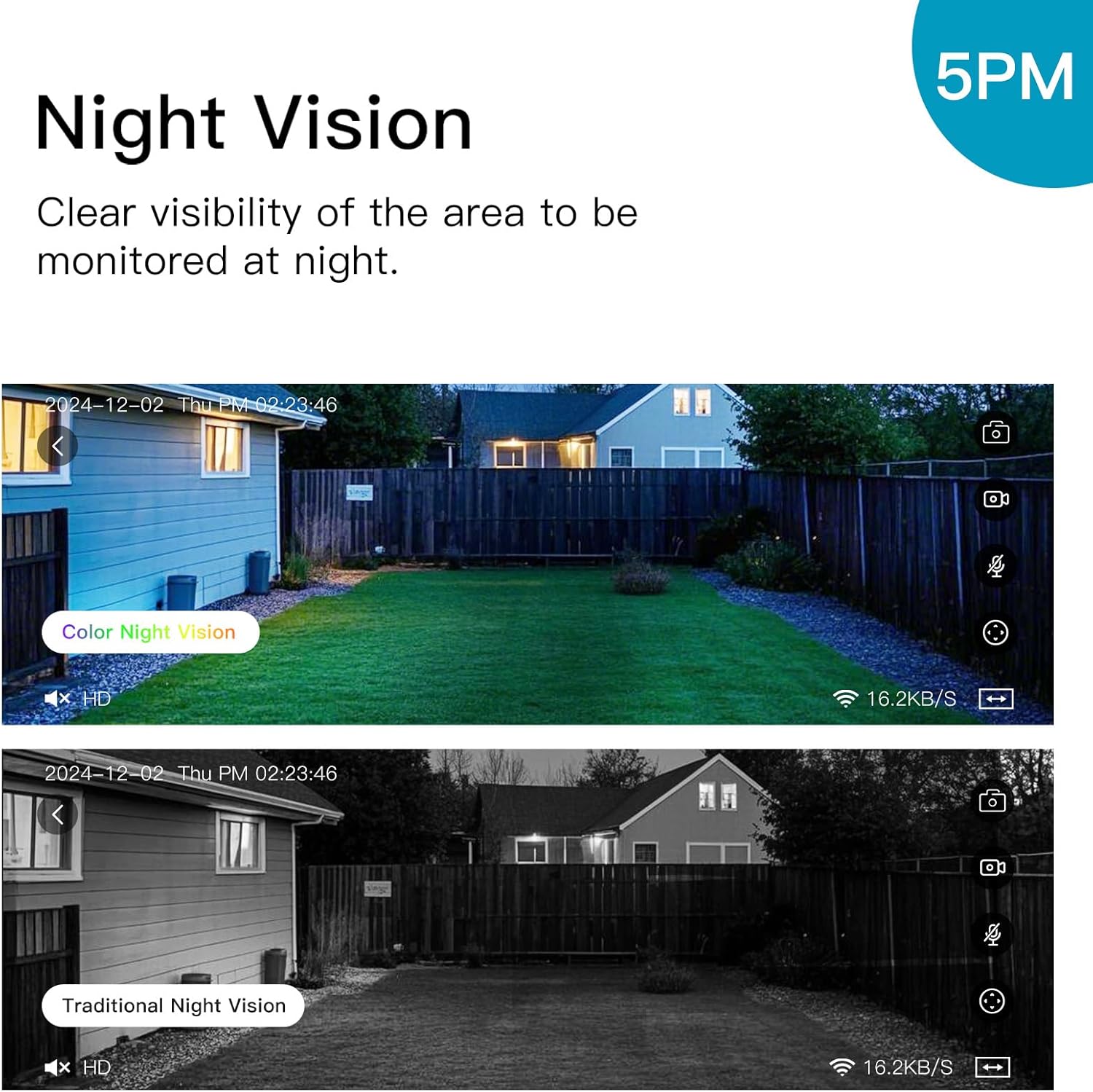
Image: Illustrating the difference between color and traditional infrared night vision capabilities.
5.4. ባለሁለት መንገድ ኦዲዮ
The built-in microphone and speaker enable two-way communication. You can listen to the environment around the camera and speak through the camera using the IVY IoT app. This feature is useful for communicating with visitors or deterring intruders.
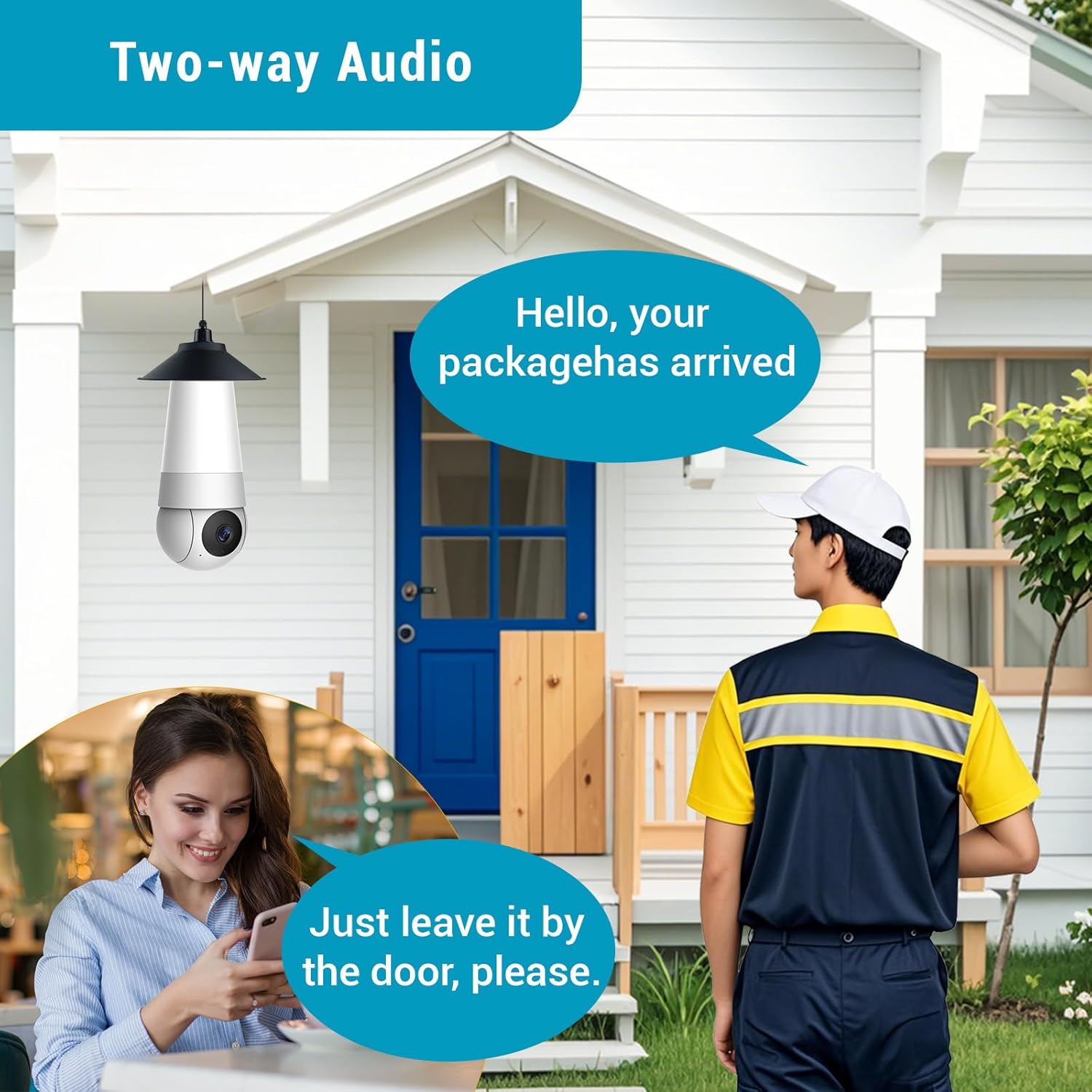
Image: Demonstrating the two-way audio feature for communication.
5.5. AI Smart Algorithms
The camera is equipped with advanced AI algorithms to provide intelligent alerts and monitoring:
- የሰው ለይቶ ማወቅ; Identifies human shapes, reducing false alarms from pets or inanimate objects.
- እንቅስቃሴ ማወቂያ፡- ማንኛውንም እንቅስቃሴ ሲያውቅ መቅዳት እና ማንቂያዎችን ያነሳሳል።
- Flame Recognition: Detects the presence of flames and sends immediate alerts.
- Personality Tracking: Follows detected human movement within the camera's field of view.
- ማልቀስ ማወቅ፡- Alerts you to the sound of crying, useful for baby monitoring.
Configure these settings within the IVY IoT app to receive real-time push notifications and alert messages.

ምስል፡ አልቋልview of the camera's multiple device-side AI algorithms for intelligent monitoring.
5.6. Cloud Storage & Multi-User Sharing
- የማከማቻ አማራጮች፡- Supports both local TF (microSD) card storage (card not included) and cloud storage subscriptions for recorded footage.
- መልሶ ማጫወት፡ በቀላሉ እንደገናview recorded events from either storage option through the app.
- ባለብዙ ተጠቃሚ ማጋራት፡- Share access to your camera with up to 10 authorized users, allowing family members or colleagues to view የቀጥታ ስርጭት እና ማንቂያዎችን ይቀበሉ።
6. ጥገና
- ማጽዳት፡ የካሜራውን ሌንስና ሰውነት ለስላሳና ደረቅ በሆነ ጨርቅ በቀስታ ይጥረጉ። ፈሳሽ ማጽጃዎችን ወይም የማጽጃ ቁሳቁሶችን አይጠቀሙ።
- የጽኑዌር ዝማኔዎች ፦ Regularly check the IVY IoT app for available firmware updates. Keeping your camera's firmware updated ensures optimal performance, new features, and security enhancements.
- የማከማቻ አስተዳደር፡ If using a TF card, periodically check its status and consider formatting it through the app to maintain performance. Manage cloud storage settings as needed.
7. መላ መፈለግ
| ችግር | ሊሆን የሚችል ምክንያት / መፍትሄ |
|---|---|
| ካሜራ እየበራ አይደለም። |
|
| ከWi-Fi ጋር መገናኘት አልተቻለም። |
|
| ደካማ የቪዲዮ ጥራት ወይም መዘግየት። |
|
| የእንቅስቃሴ ማወቂያ ማንቂያዎች በጣም ተደጋጋሚ/አልፎ አልፎ ናቸው። |
|
8. ዝርዝሮች
| ባህሪ | ዝርዝር |
|---|---|
| የምርት ስም | HUNTVISION |
| የሞዴል ስም | A5M10 |
| የቪዲዮ ቀረጻ ጥራት | 1920p (5ሜፒ ኤችዲ) |
| የግንኙነት ቴክኖሎጂ | ገመድ አልባ (ዋይ ፋይ) |
| የግንኙነት ፕሮቶኮል | ዋይ ፋይ |
| የኃይል ምንጭ | Corded Electric (Light Bulb Socket) |
| የመቆጣጠሪያ አይነት | IVY IoT App |
| የመጫኛ አይነት | Ceiling Mount (via light socket) |
| የንጥል መጠኖች (L x W x H) | 7.87 x 2.83 x 2.95 ኢንች |
| የእቃው ክብደት | 10.4 አውንስ |
| የቤት ውስጥ / የውጭ አጠቃቀም | ከቤት ውጭ ፣ የቤት ውስጥ |
| የሚመከር አጠቃቀሞች | የሕፃን ክትትል ፣ የቤት እንስሳት ክትትል ፣ የቤት ውስጥ ደህንነት ፣ የውጪ ደህንነት |
| የተካተቱ አካላት | Stand, Mounting Screw, Instruction Manual |
9. የደንበኛ ድጋፍ
For technical support, warranty information, or any inquiries regarding your HUNTVISION Smart Light Bulb Camera, please contact our customer service team. Refer to the product packaging or the official HUNTVISION webበጣም ወቅታዊ የእውቂያ መረጃ ለማግኘት ጣቢያ.
We are committed to providing you with the best possible experience.


