1. መግቢያ
This manual provides essential information for the safe and efficient use of your Philips B4000 Soundbar. Please read these instructions carefully before using the product and retain them for future reference. The Philips B4000 Soundbar is designed to enhance your television's audio experience with clear 2.0 channel sound and versatile connectivity options.

Image: The Philips B4000 Soundbar, its remote control, and a television displaying colorful content, illustrating the product in use.
2. የጥቅል ይዘቶች
ሁሉም እቃዎች በጥቅልዎ ውስጥ መኖራቸውን ያረጋግጡ፡-
- Philips B4000 Soundbar
- የርቀት መቆጣጠሪያ
- 2 x AAA ባትሪዎች (ለርቀት መቆጣጠሪያ)
- የግድግዳ ተራራ ቅንፎች
- ፈጣን ጅምር መመሪያ
- የዋስትና ካርድ
3. ምርት አብቅቷልview
The Philips B4000 Soundbar features a compact design with integrated speakers and various input options for seamless integration with your home entertainment system.

Image: The Philips B4000 Soundbar positioned below a television in a living room, emphasizing its 2.0 channel audio, 60W maximum output power, and dual full-range speakers.
4. ማዋቀር እና መጫን
4.1 የምደባ አማራጮች
The soundbar offers flexible placement to suit your setup:
- የቲቪ ማቆሚያ አቀማመጥ፡- Place the soundbar on a flat surface directly in front of your TV. Ensure it does not obstruct the TV's remote sensor.
- የግድግዳ ተራራ Use the included wall mount brackets to attach the soundbar to the wall below your TV. Refer to the Quick Start Guide for detailed wall mounting instructions.
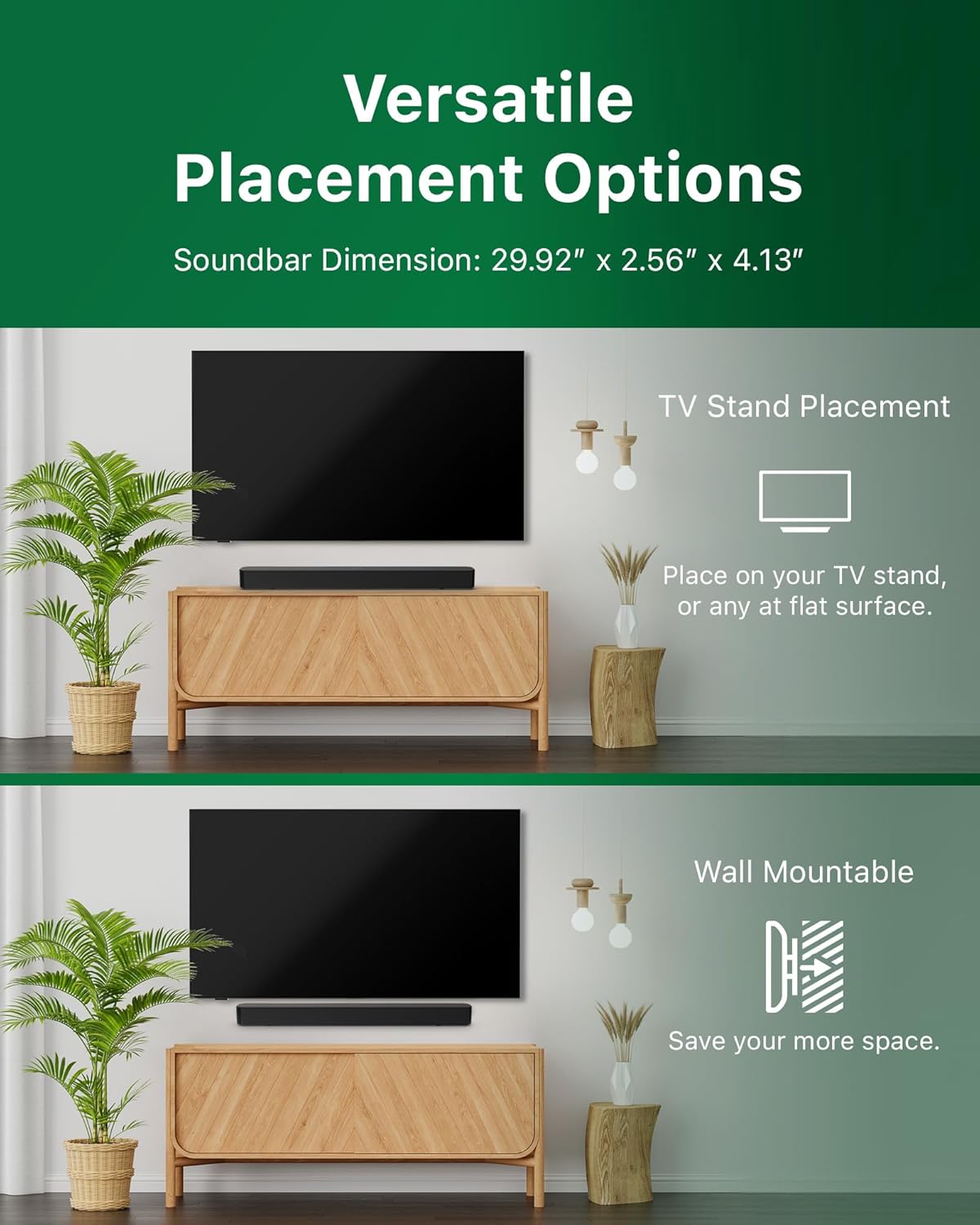
Image: Illustrations demonstrating the two primary placement methods for the soundbar: resting on a TV stand and securely mounted on a wall.
4.2 ከቲቪዎ ጋር መገናኘት
The soundbar supports multiple connection types:
- HDMI ARC (የሚመከር) Connect an HDMI cable (not included) from the HDMI ARC port on your TV to the HDMI ARC port on the soundbar. This allows for audio return and control via your TV remote.
- ብሉቱዝ፡ For wireless audio streaming, pair your soundbar with a Bluetooth-enabled device.
- ዩኤስቢ፡ Connect a USB device for audio playback.
- ዲሲ IN Connect the power adapter to the DC IN port.

Image: A visual representation of the soundbar's available audio input ports, including HDMI (ARC), USB, Bluetooth, and DC IN for power.
4.3 Roku TV Ready Setup
The Philips B4000 Soundbar is Roku TV Ready certified, simplifying setup and control when paired with a Roku TV.
- Connect the soundbar to your Roku TV via HDMI ARC.
- Your Roku TV should automatically detect and configure the soundbar.
- Use your Roku TV remote to control the soundbar's power and volume.

Image: The Philips B4000 Soundbar seamlessly integrated with a television, illustrating its 'Roku TV Ready' certification for simplified setup and control.
4.4 የርቀት መቆጣጠሪያ ቅንብር
Insert the two included AAA batteries into the remote control, ensuring correct polarity.
5. ኦፕሬሽን
5.1 ማብራት / ማጥፋት
መሣሪያውን ለማብራት ወይም ለማጥፋት በድምጽ አሞሌው ወይም በርቀት መቆጣጠሪያው ላይ ያለውን የኃይል ቁልፍ ይጫኑ።
5.2 የግቤት ምርጫ
Press the 'Source' button on the remote control to cycle through available input sources (HDMI ARC, Bluetooth, USB).
5.3 የድምጽ መቆጣጠሪያ
Use the 'Volume Up' and 'Volume Down' buttons on the remote control to adjust the audio level. If connected via HDMI ARC to a Roku TV, your TV remote may also control the volume.
5.4 የብሉቱዝ ማጣመር
- Press the 'Bluetooth' button on the remote control to enter Bluetooth pairing mode. The indicator light on the soundbar will flash.
- On your mobile device, search for Bluetooth devices and select 'Philips B4000'.
- ከተጣመረ በኋላ ጠቋሚው መብራቱ ጠንካራ ይሆናል፣ እና ድምጽን ያለገመድ መልቀቅ ይችላሉ።
5.5 የድምፅ ሁነታዎች እና እኩልታዎች
The soundbar may offer various sound modes or equalizer settings to optimize audio for different content types (e.g., Movie, Music, News). Use the remote control to access and adjust these settings. While specific equalizer details are not extensively documented, experimentation with available settings is encouraged to find your preferred audio profile.

Image: The Philips soundbar remote control in the foreground, with a television screen in the background displaying the EasyLink 2.0 menu for adjusting sound styles, including Bass, Treble, and Custom Equalize options.
6. ጥገና
የድምጽ አሞሌዎን ረጅም ዕድሜ እና ጥሩ አፈጻጸም ለማረጋገጥ እነዚህን የጥገና መመሪያዎች ይከተሉ፡
- ማጽዳት፡ የድምፅ አሞሌውን ወለል ለማጽዳት ለስላሳ እና ደረቅ ጨርቅ ይጠቀሙ። ፈሳሽ ማጽጃዎችን ወይም የማጽጃ ቁሳቁሶችን አይጠቀሙ፣ ምክንያቱም ጨርቁን ሊያበላሹ ይችላሉ።
- የአየር ማናፈሻ; የድምፅ አሞሌው የአየር ማናፈሻ ክፍተቶች እንዳይዘጉ ያረጋግጡ። ትክክለኛ የአየር ፍሰት ከመጠን በላይ ሙቀትን ይከላከላል።
- ማከማቻ፡ የድምጽ አሞሌውን ረዘም ላለ ጊዜ ካስቀመጠ ከኃይል ጋር ያላቅቁት እና በቀዝቃዛና ደረቅ ቦታ ያስቀምጡት።
7. መላ መፈለግ
If you encounter issues with your Philips B4000 Soundbar, refer to the following common problems and solutions:
| ችግር | ሊሆን የሚችል ምክንያት | መፍትሄ |
|---|---|---|
| ከድምጽ አሞሌ ምንም ድምፅ የለም። |
|
|
| የማይንቀሳቀስ ወይም የተዛባ ድምፅ |
|
|
| የብሉቱዝ ማጣመር ጉዳዮች |
|
|
| የርቀት መቆጣጠሪያ አይሰራም |
|
|
8. ዝርዝሮች
| ባህሪ | ዝርዝር |
|---|---|
| የሞዴል ስም | TAB4000/37 |
| የድምጽ ማጉያ አይነት | የድምጽ አሞሌ |
| የዙሪያ ድምጽ ቻናል ውቅር | 2.0 |
| የድምጽ ማጉያ ከፍተኛ የውጤት ኃይል | 60 ዋት |
| የግንኙነት ቴክኖሎጂ | Bluetooth (5.4), HDMI ARC, USB |
| ልዩ ባህሪያት | Advanced Bluetooth 5.4 Connectivity, Bass Boost, Roku TV Ready™ Certification, Wall mountable |
| የምርት ልኬቶች | 4.1" ዲ x 30" ዋ x 2.56" ኤች |
| የእቃው ክብደት | 4.89 ፓውንድ (2.22 ኪሎግራም) |
| የኃይል ምንጭ | Battery Powered (for remote), AC Power (for soundbar) |
| ግብዓት Voltage | 120 ቮልት |
| የተካተቱ አካላት | Battery, Quick Start Guide, Remote, Wall Mount Bracket, Warranty Card |
9. ዋስትና እና ድጋፍ
9.1 የዋስትና መረጃ
The Philips B4000 Soundbar comes with a Limited Warranty. Please refer to the included Warranty Card for specific terms, conditions, and duration of coverage. Retain your proof of purchase for warranty claims.
9.2 የደንበኛ ድጋፍ
ለተጨማሪ እርዳታ፣ የቴክኒክ ድጋፍ ወይም የአገልግሎት ጥያቄዎች፣ እባክዎን ኦፊሴላዊውን የፊሊፕስ ድጋፍ ይጎብኙ። website or contact their customer service. Contact details can typically be found on the Philips webጣቢያ ወይም በፈጣን ጅምር መመሪያ ውስጥ።


