1. መግቢያ
Thank you for choosing the DUSONLAP SU8 Mini Wireless Sleep Earbuds. These earbuds are designed to provide a comfortable and immersive audio experience, especially for side sleepers, while effectively blocking out ambient noise. Please read this manual thoroughly to ensure proper usage and optimal performance.

Image: DUSONLAP SU8 Mini Wireless Sleep Earbuds and their compact charging case.
2. በሳጥኑ ውስጥ ያለው
- DUSONLAP SU8 Sleep Earbuds (x2)
- SU8 Charging Case (x1)
- የዩኤስቢ-ሲ ኃይል መሙያ ገመድ (x1)
- የተጠቃሚ መመሪያ (x1)

Image: All items included in the DUSONLAP SU8 product package.
3. የምርት ባህሪዎች
- Mini Portable and Safe Design: Made of soft, skin-friendly silicone, weighing only 3 grams per ear, with an ergonomic in-ear design for comfort and secure fit.
- True Noise Blocking: Achieves a noise suppression effect of 24 decibels, ideal for blocking ambient sounds.
- Premium Stereo Sound and Clear Call: Engineered with a 13mm dual chamber speaker driver unit for balanced sound with deep bass. Features ENC (Enhanced Noise Cancellation) technology for clear calls.
- NEW Bluetooth 5.4 and One-Step Pairing: Advanced Bluetooth 5.4 technology provides a fast, stable, and seamless connection with superior sound quality and strong signal up to 15m. Automatic connection to previously paired devices upon opening the charging case.
- LED Power Display and Long Battery Life: Charging case features an LED digital display to monitor charging status and remaining power. Earbuds offer 5-7 hours of listening time, with the case providing an additional 40 hours (total 47 hours). Supports USB-C fast charging.
- Ergonomic Design and IPX7 Waterproof: Soft silicone material and compact design ensure comfortable wear without earaches, even during extended use or side sleeping. IPX7 nano-coating technology makes them waterproof and sweatproof.
- Touch Control and Wide Compatibility: High-tech touch screen controls for calls, music playback, volume adjustment, song switching, and Siri activation. Compatible with most Bluetooth-enabled devices (iOS, Android, laptops, tablets, etc.).

Image: Earbuds designed for comfortable side sleeping with sleep mode features.

Image: IPX7 Waterproof feature for protection against sweat and water.
4. ማዋቀር
4.1. የጆሮ ማዳመጫውን እና መያዣውን መሙላት
- የጆሮ ማዳመጫዎቹን በቻርጅ መሙያ መያዣው ውስጥ ያስቀምጡ። በትክክል መቀመጡን ያረጋግጡ።
- የዩኤስቢ-ሲ ባትሪ መሙያ ገመዱን በሻንጣው ላይ ካለው የኃይል መሙያ ወደብ እና ከኃይል ምንጭ ጋር ያገናኙ።
- The LED digital display on the case will show the charging status.
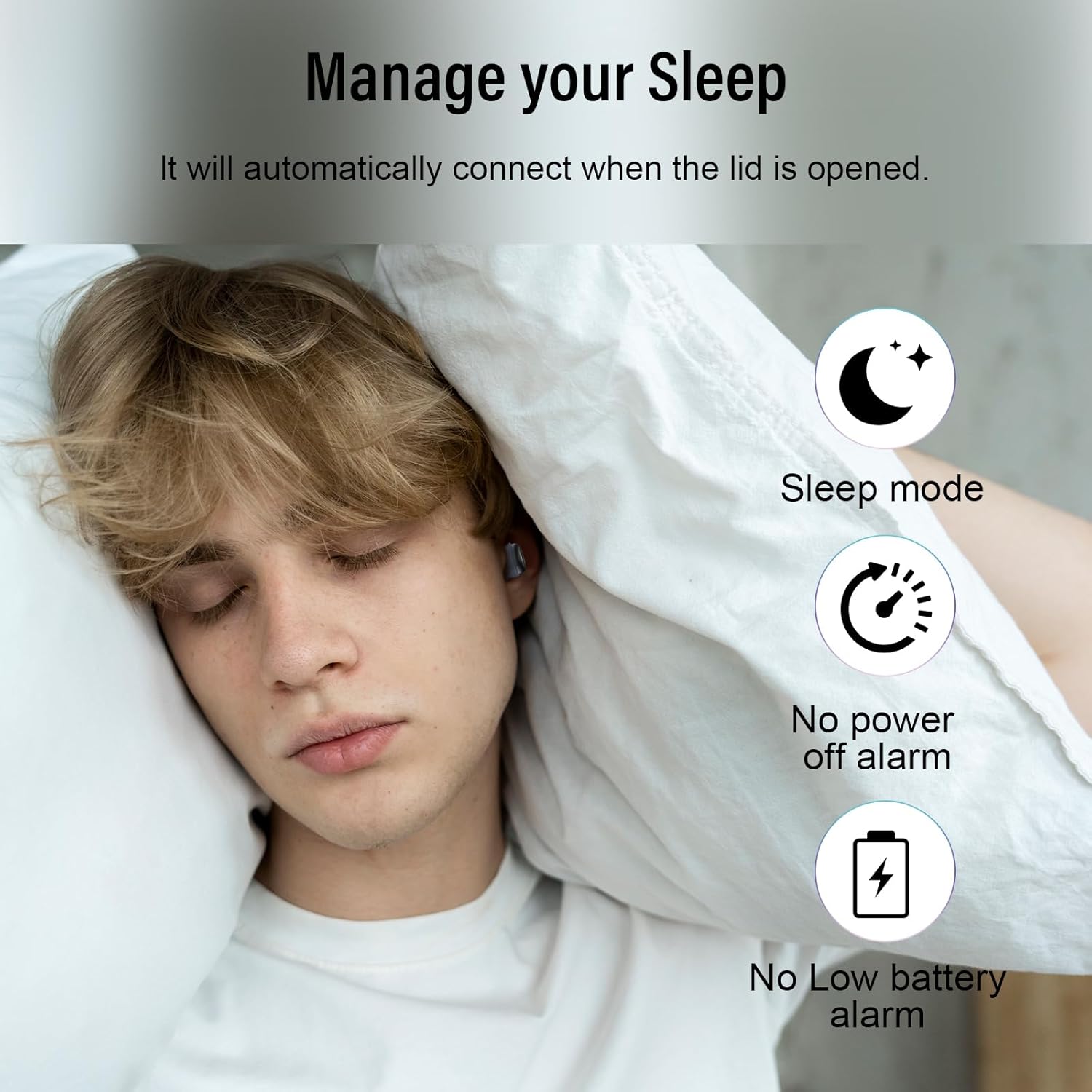
Image: Earbuds charging inside the case, with battery indicator visible.
4.2. ከመሳሪያዎ ጋር ማጣመር
- የኃይል መሙያ መያዣውን ክዳን ይክፈቱ. የጆሮ ማዳመጫዎች በራስ-ሰር የማጣመሪያ ሁነታን ያስገባሉ።
- በመሳሪያዎ ላይ (ስማርትፎን ፣ ታብሌት ፣ ላፕቶፕ) ወደ የብሉቱዝ ቅንብሮች ይሂዱ።
- Select "SU8" from the list of available devices to connect.
- አንዴ ከተገናኙ በኋላ የድምጽ መጠየቂያ ይሰማሉ፣ እና የጆሮ ማዳመጫው ለአገልግሎት ዝግጁ ይሆናል።

Image: Visual guide for one-step Bluetooth pairing.
4.3. How to Wear the Earbuds
- Choose the appropriate ear caps and install them on the SU8 sleep earbuds.
- Place the ear cap downwards and insert it into your ear canal.
- Twist gently to lock into place for a secure and comfortable fit.

Image: Step-by-step instructions for wearing the earbuds.
5. የአሠራር መመሪያዎች
5.1. የንክኪ መቆጣጠሪያዎች
The DUSONLAP SU8 earbuds feature intuitive touch controls for easy management of calls and music.
- ጥሪዎችን በመመለስ ላይ፡- የጆሮ ማዳመጫውን ሁለቴ መታ ያድርጉ።
- Hanging Up Calls: የጆሮ ማዳመጫውን ሁለቴ መታ ያድርጉ።
- ውድቅ ጥሪዎችን የትኛውንም የጆሮ ማዳመጫ ለ2 ሰከንድ በረጅሙ ተጫን።
- ሙዚቃን አጫውት/ ለአፍታ አቁም፡ Single-tap either earbud.
- የድምጽ መጠን አስተካክል; Long press the right earbud to increase volume, long press the left earbud to decrease volume.
- ዘፈኖችን ቀይር Triple-tap the right earbud for next track, triple-tap the left earbud for previous track.
- የድምጽ ረዳትን (Siri) ያግብሩ፦ የጆሮ ማዳመጫውን ሶስት ጊዜ መታ ያድርጉ።
- የእንቅልፍ ሁኔታ: Quadruple-tap either earbud to activate sleep mode (no shutdown and low battery beep).

ምስል፡ አልቋልview የንክኪ ቁጥጥር ተግባራት.
5.2. የእንቅልፍ ሁነታ
The dedicated sleep mode ensures an undisturbed night by disabling shutdown and low battery beeps. Activate it with a quadruple-tap on either earbud.
Video: Demonstration of D20 Sleep Headphones features, including sleep mode and comfortable fit.
ቪዲዮ፡- በፍጥነት ጨርሰናልview of aggoo Sleep Earbuds, highlighting comfort and sleep-friendly design.
6. ጥገና
6.1. ማጽዳት
- የጆሮ ማዳመጫዎችን እና የኃይል መሙያ መያዣውን ለስላሳ እና ደረቅ ጨርቅ በመደበኛነት ያጽዱ።
- የጆሮዎቹን ጫፎች ያስወግዱ እና አስፈላጊ ከሆነ በቀላል ሳሙና እና ውሃ ለየብቻ ያጽዷቸው። እንደገና ከማያያዝዎ በፊት ሙሉ በሙሉ ደረቅ መሆናቸውን ያረጋግጡ።
- ኃይለኛ ኬሚካሎችን ወይም ሻካራ ቁሳቁሶችን ከመጠቀም ይቆጠቡ.
6.2. ማከማቻ
- የጆሮ ማዳመጫዎቹን ለመጠበቅ እና እንዲከፍሉ ለማድረግ ጥቅም ላይ በማይውሉበት ጊዜ በሚሞሉበት መያዣቸው ውስጥ ያከማቹ።
- መሳሪያውን በቀዝቃዛና ደረቅ ቦታ, ከከፍተኛ ሙቀት እና ቀጥተኛ የፀሐይ ብርሃን ያቆዩት.
6.3. የውሃ መቋቋም
The earbuds are IPX7 waterproof, meaning they can withstand sweat and light rain. However, they are not designed for swimming or submersion in water. Ensure the charging port is dry before charging.
7. መላ መፈለግ
- የጆሮ ማዳመጫዎች የማይጣመሩ Ensure both earbuds are in the charging case, then open the lid to re-enter pairing mode. Check your device's Bluetooth settings and try reconnecting.
- ከአንድ የጆሮ ማዳመጫ ድምጽ የለም ሁለቱንም የጆሮ ማዳመጫዎች ወደ መያዣው መልሰው ያስቀምጡ፣ ክዳኑን ይዝጉት፣ ከዚያም እንደገና ይክፈቱት። ይህ ብዙውን ጊዜ ግንኙነቱን እንደገና ያስጀምረዋል።
- የመሙላት ችግሮች፡- Verify the USB-C cable is securely connected to both the case and the power source. Check the LED display for charging indicators. Ensure the charging contacts on the earbuds and case are clean.
- ምቹ ያልሆነ አቀማመጥ; Experiment with different ear tip sizes provided to find the most comfortable and secure fit for your ear canal.
- Low battery beep in sleep mode: Ensure sleep mode is properly activated by quadruple-tapping an earbud. If the issue persists, the earbuds might be too low on battery to sustain sleep mode without a warning.
8. ዝርዝሮች
| ባህሪ | ዝርዝር መግለጫ |
|---|---|
| የሞዴል ስም | SU8 |
| የምርት ስም | ዱሶንላፕ |
| የግንኙነት ቴክኖሎጂ | ገመድ አልባ (ብሉቱዝ 5.4) |
| የጆሮ አቀማመጥ | በጆሮ ውስጥ |
| የቅጽ ምክንያት | በጆሮ ውስጥ |
| የድምጽ መቆጣጠሪያ | Enhanced Noise Cancellation (ENC) |
| የውሃ መቋቋም ደረጃ | IPX7 የውሃ መከላከያ |
| የባትሪ አማካይ ሕይወት | 47 Hours (5-7 hours earbuds + 40 hours case) |
| የባትሪ ሕዋስ ቅንብር | ሊቲየም ፖሊመር |
| ቁሳቁስ | ሲሊኮን |
| ልዩ ባህሪያት | Noise Cancelling, Waterproof, Touch Control |
9. ዋስትና እና ድጋፍ
For warranty information, technical support, or any inquiries regarding your DUSONLAP SU8 Mini Wireless Sleep Earbuds, please refer to the contact details provided on the product packaging or visit the official DUSONLAP webጣቢያ. ለዋስትና ጥያቄዎች የግዢ ደረሰኝዎን ያስቀምጡ።


