1. መግቢያ
This user manual provides detailed instructions for the installation, operation, and maintenance of your PGST Home Security System 8-Piece Kit, Model PG108-US4G-A. Please read this manual thoroughly before using the system to ensure proper functionality and safety.
2. የጥቅል ይዘቶች
ከዚህ በታች የተዘረዘሩት ሁሉም እቃዎች በጥቅልዎ ውስጥ መካተታቸውን ያረጋግጡ፡-
- 1 x የቁጥጥር ፓነል (አስተናጋጅ)
- 1 x Motion Sensor (Infrared Sensor)
- 1 x Door/Window Sensor (Magnetic Sensor)
- 2 x RFID ካርዶች
- 2 x የርቀት መቆጣጠሪያዎች
- 1 x ሳይረን
- የኃይል አስማሚ
- ሃርድዌር ማፈናጠጥ
- የተጠቃሚ መመሪያ

Image: All components included in the PGST Home Security System 8-Piece Kit.
3. የደህንነት መረጃ
- Do not expose the system to extreme temperatures, humidity, or direct sunlight.
- Keep the system away from water and other liquids.
- የቀረበውን የኃይል አስማሚ ብቻ ይጠቀሙ።
- Do not attempt to disassemble or repair the system yourself. Contact customer support for assistance.
- Ensure all sensors are securely mounted to prevent accidental detachment.
4. የማዋቀር መመሪያ
4.1. የመጀመሪያ ኃይል-አፕ
- Connect the control panel to a power outlet using the provided power adapter.
- The system will power on automatically. Follow the on-screen prompts for initial language and time settings.
4.2. የመተግበሪያ ጭነት እና የአውታረ መረብ ግንኙነት
The PGST Home Security System supports dual connectivity via Wi-Fi (2.4GHz) and 4G/GSM (with a SIM card, not included). This allows for remote monitoring and alerts even without Wi-Fi.
- Download the "Smart Life" or "Tuya" app from your mobile device's app store.
- መለያ ይመዝገቡ እና ይግቡ።
- On the control panel, navigate to the Wi-Fi settings and connect to your 2.4GHz Wi-Fi network.
- To enable 4G/GSM functionality, insert a compatible 4G SIM card into the designated slot on the control panel. Ensure the SIM card is active and has credit for calls/SMS if you intend to use these features.
- Follow the app's instructions to add your security system as a new device.
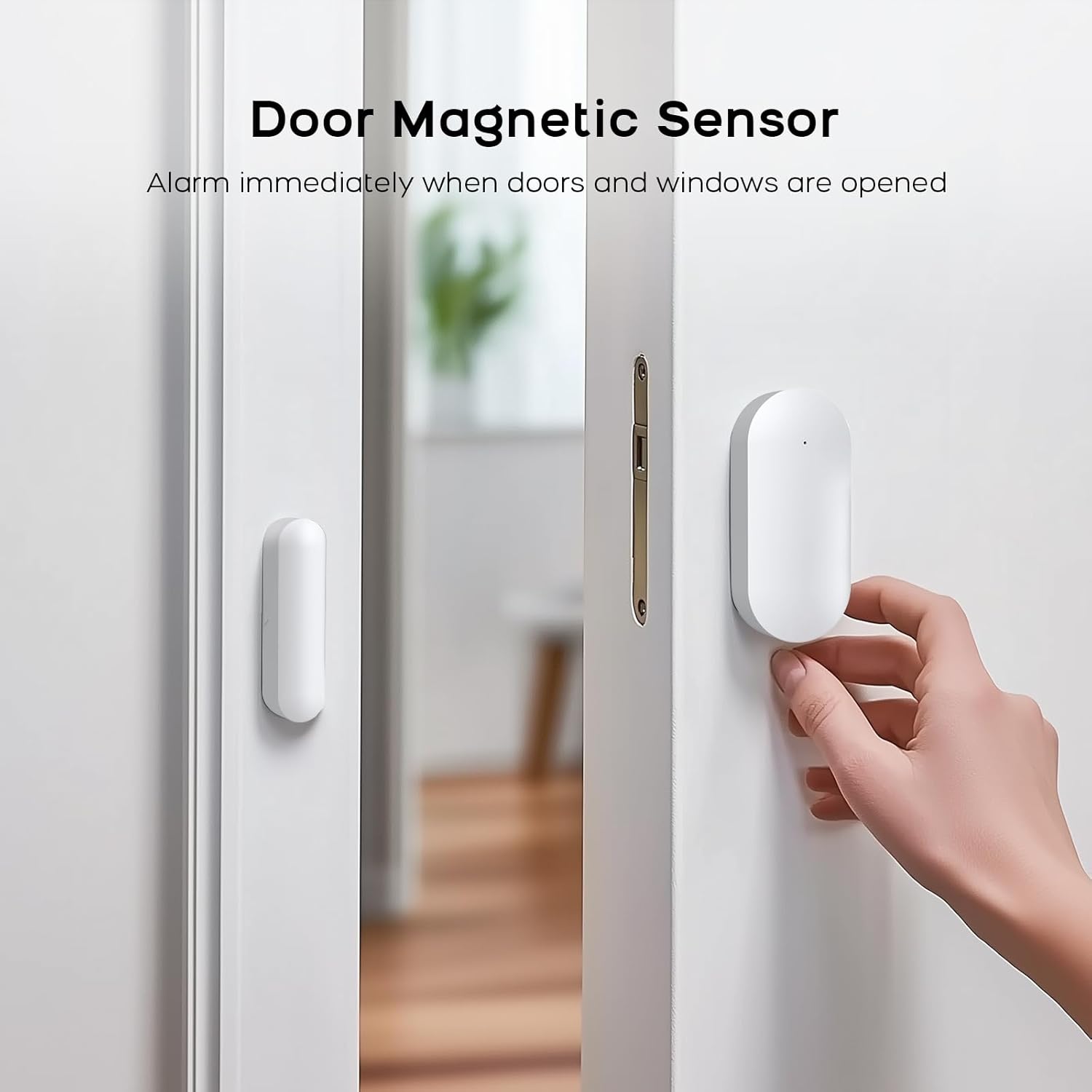
Image: Wi-Fi and 4G Dual Support for the PGST Home Security System.
4.3. Setting the Keypad Lock Password
To enhance security, set a keypad lock password for your control panel. This prevents unauthorized access to system settings.
Video: Instructions on how to set and manage the keypad lock password on the PGST control panel.
- ከዋናው ምናሌ፣ ወደሚከተለው ይሂዱ ቅንብሮች.
- ይምረጡ የይለፍ ቃል, ከዚያም ተጠቃሚ.
- Enter your desired 4-digit password and confirm.
- You can also toggle the keypad lock on or off via Settings > Switch > Keypad Lock.
4.4. የማጣመሪያ መለዋወጫዎች
This section details how to pair the various sensors and remote controls with your PGST Home Security System. For a visual guide, refer to the accessory connection video below.
Video: Detailed instructions on connecting various accessories, including remote controls, RFID cards, motion sensors, and door magnetic sensors, to the PGST alarm system.
4.4.1. የርቀት መቆጣጠሪያ ማጣመር
- በቁጥጥር ፓነል ላይ፣ ወደሚከተለው ይሂዱ Menu > Sensors > Remote > Add.
- Press any button on the remote control you wish to pair. The panel will confirm successful pairing.

Image: Remote controls for arming, disarming, and SOS activation.
4.4.2. RFID Card Pairing
- በቁጥጥር ፓነል ላይ፣ ወደሚከተለው ይሂዱ Menu > Sensors > RFID > Add.
- Tap the RFID card against the RFID reader area on the control panel. The panel will confirm successful pairing.
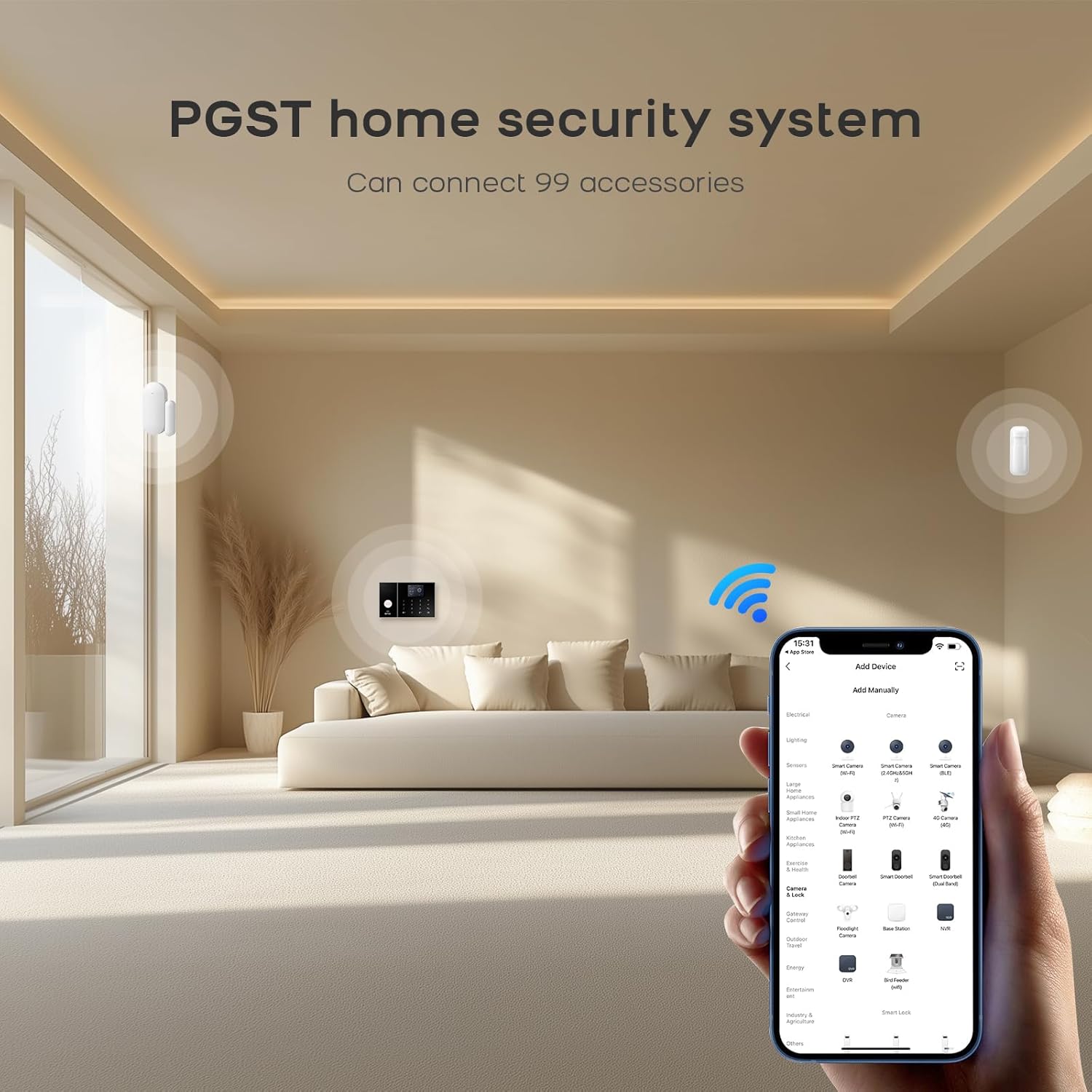
Image: RFID cards for quick arming and disarming.
4.4.3. Motion Sensor (Infrared Sensor) Pairing
- Turn on the infrared sensor switch. Wait approximately 30 seconds for the red light to flash rapidly twice, indicating it's ready for pairing.
- በቁጥጥር ፓነል ላይ፣ ወደሚከተለው ይሂዱ Menu > Sensors > Add.
- Trigger the motion sensor by waving your hand in front of it. The panel will confirm successful pairing.
- Set the sensor type to የስርዓት ማንቂያ or ክንድ ንቁ ይሁኑ እንደ አስፈላጊነቱ.

Image: Motion sensor with wide detection range.
4.4.4. Door/Window Sensor (Magnetic Sensor) Pairing
- Open the switch on the door magnetic sensor.
- በቁጥጥር ፓነል ላይ፣ ወደሚከተለው ይሂዱ Menu > Sensors > Add.
- Separate the two parts of the door sensor. The panel will confirm successful pairing.
- Set the sensor type to በር ደወል or ክንድ ንቁ ይሁኑ እንደ ተገቢነቱ.

Image: Door magnetic sensor for immediate alerts when doors or windows are opened.
5. የአሠራር መመሪያዎች
5.1. ስርዓቱን ማስታጠቅ እና ማስታጠቅ
ስርዓቱ በተለያዩ ዘዴዎች ሊታጠቅ ወይም ሊፈታ ይችላል፡-
- የቁጥጥር ፓነል Use the keypad to enter your password and select the desired arming mode (Arm, Stay Arm, Disarm).
- የርቀት መቆጣጠሪያ፡- Press the corresponding button on the remote control for Arm, Disarm, Home (Stay Arm), or SOS.
- RFID ካርድ፡ Tap a paired RFID card on the control panel's RFID reader to quickly arm or disarm the system.
- የሞባይል መተግበሪያ Use the Smart Life or Tuya app to remotely arm, disarm, or trigger alerts from anywhere.
- የድምጽ ቁጥጥር፡- ለእጅ ነፃ ቁጥጥር ከአማዞን አሌክሳ ወይም ከጉግል ረዳት ጋር ይዋሃዱ። ለምሳሌample, say "Alexa, arm my home!"

ምስል፡ የድምጽ ቁጥጥር ተግባር ከአማዞን አሌክሳ እና ከጉግል ረዳት ጋር።
5.2. የኤስኦኤስ ተግባር
In case of an emergency, press the SOS button on the control panel or remote control. The system will immediately trigger the siren and send alerts to pre-programmed contacts.
5.3. Real-time Alerts and Anti-Tamper
When a sensor is triggered, the 120dB siren will activate to deter intruders, and the Smart Life app will send real-time notifications to your smartphone. The control panel also features physical anti-tamper protection; any forced removal will trigger an instant alarm.
6. ጥገና
6.1. የባትሪ መተካት
Sensors are battery-powered. When a sensor's battery is low, the system will notify you via the control panel and the mobile app. Replace batteries promptly to ensure continuous protection. Refer to individual sensor manuals for specific battery types and replacement procedures.
6.2. ማጽዳት
Wipe the control panel and sensors with a soft, dry cloth. Avoid using abrasive cleaners or solvents that could damage the surfaces.
7. መላ መፈለግ
| ችግር | ሊሆን የሚችል ምክንያት | መፍትሄ |
|---|---|---|
| ስርዓቱ እየበራ አይደለም። | የኃይል አስማሚ አልተገናኘም ወይም የተሳሳተ። | Ensure the power adapter is securely connected to the control panel and a working power outlet. |
| Sensors not pairing. | Sensor not in pairing mode or too far from the control panel. | Ensure the sensor is in pairing mode (refer to section 4.4) and within range of the control panel. Replace sensor batteries if necessary. |
| የመተግበሪያ ማሳወቂያዎች የሉም። | No Wi-Fi/4G connection, app permissions, or notification settings. | Check Wi-Fi/4G connectivity on the control panel and your phone. Ensure the Smart Life/Tuya app has notification permissions enabled on your phone. Verify notification settings within the app. |
| የውሸት ማንቂያዎች። | Improper sensor placement or environmental factors. | Review sensor placement to avoid areas with drafts, direct sunlight, or pets (for motion sensors). Adjust sensitivity settings if available. |
8. ዝርዝሮች
- የምርት ስም፡ PGST
- የሞዴል ቁጥር፡- PG108-US4G-A
- የኃይል ምንጭ፡- Battery Powered (Control Panel includes 1 Lithium Polymer battery)
- የግንኙነት ቴክኖሎጂ; Wired (for power), Wi-Fi (2.4GHz), 4G/GSM
- የንጥል መጠኖች (L x W x H)፦ 1 x 1 x 1 inches (Control Panel)
- የእቃው ክብደት፡ 1.51 pounds (Control Panel)
- የተካተቱ አካላት፡- Control Panel, Door Magnetic Sensor, Infrared Sensor, Remote control, RFID cards, Siren.
- ሳይረን ውፅዓት፡ 120 ዲቢ
- የመተግበሪያ ተኳኋኝነት Smart Life, Tuya
- የድምጽ ረዳት ተኳኋኝነት፡- Amazon Alexa, Google ረዳት
9. ዋስትና እና ድጋፍ
PGST is committed to providing reliable security solutions. Your PGST Home Security System comes with:
- የዕድሜ ልክ የቴክኒክ ድጋፍ; For any technical issues or questions, please contact PGST customer service.
- ፈጣን ምላሽ Expect prompt assistance within 365 days of purchase.
For further assistance, please visit the official PGST store or contact their customer support channels.


